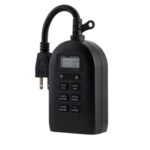
my Touch Smart timer Plug-in Timer User Manual
my Touch Smart timer Plug-in Timer User Manual Mounting/Installation Mount the timer on a wall near a GFCI receptacle using a screw or nail. Timer must be mounted in a…


myTouchSmart specializes in simple, programmable digital timers and smart home switches designed to automate indoor and outdoor lighting.
myTouchSmart is a consumer electronics brand manufactured and distributed by Jasco Products Company LLC. Known for its user-friendly approach to home automation, myTouchSmart offers a wide range of digital timers, plug-in switches, and in-wall smart controls.
The brand's products are designed with intuitive interfaces—such as distinct "One-Touch" preset buttons—to make scheduling lights and appliances effortless. Whether through simple digital interfaces or the myTS Wi-Fi app, myTouchSmart solutions allow users to improve energy efficiency and home security by automating daily routines for lamps, seasonal decor, and small appliances.
Selected manuals from manuals+ curated for this brand.


Common questions about manuals, registration, and support for this brand.
If the screen is blank, plug the timer in to charge for 1 hour. Once charged, press the reset button in the lower corner using a toothpick or pencil to clear settings.
myTouchSmart Wi-Fi devices use the 'myTS' app, available on the Apple App Store and Google Play Store.
Yes, most myTouchSmart timers are compatible with dimmable LED, CFL, incandescent, and halogen bulbs.
myTouchSmart Wi-Fi devices require a 2.4GHz Wi-Fi network connection for setup and operation.
Warranty and support are provided by Jasco Products Company. You can contact them at 1-800-654-8483.