📘 MOONDROP manuals • Free online PDFs
MOONDROP logo

MOONDROP Manuals & User Guides

MOONDROP is a premier audio technology company specializing in high-performance In-Ear Monitors (IEMs), TWS earbuds, and portable audio devices known for their reference-grade sound and anime-inspired aesthetic.

Tip: include the full model number printed on your MOONDROP label for the best match.

About MOONDROP manuals on Manuals.plus

MOONDROP (Chengdu Shuiyueyu Technology Co., Ltd.) is a leading manufacturer of high-fidelity audio equipment, widely recognized in the audiophile community for its exceptional In-Ear Monitors (IEMs) and portable audio solutions. Founded with a philosophy of integrating art with reason, the brand combines cutting-edge electro-acoustic engineering with distinct, anime-inspired artistic design. Their product lineup spans from entry-level dynamic driver earphones like the 'Chu' and 'Quarks' series to high-end planar magnetic and multi-driver monitors such as the 'Blessing', 'Variations', and 'Solis'.

In addition to wired headphones, MOONDROP has expanded into the wireless market with True Wireless Stereo (TWS/IEM) products like the Space Travel, Golden Ages, and Alice, which often feature advanced Active Noise Cancellation (ANC) and specialized tuning via the MOONDROP Link app. The company also produces portable DAC/Amps (like the Dawn Pro), mechanical keyboards, and occasionally smartphones with audiophile-grade audio circuitry. Committed to "real, natural, and exquisite sounds," MOONDROP maintains a rigorous focus on frequency response accuracy and build quality.

MOONDROP manuals

Selected manuals from manuals+ curated for this brand.

MOONDROP MD-TWS-060 Dots HiFi RT-Adaptive ANC TWS

November 13, 2026
MOONDROP MD-TWS-060 Dots HiFi RT-AdaptiveSpecification Specification Details Product Name MOONDROP Dots HiFi RT-Adaptive ANC TWS Model MD-TWS-060 Bluetooth Version 6.0 Bluetooth Profiles A2DP / AVRCP / HFP / HSP Audio Codecs…

MOONDROP MD-TWS-056 Pudding ANC TWS Earphones Instruction Manual

August 14, 2026
MOONDROP MD-TWS-056 Pudding ANC TWS Earphones Specification Product Name: MOONDROP PuddingANC MS Earphones Model: MD-TWS-056 Bluetooth Version: 6.0 Protocols. A2DP/AVRCP/HFP/HSP Audio SBC/AAC/LHDC Input: DC5V-500mA Output: DC5V—300mA Charging Port: USB-C Effective…

MOONDROP Gravity: Game Maestro-01 User Manual

manual
User manual for the MOONDROP Gravity: Game Maestro-01 (MD-HP-048D) gaming headset, covering setup, Bluetooth, 2.4G, USB-C, and 3.5mm connection modes, operation, and safety instructions.

Moondrop MD-TWS-039 User Manual

manual
User manual and operation guide for the Moondrop MD-TWS-039 wireless earbuds, covering pairing, charging, controls, and app usage.

ROBIN HiFi ANC TWS Earphones User Manual

manual
Comprehensive user manual for the ROBIN HiFi ANC TWS earphones (Model: MD-TWS-040). Includes setup, usage instructions, safety guidelines, and technical specifications.

MOONDROP manuals from online retailers

Moondrop Pudding TWS Earphone User Manual

Pudding (MD-TWS-056) • July 19, 2026
Comprehensive user manual for the Moondrop Pudding True Wireless Stereo Earphones, covering setup, operation, features, maintenance, troubleshooting, and specifications.

Moondrop Illustrious In-Ear Monitor Headphone User Manual

Illustrious • June 18, 2026
User manual for the Moondrop Illustrious in-ear monitor headphones, featuring an 11mm dynamic driver, TAC diamond-coated diaphragm, and interchangeable 3.5mm/4.4mm plugs. Includes setup, operation, maintenance, and specifications.

Moondrop CHU II DSP In-Ear Monitors User Manual

CHU II DSP • May 1, 2026
This manual provides comprehensive instructions for the Moondrop CHU II DSP High Performance Dynamic Driver USB-C In-Ear Monitors, covering setup, operation, maintenance, troubleshooting, and detailed specifications.

Moondrop Kadenz In-Ear Headphones User Manual

Kadenz • April 6, 2026
Comprehensive user manual for the Moondrop Kadenz 10mm Dynamic Driver in-Ear Headphones, covering setup, operation, maintenance, troubleshooting, and specifications.

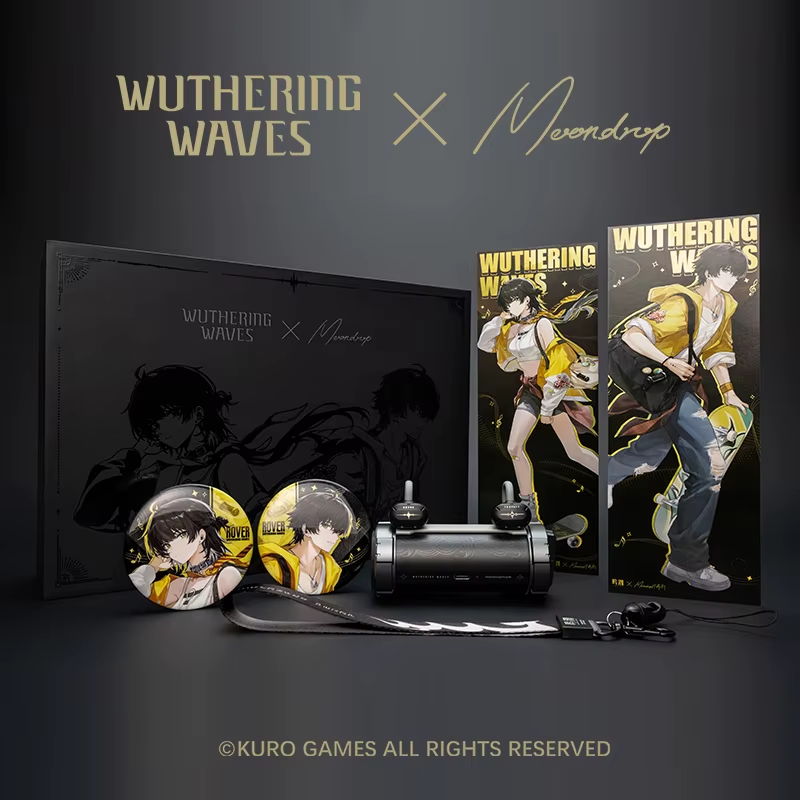
MOONDROP U.C.T.S. OWS Ear Clip Headphones User Manual

MD-OWS-014 • 1 PDF • November 5, 2026
Comprehensive user manual for the Wuthering Waves x MOONDROP U.C.T.S. OWS Ear Clip Headphones, including setup, operation, maintenance, troubleshooting, and specifications.

MOONDROP Space Travel TWS Earphone User Manual

SPACE TRAVEL • July 7, 2026
Comprehensive user manual for MOONDROP Space Travel TWS Earphones, covering setup, operation, maintenance, troubleshooting, and specifications for optimal audio experience.

MOONDROP support FAQ

Common questions about manuals, registration, and support for this brand.

  • How do I pair my MOONDROP TWS earbuds?

    Remove the earbuds from the charging case to automatically enter pairing mode. On your smartphone or Bluetooth device, search for the specific model name (e.g., 'MOONDROP Space Travel', 'MOONDROP Golden Ages', or 'MOONDROP EDGE') and select it to connect. If pairing fails, place them back in the case and try again.

  • How do I reset my MOONDROP earbuds to factory settings?

    For many models like the Space Travel or Golden Ages, ensure the earbuds are unconnected but searching for Bluetooth. Long-press both the left and right touch areas simultaneously (often for about 8 seconds) until the indicators flash or a prompt is heard indicating a reset.

  • How do I switch between ANC and Transparency modes?

    Press and hold the touch control area (usually for 1 second) on either earbud to cycle through Noise Canceling (ANC), Standard, and Transparency modes. You will typically hear voice prompts like 'Sh' (ANC), 'Eh' (Standard), or 'Heh' (Transparency).

  • What app should I use with MOONDROP wireless products?

    Download the 'MOONDROP Link 2.0' app from the official website, Google Play Store, or Apple App Store. This app allows you to customize touch controls, switch tuning profiles (DSP), and update firmware.

  • Why is one side of my MOONDROP IEM silent?

    This is often caused by a loose cable connection or blocked woven filters. Ensure the 2-pin connector is securely seated. If the issue persists, check if the earwax filter is clogged; replacing the filter often restores sound balance.