
1. Introduction
Thank you for choosing the SANODESK Electric Standing Desk. This desk is designed to provide a versatile and ergonomic workspace, allowing you to easily switch between sitting and standing positions. Its spacious 79 x 32 inch desktop accommodates multiple monitors and accessories, making it ideal for home offices and computer workstations. This manual provides detailed instructions for assembly, operation, maintenance, and troubleshooting to ensure optimal performance and longevity of your desk.
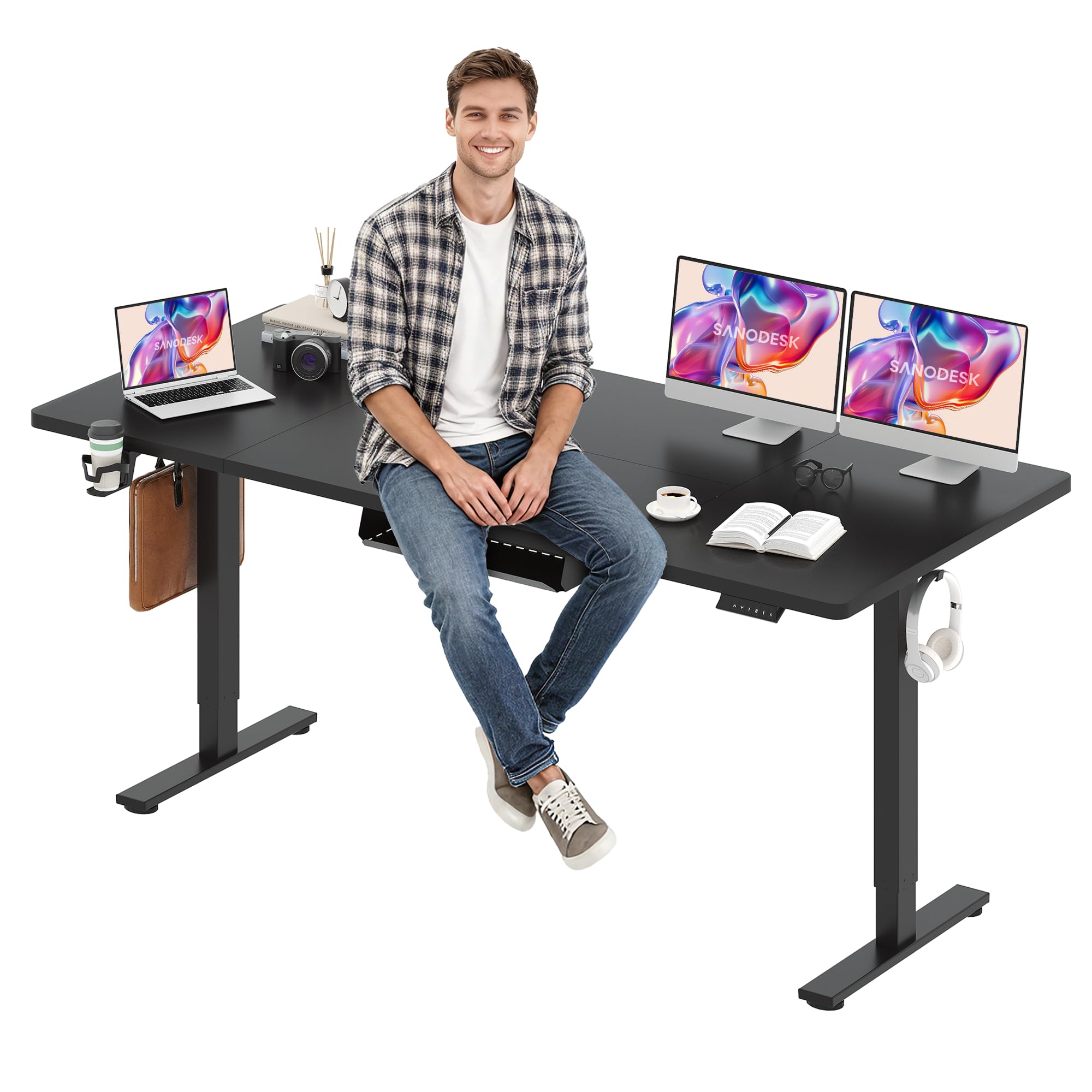
Figure 1.1: The SANODESK Electric Standing Desk with a black frame and black top, showcasing its large surface area.
2. Safety Information
- Ensure all connections are secure before operating the desk.
- Keep children and pets away from the desk during operation to prevent injury.
- Do not overload the desk. The maximum weight capacity is 154 lbs (70 kg).
- Avoid placing liquids directly on the control panel or near electrical components.
- Do not disassemble or modify the desk's electrical components. Contact customer support for service.
- Ensure there are no obstructions in the desk's path when adjusting height.
3. Package Contents
Verify that all components are present before beginning assembly. If any parts are missing or damaged, please contact customer service.
- Desktop (79 x 32 inches, Black Top)
- Electric Lifting Frame (Black Frame)
- LED Memory Control Panel
- Power Adapter and Cables
- Cable Management Tray
- Cup Holder (x1)
- Headphone Hooks (x2)
- Assembly Hardware (screws, Allen wrench, etc.)
- Instruction Manual
4. Assembly Instructions
Follow these steps carefully for proper assembly. It is recommended to have two people for certain steps, especially when handling the desktop.
- Unpack Components: Carefully remove all parts from the packaging and lay them out on a clean, soft surface to prevent scratches.
- Assemble Desktop: If your desktop comes in multiple pieces, connect them using the provided fasteners and alignment pins. Ensure the connection is secure and flush.
- Attach Lifting Columns: Secure the lifting columns to the desktop using the designated screw holes. Ensure they are oriented correctly according to the manual diagrams.
- Install Feet: Attach the feet to the bottom of the lifting columns.
- Mount Control Box and Control Panel: Secure the control box and LED memory control panel to the underside of the desktop in the designated locations.
- Connect Cables: Connect all motor cables, the control panel cable, and the power adapter cable to the control box. Ensure all connections are firm.
- Install Accessories: Attach the cable management tray, cup holder, and headphone hooks as desired.
- Cable Management: Organize cables using the provided cable ties or clips to prevent tangling and ensure smooth operation.

Figure 4.1: A person securing components during the assembly process of the standing desk.
Video 4.2: A detailed review demonstrating the assembly process and features of the SANODESK Electric Standing Desk.
5. Operating Instructions
The SANODESK Electric Standing Desk features an intuitive LED memory control panel for easy height adjustments and preset settings.
5.1. Initial Setup and Calibration
- After assembly, plug the desk into a power outlet.
- Press and hold the 'Down' arrow button until the desk reaches its lowest position and slightly rebounds. This calibrates the desk.
5.2. Adjusting Height
- Use the 'Up' (▲) and 'Down' (▼) arrow buttons on the control panel to adjust the desk to your desired height. The current height will be displayed on the LED screen.
- The desk can be adjusted from 28.9 inches to 46.5 inches.

Figure 5.1: The LED memory control panel, showing the up/down arrows and four programmable memory buttons.

Figure 5.2: Visual representation of the desk's height adjustment range, from 28.9 inches (sitting) to 46.5 inches (standing).
5.3. Setting Memory Presets
The control panel allows you to save up to four preferred height settings.
- Adjust the desk to your desired height using the 'Up' or 'Down' buttons.
- Press the 'M' button (or 'Set' button if available) once. The LED display will show 'S-'.
- Within 3 seconds, press one of the numbered memory buttons (1, 2, 3, or 4). The display will show the corresponding number, indicating the height is saved.
- To recall a saved height, simply press the corresponding numbered memory button. The desk will automatically move to that preset height.
Video 5.3: A user review demonstrating how to set and use the four height memory presets on the SANODESK Electric Standing Desk.
Video 5.4: A user demonstrating the smooth height adjustment feature of the SANODESK Electric Standing Desk.
6. Maintenance
- Cleaning: Wipe the desktop and frame with a soft, damp cloth. Avoid harsh chemicals or abrasive cleaners that could damage the finish.
- Cable Inspection: Periodically check all cables for wear, fraying, or loose connections. Ensure cables are neatly managed to prevent interference with moving parts.
- Lubrication: The lifting columns are generally maintenance-free. Do not apply lubricants unless specifically instructed by customer support.
- Fastener Check: Occasionally check all screws and bolts to ensure they are tight. Retighten if necessary.
7. Troubleshooting
If you encounter any issues with your SANODESK Electric Standing Desk, refer to the following common problems and solutions:
| Problem | Possible Cause | Solution |
|---|---|---|
| Desk does not move or respond to controls. | Power cable disconnected, control panel cable loose, motor error. | Check power connection. Ensure all cables are securely plugged into the control box. Perform a reset (see manual for specific reset procedure, usually holding down arrow). |
| Desk wobbles at standing height. | Loose fasteners, uneven floor, overloaded desk. | Ensure all assembly screws are tightened. Place the desk on a level surface. Reduce the weight on the desktop. |
| Error code displayed on LED. | Overload, motor malfunction, sensor issue. | Refer to the specific error code in the full user manual (if provided) or contact customer service with the error code. Try unplugging and replugging the desk after 30 seconds. |
| Desk moves unevenly. | Obstruction, motor synchronization issue. | Check for obstructions. Perform a calibration by holding the 'Down' button until the desk reaches its lowest point and slightly rebounds. |
If these solutions do not resolve the issue, please contact SANODESK customer support.
8. Specifications
- Model Name: 156E
- Desktop Dimensions: 79 inches (Length) x 32 inches (Width)
- Height Adjustment Range: 28.9 inches to 46.5 inches
- Maximum Weight Capacity: 154 lbs (70 kg)
- Frame Material: Alloy Steel
- Top Material: Wood
- Color: Black Frame + Black Top
- Control Panel: LED Memory Control Panel with 4 preset buttons
- Assembly Required: Yes
- UPC: 840460468725
9. Warranty and Support
SANODESK offers a 30-day return or exchange service for any problems encountered upon receiving or using the product. For assistance, please contact customer service through your order page on Amazon. Our team is dedicated to providing support and resolving any issues you may have.
Please note that the electric desk may be divided into two packages and may arrive at different times. Your patience is appreciated.


