
1. Introduction
Thank you for purchasing the BE COOL 6-in-1 Design Air Cooler. This innovative appliance combines cooling, humidifying, ventilating, air purifying, and mosquito repellent functions, along with a unique flower pot feature, to enhance your indoor environment. Please read this manual thoroughly before operation to ensure proper use, maintenance, and safety.
1.1 Safety Instructions
- Always place the unit on a stable, level surface.
- Do not immerse the appliance, cord, or plug in water or other liquids.
- Unplug the unit from the power outlet before cleaning, refilling, or performing any maintenance.
- Keep out of reach of children and pets.
- Do not block the air inlets or outlets.
- Use only clean tap water in the water tank.
- Do not use the appliance if the power cord or plug is damaged.
- Ensure the voltage indicated on the appliance matches your local power supply.
- Do not attempt to repair or disassemble the unit yourself. Contact qualified service personnel.
- This appliance is designed for indoor use only.
2. Product Features
The BE COOL 6-in-1 Air Cooler offers a range of functionalities designed for optimal comfort and convenience:
- Multi-functional Design: Combines air cooling, humidification, ventilation, air purification, and mosquito repellent.
- Energy Efficient: Low power consumption of 50 watts.
- Large Water Tank: 7-liter capacity for extended operation (10-12 hours).
- Effective Air Circulation: Provides 480 m³/hour air circulation, suitable for rooms up to 10 m².
- Integrated Air Filter: Helps keep the air fresh.
- User-Friendly Controls: Features a touch control panel and an included remote control for easy operation.
- Adjustable Speed Settings: Three speed levels (Soft, Medium, High) for customized airflow.
- Timer Function: Allows for flexible operation scheduling.
- Flower Pot Recess: Unique design feature at the top to hold a small plant, doubling as a decorative item.
- Mosquito Repellent: Integrated function to help deter insects.
- Ice Cube Compartment: Allows for the addition of ice cubes for enhanced cooling.
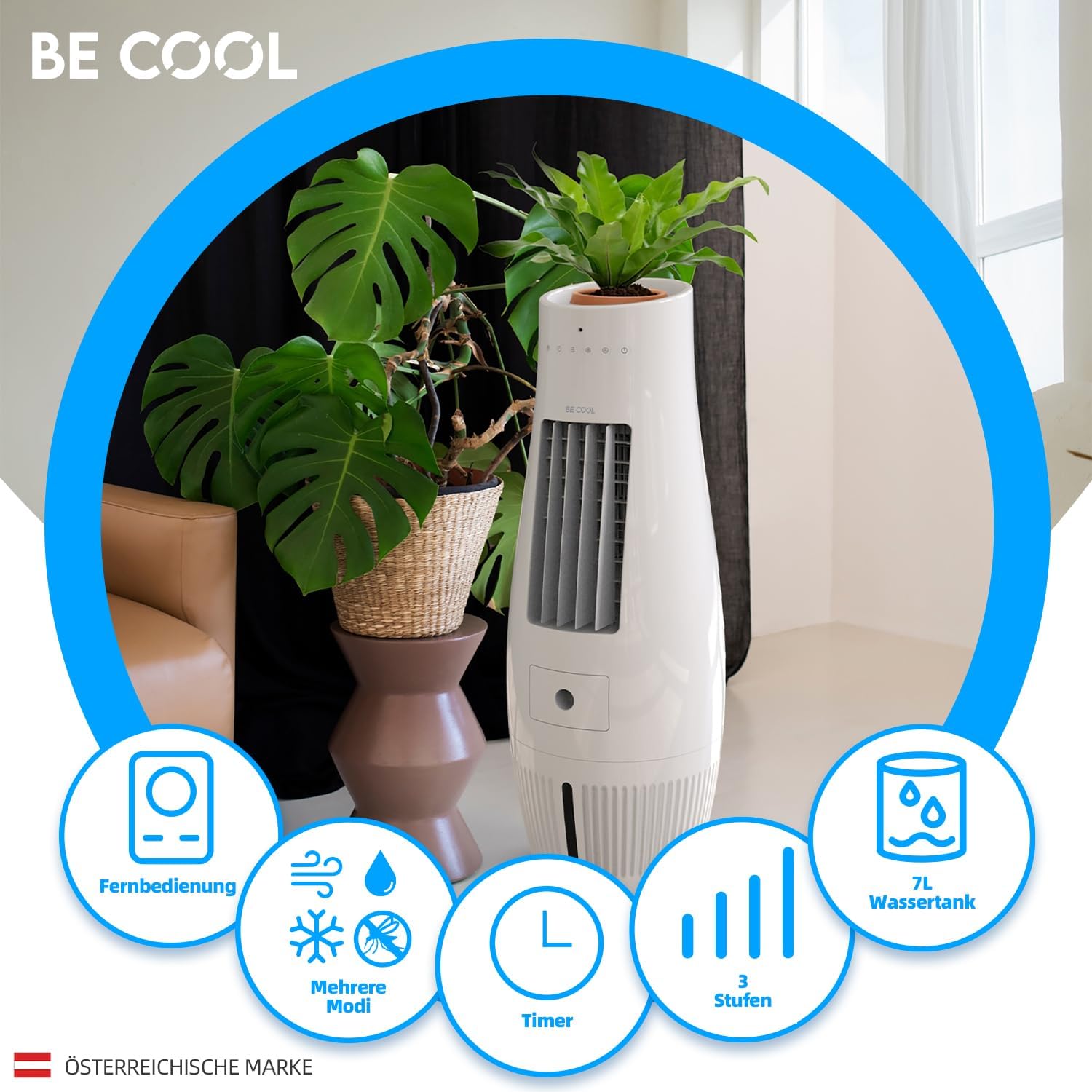
Image: Overview of the BE COOL Air Cooler's key features, including remote control, various modes, timer, three speed settings, and a 7-liter water tank.

Image: Visual representation of the air cooler's multi-functional capabilities: cooling, humidifying, ventilation, and insect repellent.
3. Package Contents
Upon unpacking, please ensure all items are present and in good condition:
- BE COOL Air Cooler Unit
- Remote Control
- User Manual
- 1 CR2 battery (pre-installed in remote or included separately)
4. Parts Identification

Image: Front view of the BE COOL Air Cooler, showing the air outlet, control panel, and water tank window.
- Top Panel: Touch control panel, LED indicators, flower pot recess.
- Air Outlet: Front grille for air dispersion.
- Water Tank: Located at the bottom, with a visible water level indicator.
- Air Inlet/Filter: Rear panel (not visible in front image, but implied by air purification feature).
- Remote Control Receiver: Small sensor on the front panel.
- Power Cord: Located at the rear bottom.

Image: Detailed view highlighting the dimensions (300x300x807mm), maximum room size suitability (10m²), the flower pot recess at the top, and the LED display on the control panel.
5. Setup
5.1 Placement
Place the air cooler on a firm, level surface in the desired room. Ensure there is adequate space around the unit for proper airflow (at least 20 cm from walls or furniture).

Image: The BE COOL Air Cooler positioned in a room, demonstrating its integration as a decorative element with a plant in its top recess.
5.2 Filling the Water Tank
- Ensure the unit is unplugged from the power outlet.
- Locate the water tank. Depending on the design, it might be a pull-out drawer or require lifting a top cover.
- Carefully pour clean tap water into the tank. Do not exceed the "MAX" fill line indicated on the tank or visible through the water level window.
- For enhanced cooling, you may add ice cubes to the water tank.
- Close the water tank securely.
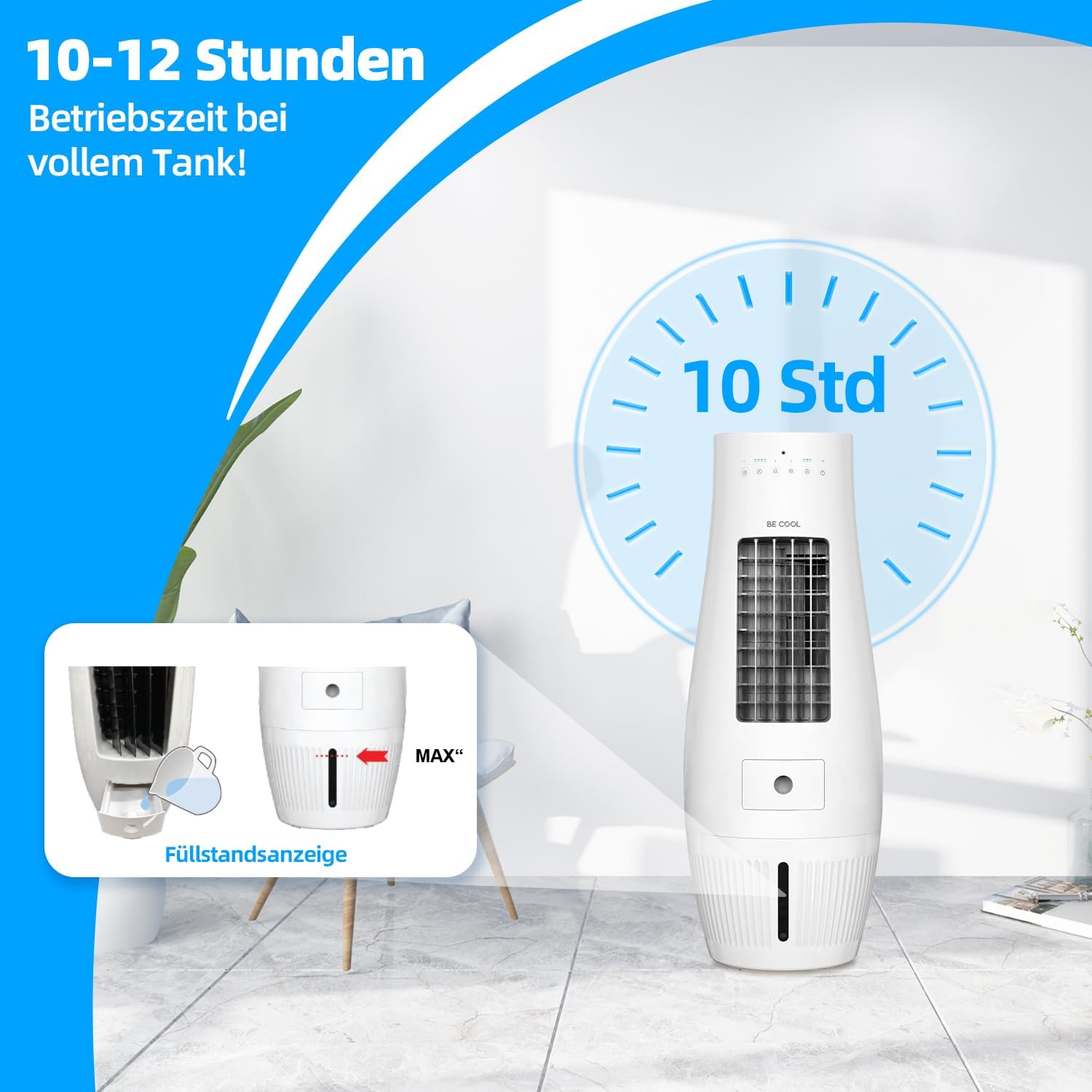
Image: Illustration of the air cooler's long operating time (10-12 hours) with a full tank, and a close-up of the water tank fill level indicator.

Image: Demonstrates the 7-liter water tank capacity and the oscillation feature of the air cooler.
5.3 Power Connection
Plug the power cord into a standard electrical outlet (220-240V, 50Hz).
6. Operation
6.1 Control Panel and Remote Control
The air cooler can be operated using the touch control panel on the top of the unit or the included remote control. The remote control requires 1 CR2 battery (included).

Image: The remote control for the BE COOL Air Cooler, illustrating the three available speed settings: Soft, Medium, and High.
6.2 Power On/Off
- Press the Power button on the control panel or remote control to turn the unit on or off.
- LED indicators on the top panel will illuminate to show the current operating status.
6.3 Speed Settings
- Press the Speed button (or fan icon) to cycle through the three fan speeds: Soft (Low), Medium, and High.

Image: Visual representation of the air flow intensity at Low, Medium, and High speed settings.
6.4 Cooling/Humidification Mode
- Press the Cool button (or snowflake/water drop icon) to activate the cooling and humidification function. This function uses water from the tank to cool and humidify the air.
- Ensure the water tank is filled before activating this mode.
6.5 Oscillation Function
- Press the Swing or Oscillation button (or swing icon) to activate the automatic oscillation of the air outlet, distributing air more widely.
- Press again to stop oscillation.
6.6 Timer Function
- Press the Timer button to set the desired operating time. Each press typically increases the timer by a set increment (e.g., 1 hour).
- The unit will automatically turn off once the set time has elapsed.
6.7 Mosquito Repellent Function
- The unit features an integrated mosquito repellent. Refer to the specific instructions in the full manual for activation or if it operates automatically with certain modes.
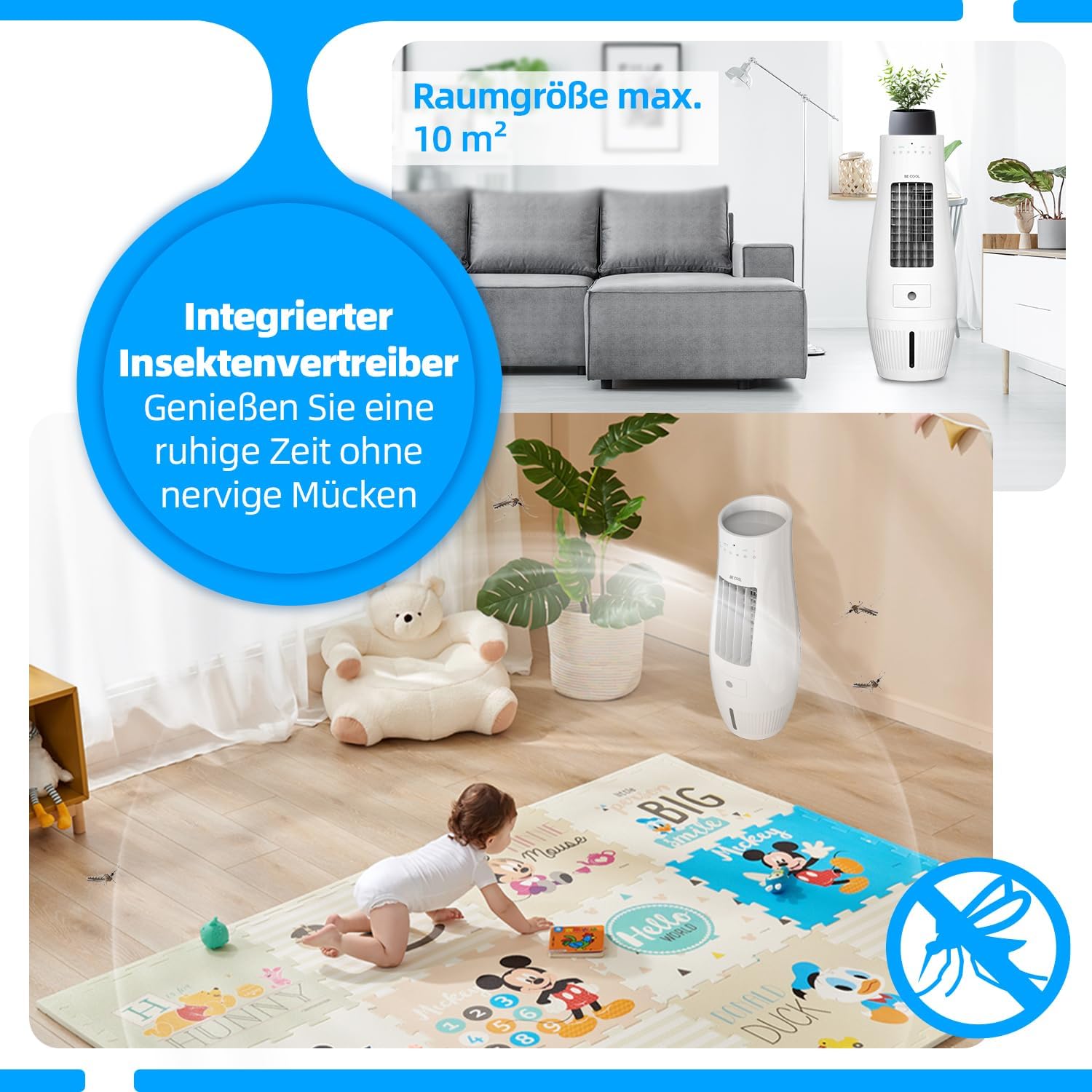
Image: Highlights the integrated insect repellent feature and the recommended maximum room size of 10 square meters for optimal performance.
7. Maintenance
Regular cleaning and maintenance will ensure the longevity and optimal performance of your air cooler.
7.1 Cleaning the Exterior
- Always unplug the unit before cleaning.
- Wipe the exterior surfaces with a soft, damp cloth. Do not use abrasive cleaners or solvents.
7.2 Cleaning the Water Tank
- Empty any remaining water from the tank.
- Clean the inside of the water tank with a soft brush or cloth and mild detergent. Rinse thoroughly with clean water.
- Allow the tank to air dry completely before refilling or storing the unit.
- Clean the water tank regularly (e.g., weekly) to prevent mold and mildew buildup.
7.3 Cleaning the Air Filter
- The unit has an integrated air filter. Refer to the full manual for instructions on how to access and clean or replace the filter.
- Typically, filters can be rinsed under running water and air-dried.

Image: A diagram illustrating the integrated air filter, designed to help keep the air fresh by trapping dust and particles.
7.4 Storage
- If storing the unit for an extended period, ensure the water tank is empty and clean.
- Clean the entire unit and allow it to dry completely.
- Store the unit in its original packaging in a cool, dry place.
8. Troubleshooting
Before contacting customer support, please refer to the following common issues and solutions:
| Problem | Possible Cause | Solution |
|---|---|---|
| Unit does not turn on. | No power supply; Power button not pressed. | Check if the power cord is securely plugged in. Press the Power button. |
| No cooling effect. | Water tank empty; Cooling mode not activated. | Fill the water tank. Activate the Cooling/Humidification mode. Add ice cubes for stronger cooling. |
| Weak airflow. | Low fan speed selected; Air filter clogged. | Increase the fan speed. Clean the air filter. |
| Unpleasant odor. | Stagnant water in tank; Dirty filter. | Empty and clean the water tank thoroughly. Clean the air filter. |
| Remote control not working. | Battery depleted; Obstruction between remote and unit. | Replace the CR2 battery. Ensure no obstructions and point remote directly at the unit's receiver. |
9. Specifications
| Feature | Specification |
|---|---|
| Model Number | BC07AC60WF |
| Power Consumption | 50 Watts |
| Voltage | 220-240 Volts |
| Water Tank Capacity | 7 Liters |
| Air Circulation | 480 m³/hour (8 Cubic meters per minute) |
| Recommended Room Size | Up to 10 m² |
| Operating Time (Full Tank) | 10-12 hours |
| Dimensions (W x D x H) | 30 x 30 x 80.5 cm |
| Net Weight | 4.15 kg |
| Control Type | Digital Touch, Remote Control |
| Special Features | Timer, Adjustable Speed, Flower Pot Recess, Mosquito Repellent |
| Included Components | Air Cooler, Remote Control, Manual |
| Battery Type (Remote) | 1 CR2 (included) |
10. Warranty and Support
For warranty information, please refer to the warranty card included with your product or contact the retailer where you purchased the BE COOL Air Cooler. For technical support or service inquiries, please contact the manufacturer, Schuss Home Electronic, or your local distributor.
Keep your purchase receipt as proof of purchase for warranty claims.


