
1. Introduction
This manual provides essential instructions for the assembly, operation, maintenance, and troubleshooting of your SANODESK Height Adjustable Ergonomic Desk. Please read this manual thoroughly before use to ensure safe and efficient operation. Keep this manual for future reference.

2. Safety Instructions
- Ensure all components are securely fastened before use.
- Do not exceed the maximum load capacity of 60 kg.
- Keep children and pets away from the desk during height adjustment.
- Avoid placing objects that could obstruct the desk's movement.
- Disconnect power before cleaning or maintenance.
- Do not attempt to disassemble or repair the motor or control system yourself. Contact qualified personnel for service.
- Ensure the power cord is not pinched or damaged.

3. Package Contents
Verify that all parts are present before beginning assembly. If any parts are missing or damaged, contact customer support.
- Desktop Surface (160x60cm)
- Desk Frame (Legs, Crossbar)
- Control Panel
- Power Adapter and Cable
- Assembly Hardware (Screws, Allen Keys)
- Cable Management Accessories (e.g., hooks, trays)
- Instruction Manual
4. Setup (Assembly)
Follow these general steps for assembling your height adjustable desk. Refer to the included assembly diagram for detailed illustrations.
- Unpack Components: Carefully remove all parts from the packaging and lay them out on a clean, soft surface to prevent scratches.
- Assemble Desk Frame: Attach the lifting columns to the feet, then connect the crossbar. Ensure all screws are tightened securely.
- Attach Desktop: Carefully place the desktop upside down on the soft surface. Position the assembled frame onto the desktop, aligning the pre-drilled holes. Secure the frame to the desktop using the provided screws.
- Install Control Panel: Mount the control panel to the underside of the desktop in a convenient location.
- Connect Cables: Connect the motor cables to the control box, and then connect the control panel cable to the control box. Finally, connect the power adapter to the control box and plug it into a power outlet.
- Cable Management: Use the provided cable management accessories (hooks, trays) to organize cables neatly.
5. Operating Instructions
5.1 Control Panel Overview
The control panel typically features up/down arrows for adjustment, memory preset buttons (M1, M2), and a child safety lock button.
5.2 Height Adjustment
- Press and hold the Up arrow to raise the desk.
- Press and hold the Down arrow to lower the desk.
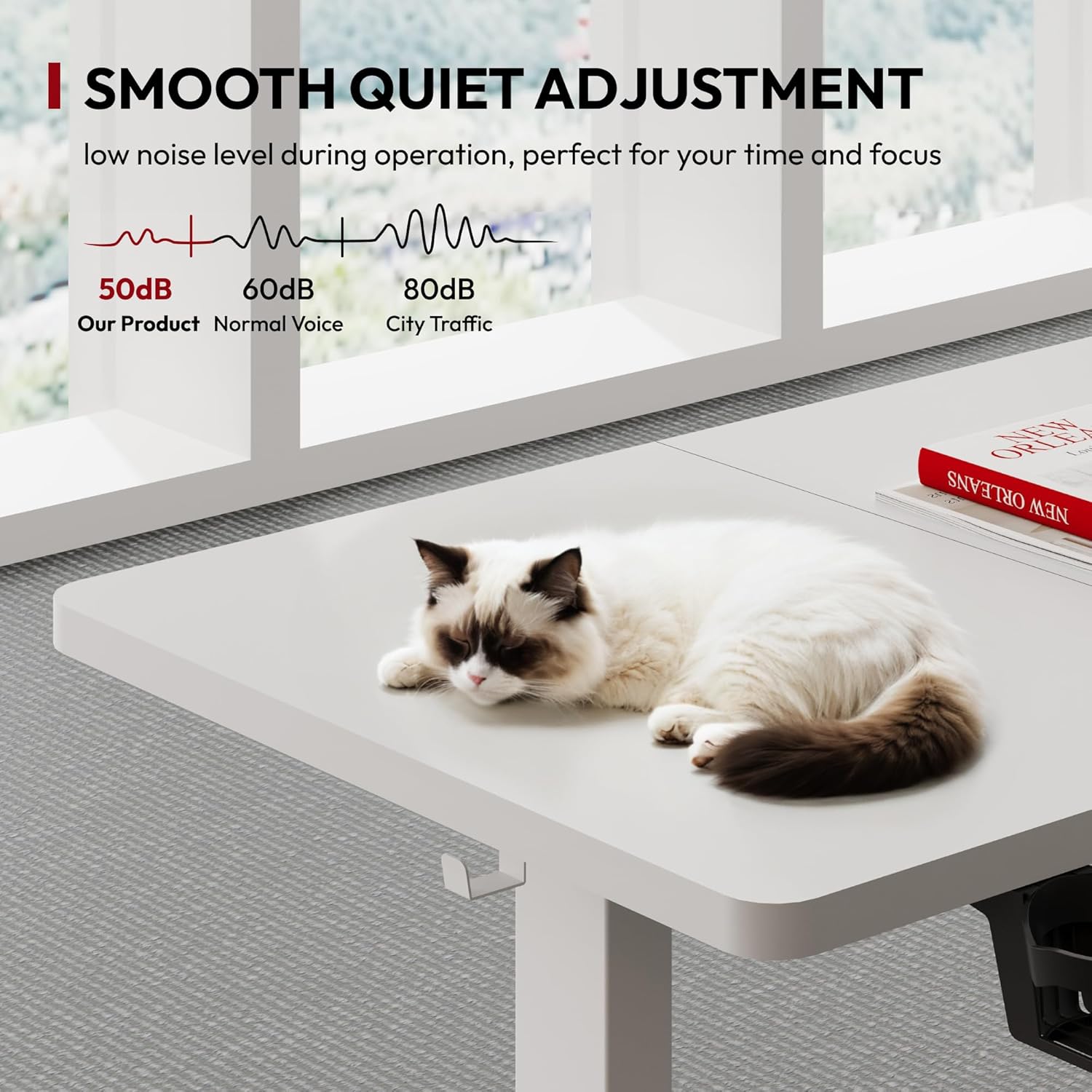
- Release the button at your desired height. The desk operates smoothly and quietly.
5.3 Memory Presets
The desk allows you to save two preferred height settings.
- Adjust the desk to your desired height using the up/down arrows.
- Press the M button, then immediately press either 1 or 2 to save the current height to that preset.
- To recall a saved height, simply press the corresponding 1 or 2 button. The desk will automatically move to the saved position.
5.4 Child Safety Lock
To prevent accidental adjustments, activate the child safety lock.
- Press and hold the Lock button (or a designated button, refer to your specific control panel) for a few seconds until an indicator light appears or a beep sounds.
- To deactivate, press and hold the Lock button again.
5.5 Anti-Collision System
The desk is equipped with an automatic anti-collision system. If the desk encounters an obstruction during adjustment, it will stop and reverse slightly to prevent damage to itself or other objects.
5.6 Additional Features
- Cup Holder: A convenient cup holder is included for easy access to beverages.
- Metal Hooks: Utilize the integrated metal hooks to hang headphones, bags, or other frequently used items.
- Under-Desk Storage: The desk includes provisions for under-desk storage and cable organization to maintain a tidy workspace.


6. Maintenance
- Cleaning: Wipe the desk surface and frame with a soft, damp cloth. Avoid abrasive cleaners or harsh chemicals.
- Inspection: Periodically check all screws and connections to ensure they remain tight.
- Cable Management: Ensure cables are not tangled or obstructing movement.
7. Troubleshooting
| Problem | Possible Cause | Solution |
|---|---|---|
| Desk does not move. | Power disconnected; cables loose; child lock active. | Check power connection; ensure all cables are securely plugged in; deactivate child lock. |
| Desk moves unevenly or makes unusual noise. | Overload; loose connections; obstruction. | Reduce weight on desk; check all screws and connections; remove any obstructions. |
| Memory presets not working. | Presets not saved correctly. | Re-save the desired height settings following the instructions in section 5.3. |
| Anti-collision system triggers frequently. | Sensitivity too high; actual obstruction. | Ensure no objects are in the path of the desk. Consult support if issue persists without obstruction. |
8. Specifications
| Feature | Detail |
|---|---|
| Brand | SANODESK |
| Model | 160x60cm |
| Desktop Dimensions (L x W) | 160 cm x 60 cm |
| Height Range | 73 cm to 118 cm |
| Maximum Load Capacity | 60 kg |
| Item Weight | 23.5 kg |
| Material (Frame) | Alloy Steel |
| Material (Desktop) | Wood |
| Special Features | Height Adjustable, Electric, Memory Presets, Child Safety Lock, Anti-Collision System |
| Color | White |
9. Warranty and Support
SANODESK products are designed for durability and performance. For specific warranty information, please refer to the warranty card included with your purchase or visit the official SANODESK website.
If you encounter any issues or have questions not covered in this manual, please contact SANODESK customer support for assistance. Contact details can typically be found on the product packaging or the official website.


