
Introduction
This manual provides detailed instructions for the assembly, operation, and maintenance of your SANODESK 55 Inch 3 Stage Bamboo Electric Standing Desk. Please read this manual thoroughly before use to ensure proper function and safety.

Image: The SANODESK 55 Inch Bamboo Electric Standing Desk in an office setup.
Safety Information
- Ensure proper assembly of all components before use.
- Place the desk on a stable and level surface.
- Avoid touching moving parts during height adjustment.
- Keep all cables organized and clear of moving mechanisms.
- Do not exceed the maximum weight recommendation of 220 pounds.
- The desk features an anti-collision system to prevent damage. If resistance is detected during adjustment, the desk will stop and reverse slightly.
Package Contents
Your SANODESK standing desk will arrive in two separate packages:
- Desk Top (Bamboo)
- Desk Frame (White)

Image: Desk components packaged in two boxes.
Assembly Instructions
Assembly typically takes approximately one hour. It is recommended that two people assemble the desk for ease and safety.
- Unpack all components and verify against the parts list (not provided in this document, refer to included physical manual).
- Attach the desk legs to the desktop. Note that some pilot holes for the middle braces may need to be drilled by the user. A hand drill is recommended for this step.
- Connect the control panel and power cables according to the diagrams in the physical manual.
- Ensure all screws are tightened securely.

Image: Desk dimensions for reference during assembly.
Operating Instructions
Control Panel Overview
The control panel, located on the underside of the desktop, features an LED display and several buttons for operation.

Image: Control panel with height display and adjustment buttons.
Height Adjustment
- Use the up (^) and down (v) arrow buttons to manually adjust the desk height.
- The LED display will show the current height in inches.
Memory Presets
The desk features four memory preset buttons (1, 2, 3, 4) to save and recall preferred sitting and standing heights.
- Adjust the desk to your desired height using the up/down arrows.
- Press the 'M' button (or similar 'Set' button, refer to physical manual) followed by one of the number buttons (1, 2, 3, or 4) to save the current height.
- To recall a saved height, simply press the corresponding number button. The desk will automatically move to that position.
Sit-Stand Reminder
The control panel includes a sit-stand reminder function to encourage regular movement. Consult your physical manual for instructions on how to activate and customize this feature.
Anti-Collision Feature
For safety, the desk is equipped with an anti-collision system. If the desk encounters an obstacle during upward or downward movement, it will automatically stop and reverse slightly to prevent damage or injury.

Image: Anti-collision technology in action.
Product Features
Dual Motor Design
The desk features a dual-motor design for smooth, stable, and quiet height adjustments. This design also contributes to a higher weight capacity and longer lifespan compared to single-motor desks.

Image: Dual-motor design for enhanced stability and performance.
3-Stage Lifting System
The 3-stage inverted lifting column provides a wide height adjustment range from 23.6 inches to 49.2 inches, accommodating various user heights and preferences for sitting or standing positions.

Image: Explanation of the 3-stage leg system and its adjustment range.
Solid Bamboo Desktop
The desktop is constructed from mature, seamless bamboo, offering exceptional flexibility, tensile strength, and durability. It provides a smooth, easy-to-maintain surface that adds a sophisticated touch to any workspace.
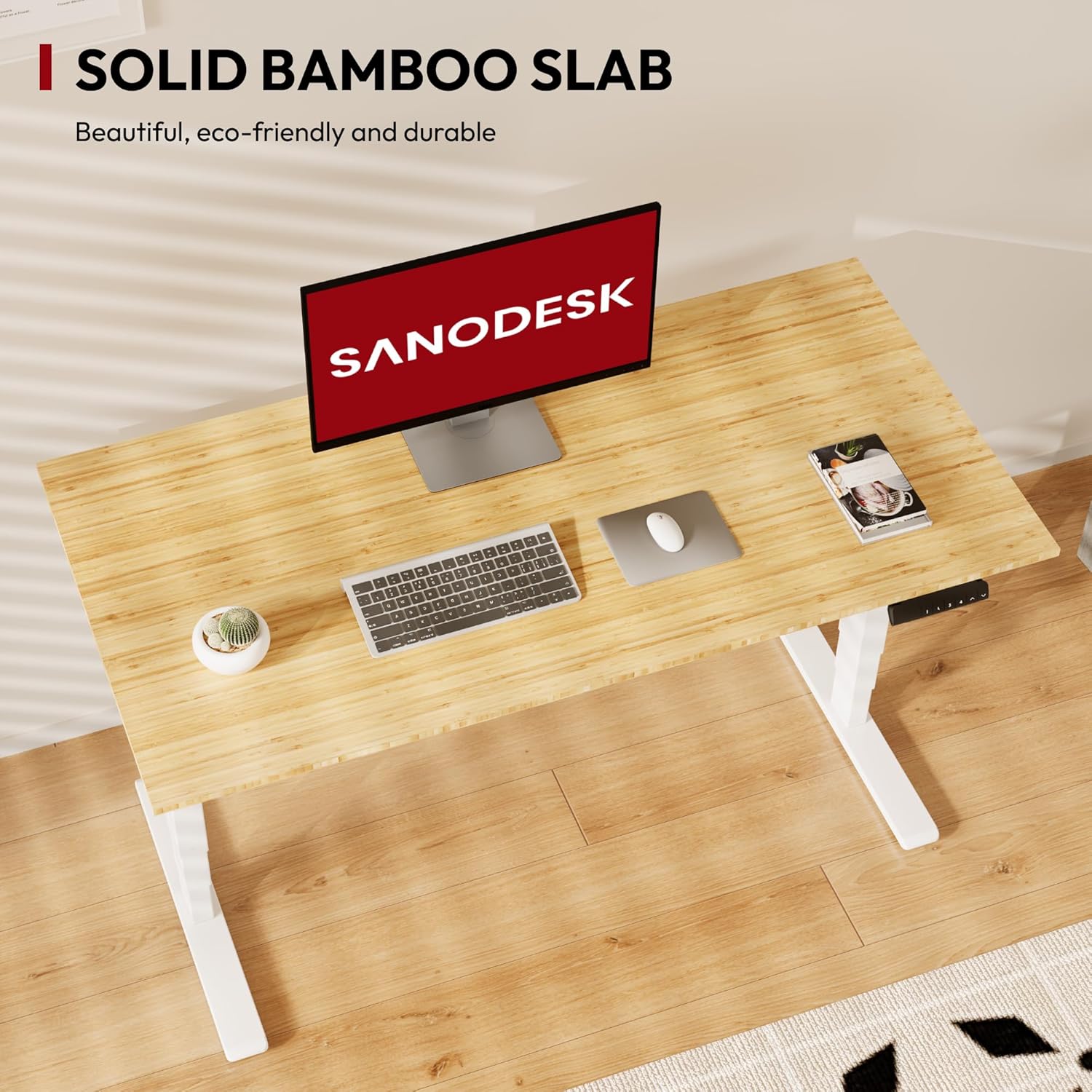
Image: Close-up of the solid bamboo desktop surface.
Weight Capacity
The desk supports an impressive weight capacity of up to 220 pounds, ensuring stability even with multiple monitors and office equipment.

Image: Visual representation of the desk's weight capacity.
Certified Safety
The standing desk is UL certified, incorporating advanced safety features such as overload protection, overheating protection, overcurrent protection, and power outage protection.

Image: UL certification for safety and reliability.
Maintenance
- Clean the bamboo desktop with a damp cloth.
- Avoid using abrasive cleaners, which can damage the finish.
- Do not expose the desktop to direct sunlight for prolonged periods to prevent discoloration or warping.
- Regularly check all fasteners to ensure they remain tight.
Troubleshooting
- Desk not moving: Ensure all power cables are securely connected and the power outlet is functional.
- Desk stops during adjustment: The anti-collision feature may have been activated. Remove any obstacles and try again.
- Unusual noises: Check for any loose components or obstructions. If the noise persists, contact customer support.
- Pilot holes not aligning during assembly: While the desk is designed for straightforward assembly, minor adjustments or drilling of new pilot holes may be necessary in some cases.
For further assistance, please refer to the comprehensive troubleshooting guide in your physical manual or contact SANODESK customer support.
Specifications
| Feature | Detail |
|---|---|
| Brand | SANODESK |
| Model Name | 55 Inch 3 Stage Bamboo Electric Standing Desk |
| Desktop Material | Bamboo |
| Frame Material | Metal |
| Color | White Frame / Natural Bamboo Top |
| Product Dimensions | 28"D x 55"W x 50"H |
| Minimum Height | 23.6 Inches |
| Maximum Height | 50 Inches |
| Lifting Mechanism | Electric, Dual Motor |
| Number of Height Positions | 3 (Stages) |
| Maximum Weight Recommendation | 220 Pounds |
| Special Feature | Ergonomic, Anti-Collision |
| Required Assembly | Yes (Recommended 2 people) |
| UPC | 810072816610 |
Warranty and Support
The SANODESK 55 Inch 3 Stage Bamboo Electric Standing Desk comes with a Limited Warranty. Please refer to the warranty card included with your product for specific terms and conditions.
For customer support, technical assistance, or warranty claims, please contact SanoDesk directly. Contact information can typically be found on the product packaging or the official SANODESK website.


