📘 N-Com manuals • Free online PDFs
N-Com logo

N-Com Manuals & User Guides

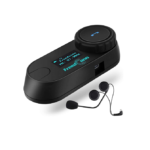
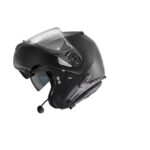
N-Com specializes in integrated communication systems for Nolan, X-lite, and Grex motorcycle helmets, offering Bluetooth intercoms and emergency signaling technology.

Tip: include the full model number printed on your N-Com label for the best match.

N-Com manuals

Latest manuals from manuals+ curated for this brand.

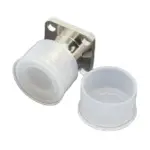
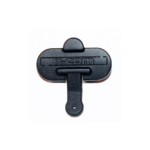
n-com SPCOM00000025 Connector Cover User Manual

November 24, 2022
SPCOM00000025  SPCOM00000025 Connector Cover INSTRUCTIONS FOR REPLACING THE SPCOM00000025 Remove the N-Com system from the helmet (Fig. 1-4). Unscrew the screw and replace the connector cover (Fig. 5). Screw the…

n-com SPCOM00000032 Right Cable User Manual

November 23, 2022
n-com SPCOM00000032 Right Cable INSTRUCTIONS FOR REPLACING THE SPCOM00000032 Remove the N-Com system from the helmet (see instruction booklet). Open the e-box (Fig. 1-2). GENTLY remove the electronic card from…

n-com SPCOM00000033 Left Cable User Manual

November 23, 2022
SPCOM00000033 Left Cable User Manual INSTRUCTIONS FOR REPLACING THE SPCOM00000033 Remove the N-Com system from the helmet (see instruction booklet). Open the e-box (Fig. 1-2). GENTLY remove the electronic card…

n-com SPCOM00000034 Electronic Card User Manual

November 23, 2022
 SPCOM00000034 Electronic Card User Manual INSTRUCTIONS FOR REPLACING THE SPCOM00000034 Remove the N-Com system from the helmet (see instruction booklet) Open the e-box (Fig. 1-2) GENTLY remove the electronic card…

n-com SPCOM00000052 Connector Cover Cap User Manual

November 23, 2022
SPCOM00000052 Connector Cover Cap User Manual INSTRUCTIONS FOR REPLACING THE SPCOM00000052 Remove the N-Com system from the helmet (see instruction booklet). Remove the screws using a Torx T6 screwdriver and…

n-com SPCOM00000050 Helmet Intercom System User Manual

November 23, 2022
n-com SPCOM00000050 Helmet Intercom System INSTRUCTIONS FOR REPLACING THE SPCOM00000050 Remove the N-Com system from the helmet (see instruction booklet). Remove the plastic clip and remove the keyboard (Fig. 1-2).…

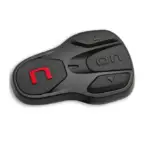
n-com SPCOM00000100 Helmet Keyboard User Manual

November 23, 2022
n-com SPCOM00000100 Helmet Keyboard VERSION WITH SCREW CLOSURE Remove the N-Com system from the helmet (see instruction booklet). With the help of a Torx screwdriver, remove the two screws of…

N-Com B601 X Bluetooth Communication System User Manual

manual
User instructions and safety information for the N-Com B601 X Bluetooth communication system by Nolangroup. Includes installation guides for Nolan and X-Lite helmets, basic functions, configuration, pairing, intercom features, and…

N-Com B902 X User Manual: Installation and Operation Guide

user manual
Comprehensive user manual for the N-Com B902 X Bluetooth communication system. Includes detailed installation instructions for various helmet models, safety guidelines, basic functions, advanced features like audio multitasking and conference…

N-Com B101 Helmet Communication System Quick Guide

quick start guide
A concise quick guide for the N-Com B101 helmet communication system, covering basic functions, mobile phone pairing, music playback, and key features. Includes instructions in multiple languages.

N-Com B101 R-Series Helmet Communication System User Manual

manual
Comprehensive user manual for the N-Com B101 R-Series helmet communication system, covering installation, basic functions, Bluetooth pairing, mobile phone integration, music playback, GPS navigation, battery management, and warranty information.

N-Com B602 R Series Helmet Communication System User Manual

manual
This document provides user instructions and safety information for the N-Com B602 R Series helmet communication system. It covers installation, basic functions, pairing, configuration, music playback, intercom features, battery management,…

N-Com B902 User Instructions and Safety Manual

user manual
Comprehensive user instructions and safety guidelines for the N-Com B902 communication system, covering installation, basic functions, pairing, audio features, intercom capabilities, and warranty information.