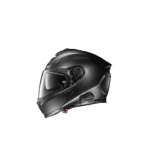
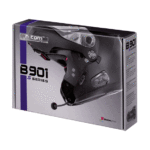
N-Com Manuals & User Guides
N-Com specializes in integrated communication systems for Nolan, X-lite, and Grex motorcycle helmets, offering Bluetooth intercoms and emergency signaling technology.
About N-Com manuals on Manuals.plus
N-Com (Nolan Communication system) is the dedicated communication division of Nolangroup, a world-renowned manufacturer of motorcycle helmets. Established to provide seamless integration between helmet and technology, N-Com designs specific communication kits for Nolan, X-lite, and Grex helmets. Unlike universal aftermarket units, N-Com systems are often engineered to fit into pre-set recesses within the helmet shell, ensuring minimal aerodynamic drag and optimal audio quality.
The brand offers a range of products from basic Bluetooth kits for rider-passenger communication to advanced mesh intercom systems for group riding. N-Com devices also feature connectivity with mobile phones, GPS systems, and MP3 players. A standout innovation is the ESS (Emergency Stop Signal) system, an LED light integrated into the helmet that signals sudden braking to other road users, enhancing rider safety.
N-Com manuals
Latest manuals from manuals+ curated for this brand.
N-Com Android Bluetooth Pairing / Music / GPS Instructions
n-com B602 Communication System User Guide
n-com B602 Helmet Communication System User Guide
n-com ESS III Executive Presence and Braking Signalling Indicator User Manual
n-com B602 Single Motorcycle Intercom User Guide
n-Com B101 Communication System User Guide
n-Com B602 R Series Blue Tooth RCS Motorcycle Helmet Instruction Manual
n-com B902 and Garmin BMW Navigator VI Instructions
n-com B901 Bluetooth Helmet Intercom User Manual
N-Com Bluetooth+ Guide Utilisateur
N-Com Easyset: Anleitung und Hilfe
N-Com Bluetooth+ User Guide by Sena
N-Com Bluetooth Plus Quick Reference Guide
N-Com Bluetooth+ Guida Utente
N-Com M951 XSERIES Helmet Communication System User Manual
N-Com Bluetooth+ User Guide
N-Com Mesh Benutzerhandbuch Version 1.0.0
N-Com Mesh Quick Reference Guide
N-Com SPCOM00000032 Replacement Instructions
N-Com B901 & Tom Tom Rider II Bluetooth Pairing and Usage Guide
N-COM B802 Quick Start Guide: Motorcycle Helmet Communication System
N-Com support FAQ
Common questions about manuals, registration, and support for this brand.
-
How do I update the firmware on my N-Com system?
You can update your system using the N-Com EASYSET program for PC or Mac. Download the software from the Support section of the official N-Com website and connect your device via USB.
-
Is my N-Com system waterproof?
The electronic components mounted inside the helmet are not waterproof. Ensure the inside comfort padding and system components remain dry to prevent damage.
-
How do I pair my N-Com with a mobile phone?
With the system off, press and hold the 'On' button until the LED flashes rapidly (Pairing Mode). Then, search for Bluetooth devices on your phone and select your N-Com model.
-
What constitutes the ESS system?
The ESS (Emergency Stop Signal) serves as an LED brake light on the back of the helmet. It detects sudden deceleration and flashes to alert vehicles behind you.