Introduction
The ROJECO Automatic Pet Feeder offers advanced remote control capabilities through its user-friendly mobile application, allowing pet owners to manage feeding schedules from any location. This feeder supports up to 12 scheduled meals per day, with customizable times and portion sizes. For instance, a cat can be scheduled for breakfast at 7 AM, lunch at 12 PM, and dinner at 7 PM, each with a 30g portion. The app also includes a manual feeding option for dispensing extra portions as needed, whether for rewards, snacks, or missed meals. Real-time notifications keep owners informed about meal dispensing, low food levels (around 10% capacity), low battery status, and any operational errors like a jammed auger or Wi-Fi disconnection. These alerts ensure continuous monitoring of the pet's feeding status and the feeder's performance, providing peace of mind.
Key Features
- Optimal Food Freshness: Features a patented rotor on the auto pet food dispenser, secure twist-lock lid, built-in desiccant bag, and sealing strip to ensure triple-seal freshness and keep food fresh and crunchy.
- Programmable Feeding: The feeder allows setting 1-6 meals daily and up to 50 portions per meal (20ml each portion). An easy-to-read tilt LED panel facilitates schedule adjustments and battery monitoring. It is also equipped with a manual feeding button for instant dispensing (up to 5 portions).
- Dual Power Options: Operates via USB-C adapter or 3 alkaline D batteries (not included) as a backup, ensuring continuous operation during power outages.
- Personalized Meal Calls: The automatic pet feeder can record a 10-second message, and the number of recordings played can be individually set from 0-5 times, allowing for personalized meal calls.
- Easy Cleaning & Safety: Constructed from BPA-free materials. The tank lid, tank, tank base, and food bowl are removable for thorough cleaning. A built-in infrared sensor in the food outlet can stop dispensing food when the food outlet is blocked.
- Integrated Camera: 1080P HD camera with 2 million HD pixels and a 120° wide-angle lens for real-time video and voice monitoring, including infrared night vision for 24-hour surveillance.
1. Setup Guide
1.1 Unpacking and Component Check
Carefully remove all components from the packaging. Ensure the following items are present:
- ROJECO Automatic Pet Feeder unit
- Food bowl
- USB-C power adapter and cable
- Desiccant bag (pre-installed or separate)
- User Manual (this document)
1.2 Power Supply Installation
The feeder supports dual power options: AC adapter and backup batteries.
- AC Power: Connect the USB-C cable to the feeder's power port and plug the adapter into a standard wall outlet.
- Battery Backup (Optional): For uninterrupted operation during power outages, install 3 alkaline D batteries (not included) into the battery compartment located at the bottom of the feeder. Ensure correct polarity.

Image: Dual Power Supply. The feeder can be powered by a USB-C adapter or 3 D-cell batteries for backup.
1.3 Filling the Food Hopper
- Remove the twist-lock lid from the top of the feeder.
- Pour dry pet food into the hopper. Ensure the food is suitable for automatic feeders (kibble size should be appropriate to prevent jamming).
- Replace the lid and twist to secure it, ensuring the desiccant bag is properly positioned to maintain food freshness.
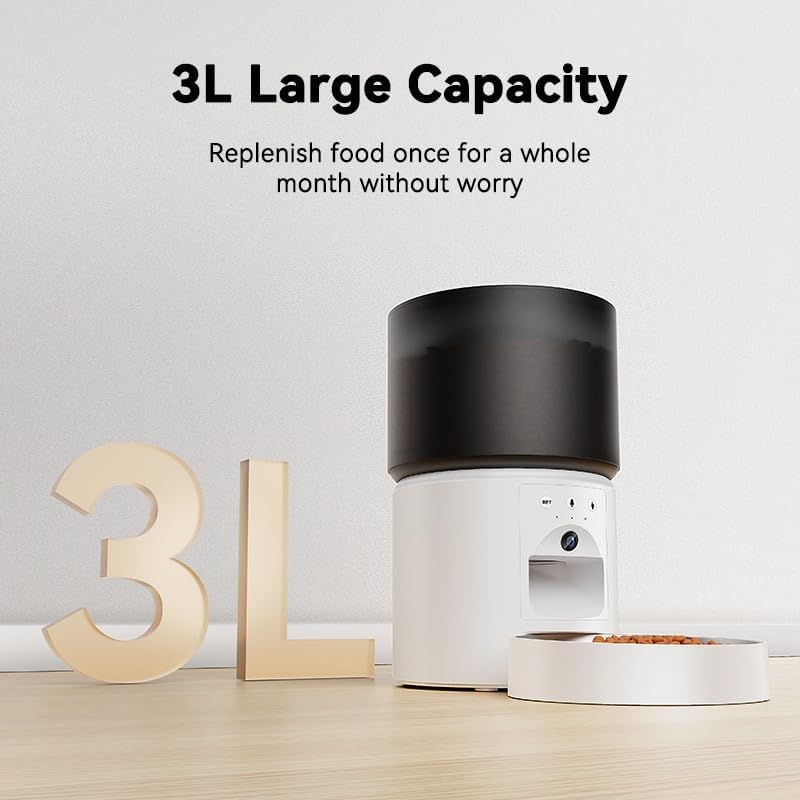
Image: 3L Large Capacity. The feeder's hopper can hold up to 3 liters of dry pet food.
1.4 App Download and Connection
To utilize the feeder's smart features, download the companion mobile application.
- Scan the QR code provided in the quick start guide or search for "ROJECO Pet" (or similar, if specified in product packaging) in your device's app store (App Store for iOS, Google Play Store for Android).
- Install the app and create an account.
- Follow the in-app instructions to add your ROJECO Automatic Pet Feeder. This typically involves connecting the feeder to your home Wi-Fi network (2.4GHz only).
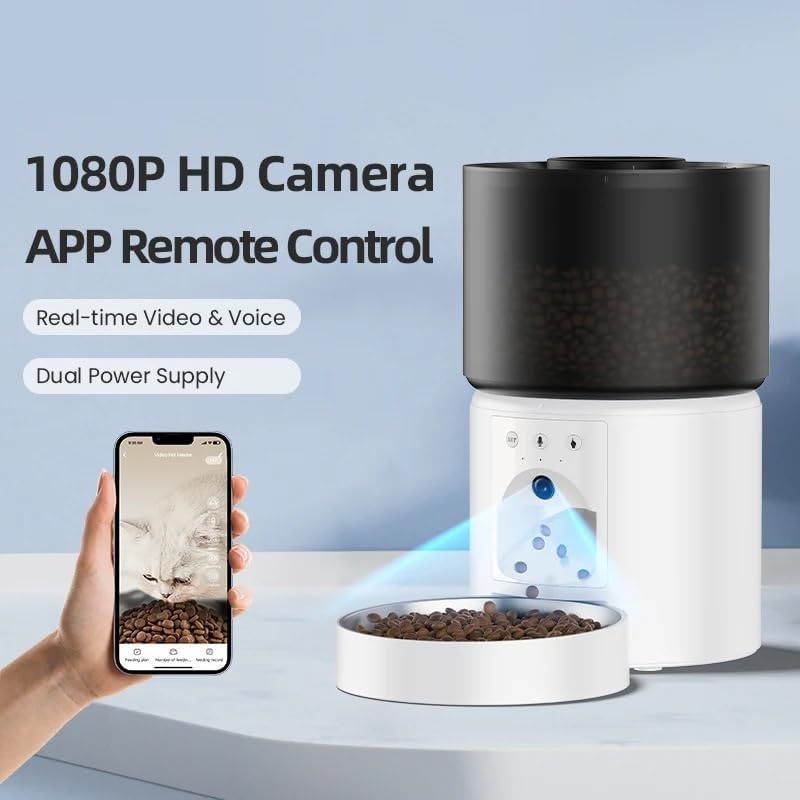
Image: 1080P HD Camera and App Remote Control. The feeder integrates with a mobile app for real-time video, voice, and remote feeding.
2. Operating Instructions
2.1 Scheduling Meals
Use the mobile app to set up a customized feeding schedule for your pet.
- Open the ROJECO app and select your feeder device.
- Navigate to the "Schedule" or "Feeding Plan" section.
- Add a new meal time, specify the exact time, and select the desired portion size (1-50 portions, 20ml per portion).
- Repeat for up to 12 meals per day. Save your settings.
2.2 Manual Feeding
Dispense food instantly using the app or the manual feed button on the device.
- Via App: On the main screen of the feeder in the app, tap the "Manual Feed" button. You can typically select the number of portions to dispense (up to 5 portions).
- On Device: Press the manual feed button (often labeled "SET" or a food icon) on the feeder itself to dispense a single portion.
2.3 Using the Camera and Voice Recorder
The integrated camera allows for real-time monitoring, and the voice recorder enables personalized meal calls.
- Real-time Video: Access the live camera feed through the app to view your pet and the feeder's surroundings. The 1080P HD camera provides a 120° wide-angle view, and infrared night vision ensures visibility in low-light conditions.
- Voice Recording: In the app, navigate to the voice recording settings. Record a message up to 10 seconds long. You can set how many times this message plays during scheduled meal times (0-5 times).

Image: Real-time Video & Voice. The feeder's camera provides a full-screen view, and the food bowl is visible for monitoring.

Image: 24-Hour Surveillance. The infrared night vision camera allows monitoring of your pet in the dark.

Image: 10S Personalized Meal Call. Record a voice message that plays at mealtime to call your pet.
2.4 Notifications
The app provides real-time alerts to keep you informed about the feeder's status:
- Meal Dispensed: Confirmation that a scheduled meal has been successfully delivered.
- Low Food: Alert when the food hopper is approximately 10% full, indicating it's time for a refill.
- Low Battery: Notification if the backup batteries are running low.
- Error Alerts: Warnings for issues such as a jammed auger or Wi-Fi disconnection.
3. Maintenance and Cleaning
3.1 Cleaning the Feeder
Regular cleaning ensures hygiene and optimal performance. All parts that come into contact with food are BPA-free and removable for easy cleaning.
- Disconnect Power: Before cleaning, unplug the USB-C power adapter and remove any backup batteries.
- Disassemble: Remove the food bowl, tank lid, food tank, and tank base.
- Wash Components: Wash the removable parts with mild soap and water. Rinse thoroughly and dry completely before reassembly. Do not wash the main feeder unit (the part containing electronics).
- Wipe Main Unit: Use a soft, damp cloth to wipe the exterior of the main feeder unit. Do not immerse it in water.
- Reassemble: Once all parts are dry, reassemble the feeder.
3.2 Desiccant Bag Replacement
The desiccant bag helps keep food fresh. Replace it periodically (e.g., every 1-3 months) for best results.
- Locate the desiccant bag holder under the food hopper lid.
- Remove the old desiccant bag and dispose of it.
- Insert a new desiccant bag into the holder.
- Close the lid securely.
3.3 Battery Replacement
If using backup batteries, replace them when the low battery notification appears or approximately every 6-12 months, depending on usage.
- Turn the feeder upside down.
- Open the battery compartment cover.
- Remove the old D batteries and insert 3 new alkaline D batteries, ensuring correct polarity.
- Close the battery compartment cover securely.
4. Troubleshooting
| Problem | Possible Cause | Solution |
|---|---|---|
| Feeder not dispensing food. |
|
|
| App cannot connect to the feeder. |
|
|
| Voice recording not playing. |
|
|
| Camera feed is black or blurry. |
|
|
5. Product Specifications
| Model Number | WSQ-001 |
| Brand | ROJECO (Manufacturer: ZGHQHCDRH) |
| Capacity | 3 Liters (approx. 12.7 cups) |
| Dimensions (L x W x H) | 7.72 x 7.72 x 14.17 inches |
| Item Weight | 1.76 ounces (Product) / 0.11 Pounds (Shipping) |
| Power Supply | USB-C Adapter (included), 3 x D Alkaline Batteries (not included) |
| Camera | 1080P HD, 2 Million Pixels, 120° Wide-Angle Lens, Infrared Night Vision |
| Voice Recorder | Up to 10 seconds |
| Feeding Schedule | 1-6 meals/day, up to 50 portions/meal (20ml/portion) |
| Connectivity | Wi-Fi (2.4GHz only) |
| Material | BPA-free |
| Target Species | Cats, Dogs, Small Animals |
6. Warranty and Support
For warranty information and technical support, please refer to the documentation included with your purchase or visit the official ROJECO website. You may also contact the manufacturer, ZGHQHCDRH, directly through their customer service channels.
Please retain your proof of purchase for any warranty claims.
7. Safety Information
- This appliance is for indoor use only.
- Do not immerse the main feeder unit in water or other liquids.
- Keep out of reach of children and pets to prevent tampering or injury.
- Use only dry pet food. Do not use wet food, canned food, or treats that may jam the dispenser.
- Ensure the power cord is not chewed by pets. Use protective cable covers if necessary.
- Always unplug the feeder before cleaning or performing maintenance.
- Do not attempt to repair or modify the feeder yourself. Contact customer support for assistance.
- Dispose of batteries according to local regulations.


