
isinwheel GT1
isinwheel GT1 Electric Scooter User Manual
Model: GT1 | Brand: isinwheel
1. Introduction
Thank you for choosing the isinwheel GT1 Electric Scooter. This manual provides essential information for the safe operation, maintenance, and troubleshooting of your scooter. Please read it thoroughly before your first ride to ensure optimal performance and safety.

The isinwheel GT1 Electric Scooter, featuring its sleek design, accompanying mobile application, and included accessory box.
2. Safety Guidelines
Always prioritize safety when operating the isinwheel GT1 Electric Scooter. Adhere to local regulations regarding electric scooter use. Wear appropriate safety gear, including a helmet, knee pads, and elbow pads, at all times.
- Do not ride in heavy rain or through standing water.
- Avoid riding on slippery surfaces.
- Maintain a safe distance from other vehicles and pedestrians.
- Regularly check brakes and tires before each ride.
- Ensure the charger plug is removed from the e-scooter when charging is complete. Do not leave the plug on the scooter.
3. Product Features
The isinwheel GT1 is designed for performance and comfort, featuring:
- Powerful 800W Motor: Delivers strong acceleration and a top speed of 28 MPH.
- Extended Range: Up to 28 miles on a single charge with its 48V 10Ah battery.
- Dual Shock Absorption: Front and rear shock absorbers for a smooth ride on various terrains.
- 10-inch Off-Road Pneumatic Tires: Provides superior grip and stability.
- Dual Braking System: Combination of disc brakes and electronic cut-off brake for reliable stopping power.
- Comprehensive Lighting System: Headlights, turn signals, taillights, ambient lights, and spotlights for enhanced visibility.
- APP Connectivity: Customize riding modes, monitor battery life, and track speed in real-time.
- Foldable Design: Easy to carry and store.
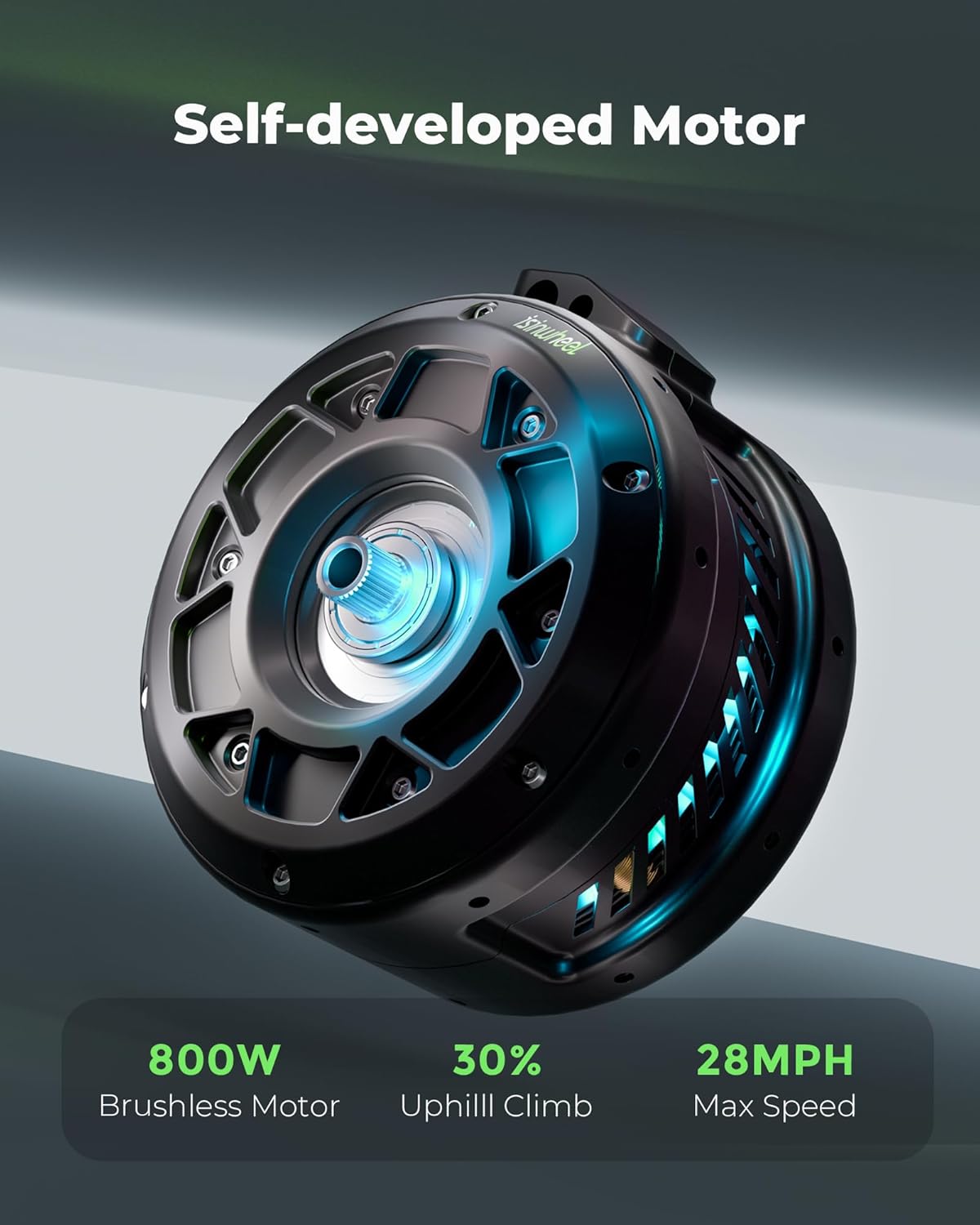
The powerful 800W brushless motor, designed for efficient and robust performance.

Detail view of the front and rear dual shock absorption systems, ensuring a comfortable ride.

The 10-inch off-road pneumatic tires provide excellent grip and stability on diverse terrains.

The comprehensive lighting system, including bright headlights, visible taillights, and turn signals, enhances safety and visibility.
4. Setup and Assembly
Your isinwheel GT1 Electric Scooter comes partially assembled. Follow these steps for initial setup:
- Unboxing: Carefully remove all components from the packaging. Verify all included items are present: electric scooter, charger, tool set, scooter bag, and manual.
- Handlebar Installation: Lift the handlebar stem until it clicks into place. Secure any locking mechanisms as per the quick start guide.
- Initial Charge: Before first use, fully charge the scooter's battery. Connect the charger to the charging port and then to a power outlet. The charging time is approximately 5 hours. Ensure the charger plug is removed once charging is complete.
- Tire Inflation: Check tire pressure. Inflate to the recommended PSI using the provided air nozzle if necessary.

The 3-step folding design makes the scooter easy to carry and transport.
5. Operating Instructions
Familiarize yourself with the controls and riding modes of your GT1 scooter.
- Power On/Off: Press and hold the power button on the display to turn the scooter on or off.
- Speed Modes: The GT1 offers four-speed modes to suit different riding conditions:
- Mode 1: 0-9 MPH
- Mode 2: 0-15 MPH
- Mode 3: 0-21 MPH
- Mode 4: 0-28 MPH
- Acceleration: Use the throttle to accelerate smoothly.
- Braking: Utilize the dual braking system (disc brakes and electronic cut-off brake) for responsive and stable stopping.
- Lighting: Activate headlights, taillights, and turn signals as needed for visibility.

The isinwheel APP allows for easy customization of riding modes and real-time monitoring of battery and speed.
Official product video demonstrating the features and performance of the isinwheel GT1 electric scooter, including its speed, motor, and off-road capabilities.
6. Maintenance
Regular maintenance ensures the longevity and safe operation of your isinwheel GT1 Electric Scooter.
- Cleaning: Wipe down the scooter with a damp cloth. Do not use high-pressure water jets or immerse the scooter in water.
- Tires: Check tire pressure regularly and inflate as needed. Inspect tires for wear and tear.
- Brakes: Periodically check the brake system for proper function and adjust if necessary.
- Battery Care: Store the scooter in a cool, dry place. If storing for an extended period, charge the battery to about 50-70% every 30-60 days to prevent deep discharge.
- Fasteners: Ensure all screws and bolts are tightened securely before each ride.
7. Troubleshooting
Common issues and their potential solutions:
| Problem | Possible Cause | Solution |
|---|---|---|
| Scooter not turning on | Low battery; Loose connections | Charge battery; Check all cable connections. |
| Reduced range/speed | Under-inflated tires; Overload; Battery degradation | Inflate tires to correct pressure; Reduce load; Contact support if battery issue persists. |
| Brakes not effective | Worn brake pads; Loose brake cable | Inspect and replace brake pads; Adjust brake cable tension. |
| Unusual noises | Loose components; Debris in wheels | Check and tighten all fasteners; Remove any debris. |
8. Specifications
| Feature | Detail |
|---|---|
| Brand | isinwheel |
| Model Name | GT1 |
| Motor Power | 800W Brushless Motor |
| Top Speed | 28 MPH |
| Maximum Distance Range | 28 Miles |
| Battery | 48V 10Ah |
| Charging Time | 5 Hours |
| Tire Type | 10-inch Off-Road Pneumatic Tires |
| Weight Limit | 330 Pounds |
| Item Weight | 52 Pounds |
| Product Dimensions | 45"L x 25"W x 45"H |
| Brake Style | Front Braking, Rear Braking |
| Suspension Type | Dual Suspension |
| Included Components | Electric scooter, charger, tool set, scooter bag, manual |
9. Warranty and Support
isinwheel is committed to providing quality items and service. Your electric scooter comes with a warranty on different parts:
- Motor and Battery: 365-day or 180-day support (non-transferable after initial sale).
- Returns: 7-day no-reason return on original condition (no human damage and no stains).
If shipping damage occurs, please contact customer support with photo or video proof.
Customer Support:
- Email: support@isinwheel.com
- Phone: 1(888) 293-5788

isinwheel customer support is available to assist with any product issues.
Related documentsGT1


Ask a question about this manual
Ask about setup, troubleshooting, compatibility, parts, safety, or missing instructions. Manuals+ will review the question and use this page’s manual context to help answer it.