
Introduction
This manual provides detailed instructions for the installation, operation, and maintenance of your Naifay 9-inch Touch Screen Car Stereo Radio. This unit is designed to enhance your driving experience with features such as wireless CarPlay, Android Auto, GPS navigation, Bluetooth connectivity, and more. Please read this manual thoroughly before installation and use to ensure proper functionality and safety.
Vehicle Compatibility
This Naifay car stereo is compatible with Ford Focus models manufactured between 2012 and 2018. It does not support vehicles equipped with the S.O.N.Y system.
To confirm compatibility, please compare your car's dashboard with the images provided below. If you are unsure, provide your car's model, year, and a picture of your car's dashboard to customer support for verification.

Image: Comparison of car dashboard before and after Naifay stereo installation, showing various Ford Focus dashboard types that are compatible. This image helps verify if the stereo fits your specific Ford Focus model.
Key Features
- Operating System: Android 12 with a 4-Core processor for smooth performance.
- Memory: 2GB RAM and 32GB ROM for application storage and operation.
- Display: 9-inch 2.5D IPS Touch Screen (1280x720P resolution) for clear visuals and responsive interaction.
- Smartphone Integration: Supports wireless Apple CarPlay and wireless Android Auto for seamless phone connectivity.
- MirrorLink: Wireless MirrorLink function to project phone content onto the stereo screen.
- Navigation: Integrated GPS module supporting both online navigation (e.g., Waze) and offline maps.
- Connectivity: Built-in WiFi for internet access and app downloads, Bluetooth for hands-free calls and audio streaming.
- Radio: Stable FM radio with manual and automatic station search.
- Camera Support: AHD backup camera input with 170-degree ultra-wide angle and waterproof design.
- Steering Wheel Control (SWC): Compatible with original car steering wheel controls for easy access to functions.
- Multimedia: Two USB ports for media playback and charging.
- User Interface: Multiple UI themes and wallpaper options.
- Split Screen: Allows running two applications simultaneously on the screen.

Image: Displaying Wireless CarPlay, Android Auto, and MirrorLink functionality. This image illustrates how smartphone integration works with the stereo.
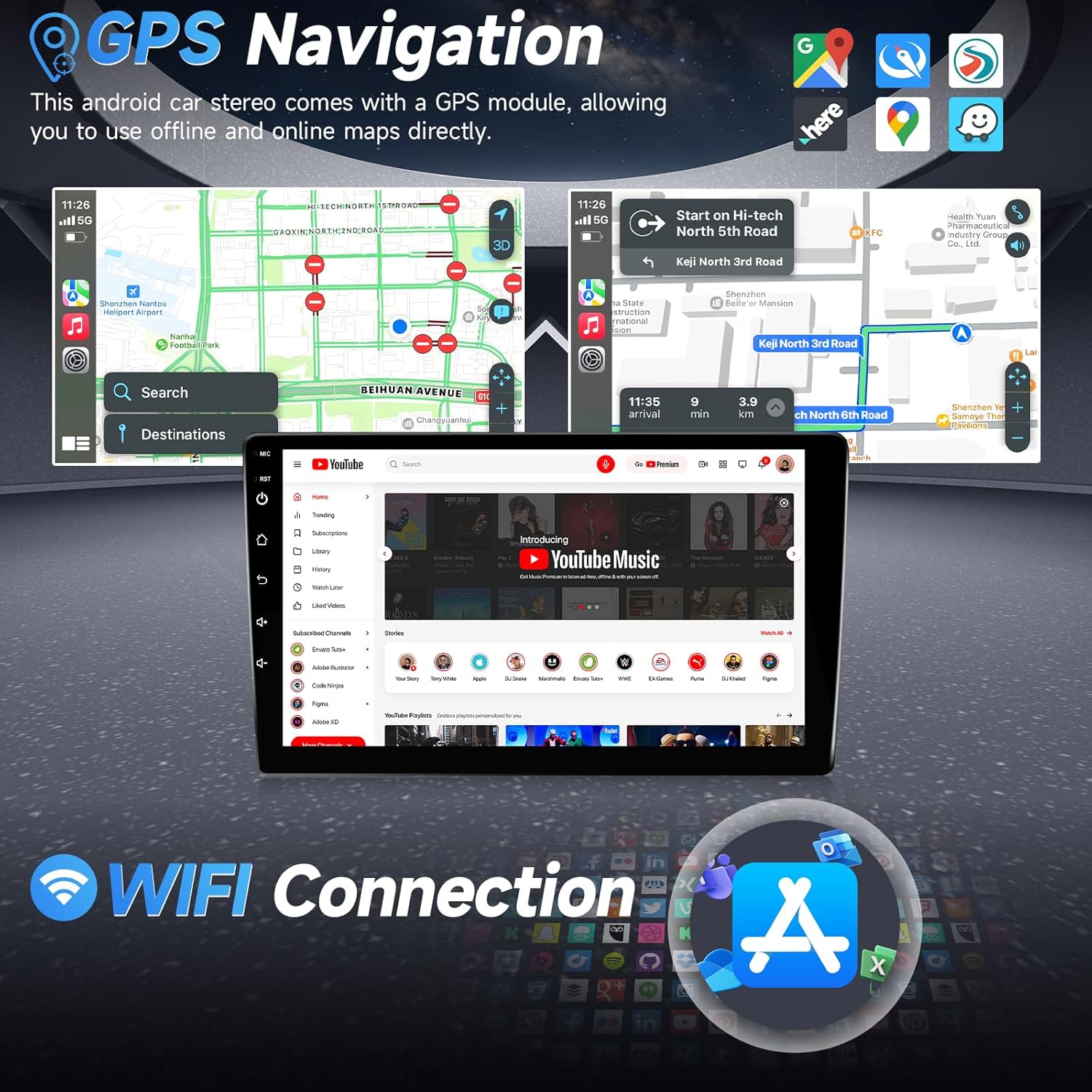
Image: GPS Navigation and WiFi Connection. This image demonstrates the stereo's ability to use online and offline maps and connect to WiFi for various applications.

Image: High Performance specifications. This image highlights the internal hardware of the stereo, including its 4-Core processor, 2GB RAM, and 32GB ROM.
Setup and Installation
The Naifay car stereo comes with all necessary cables for installation. No cutting of existing vehicle cables is required. It is recommended to consult a professional for installation if you are unfamiliar with car audio systems.
Wiring Harness Instruction
Refer to the wiring diagram below for proper connection of the power, audio, and accessory cables. Ensure all connections are secure.

Image: Wiring Harness Instruction. This diagram details the connections for the power cord, RCA cables, USB ports, reverse input, GPS antenna, and radio cable.
Backup Camera Installation
The included AHD backup camera requires specific wiring. Connect the white plug to the car radio for Bluetooth and WiFi signals. The camera power cable connects to the reversing lamp, and the video signal cable links to the 'CAM-IN' reversing input on the stereo.

Image: Backup Camera Wiring Diagram. This diagram shows how to connect the backup camera to the car stereo and the vehicle's power system.
Important Installation Notes:
- Ensure the vehicle's voltage is 12V. Over 12V may damage the unit.
- The 'CAM-IN' reversing input cable must be properly connected, as it includes two small antennas that enhance the radio's Bluetooth and WiFi signals. Failure to connect it may result in unstable connections.
- If the power cable is different from the provided one or any accessories are missing/damaged, contact customer support for assistance.
Operating Instructions
Power On/Off
The unit will power on automatically when the vehicle ignition is turned on. To manually power off, press and hold the power button on the unit.
Touch Screen Operation
The 9-inch IPS touch screen responds to finger gestures. Tap to select, swipe to navigate menus, and pinch to zoom where applicable (e.g., maps).

Image: Overview of key operational features including FM Radio, Bluetooth, IPS Touch Screen, Split Screen, and EQ Settings.
Wireless CarPlay / Android Auto
Connect your iPhone or Android phone via Bluetooth and WiFi to activate wireless CarPlay or Android Auto. This allows access to phone functions like calls, navigation, music, and messaging through the stereo's interface or voice commands (Siri/Google Assistant).
GPS Navigation
The unit includes a GPS module. You can use pre-installed offline maps or download online navigation applications like Waze from the Play Store when connected to WiFi or a mobile hotspot. Note that with 2GB RAM, it is recommended to run only 1-2 applications simultaneously to maintain performance and avoid freezing.
Bluetooth Connectivity
Pair your smartphone via Bluetooth for hands-free calling and audio streaming. The unit has a built-in microphone and supports an external microphone for clear communication.
FM Radio
Access the FM radio function to search for and save your favorite stations. Both manual and automatic station search options are available.
Steering Wheel Controls (SWC)
If your vehicle supports it, the stereo can be configured to work with your existing steering wheel controls for functions like volume adjustment, track skipping, and answering calls.

Image: AHD Backup Camera and Steering Wheel Control functionality. This image demonstrates the visual aid for parking and the integration with vehicle controls.
Split Screen Function
Utilize the split-screen feature to run two applications simultaneously, such as navigation and music playback.
Maintenance
- Screen Cleaning: Use a soft, lint-free cloth to gently wipe the touch screen. Avoid abrasive cleaners or solvents.
- Software Updates: Periodically check for available software updates to ensure optimal performance and access to new features.
- Environmental Conditions: The unit is designed to withstand high and low temperatures, but extreme conditions should be avoided.
Troubleshooting
| Problem | Possible Cause / Solution |
|---|---|
| Unit does not power on. | Check power cable connections. Ensure vehicle ignition is on. Verify vehicle voltage is 12V. |
| Bluetooth / WiFi connection is unstable or disconnects frequently. | Ensure the 'CAM-IN' reversing input cable is properly connected, as it contains antennas for these signals. Check for interference from other devices. |
| Applications freeze or run slowly. | The unit has 2GB RAM. It is recommended to run only 1-2 applications simultaneously to maintain performance. Close unnecessary background apps. |
| Backup camera not displaying. | Verify the backup camera wiring, especially the connection to the 'CAM-IN' input and the reversing lamp power. |
| No sound or poor sound quality. | Check speaker wiring connections. Adjust EQ settings. Ensure volume is not muted. |
| Unit causes electrical system problems in the vehicle. | Immediately disconnect the unit and contact customer support. This may indicate a wiring issue or a faulty unit. |
If you encounter issues not listed here or require further assistance, please contact Naifay customer support.

Image: Installation tips and customer support contact information. This image guides users on how to resolve common issues and seek help.
Specifications
| Feature | Detail |
|---|---|
| Brand | Naifay |
| Model Name | Naifay Car Stereo Radio |
| Operating System | Android 12 |
| Processor | 4-Core |
| Memory (RAM) | 2 GB |
| Storage (ROM) | 32 GB |
| Screen Size | 9 Inches |
| Display Type | IPS LED Touch Screen |
| Touch Screen Type | Capacitive |
| Connectivity Technology | Wireless, Bluetooth, USB, Wi-Fi |
| Supported Navigation System | GPS (Worldwide Map Type) |
| Compatible Devices | iPhone, Android Phone |
| Audio Output Mode | Stereo |
| Mounting Type | Dashboard Mount |
| Item Weight | 1.5 Kilograms |
| Included Components | Bluetooth, GPS, Wifi, Backup Camera, RCA Cable, USB Cable*2, Power Cable, Accessories, CanBus, MIC, Manual |

Image: Unit Size and Packing List. This image provides physical dimensions of the stereo and lists all items included in the package.
Warranty and Support
Your Naifay car stereo comes with a 30-day refund/replacement policy. For any product-related inquiries, technical support, or to report missing/damaged accessories, please contact Naifay customer support.
How to Contact Support:
- Go to the product page on Amazon.
- Click on the seller name, "Naifay".
- Click "Ask a question" to send a message.
- Provide your car's model, year, and a picture of your car dashboard if you have compatibility questions. For other issues, attach relevant pictures or videos to help resolve the problem faster.


