1. Introduction
This manual provides detailed instructions for the installation, operation, and maintenance of your Hiseeu TDK04U-B 4G LTE Solar Powered PTZ Security Camera. This camera is designed for outdoor surveillance in locations without Wi-Fi access, utilizing 4G cellular networks for connectivity. It features solar power for continuous operation, Pan-Tilt-Zoom (PTZ) functionality, 2K night vision, PIR motion detection, and two-way audio communication.

The Hiseeu 4G LTE camera provides an off-grid security solution, eliminating the need for Wi-Fi.
2. Package Contents
Please verify that all items are present in your package:
- Hiseeu TDK04U-B 4G LTE PTZ Security Camera
- Solar Panel (10W)
- 64GB SD Card (pre-installed)
- Hiseeu SIM Card (pre-installed with 300MB trial data)
- Mounting Bracket and Screws
- USB Charging Cable
- User Manual
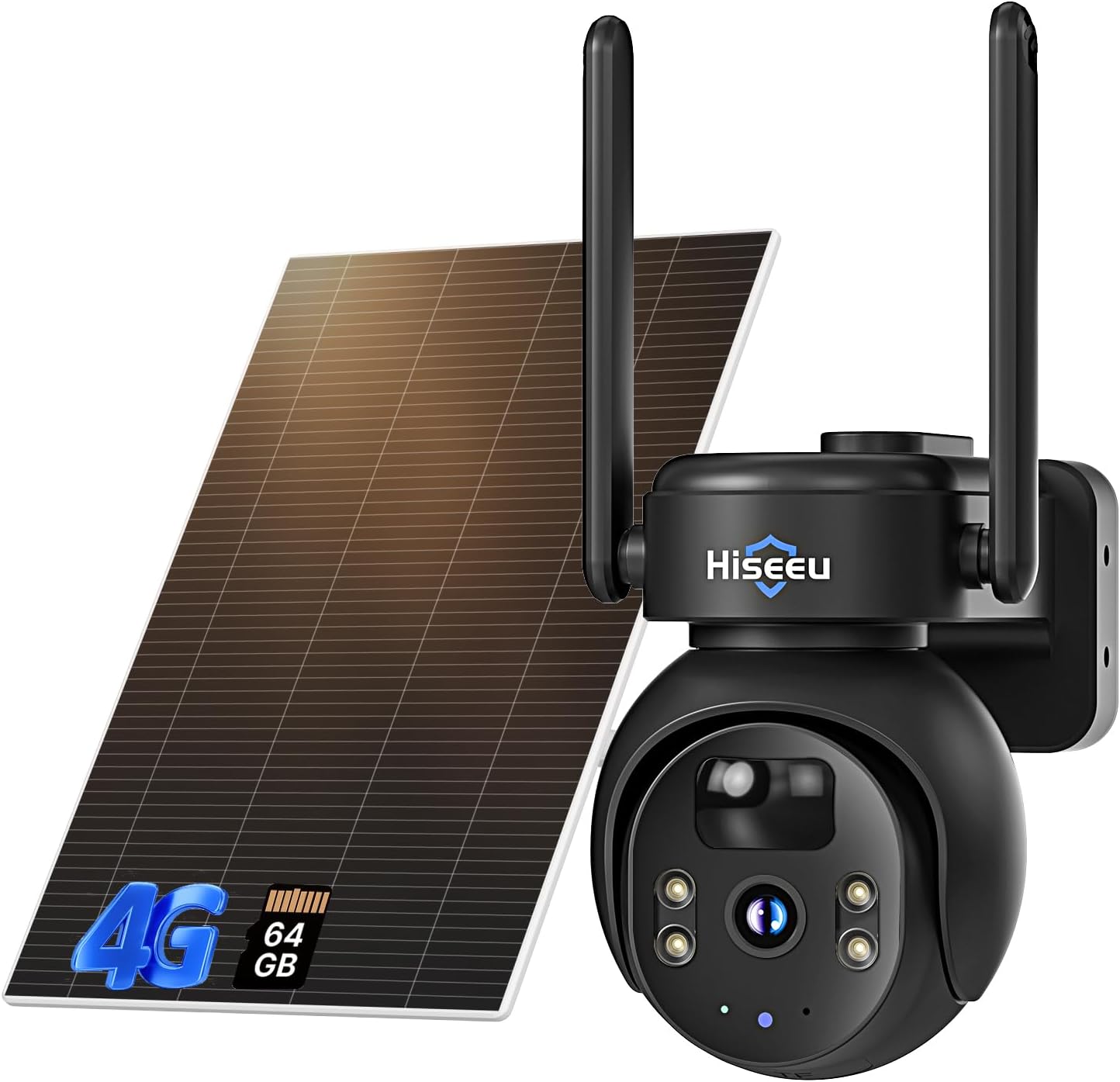
Main components of the Hiseeu TDK04U-B camera system, including the camera unit and solar panel.
3. Product Overview
The Hiseeu TDK04U-B camera integrates several key features for comprehensive outdoor security:
- 2K Resolution: Provides clear video footage.
- 360° PTZ: Pan 355° and Tilt 90° for wide area coverage.
- Solar Power: 10W solar panel charges a 10000mAh rechargeable battery.
- 4G LTE Connectivity: Operates on cellular networks (AT&T, Verizon, T-Mobile compatible Hiseeu SIM).
- PIR Motion Detection: AI-powered human shape detection reduces false alarms.
- Two-Way Audio: Built-in microphone and speaker for communication.
- Color Night Vision: Four built-in spotlights enable full-color night vision up to 48ft.
- Local Storage: Supports up to 128GB SD card (64GB included).
- IP66 Weatherproof: Designed to withstand various weather conditions.
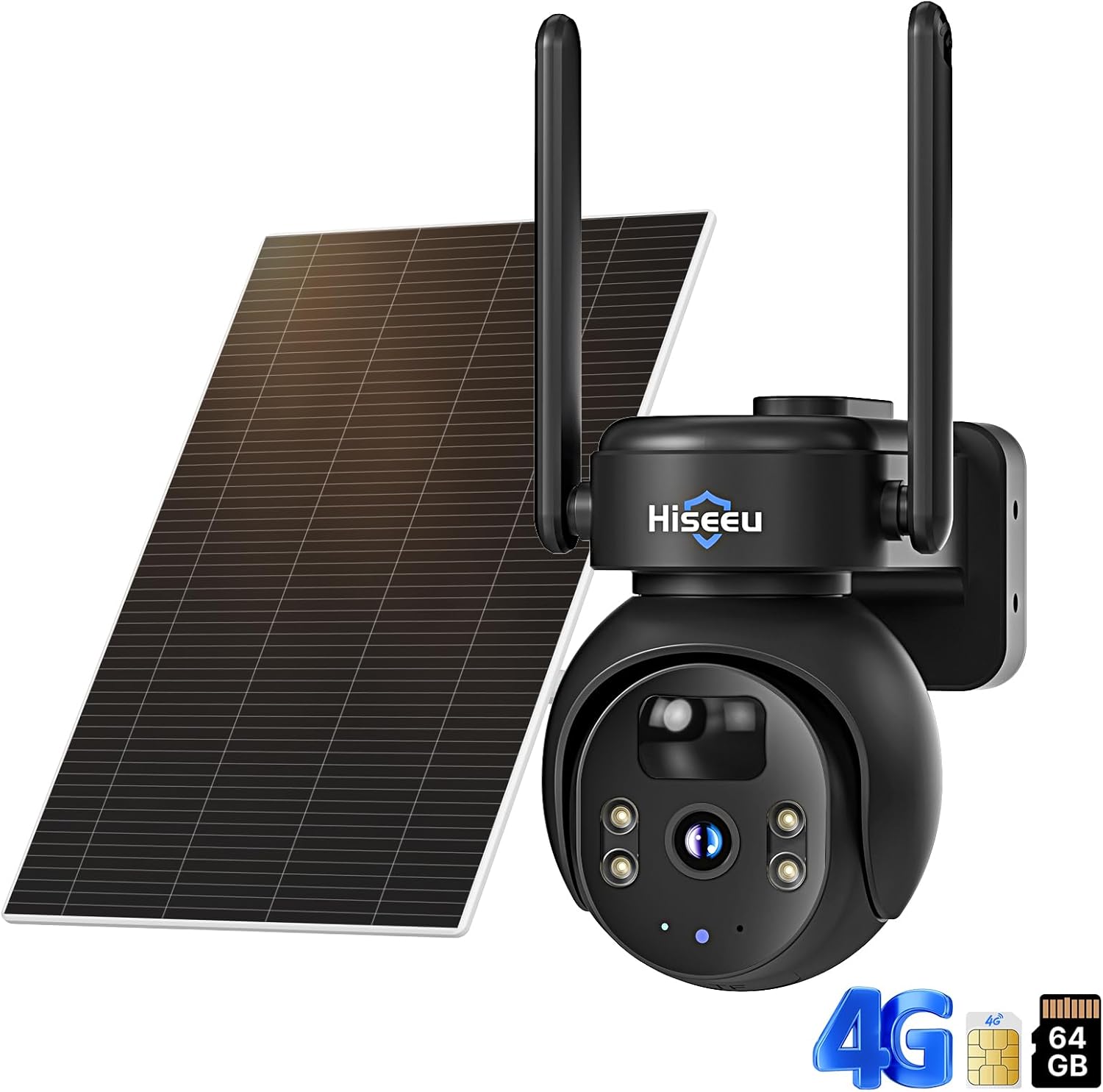
Detailed view of the camera's front, highlighting the lens, infrared sensors, and spotlights.
4. Setup
4.1 SIM Card & SD Card Installation
Your camera comes with a pre-installed 64GB SD card and a Hiseeu SIM card. Ensure they are properly seated before initial use. The SIM card provides 300MB of trial data. Additional data plans can be purchased via the app.

The camera supports secure local storage with an included 64GB SD card, expandable up to 128GB.

The camera includes a pre-installed Hiseeu SIM card for immediate cellular connectivity.
4.2 Initial Charging
Before mounting, fully charge the camera's internal battery using the provided USB cable. Connect the cable to the camera's charging port and a 5V power adapter (not included). A full charge ensures optimal performance, especially during periods of low sunlight.
4.3 App Installation & Device Pairing
- Download the EseeCloud app from your smartphone's app store (iOS/Android).
- Create an account and log in.
- Follow the in-app instructions to add your device. This typically involves scanning a QR code on the camera.
- Ensure your phone has a stable internet connection during pairing.

Pair your camera with the EseeCloud app by scanning the QR code on the device.
4.4 Mounting
Select a mounting location that provides optimal sunlight exposure for the solar panel and a clear view for the camera. Use the provided mounting bracket and screws to securely attach the camera and solar panel to a wall or pole. Ensure the solar panel is angled to receive maximum direct sunlight.

The camera offers nationwide networking capabilities, ideal for remote installations without wiring.

The 10W solar panel ensures continuous power for the camera, even in remote locations.
5. Operating Instructions
5.1 Live View & Playback
Open the EseeCloud app to access the live feed from your camera. You can view real-time video and playback recorded footage stored on the SD card or cloud (if subscribed).

Monitor your property remotely using the camera's 4G LTE connection and smartphone app.
5.2 PTZ Control
Use the PTZ controls within the EseeCloud app to remotely pan the camera 355° horizontally and tilt it 90° vertically. This allows you to adjust the viewing angle and cover a wide area.
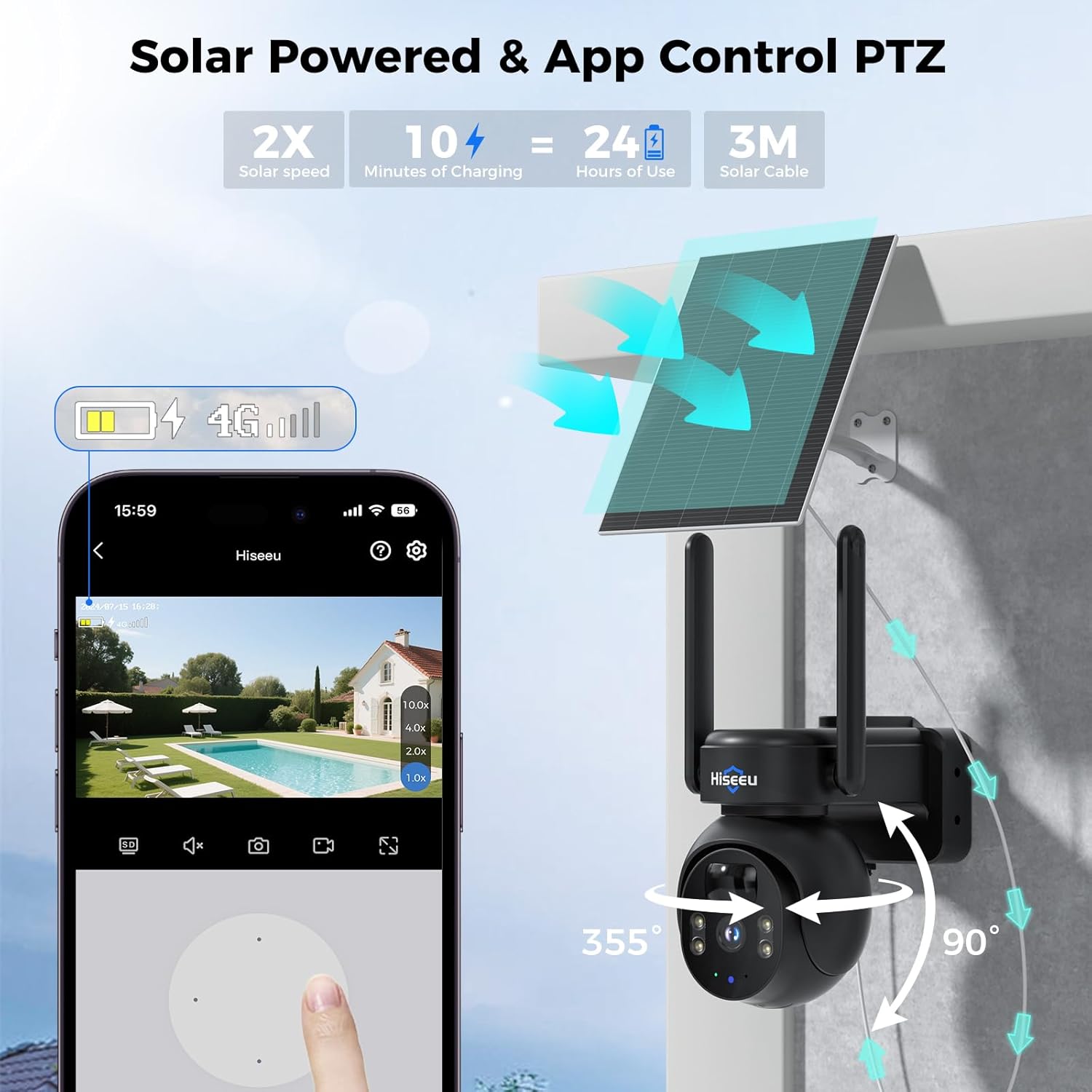
Remote PTZ control via the app allows for 355° pan and 90° tilt adjustments.
5.3 Motion Detection Settings
The camera features AI-powered PIR motion detection. Adjust sensitivity settings in the app to minimize false alarms. When motion is detected, the camera can send instant alerts to your phone, activate a siren, or trigger white light flashing alarms.
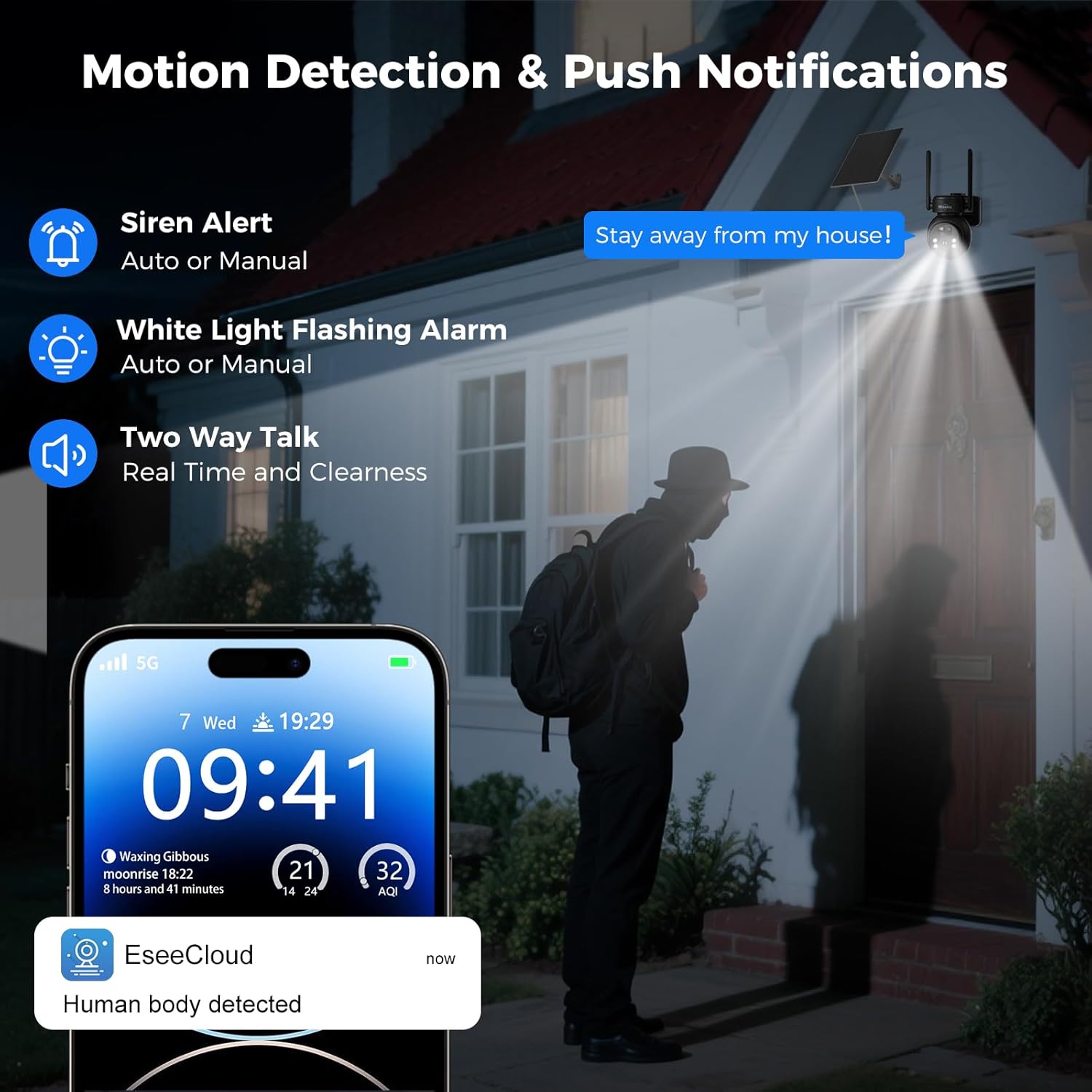
Receive instant push notifications and activate alarms upon human motion detection.
5.4 Two-Way Audio
Utilize the two-way audio feature through the EseeCloud app to communicate with individuals near the camera. This is useful for deterring intruders or interacting with visitors.

Engage in real-time two-way communication through the camera and app.
5.5 Night Vision Modes
The camera offers both color night vision (enabled by built-in spotlights) and infrared night vision. Switch between modes in the app based on your surveillance needs. Color night vision provides clearer details in low-light conditions.
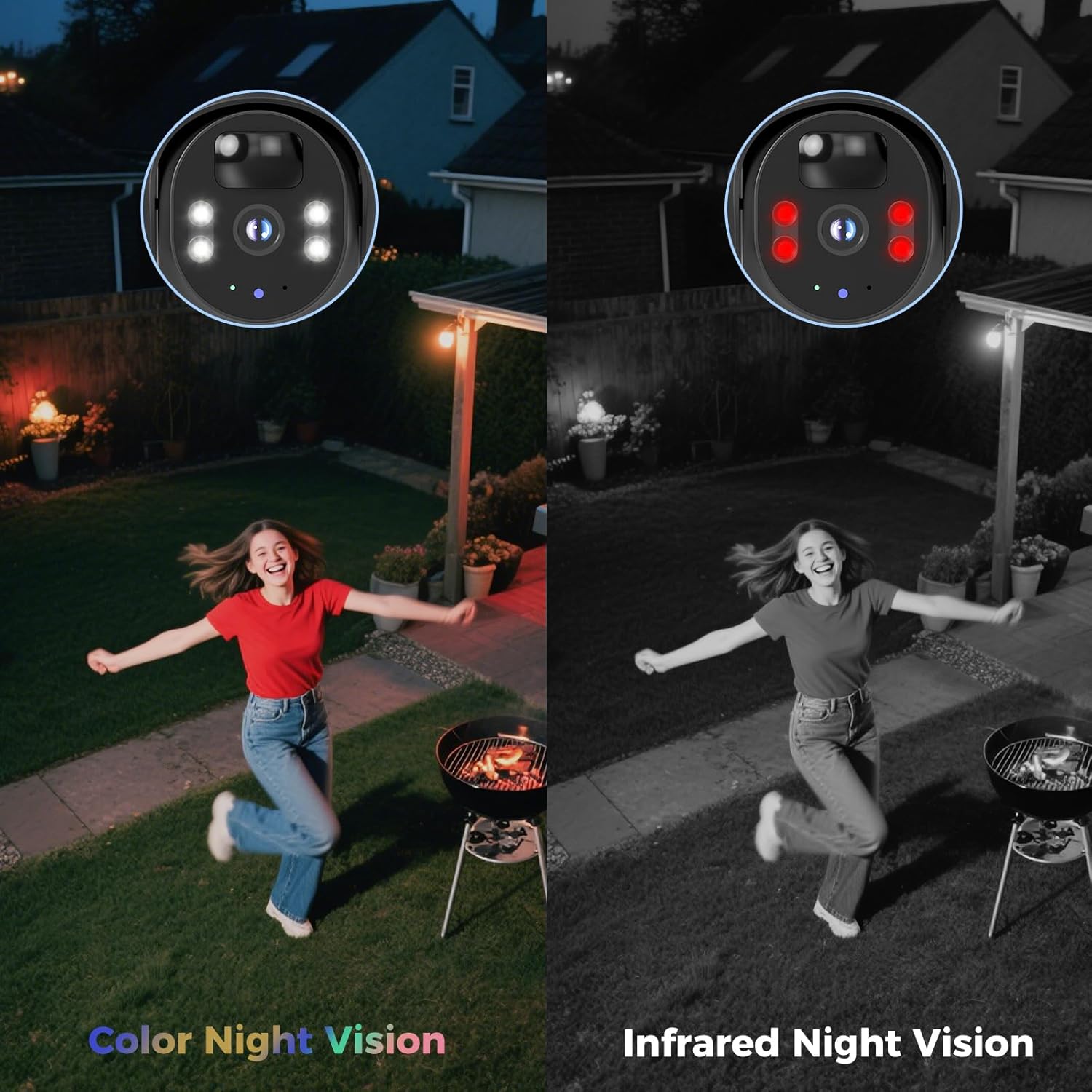
Choose between full-color night vision or traditional infrared night vision for optimal visibility.
6. Maintenance
6.1 Solar Panel Cleaning
Regularly clean the surface of the solar panel to ensure maximum sunlight absorption. Dust, dirt, and debris can reduce charging efficiency. Use a soft, damp cloth to gently wipe the panel.
6.2 Battery Management
The camera's 10000mAh battery is designed for long-lasting operation. In areas with prolonged periods of low sunlight, occasional manual charging via the USB port may be necessary to maintain optimal battery levels.
6.3 Firmware Updates
Periodically check the EseeCloud app for available firmware updates. Keeping your camera's firmware up-to-date ensures access to the latest features, security enhancements, and performance improvements.

The IP66 weatherproof design ensures reliable operation in various environmental conditions.
7. Troubleshooting
- Camera not connecting to 4G: Ensure the Hiseeu SIM card is correctly inserted and has an active data plan. Check cellular signal strength at the camera's location.
- Battery not charging: Verify the solar panel is clean and receiving direct sunlight. Ensure the solar panel cable is securely connected to the camera. Charge manually via USB if necessary.
- Frequent false alarms: Adjust the PIR motion detection sensitivity settings in the EseeCloud app. Focus on human shape detection to reduce triggers from animals or environmental factors.
- Poor video quality: Ensure the camera lens is clean. Check the cellular signal strength, as weak signals can affect streaming quality.
- PTZ controls unresponsive: Check the app's connection to the camera. Restart the camera and the app if the issue persists.
8. Specifications
| Feature | Detail |
|---|---|
| Model Number | TDK04U-B |
| Connectivity Technology | Wireless (4G LTE Cellular) |
| Power Source | Solar Powered (10W Solar Panel, 10000mAh Battery) |
| Resolution | 2K |
| PTZ Functionality | Pan 355°, Tilt 90° |
| Night Vision Range | Up to 48 feet (Color Night Vision) |
| Motion Detection | PIR (AI-powered human detection) |
| Audio | Two-Way Audio |
| Storage | 64GB SD Card included (supports up to 128GB) |
| Weather Resistance | IP66 Waterproof |
| Operating Temperature | -4°F to 122°F (-20°C to 50°C) |
| Dimensions (L x W x H) | 10 x 6 x 6 inches |
| Item Weight | 2.99 pounds (1.36 Kilograms) |
9. Warranty and Support
9.1 Product Warranty
Hiseeu products are covered by a product warranty. Please refer to the specific warranty terms provided with your purchase or contact customer support for details. A 30-day free return policy is also typically offered.
9.2 Technical Support
Hiseeu offers lifetime technical support for its products. If you encounter any issues or have questions regarding your camera, please contact our support team. You can find contact information on the Hiseeu website or by scanning the QR code below.

Scan this QR code for direct access to Hiseeu support resources.
Alternatively, visit: Hiseeu Support Page


