
1. Introduction
Thank you for choosing the SANODESK 4-Leg Electric Height Adjustable Standing Desk. This manual provides essential information for the safe and efficient use of your new workstation. Designed for versatility and comfort, this desk allows you to seamlessly transition between sitting and standing positions, promoting a healthier and more productive work environment. Please read this manual thoroughly before assembly and operation.
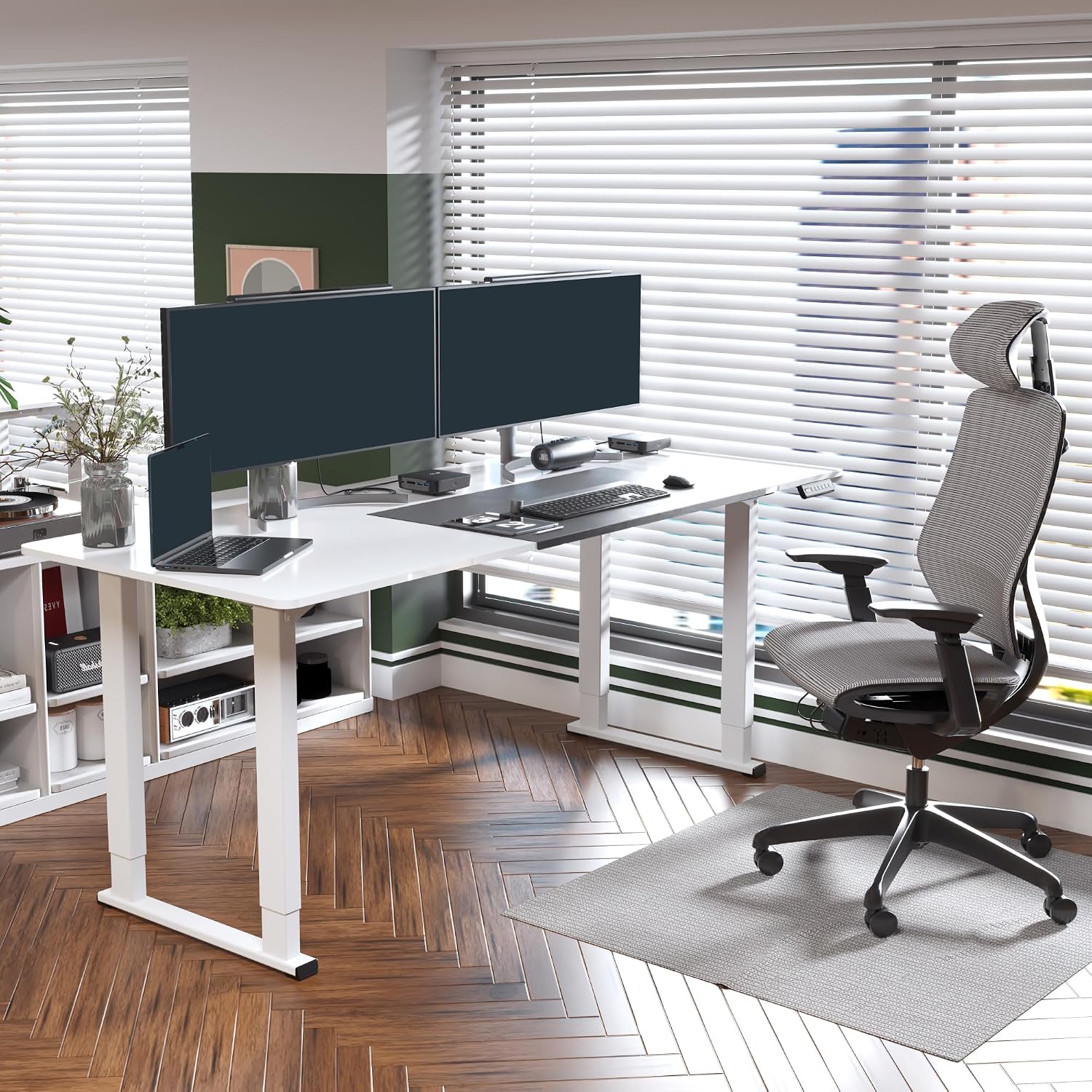
Image: The SANODESK 4-Leg Standing Desk in a modern office setup, showcasing its wide workspace and capacity for multiple monitors.
2. Safety Information
To ensure safe operation and prevent injury or damage, please adhere to the following guidelines:
- Always ensure the desk is properly anchored to the floor.
- Do not adjust the height while in use or while objects are unstable on the desktop.
- Keep hands and objects away from moving parts during height adjustment.
- Do not exceed the maximum weight capacity of 220 lbs (100 kg).
- Ensure all cables are properly managed to prevent snagging during movement.
- Avoid placing liquids directly on the desk surface without protective coasters.
- The desk features a collision avoidance system; however, always exercise caution.
3. Product Features
The SANODESK 4-Leg Standing Desk is engineered with user comfort and productivity in mind. Key features include:
- Wide Workspace: A spacious 78.7"x31.5" desktop provides ample room for multiple monitors, paperwork, and other tasks.
- Solid 4-Leg Structure: Fortified by a robust four-legged frame, ensuring enhanced stability and support for loads up to 220 lbs.
- Electric Height Adjustment: Smoothly adjust the desk height from 28.7" to 47.2" with the touch of a button.
- Memory Presets: Program up to four preferred height settings for quick and easy transitions.
- Quiet Operation: The dual-motor system operates at less than 50dB, ensuring a tranquil work environment.
- Anti-Collision System: Detects and prevents collisions during height adjustments, enhancing safety.
- Thoughtful Design: Features three spliced panels for easier installation and a protective edge to prevent bumps and scratches.

Image: The robust 4-legged frame of the SANODESK standing desk, highlighting its stability.

Image: A visual representation of the desk's impressive 220 lbs load capacity, featuring a kettlebell.
4. Setup & Assembly
The SANODESK standing desk is designed for straightforward assembly. Follow the included instructions carefully. The desktop is composed of three spliced panels, which simplifies handling during setup.

Image: Detailed dimensions of the SANODESK standing desk, illustrating its adjustable height range and desktop size.
Video: This video from FlexiSpot demonstrates the dual-motor strength and ample workspace of a similar standing desk, providing insight into the robust design.
5. Operating Instructions
Your SANODESK standing desk features an intuitive digital keypad for easy height adjustment and memory functions.
5.1 Basic Height Adjustment
- Use the Up (▲) arrow button to raise the desk.
- Use the Down (▼) arrow button to lower the desk.
- The digital display will show the current height in inches.
5.2 Memory Presets
The desk allows you to save up to four preferred height settings:
- Adjust the desk to your desired height using the Up/Down buttons.
- Press the "M" button. The display will show "S-".
- Immediately press one of the number buttons (1, 2, 3, or 4) to save the current height to that preset. The display will show "S-1", "S-2", etc., to confirm.
- To recall a saved height, simply press the corresponding number button. The desk will automatically move to the saved position.
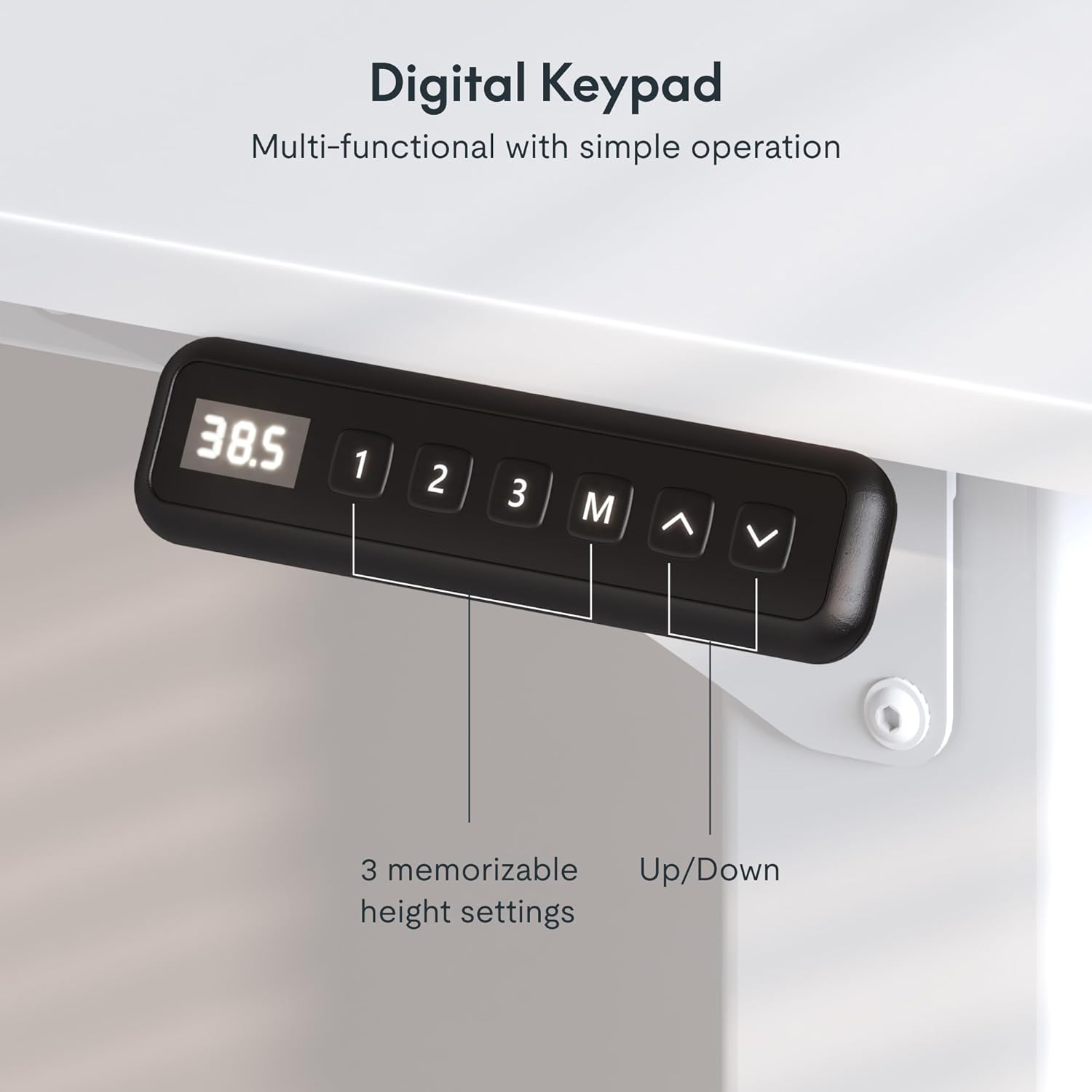
Image: A detailed view of the digital keypad, showing the display, memory preset buttons (1, 2, 3, M), and up/down arrows for height adjustment.
5.3 Anti-Collision System
The desk is equipped with an anti-collision system to prevent damage or injury. If the desk encounters an obstruction during height adjustment, it will automatically stop and reverse slightly. Ensure the area around the desk is clear before and during operation.

Image: A visual explanation of the anti-collision system, demonstrating how the desk detects and avoids obstacles during movement.
Video: This video from Aobirui showcases the 4-leg design of a standing desk, emphasizing its stability and smooth height adjustment.
Video: This video from Aobirui demonstrates the functionality of a standing desk, including its height adjustment and suitability for various tasks.
6. Maintenance
Proper maintenance will extend the life of your SANODESK standing desk:
- Cleaning: Wipe the desktop surface with a soft, damp cloth. Avoid harsh chemicals that may damage the engineered wood finish.
- Cable Management: Regularly check and organize cables to prevent tangles and ensure smooth operation.
- Inspection: Periodically inspect all screws and connections to ensure they are secure. Tighten if necessary.
- Weight Distribution: Distribute weight evenly across the desktop to prevent strain on the motors and frame.
7. Troubleshooting
If you encounter any issues with your desk, please refer to the following common solutions:
- Desk Not Moving:
- Check if the power cord is securely plugged into both the desk and the wall outlet.
- Ensure there are no obstructions preventing movement.
- Try resetting the desk (refer to the full manual for specific reset procedures if available).
- Uneven Movement:
- Verify that the desk is on a level surface.
- Ensure all leg components are correctly assembled and tightened.
- Check for any uneven weight distribution on the desktop.
- Noise During Operation:
- A slight motor hum is normal. If the noise is excessive, ensure all parts are securely fastened.
- Check for any loose items on or under the desk that might be vibrating.
If the issue persists, please contact SANODESK customer support for further assistance.
8. Specifications
| Feature | Detail |
|---|---|
| Brand | SANODESK |
| Model | 4-Leg Standing Desk 78x32 |
| Product Dimensions | 32"D x 78"W x 28.7"H |
| Adjustable Height Range | 28.7" to 47.2" |
| Maximum Weight Capacity | 220 Pounds (100 kg) |
| Desktop Material | Engineered Wood |
| Base Material | Standing Desk Frame (Steel) |
| Color | White |
| Noise Level | Less than 50dB |
| Special Feature | Corded, Memory Presets, Anti-Collision System |
| Required Assembly | Yes |

Image: A visual representation of the desk's height adjustable range, from minimum 28.7" to maximum 47.2".
9. Warranty & Support
The SANODESK 4-Leg Electric Height Adjustable Standing Desk comes with a limited warranty. For detailed warranty information, claims, or technical support, please refer to the warranty card included in your product packaging or visit the official SANODESK website.
For immediate assistance, you may also contact SANODESK customer service through the retailer where the product was purchased.


