
1. Product Overview
The SANODESK EN2 Electric Standing Desk is designed to enhance your workspace ergonomics and productivity. This height-adjustable desk allows seamless transitions between sitting and standing positions, promoting a healthier work routine. It features a durable, whole-piece desktop, an integrated power strip, and efficient cable management solutions.
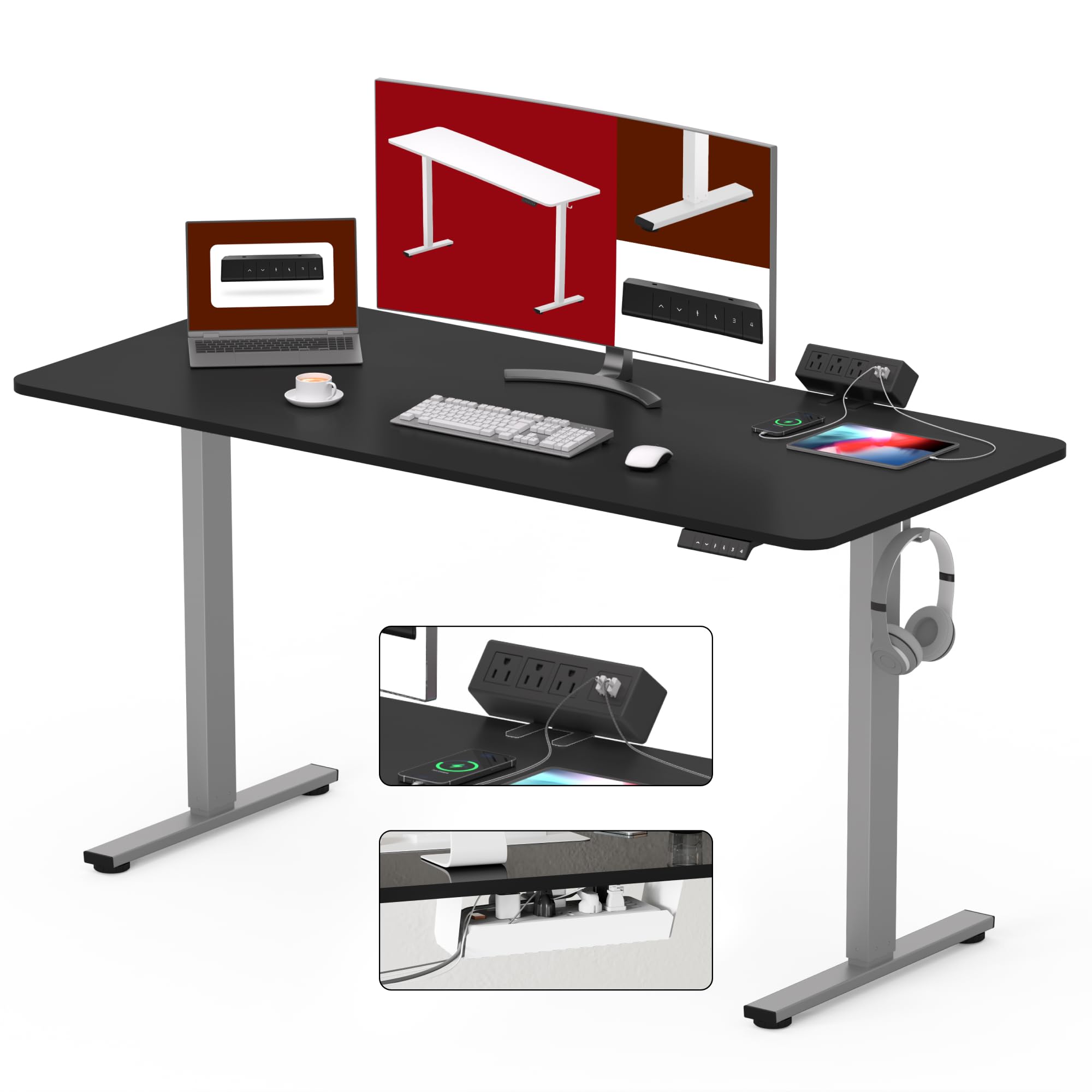
Image 1.1: The SANODESK Electric Standing Desk demonstrating its adjustable height capabilities and various size options.
2. Key Features
- Portable Power Outlet with Clamp Mount: A versatile power dock and USB charger that mounts directly to the desk surface with an edge clamp bracket for a secure hold. It includes 2 USB-A ports (5V/2A) and 3 AC power outlets (125V/1500W).
- Spacious Whole-Piece Desktop: Features a large 55” x 28” surface, providing ample space for multiple monitors, a laptop, and other work essentials. The desktop is a single, seamless piece for enhanced stability and aesthetics.
- Under Desk Cable Management Tray: Helps maintain a clean and organized workspace by reducing visible cable clutter. The tray is spacious enough to hold multiple cables, power strips, and transformers.
- Upgraded Digital Control System: Effortlessly transition between sitting and standing with a 6-button digital controller, offering 4 programmable memory presets. The electric height adjustment system moves smoothly from 28.1" to 45.7" at 0.6" per second, operating quietly under 50 dB. The industrial-grade steel frame supports up to 176 lbs.
- Sturdy Construction & Easy Assembly: Constructed with a robust industrial-grade steel frame for exceptional stability. The desk includes a detailed installation manual, an accurate video guide, and embedded screw hole locations for straightforward assembly. Note: A drill may be required for assembly (not included).

Image 2.1: The desk features a convenient clamp-mounted power strip with AC outlets and USB ports.

Image 2.2: Detail of the desk clamp power strip, highlighting its specifications and secure mounting.
3. Setup and Assembly
Assembly of your SANODESK Electric Standing Desk requires careful attention to the provided instructions. It is recommended to have two people for assembly due to the weight of the components, especially the desktop. A drill may be necessary for certain steps, though it is not included.
3.1. Unpacking and Component Check
Carefully unpack all components and verify against the parts list in the included manual. Ensure no parts are missing or damaged before proceeding.
3.2. Frame Assembly
Assemble the industrial-grade steel frame according to the step-by-step instructions. Ensure all screws are tightened securely but do not overtighten.
3.3. Desktop Attachment
Attach the whole-piece desktop to the assembled frame. The desktop features embedded screw hole locations for precise alignment. Use caution when handling the desktop to prevent scratches or damage.
3.4. Power Strip and Cable Management Installation
Install the desk clamp power strip and the under-desk cable management tray. Route all power and data cables neatly through the tray to minimize clutter.
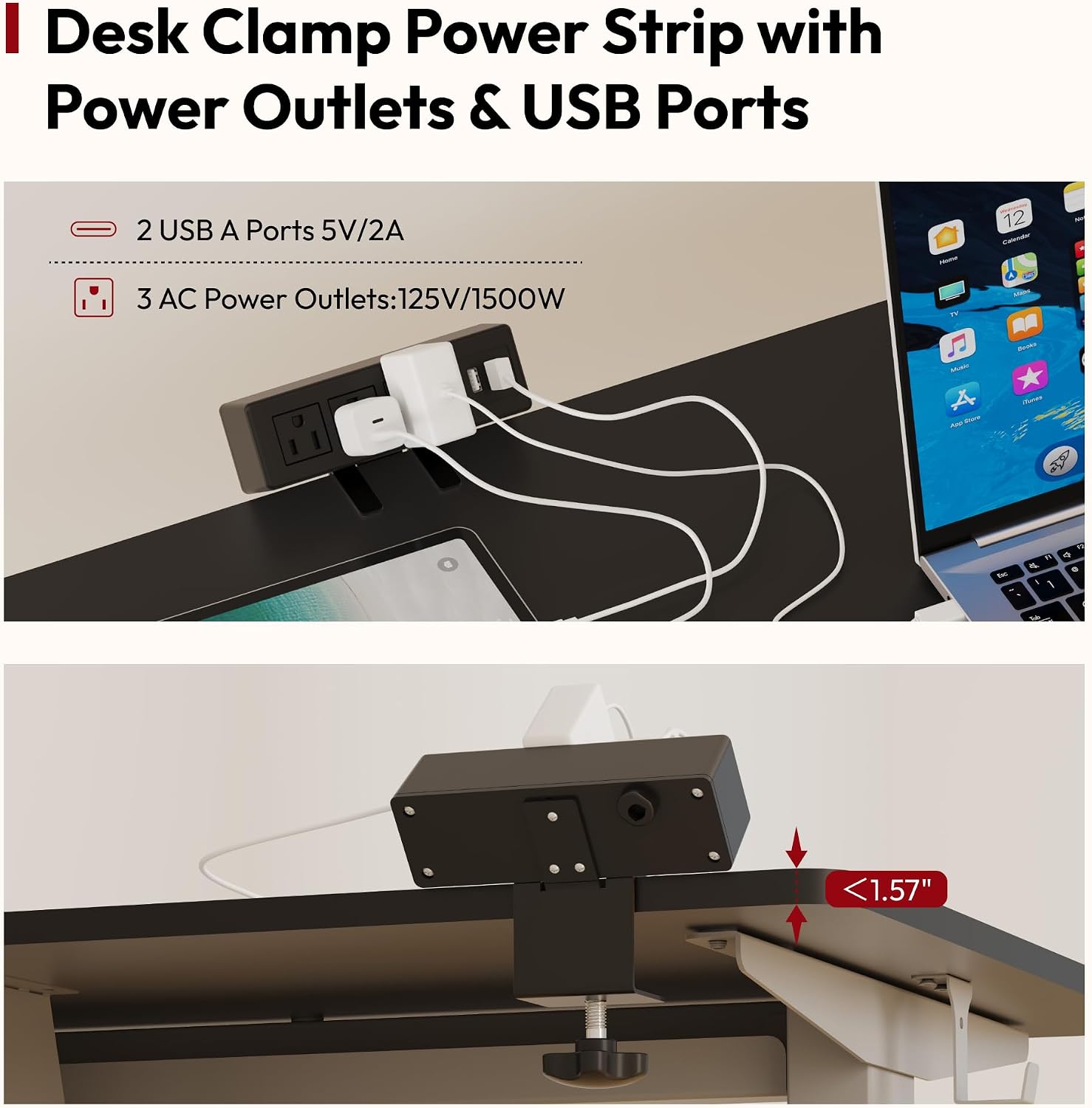
Image 3.1: An exploded diagram showing all components of the SANODESK Electric Standing Desk for assembly reference.
4. Operating Instructions
The SANODESK Electric Standing Desk features an intuitive digital control panel for easy height adjustment and memory presets.
4.1. Adjusting Height
- Use the Up Arrow (^) button to raise the desk.
- Use the Down Arrow (v) button to lower the desk.
- The digital display will show the current height in inches.
4.2. Setting Memory Presets
The desk allows you to save up to four preferred height settings for quick adjustments.
- Adjust the desk to your desired height using the Up/Down arrows.
- Press the Memory (M) button (often indicated by an 'i' or 'M' icon). The display may flash.
- Immediately press one of the numbered preset buttons (1, 2, 3, or 4) to save the current height to that preset.
- To recall a saved height, simply press the corresponding preset button (1, 2, 3, or 4). The desk will automatically move to the saved position.
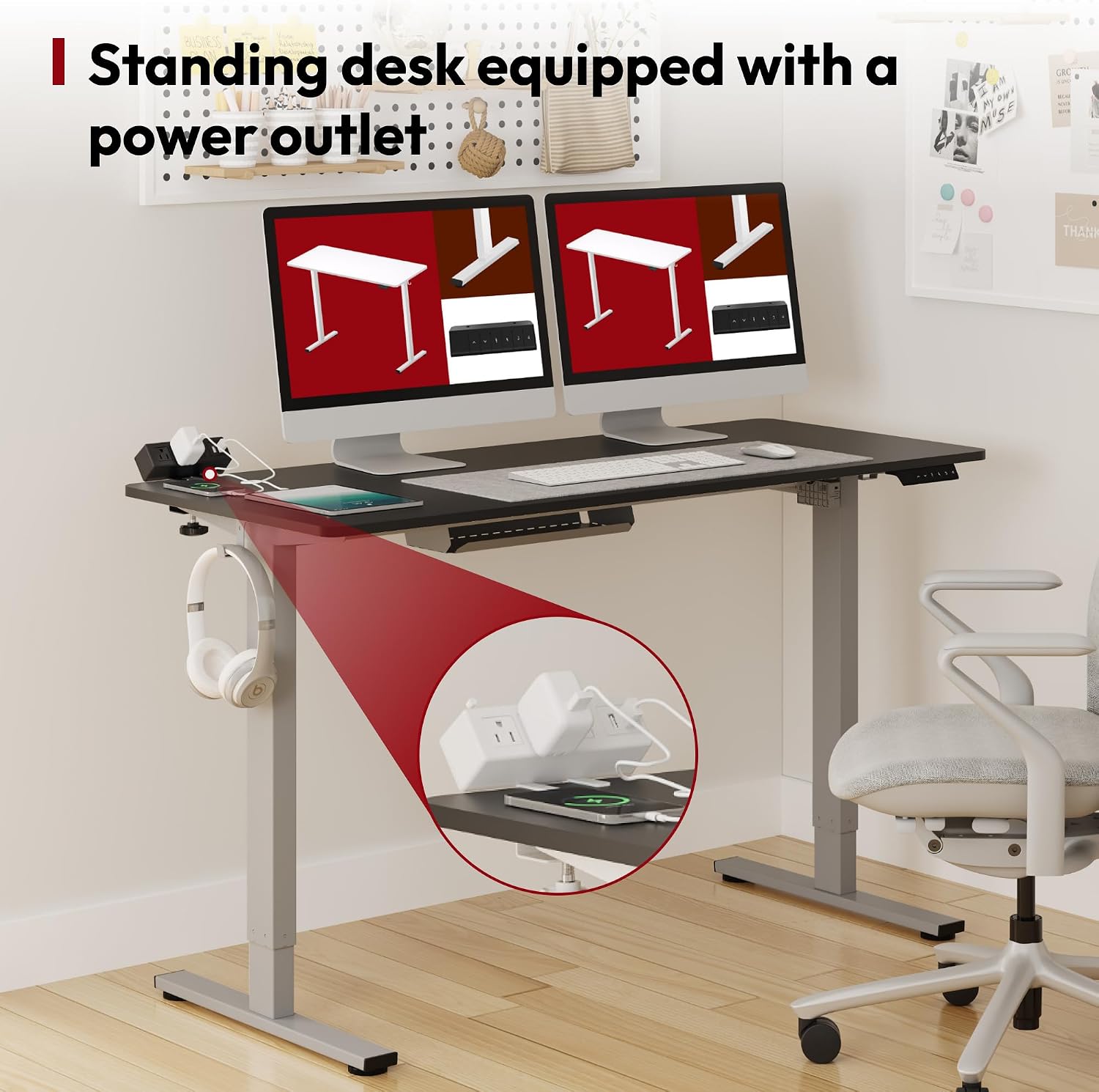
Image 4.1: The digital control panel for adjusting desk height and setting memory presets.
5. Maintenance
Regular maintenance ensures the longevity and optimal performance of your SANODESK Electric Standing Desk.
5.1. Cleaning
- Wipe the desktop surface with a soft, damp cloth. Avoid abrasive cleaners or harsh chemicals that could damage the finish.
- Clean the frame and legs with a dry or slightly damp cloth.
5.2. Cable Management
Periodically check the cable management tray and ensure all cables are securely organized. This prevents tangling and potential damage to cables or the desk mechanism.

Image 5.1: Effective cable management using the integrated tray to keep your workspace tidy.
5.3. Operational Checks
Occasionally check all screws and connections to ensure they remain tight. If you notice any unusual noises or movements during height adjustment, discontinue use and consult the troubleshooting section or contact customer support.
6. Troubleshooting
If you encounter any issues with your SANODESK Electric Standing Desk, refer to the following common troubleshooting tips. For more detailed solutions, please consult the comprehensive manual or contact customer support.
6.1. Desk Not Responding to Controls
- Ensure the power cord is securely plugged into both the desk and a working wall outlet.
- Check for any obstructions under or around the desk that might be preventing movement.
- Perform a reset: Unplug the desk for 10 seconds, then plug it back in. Press and hold the 'Down' button until the desk reaches its lowest point and slightly rises, indicating a successful reset.
6.2. Uneven Movement or Wobbling
- Verify that the desk is placed on a level surface.
- Check all assembly screws to ensure they are tightened properly.
- Ensure the weight on the desktop is evenly distributed and does not exceed the maximum capacity of 176 lbs.
6.3. Error Codes on Display
If an error code appears on the digital display, refer to the specific error code section in your full user manual for detailed instructions on how to resolve the issue.
7. Specifications
| Feature | Detail |
|---|---|
| Brand | SANODESK |
| Model Number | EN2 |
| Product Dimensions | 28"D x 55"W x 45"H |
| Color | Silver Frame + Black Top |
| Height Adjustment Range | 28.1" to 45.7" |
| Weight Capacity | Up to 176 lbs |
| Top Material Type | Engineered Wood |
| Base Material | Carbon Steel |
| Noise Level | Under 50 dB |
| Power Strip Outlets | 3 AC (125V/1500W), 2 USB-A (5V/2A) |
| Special Features | Adjustable Height, Desk Clamp Power Strip, Cable Management |
| UPC | 810072876935 |
8. Warranty and Support
SANODESK products are manufactured to high-quality standards and are backed by a manufacturer's warranty against defects in materials and workmanship. For specific warranty details, including coverage period and terms, please refer to the warranty card included with your product or visit the official SANODESK website.
For technical assistance, troubleshooting, or to inquire about replacement parts, please contact SANODESK customer support. Contact information can typically be found in your product packaging or on the brand's official website.


