
1. Introduction
Thank you for choosing the SANODESK Electric Standing Desk. This manual provides essential information for the safe and efficient assembly, operation, and maintenance of your new desk. This electric standing desk is designed to offer a versatile workspace, allowing you to easily switch between sitting and standing positions to promote a healthier work environment. It features a robust frame, a spacious tabletop, and an intuitive control panel with memory presets and a child lock function.
2. Safety Information
- Read all instructions carefully before assembly and use.
- Ensure all components are securely fastened before operating the desk.
- Keep children and pets away from the desk during operation to prevent injury.
- Do not place hands or other objects near moving parts of the desk frame.
- Do not overload the desk. Refer to the specifications for maximum weight capacity.
- Use only the provided power adapter.
- If any unusual noise or movement occurs, immediately stop operation and unplug the desk.
3. Package Contents
Please verify that all parts are present before beginning assembly. If any parts are missing or damaged, contact customer support.
- Desk Frame (Legs and Crossbar)
- Tabletop (160cm x 60cm)
- Control Panel
- Power Adapter and Cable
- Hardware Kit (screws, bolts, tools)
- Accessory Hooks (2)
- Instruction Manual
4. Setup and Assembly
Assembly typically requires two people and takes approximately 30-60 minutes. Follow the detailed instructions provided in the separate assembly guide included with your package. Ensure you have adequate space and the necessary tools (usually an Allen key, often included).
- Unpack Components: Carefully remove all parts from the packaging and lay them out on a clean, soft surface to prevent scratches.
- Assemble Desk Frame: Attach the lifting columns to the crossbar, ensuring all connections are secure.
- Attach Feet: Secure the desk feet to the bottom of the lifting columns.
- Mount Tabletop: Place the tabletop upside down on a soft surface. Position the assembled frame onto the tabletop and secure it using the provided screws.
- Install Control Panel: Attach the control panel to the underside of the tabletop in a convenient location.
- Connect Cables: Connect the motor cables to the control box, and then connect the control panel cable and power adapter cable to the control box.
- Final Placement: Carefully flip the desk upright and place it in its desired location. Ensure the power cable is not pinched.


5. Operating Instructions
5.1 Height Adjustment
Use the Up (▲) and Down (▼) buttons on the control panel to adjust the desk height. The desk can be adjusted smoothly and quietly between 73 cm and 118 cm.


5.2 Memory Presets
The control panel allows you to save up to four preferred height settings for quick adjustments.
- Set a Memory Position: Adjust the desk to your desired height using the Up/Down buttons. Press the M button, then press one of the numbered memory buttons (1, 2, 3, or 4) within 3 seconds. The LED display will show 'S-' followed by the number, indicating the position is saved.
- Recall a Memory Position: Press the corresponding numbered memory button (1, 2, 3, or 4). The desk will automatically move to the saved height.
5.3 Child Lock Function
To prevent accidental adjustments, the desk is equipped with a child lock function.
- Activate Child Lock: Press and hold the Lock button (often indicated by a key icon) for 3 seconds. The LED display will show 'LOC' or a lock icon, indicating the control panel is locked.
- Deactivate Child Lock: Press and hold the Lock button again for 3 seconds. The display will return to showing the current height, and the desk can be operated normally.

6. Additional Features
6.1 Integrated Hooks
The desk includes two metallic hooks for convenient storage of headphones, bags, or other frequently used items, helping to keep your workspace organized.

6.2 Curved Edges
The tabletop features ergonomically curved edges to enhance comfort and safety during use.

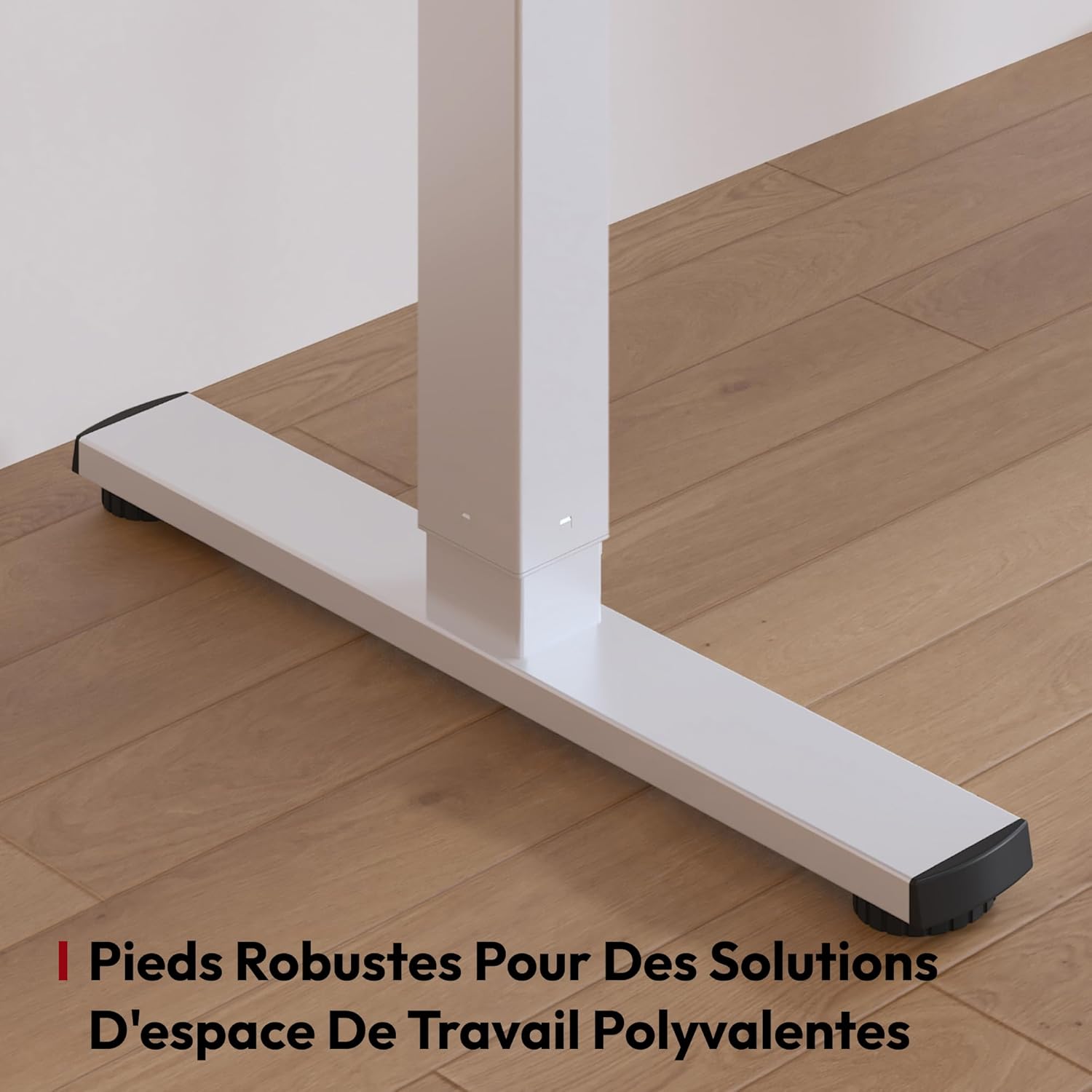
6.3 Robust Feet
The desk is equipped with robust and stable feet, ensuring stability even at its maximum height and supporting various workspace solutions.
7. Maintenance
- Cleaning: Wipe the desk surface and frame with a soft, damp cloth. Avoid harsh chemicals or abrasive cleaners.
- Regular Checks: Periodically check all screws and bolts to ensure they remain tight. Retighten if necessary.
- Cable Management: Ensure all cables are neatly managed and not tangled or pinched, which could affect desk operation or cause damage.
8. Troubleshooting
If you encounter any issues, please refer to the following common problems and solutions:
| Problem | Possible Cause | Solution |
|---|---|---|
| Desk does not move. | Power cable disconnected, child lock active, motor overload. | Check power connection. Deactivate child lock. Unplug for 10 minutes, then try again. Reduce load if overloaded. |
| Uneven movement or desk tilts. | Uneven load, loose connections, obstruction. | Distribute weight evenly. Check and tighten all assembly screws. Ensure no obstructions. |
| Error code on display. | Specific system fault. | Refer to the specific error code in the full assembly manual or contact customer support. Often, a reset can resolve minor errors. |
| Desk makes unusual noise. | Loose parts, motor issue. | Check all connections and tighten. If noise persists, contact customer support. |
8.1 Reset Procedure
If the desk is not functioning correctly, a reset may resolve the issue:
- Press and hold the Down (▼) button until the desk reaches its lowest position and then slightly retracts.
- Continue holding the Down (▼) button for another 5-10 seconds until the display shows 'RST' or '000' and then returns to the lowest height. This indicates a successful reset.
- If the reset is unsuccessful, unplug the desk for 30 minutes and then repeat the procedure.
9. Specifications
| Feature | Detail |
|---|---|
| Brand | SANODESK |
| Model | 160x60cm Electric Standing Desk |
| Color | White |
| Tabletop Dimensions (L x W) | 160 cm x 60 cm |
| Height Adjustment Range | 73 cm - 118 cm |
| Material | Melamine (tabletop), Alloy Steel (frame) |
| Max Load Capacity | 60 kg |
| Noise Level | < 50 dB |
| Features | Electric height adjustment, Memory presets (4), Child lock, Integrated hooks |

10. Warranty and Support
Your SANODESK Electric Standing Desk comes with a manufacturer's warranty. Please refer to the warranty card included in your package for specific terms and conditions. For technical support, missing parts, or warranty claims, please contact SANODESK customer service through the retailer where you purchased the product or visit the official SANODESK website for contact information.


