
1. Introduction
Thank you for choosing the SANODESK Electric Height-Adjustable Desk. This manual provides essential information for the safe assembly, operation, and maintenance of your new desk. Please read this manual thoroughly before use and retain it for future reference.
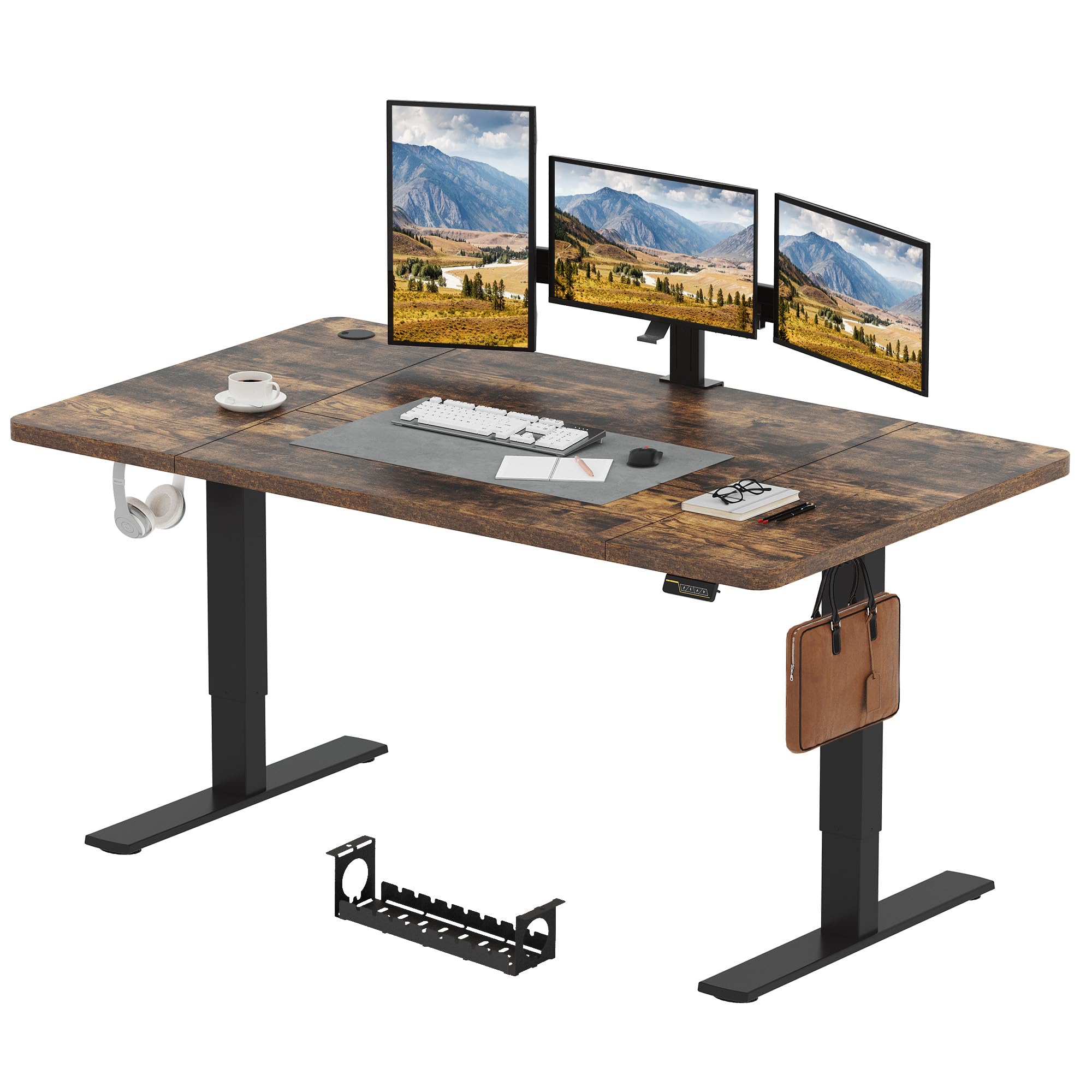
Image: The SANODESK Electric Height-Adjustable Desk in brown, featuring a large desktop suitable for multiple monitors and office equipment.
2. Safety Information
To ensure safe operation and prevent injury or damage, please observe the following safety guidelines:
- Read all instructions before assembly and operation.
- Keep children and pets away from the desk during operation.
- Ensure the desk is placed on a level surface.
- Do not exceed the maximum load capacity of 70 kg.
- Keep hands and fingers clear of moving parts during height adjustment.
- Only use the provided power adapter and components.
- Do not disassemble or modify the desk's electrical components.
- Use the child lock function to prevent unintended use by children.

Image: Close-up view of the desk's curved corner, designed to enhance user safety.
3. Package Contents
Please check that all components are present before beginning assembly. If any parts are missing or damaged, contact customer support.
- Desktop (180x80cm, Brown)
- Desk Legs/Frame
- Motor and Control Box
- Control Panel with LED Display
- Power Adapter and Cable
- Assembly Hardware (screws, bolts, tools)
- Cable Management Accessories
- Headphone Hooks (2 pieces)
4. Assembly Instructions
Follow these general steps for assembling your SANODESK Electric Height-Adjustable Desk. Refer to the detailed assembly guide included in your package for specific diagrams and instructions.
- Unpack Components: Carefully remove all parts from the packaging and lay them out on a clean, soft surface to prevent scratches.
- Assemble Desk Legs: Attach the feet to the lifting columns.
- Attach Crossbar/Frame: Connect the lifting columns with the crossbar according to the instructions.
- Mount Motor and Control Box: Secure the motor and control box to the frame.
- Attach Desktop: Carefully place the desktop onto the assembled frame and secure it with the provided screws.
- Install Control Panel and Hooks: Mount the control panel to the underside of the desk and attach the headphone hooks as desired.
- Connect Cables: Connect the motor, control panel, and power adapter to the control box. Ensure all connections are secure.
- Cable Management: Use the provided cable management accessories to organize wires neatly.

Image: A fully assembled SANODESK desk in a home office, demonstrating its integration into a modern workspace.

Image: Two metal hooks conveniently placed under the desk for hanging accessories.
5. Operating Instructions
Your SANODESK desk features intuitive controls for height adjustment, memory presets, and a child lock function.

Image: The desk's control panel, showing the LED display and various function buttons.
5.1. Height Adjustment
Use the Up (▲) and Down (▼) arrow buttons on the control panel to adjust the desk height. The current height will be displayed on the LED screen. The desk operates smoothly and quietly, with noise levels below 50 dB.

Image: Visual representation of the desk's height adjustment range, from 73 cm to 122 cm.
5.2. Memory Function
The desk features two memory presets to save your preferred sitting and standing heights.
- Set a Memory Position: Adjust the desk to your desired height using the Up/Down buttons. Press the 'M' button, then press either '1' or '2' to save the current height to that preset. The LED display will confirm the setting.
- Recall a Memory Position: Press the '1' or '2' button to automatically move the desk to the saved height.
5.3. Child Lock Function
To prevent accidental adjustments, especially by children, activate the child lock function.
- Activate Child Lock: Press and hold the lock icon button on the control panel until 'LOC' appears on the LED display. All other buttons will be disabled.
- Deactivate Child Lock: Press and hold the lock icon button again until 'LOC' disappears from the LED display. The desk controls will now be active.

Image: Illustration of the desk's smooth and quiet height adjustment mechanism.
6. Maintenance
Regular maintenance helps ensure the longevity and optimal performance of your desk.
- Cleaning: Wipe the desk surface with a soft, damp cloth. Avoid abrasive cleaners or harsh chemicals.
- Check Connections: Periodically inspect all electrical connections and cables to ensure they are secure and undamaged.
- Lubrication: The lifting mechanism is designed for maintenance-free operation. Do not apply lubricants unless specifically instructed by customer support.
- Weight Distribution: Distribute weight evenly across the desktop to prevent strain on the lifting mechanism.
7. Troubleshooting
If you encounter issues with your SANODESK, refer to the following common problems and solutions:
| Problem | Possible Cause | Solution |
|---|---|---|
| Desk does not move. | Power cable disconnected, child lock active, overload. | Check power connections. Deactivate child lock. Reduce weight on desk. |
| Desk moves unevenly. | Uneven weight distribution, obstruction. | Redistribute weight. Check for obstructions under the desk. |
| Error code on display. | System fault, motor issue. | Refer to the detailed manual for specific error codes or contact customer support. Try power cycling the desk (unplug for 30 seconds, then plug back in). |
| Noise during operation. | Normal operation sound, loose components. | A slight motor sound is normal (<50dB). Check if all screws are tightened. |
If the problem persists after attempting these solutions, please contact SANODESK customer support for further assistance.
8. Specifications
- Brand: SANODESK
- Model: 180x80CM
- Color: Brown
- Desktop Dimensions: 180 cm (Length) x 80 cm (Width)
- Adjustable Height Range: 73 cm - 122 cm
- Material: Wood (desktop), Metal/Steel (frame)
- Maximum Load Capacity: 70 kg
- Noise Level: < 50 dB
- Special Features: Electric height adjustment, 2-position memory function, Child lock, Curved edges

Image: The desk's dimensions and maximum load capacity clearly marked.

Image: The robust and stable feet of the desk frame.
9. Warranty and Support
SANODESK products are designed for quality and durability. For warranty information, please refer to the warranty card included with your purchase or visit the official SANODESK website. If you require technical assistance, troubleshooting, or have questions regarding your product, please contact SANODESK customer support through the retailer or the official website.


