
Introduction
This manual provides detailed instructions for the assembly, operation, and maintenance of your WAMPAT Modern TV Stand. This 2-in-1 entertainment center is designed to support TVs up to 70 inches and features adjustable shelves and a robust metal base, making it a versatile media console for your living room or bedroom. Please read all instructions carefully before beginning assembly and retain this manual for future reference.
Safety Information
- Anti-Tip Device: Ensure the anti-tip device is properly installed and used to prevent accidental tipping. This is crucial for safety, especially in households with children or pets.
- Weight Capacity: Do not exceed the maximum weight capacity of 176 pounds (80 kg) for the TV stand. Distribute weight evenly across surfaces and shelves.
- Stable Surface: Always place the TV stand on a flat, level, and stable surface to prevent wobbling or collapse.
- Assembly: Follow all assembly instructions precisely. Incorrect assembly can lead to instability and potential injury.
- Children Safety: Keep small parts and packaging materials away from children during assembly to avoid choking hazards.
Package Contents
Before assembly, verify that all components are present and undamaged. If any parts are missing or damaged, please contact customer support.
- Wood Panels (Top, Bottom, Side, Back, Shelves, Doors)
- Metal Base Components
- Hardware Kit (screws, bolts, cam locks, dowels, hinges, non-slip foot pads)
- Assembly Instructions Manual
Setup and Assembly Instructions
Assembly is designed to be straightforward with clear instructions. Each part and hardware piece is labeled to simplify the process. It is recommended to assemble the unit on a soft, clean surface to prevent scratches.
Visual Assembly Guide
Video: Official assembly guide for the WAMPAT Modern TV Stand, Model W07S. This video provides step-by-step visual instructions for putting together your TV stand.
Step-by-Step Assembly
- Unpack and Identify Parts: Carefully unbox all components. Lay them out and compare them with the parts list in your included instruction manual. Ensure all wooden panels and hardware pieces are accounted for and undamaged.
- Assemble the Base: Attach the metal base components to the bottom panel of the TV stand using the provided screws. Ensure all connections are secure.
- Attach Side Panels: Connect the side panels to the bottom panel and then to the top panel. Use cam locks and dowels as indicated in the manual for a strong connection.
- Install Back Panel: Secure the back panel to the frame. This adds rigidity to the structure.
- Insert Adjustable Shelves: Place the shelf support pins into the desired holes inside the cabinets. Then, rest the adjustable shelves on these pins. The shelves can be moved to three different height positions.
- Attach Doors: Install the hinges onto the doors and then attach the doors to the main cabinet structure. Adjust the hinges as needed to ensure proper door alignment and smooth opening/closing.
- Install Non-slip Foot Pads: Attach the protective non-slip foot pads to the bottom of the metal base to prevent floor scratches and enhance stability.
- Install Anti-Tip Device: Follow the specific instructions in your manual to securely attach the anti-tip device to the TV stand and to the wall. This is a critical safety step.

Image: This diagram illustrates the complete dimensions of the TV stand, including the overall width (63.0 inches / 1600mm), depth (15.6 inches / 395mm), and height (30.6 inches / 778mm). It also details the internal shelf heights and depths for storage planning.

Image: This image displays the TV stand's compatibility with various TV sizes, specifically up to 70 inches. It provides a visual reference for how different TV sizes will fit on the stand.
Operating Instructions
The WAMPAT Modern TV Stand is designed for ease of use and versatility.
- Adjustable Shelves: The internal shelves within the cabinets can be adjusted to three different height positions. To adjust, remove the shelf, reposition the shelf support pins to the desired holes, and then place the shelf back on the pins. This allows for customized storage of various media devices, books, or decorative items.
- Cable Management: While not explicitly stated, the open and enclosed design allows for discreet cable routing. Position your devices to minimize visible cables.
- Door Operation: The cabinet doors feature invisible handles for a clean aesthetic. Gently pull the top or bottom edge of the door to open. Ensure doors close fully to protect contents.
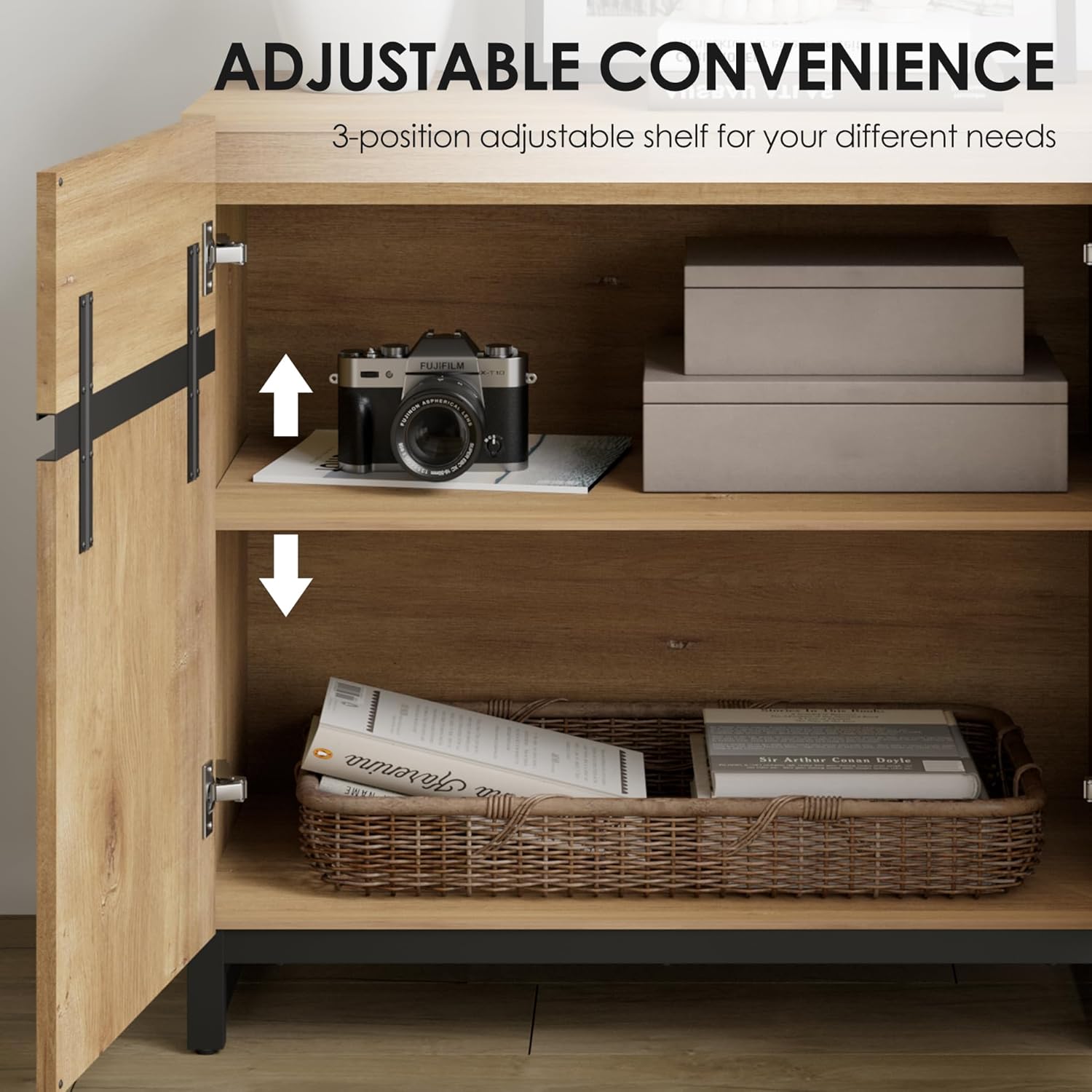
Image: This close-up shows the adjustable shelf feature within the TV stand's cabinet. Arrows indicate the ability to move the shelf up or down to one of three positions, providing flexible storage.

Image: An interior view of the TV stand's cabinets, demonstrating how various media devices, game consoles, and decorative items can be organized on the adjustable shelves.
Video: This video highlights key features of the WAMPAT Modern TV Stand, such as its adjustable shelving for versatile storage and the sturdy metal base for enhanced stability.
Maintenance
Proper care will extend the life and appearance of your TV stand.
- Cleaning: Wipe the surfaces with a damp cloth. Avoid using harsh chemicals, abrasive cleaners, or polishes that may damage the finish.
- Spills: Clean up spills immediately with a soft, dry cloth to prevent staining or water damage.
- Hardware Check: Periodically check all screws, bolts, and fasteners to ensure they remain tight. Retighten if necessary to maintain structural integrity.
- Sunlight Exposure: Avoid prolonged exposure to direct sunlight, which can cause fading or discoloration of the wood finish.
- Heat and Moisture: Keep the TV stand away from direct heat sources and areas of high humidity to prevent warping or damage to the engineered wood.

Image: A close-up view of the robust metal legs and their connection to the TV stand. These legs provide stable support and include protective foot pads to safeguard your flooring.
Troubleshooting
If you encounter any issues with your WAMPAT TV Stand, refer to the following common solutions:
| Problem | Possible Cause | Solution |
|---|---|---|
| Stand is wobbly or unstable. | Loose fasteners; uneven floor; incorrect assembly. | Ensure all screws and bolts are tightened. Check if the stand is on a level surface. Review assembly steps to confirm correct installation. |
| Cabinet doors are misaligned or do not close properly. | Hinges not adjusted correctly; loose hinge screws. | Adjust the hinge screws to align the doors. Refer to the assembly manual for specific hinge adjustment instructions. Tighten all hinge screws. |
| Missing parts or damaged components upon arrival. | Shipping damage; packaging error. | Do not proceed with assembly. Contact WAMPAT customer support immediately with your order details and a description of the issue. |
Specifications
| Feature | Detail |
|---|---|
| Brand | WAMPAT |
| Model Number | W07S3084N-TS |
| Color | Oak |
| Material | Engineered Wood, Metal |
| Product Dimensions (D x W x H) | 15.6"D x 63"W x 30.6"H (39.6cm D x 160cm W x 77.7cm H) |
| Weight Capacity (Maximum) | 176 pounds (80 kg) |
| Recommended TV Size | Up to 70 inches |
| Number of Shelves | 3 (adjustable) |
| Number of Doors | 4 |
| Installation Type | Freestanding |
| Care Instructions | Wipe with Damp Cloth |
Warranty and Support
WAMPAT is committed to providing quality products. While specific warranty details are not provided in this document, please retain your proof of purchase for any warranty claims. For product support, missing parts, or any questions regarding your WAMPAT Modern TV Stand, please contact the seller, Dropship Shopping Centre, or WAMPAT customer service through the platform where you made your purchase. They will be able to assist you with troubleshooting, replacement parts, or warranty information.


