
1. Safety Instructions
Read all instructions carefully before assembly and use. Failure to follow these instructions may result in injury or damage to the product.
- Weight Limit: Do not exceed the maximum recommended weight of 70 kg (154 lbs) on the desktop. Overloading can cause instability and damage.
- Stability: Ensure the desk is placed on a level surface and is properly assembled and secured to prevent tipping or instability.
- Clearance: Maintain clear space around the desk during height adjustments to avoid obstructions and potential pinching hazards.
- Power: Use only the provided power adapter. Disconnect power before cleaning or maintenance.
- Children and Pets: Keep children and pets away from the desk during operation. Utilize the child lock function for added safety.
- Liquid Spills: Avoid spilling liquids on the control panel or electrical components. In case of a spill, immediately disconnect power and allow to dry completely before re-connecting.
- Professional Repair: Do not attempt to repair the desk yourself. Contact customer support for assistance.
2. Product Components
Before assembly, verify that all components are present and undamaged. Refer to the included parts list in your packaging for detailed identification.
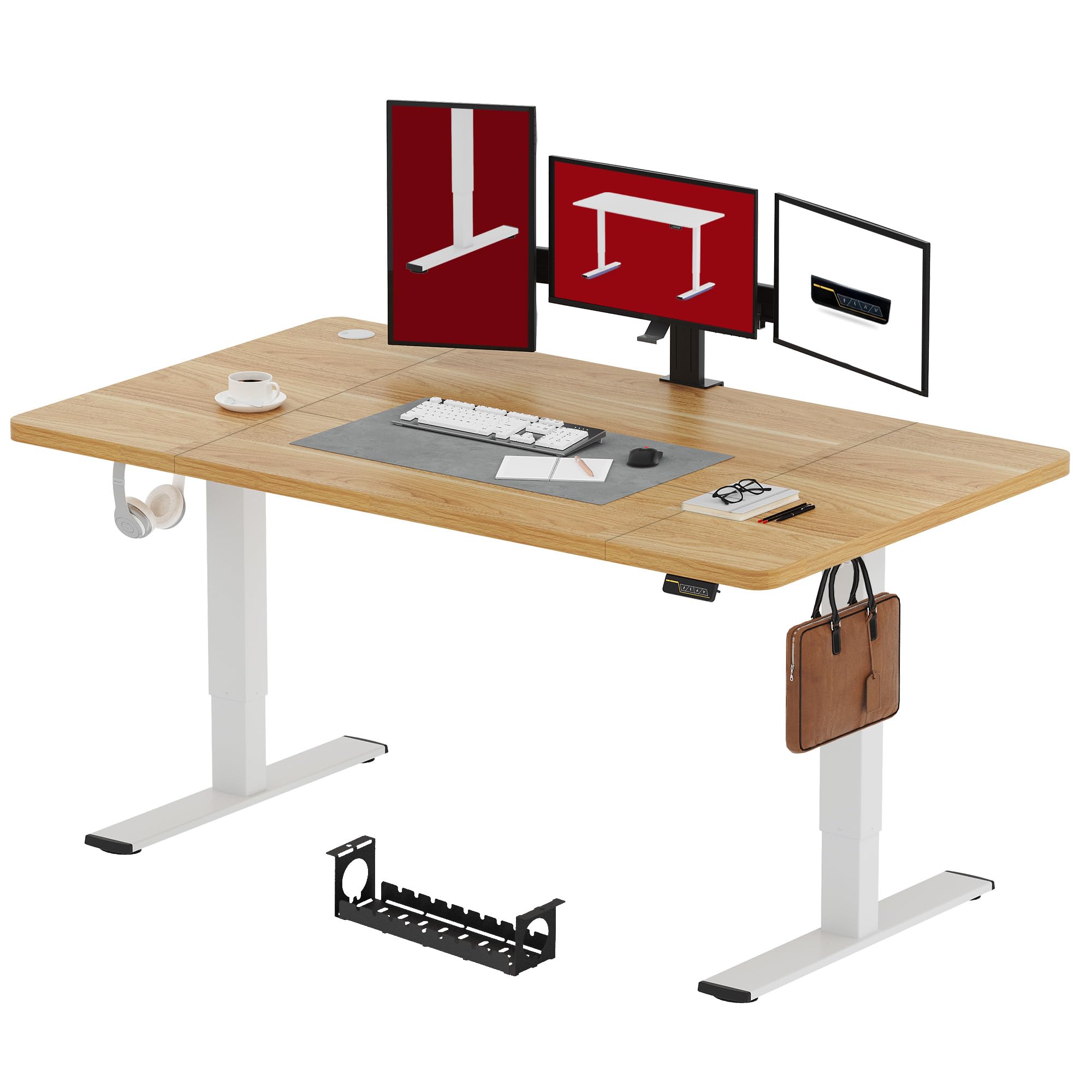
Figure 2.1: Overview of the SANODESK Electric Standing Desk (Maple, 180x80cm).
- Desktop (Maple, 180x80 cm)
- Electric Lifting Columns (Legs)
- Control Panel with LED Display
- Power Adapter and Cable
- Crossbar/Frame Components
- Feet/Base Supports
- Metal Hooks (2x)
- Storage Box
- Assembly Hardware (screws, Allen keys, etc.)
3. Setup and Assembly
Assembly typically takes less than 30 minutes. It is recommended to have two people for assembly, especially when handling the desktop.
- Unpack Components: Carefully remove all parts from the packaging and lay them out on a clean, soft surface to prevent scratches.
- Assemble Frame: Attach the lifting columns to the crossbar and feet according to the detailed diagrams in your physical instruction manual. Ensure all screws are tightened securely.
- Attach Desktop: Carefully place the desktop upside down on a soft surface. Position the assembled frame onto the desktop, aligning the pre-drilled holes. Secure the desktop to the frame using the provided screws.
- Install Control Panel: Mount the control panel to the underside of the desktop in the designated location. Connect the motor cables and power cable to the control box as indicated in the manual.
- Attach Accessories: Install the metal hooks and storage box to the desired locations on the desk frame.
- Cable Management: Route all cables neatly using the provided cable ties or clips to prevent tangling and ensure safe operation.
- Initial Power-Up: Connect the power adapter to the desk and then to a power outlet. The LED display on the control panel should illuminate.

Figure 3.1: Illustration of the desk frame assembly, highlighting the simple installation process.
4. Operating Instructions
Your SANODESK electric standing desk offers smooth and quiet height adjustment with memory and safety features.
4.1 Height Adjustment
- Raise Desk: Press and hold the ▲ (Up) button to raise the desk to your desired standing height.
- Lower Desk: Press and hold the ▼ (Down) button to lower the desk to your desired sitting height.
- The desk height can be adjusted smoothly between 73 cm and 122 cm.

Figure 4.1: Visual representation of the desk's adjustable height range.
4.2 Memory Presets
The control panel allows you to save preferred sitting and standing heights for quick adjustments.
- Set a Memory Position:
- Adjust the desk to your desired height using the Up/Down buttons.
- Press the "M" (Memory) button. The LED display will show "S-".
- Within 3 seconds, press one of the numbered preset buttons (e.g., "1" or "2") to save the current height to that position. The display will show "S-1" or "S-2" to confirm.
- Recall a Memory Position: Simply press the desired numbered preset button (e.g., "1" or "2"). The desk will automatically move to the saved height.
4.3 Child Lock Function
To prevent accidental adjustments, especially by children, activate the child lock.
- Activate Child Lock: Press and hold the "Lock" button (often indicated by a padlock icon or a combination of buttons, refer to your specific control panel diagram) for 3 seconds until the display shows "LOC". All buttons will be disabled.
- Deactivate Child Lock: Press and hold the "Lock" button again for 3 seconds until "LOC" disappears from the display. The desk is now operational.

Figure 4.2: Close-up of the intuitive control panel, showing LED display, memory, and child lock functions.
4.4 Quiet Operation
The desk operates with a motor noise level below 50 dB, ensuring a quiet working environment.
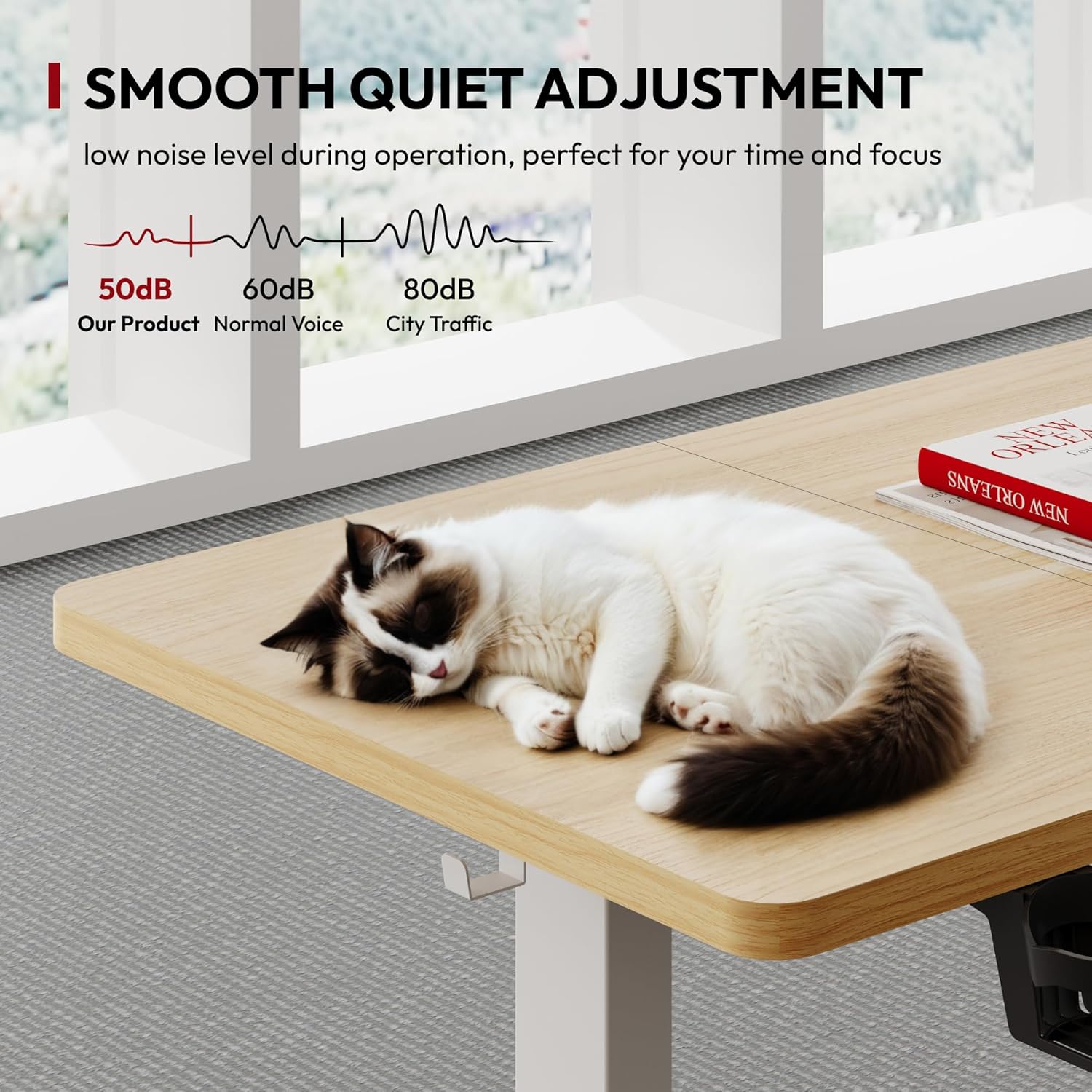
Figure 4.3: Noise level comparison, showing the desk's quiet operation.
5. Maintenance
Regular maintenance ensures the longevity and optimal performance of your SANODESK.
- Cleaning:
- Disconnect the power cord before cleaning.
- Wipe the desktop and frame with a soft, damp cloth. Avoid abrasive cleaners or harsh chemicals.
- Ensure no liquid enters the control panel or motor housing.
- Cable Management: Periodically check all cables for wear or damage. Re-secure any loose cables to prevent them from getting caught during height adjustments.
- Fasteners: Occasionally check all screws and bolts to ensure they remain tight. Re-tighten if necessary.
- Weight Distribution: Distribute weight evenly across the desktop to prevent strain on the lifting mechanism.
6. Troubleshooting
If you encounter issues with your desk, refer to the following common problems and solutions.
| Problem | Possible Cause | Solution |
|---|---|---|
| Desk does not move. |
|
|
| Desk moves unevenly or makes unusual noise. |
|
|
| Error code on LED display. |
|
|
If the problem persists after attempting these solutions, please contact SANODESK customer support.
7. Product Specifications
| Feature | Detail |
|---|---|
| Brand | SANODESK |
| Model | Electric Standing Desk |
| Desktop Dimensions (L x W) | 180 cm x 80 cm |
| Adjustable Height Range | 73 cm - 122 cm |
| Material | Wood (Maple finish) |
| Max Weight Capacity | 70 kg (154 lbs) |
| Noise Level | Less than 50 dB |
| Features | Electric height adjustment, Memory presets, Child lock, Metal hooks, Storage box |

Figure 7.1: Detailed product dimensions and height range.

Figure 7.2: Illustration of the desk's maximum weight capacity and overall dimensions.
8. Warranty and Support
SANODESK products are designed for durability and performance. For specific warranty details, please refer to the warranty card included with your product or visit the official SANODESK website.
8.1 Customer Support
If you have any questions, require assistance with assembly, or experience issues not covered in the troubleshooting section, please contact SANODESK customer support:
- Website: www.sanodesk.com (Note: This is a placeholder URL, please refer to your product documentation for the correct website.)
- Email: support@sanodesk.com (Note: This is a placeholder email, please refer to your product documentation for the correct contact information.)
- Phone: Refer to your product documentation for regional contact numbers.
When contacting support, please have your product model number (180x80cm Electric Standing Desk) and purchase date available.


