
1. Introduction
Thank you for choosing the SANODESK Standing Desk. This electric height-adjustable desk is designed to enhance your workspace by allowing seamless transitions between sitting and standing positions, promoting a healthier and more productive work environment. Featuring a robust dual-motor, four-leg lift system, memory presets, and an anti-collision system, this desk offers stability, convenience, and safety.
Please read this manual thoroughly before assembly and operation to ensure proper use and to maximize the lifespan of your desk. Keep this manual for future reference.

Image: The SANODESK Standing Desk, showcasing its spacious white tabletop and sturdy four-leg design.
2. Important Safety Information
WARNING: Failure to follow these safety instructions may result in injury or damage to the product.
- Always keep hands, feet, and other body parts clear of moving parts during height adjustment.
- Do not exceed the maximum weight capacity of 176 pounds (80 kg) on the desk surface.
- Ensure all cables are properly managed and have sufficient slack to prevent pinching or damage during movement.
- Do not allow children or pets to operate the desk without adult supervision.
- Ensure the desk is placed on a level surface.
- Do not sit or stand on the desk.
- Disconnect power before cleaning or performing any maintenance.
- Always follow assembly instructions carefully and use appropriate safety precautions when handling tools.
- Do not modify the desk's structure or components. Use only original replacement parts.

Image: Illustration of the desk's maximum load capacity, which is 176 lbs.
3. Package Contents
Before beginning assembly, verify that all parts are present and undamaged. If any parts are missing or damaged, please contact customer support.
- Desktop Panels (3 spliced sections)
- Desk Legs (4)
- Crossbar/Frame Components
- Control Panel
- Control Box
- Power Adapter and Cable
- All necessary Screws and Fasteners
- Assembly Tools (e.g., Allen wrench)
- Keyboard Tray (Included Component)
4. Assembly Instructions
Assembly is required for this product. It is recommended that two people assemble the desk for ease and safety. A drill is recommended for assembly.
- Unpack and Organize: Carefully unpack all components and lay them out on a clean, soft surface to prevent scratches. Identify each part using the provided parts list.
- Assemble the Frame: Attach the crossbars to the desk legs. Ensure all connections are secure but do not fully tighten screws until instructed.
- Install Motors and Control Box: Mount the dual motors and the control box to the designated areas on the frame. Connect the motor cables to the control box.
- Attach Desktop Panels: Carefully align the three spliced desktop panels and secure them to the assembled frame. The design of the spliced panels helps reduce weight during installation. Ensure the tabletop is flush and stable.
- Install Control Panel: Mount the digital control keypad to the underside of the desktop in the designated location. Connect its cable to the control box.
- Connect Power: Plug the power adapter into the control box and then into a wall outlet.
- Final Tightening: Once all components are in place and aligned, carefully tighten all screws. Do not overtighten.
- Cable Management: Use the provided cable ties or management solutions to neatly organize all cables, ensuring they do not interfere with the desk's movement.
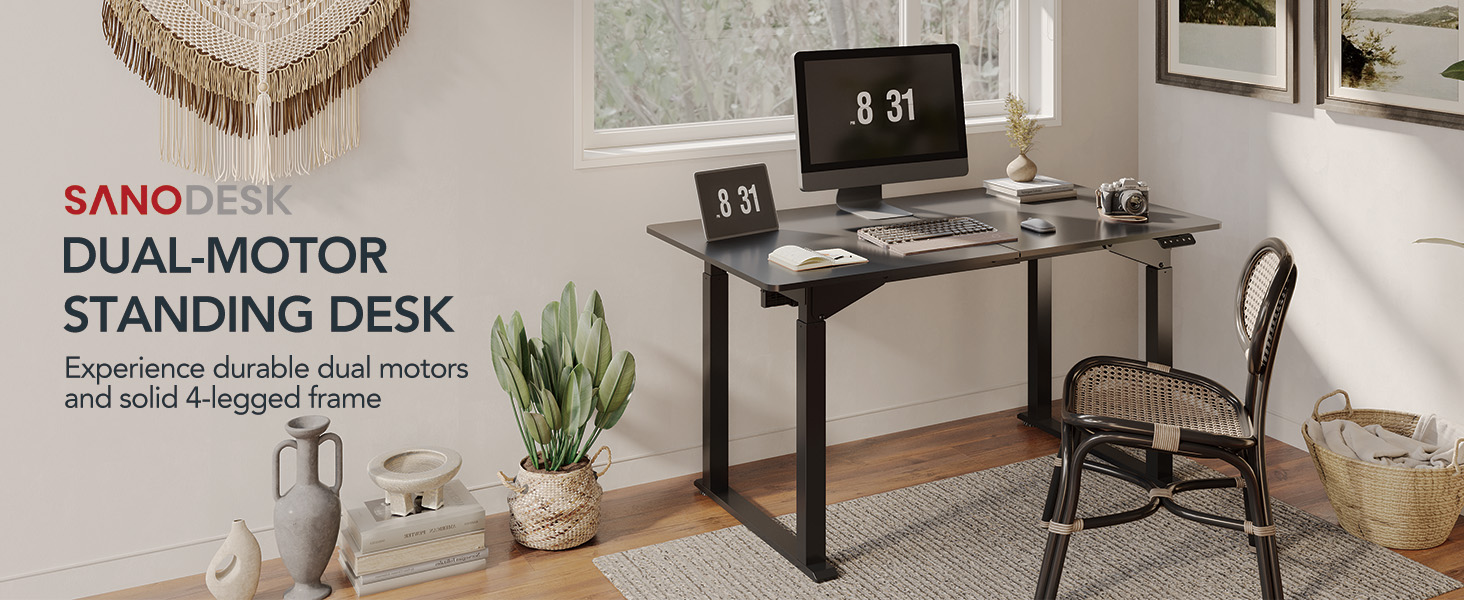
Image: The strong steel frame structure of the SANODESK Standing Desk, highlighting its robust construction.
5. Operating Instructions
Digital Control Keypad
The desk is operated via a digital control keypad located on the front edge of the desktop. This keypad allows for precise height adjustments and memory preset functions.

Image: The multi-functional digital keypad with buttons for 3 memorizable height settings and up/down adjustments.
- Up/Down Arrows (▲ / ▼): Press and hold the up or down arrow to continuously adjust the desk height. Release the button to stop at your desired height. The desk operates quietly, with noise levels less than 50dB.
- Memory Presets (1, 2, 3): The desk features three programmable memory height settings. To save a height:
- Adjust the desk to your desired height using the up/down arrows.
- Press the 'M' button. The display will show 'S-'.
- Within 3 seconds, press the desired number button (1, 2, or 3) to save the current height. The display will show 'S-1', 'S-2', or 'S-3' to confirm.
Anti-Collision System
The SANODESK Standing Desk is equipped with an anti-collision system to prevent damage and ensure safety. If the desk encounters an obstruction during height adjustment, it will automatically stop and reverse slightly to avoid collision.
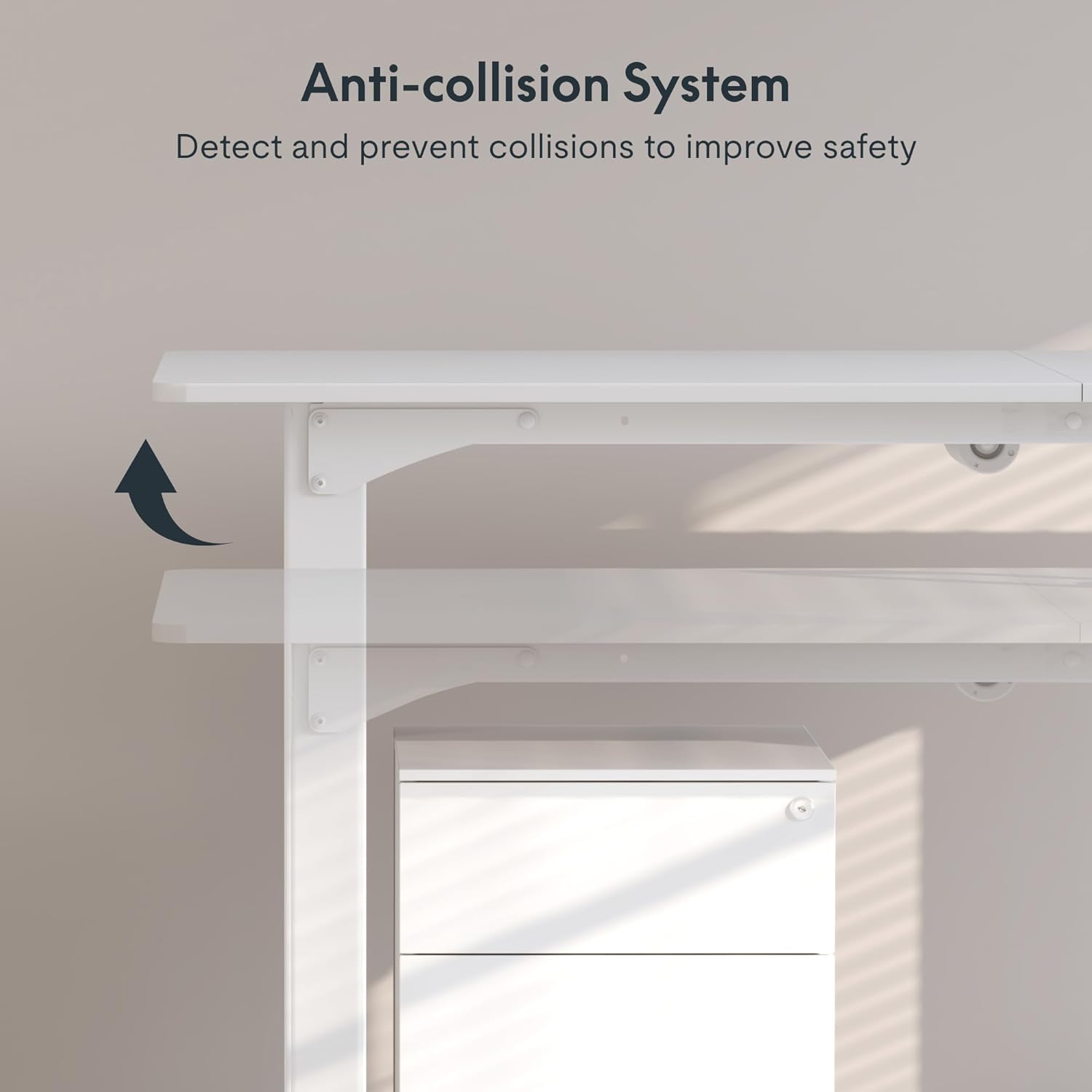
Image: The anti-collision system detects and prevents collisions, improving safety during desk movement.
6. Maintenance and Care
- Cleaning: Wipe the desk surface and frame with a dry, soft cloth. For stubborn marks, a slightly damp cloth can be used, followed by immediate drying. Avoid abrasive cleaners or harsh chemicals.
- Inspection: Periodically check all screws and fasteners to ensure they are tight. Retighten if necessary.
- Cable Management: Regularly inspect cables for any signs of wear or damage. Ensure they remain neatly organized and do not obstruct movement.
- Motor Care: The dual motors are designed for long-term, maintenance-free operation. Do not attempt to lubricate or disassemble the motor units.
7. Troubleshooting
If you encounter any issues with your SANODESK Standing Desk, please refer to the following common troubleshooting steps:
| Problem | Possible Cause | Solution |
|---|---|---|
| Desk does not move. | Power cable disconnected; Control box error; Overload. | Check power connections. Unplug and replug the power cable. Reduce weight on the desk. |
| Desk moves unevenly or makes unusual noise. | Loose connections; Obstruction; Uneven weight distribution. | Check all assembly screws. Remove any obstructions. Redistribute weight evenly on the desktop. |
| Anti-collision system frequently triggers. | Obstruction in path; Sensitivity setting (if adjustable). | Ensure clear path for desk movement. Check manual for sensitivity adjustment if available. |
| Memory presets not working. | Presets not saved correctly. | Re-save the memory presets following the operating instructions. |
If the problem persists after attempting these solutions, please contact SANODESK customer support for further assistance.
8. Specifications
| Feature | Detail |
|---|---|
| Brand | SANODESK |
| Model Number | QS2 |
| Model Name | QS2W |
| UPC | 810072841414 |
| Desktop Dimensions (Current Variant) | 55.1" (W) x 27.5" (D) (140cm x 70cm) |
| Height Adjustment Range | 28.7" - 47.2" (73cm - 120cm) |
| Motor Type | Dual Motor |
| Legs | 4-Leg Lift System |
| Weight Capacity | Up to 176 lbs (80 kg) |
| Noise Level | Less than 50dB |
| Special Features | Memory Presets (3), Anti-Collision System, Quiet Operation |
| Assembly Required | Yes (Recommended 2 people, drill recommended) |
| Tabletop Material | Engineered Wood (Spliced Panels) |
| Frame Material | Metal |

Image: Detailed dimensions of the SANODESK Standing Desk, including height range and tabletop size.
9. Warranty and Support
Your SANODESK Standing Desk comes with a limited warranty. Please refer to the warranty card included in your package or visit the official SANODESK website for detailed warranty terms and conditions.
For technical support, missing parts, or any inquiries, please contact SANODESK customer service. You may also find additional resources, including an installation manual, on the product's Amazon page or the SANODESK official website.
- Online User Guide (PDF): Download PDF Manual
- SANODESK Store: Visit the SANODESK Amazon Store


