
1. Introduction
The VSYSTO U5X is a compact and durable 4K action camera designed for capturing high-quality video during various activities, including cycling and motorcycling. Featuring a Sony IMX415 CMOS sensor, 170-degree wide-angle lens with fisheye design, and IP67 waterproof rating, it offers excellent performance in diverse environments. This manual provides essential information for setting up, operating, and maintaining your U5X camera.

Figure 1.1: The VSYSTO U5X Helmet Cam shown with various mounting accessories and a smartphone demonstrating its live view capability. The camera is a cylindrical silver device, designed for easy attachment to helmets or handlebars.
2. Package Contents
Please verify that all items are present in your package:
- VSYSTO U5X Helmet Cam
- USB Type-C cable
- Helmet mount
- Handlebar mount
- User Manual (this document)
3. Product Features
The VSYSTO U5X is engineered with advanced features to enhance your recording experience:
- High-Resolution Video: Records stunning 4K at 30 frames per second (fps) or 2K at 45 fps, ensuring clear and detailed footage.
- Advanced Sensor Technology: Equipped with a Sony IMX415 CMOS sensor, WDR (Wide Dynamic Range), and Sony Starvis night vision for superior low-light performance.
- Premium Lens: Features a 7-layer all-glass lens for excellent light transmission and refraction, paired with a 170-degree ultra-wide-angle lens and fisheye design for a broad field of view.
- Durable Construction: Built with high-quality aluminum alloy to withstand extreme sports and outdoor conditions.
- Waterproof Design: IP67 waterproof rating ensures reliability in various outdoor environments.
- Integrated Wi-Fi: Allows for easy control, playback, and sharing of videos via a compatible mobile application (iOS and Android).
- Flexible Mounting Options: Includes helmet and handlebar mounts for versatile attachment to various gear.
- Ample Storage: Supports Micro SD cards up to 512GB (card not included).
- Loop Recording: Seamlessly records in 1/2/3/5-minute clips, ensuring continuous recording without running out of space.
- Emergency Recording: Automatically or manually triggered mode that captures snapshots and locks video files to prevent overwriting during critical events.
- Long Battery Life & Charging: Records up to 100 minutes of 4K footage on a single charge and supports recording while charging via USB Type-C.

Figure 3.1: Key features of the VSYSTO U5X, including 4K Ultra HD resolution, Sony CMOS sensor, night vision capabilities, wide-angle lens, Wi-Fi connectivity, IPX7 waterproofing, G-sensor, and loop recording functionality.

Figure 3.2: An internal view illustrating the 7-layer glass lens structure and the Novatek NT96670 processor, highlighting the camera's advanced optical and processing components for capturing detailed 4K footage.

Figure 3.3: Visual representation of the Gravity Sensor, which automatically locks video files upon collision; the Emergency Lock feature, activated by double-pressing the power button to save important moments; and the Loop Recording function, ensuring continuous capture without interruption.
Video 3.1: An introductory video showcasing the VSYSTO U5X Helmet Cam, its features, and various mounting possibilities. This video provides a dynamic overview of the product's design and functionality.
4. Setup
4.1 Charging the Camera
Before first use, fully charge the VSYSTO U5X camera. Connect the provided USB Type-C cable to the camera's charging port and a USB power source (e.g., computer, wall adapter). The charging indicator light will show the charging status.
4.2 Inserting a Micro SD Card
The camera requires a Micro SD card (up to 512GB, Class 10 or higher recommended) for recording. Locate the Micro SD card slot, typically near the charging port. Gently insert the card until it clicks into place. Ensure the camera is powered off before inserting or removing the card.
4.3 Mounting the Camera
The VSYSTO U5X comes with both helmet and handlebar mounts for versatile placement.
- Helmet Mount: Attach the helmet mount to a suitable flat surface on your helmet using the adhesive base or strap. Secure the camera to the mount.
- Handlebar Mount: Secure the handlebar mount to your bicycle or motorcycle handlebars. Attach the camera to the mount, ensuring it is firmly in place and the lens is facing the desired direction.

Figure 4.1: The VSYSTO U5X can be mounted in multiple ways, including directly on a helmet or handlebars, providing flexibility for capturing different perspectives during activities.
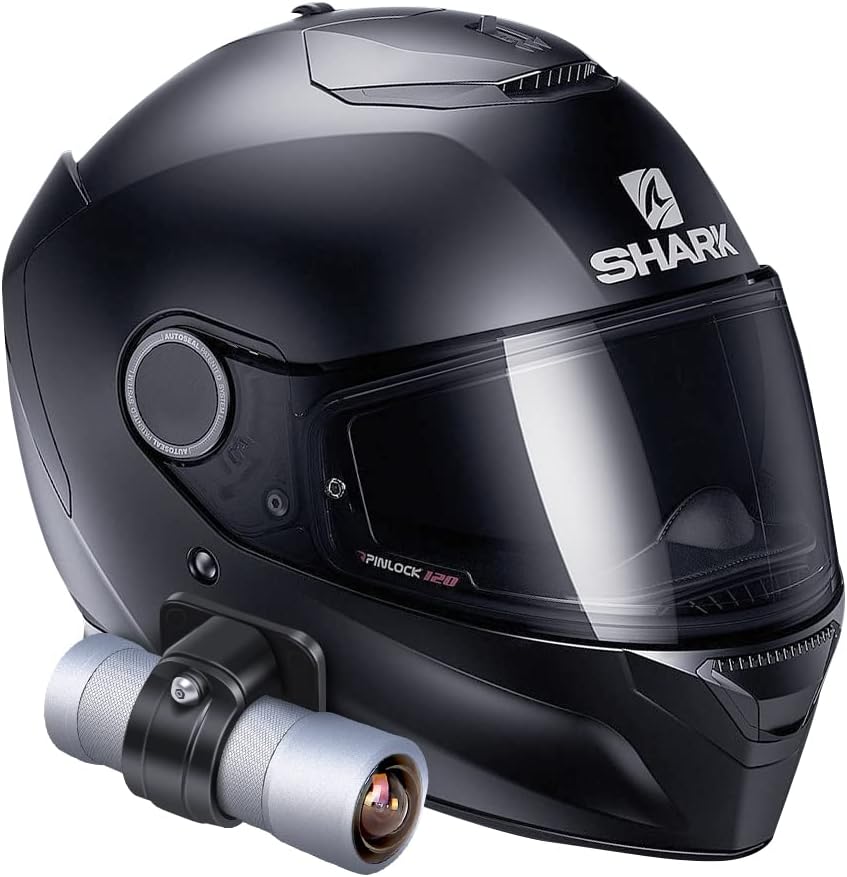
Figure 4.2: The VSYSTO U5X camera securely attached to the side of a motorcycle helmet, demonstrating a common and effective mounting position for capturing ride footage.
5. Operating Instructions
5.1 Powering On/Off
To power on the camera, press and hold the power button located on the end of the device until the indicator lights illuminate. To power off, press and hold the power button again until the lights turn off.
5.2 Recording Video
Once powered on, the camera typically begins recording automatically in loop recording mode. To manually start/stop recording, refer to the specific instructions within the mobile application or the camera's physical controls if available.
5.3 Using the Mobile App (Wi-Fi Connection)
The VSYSTO U5X features built-in Wi-Fi for seamless control and management via a dedicated mobile application (available for iOS and Android).
- Download the official VSYSTO app from the App Store (iOS) or Google Play Store (Android).
- Turn on the camera's Wi-Fi (refer to camera indicators or app instructions).
- Connect your smartphone to the camera's Wi-Fi network (SSID and password usually found on the camera or in the app).
- Open the app to access live view, control recording, adjust settings, and playback/download recorded footage.
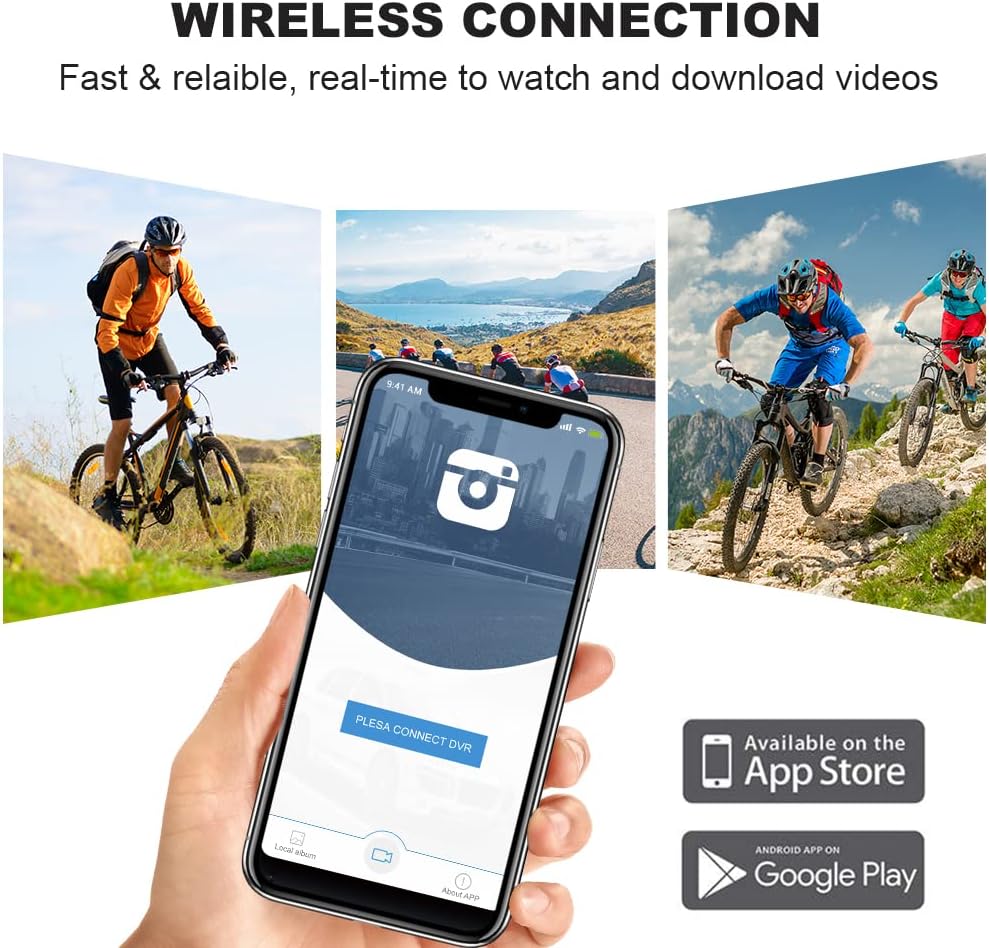
Figure 5.1: The mobile application interface for the VSYSTO U5X, demonstrating how users can wirelessly connect to the camera to view live footage, manage recordings, and download videos directly to their smartphone.
5.4 Emergency Recording
In case of an impact or a critical event, the camera's G-sensor can automatically trigger emergency recording, locking the current video file to prevent it from being overwritten. You can also manually activate this feature by double-pressing the power button.
5.5 Transferring Files
To transfer files to your computer, connect the camera using the USB Type-C cable. The camera will appear as a removable disk drive, allowing you to copy video and image files directly.
6. Maintenance
Proper maintenance ensures the longevity and optimal performance of your VSYSTO U5X camera:
- Cleaning: Use a soft, dry cloth to clean the camera body. For the lens, use a specialized lens cleaning cloth and solution to avoid scratches. Do not use harsh chemicals or abrasive materials.
- Water Exposure: While the camera is IP67 waterproof, ensure all ports (USB-C, SD card slot) are securely closed before exposing it to water. After exposure to saltwater, rinse with fresh water and dry thoroughly.
- Storage: Store the camera in a cool, dry place away from direct sunlight and extreme temperatures. Remove the Micro SD card if storing for extended periods.
- Battery Care: Avoid fully discharging the battery frequently. For long-term storage, charge the battery to about 50% to prolong its lifespan.
7. Troubleshooting
If you encounter issues with your VSYSTO U5X, refer to the following common solutions:
| Problem | Possible Cause | Solution |
|---|---|---|
| Camera does not power on | Low battery; Power button not pressed correctly | Charge the camera fully. Press and hold the power button for several seconds. |
| Cannot record video | No Micro SD card; SD card full or corrupted; Incorrect card format | Insert a Micro SD card. Format the SD card via the app or a computer. Replace the SD card if corrupted. |
| Wi-Fi connection issues | Incorrect Wi-Fi password; Camera Wi-Fi not enabled; Interference | Ensure correct password. Enable camera Wi-Fi. Move closer to the camera or away from other Wi-Fi devices. |
| Poor video quality | Dirty lens; Low light conditions; Incorrect resolution settings | Clean the lens. Ensure adequate lighting. Check video resolution settings in the app. |
8. Specifications
| Feature | Detail |
|---|---|
| Brand | VSYSTO |
| Model Number | U5X |
| Video Capture Resolution | 4K (3840 x 2160) @ 30fps, 2K @ 45fps |
| Photo Sensor Technology | Sony IMX415 CMOS |
| Lens Angle | 170° Wide Angle with Fisheye Design |
| Lens Type | 7-Layer All-Glass |
| Waterproof Rating | IP67 |
| Connectivity Technology | Wi-Fi |
| Flash Memory Type | Micro SD (supports up to 512GB) |
| Video Capture Format | MOV |
| Special Features | Night Vision, WDR, Loop Recording, Emergency Recording (G-sensor) |
| Battery | 1 Lithium Ion (included) |
| Item Weight | 14.4 ounces |
| Color | Silver - U5X(1-channel) |

Figure 8.1: Detailed dimensions of the VSYSTO U5X camera and its accompanying mounting brackets, providing precise measurements for installation and compatibility.
9. Warranty and Support
For warranty information and technical support regarding your VSYSTO U5X Helmet Cam, please refer to the official VSYSTO website or contact their customer service directly. Keep your purchase receipt as proof of purchase for any warranty claims.
You can visit the VSYSTO Store on Amazon for more information: VSYSTO Store


