
1. Introduction
This manual provides comprehensive instructions for the assembly, operation, and maintenance of your SANODESK EP1 Electric Height Adjustable Standing Desk. Designed for ergonomic comfort and productivity, this desk allows seamless transitions between sitting and standing positions. Please read this manual thoroughly before assembly and use to ensure safe and optimal performance.

Image 1.1: The SANODESK EP1 Electric Standing Desk in a home office setup, showcasing its spacious desktop and integrated accessories like a cup holder and headphone hook.
2. Safety Information
- Ensure all connections are secure before operating the desk.
- Keep children and pets away from the desk during operation to prevent injury.
- Do not overload the desk. Refer to the specifications for maximum weight capacity.
- Avoid placing liquids directly on the control panel or near electrical components.
- Do not attempt to disassemble or repair the desk yourself. Contact customer support for assistance.
- Ensure there are no obstructions in the desk's path when adjusting height.
3. Package Contents
Please verify that all components are present before beginning assembly. If any parts are missing or damaged, contact SANODESK customer support.
- Desktop (1 piece, 110 x 54 cm)
- Desk Frame (legs, crossbar)
- Electric Motor and Control Box
- Control Panel with Memory Function
- Power Adapter and Cable
- Cup Holder
- Headphone Hooks
- Assembly Hardware (screws, tools)
- User Manual (this document)
4. Assembly Instructions
Follow these general steps for assembling your SANODESK EP1. For detailed diagrams and specific screw placements, please refer to the separate assembly guide included in your package.
- Unpack Components: Carefully remove all parts from the packaging and lay them out on a clean, soft surface to prevent scratches.
- Assemble Desk Frame: Attach the lifting columns to the feet, then connect the crossbar between the lifting columns. Ensure all bolts are tightened securely.
- Attach Desktop: Place the desktop upside down on a protective surface. Carefully align the assembled frame with the pre-drilled holes on the desktop and secure it with the provided screws.
- Install Control Box and Motor: Mount the control box and motor to the designated areas on the underside of the desktop, following the assembly guide.
- Connect Cables: Connect the motor cables, control panel cable, and power adapter cable to the control box. Ensure all connections are firm.
- Install Accessories: Attach the cup holder and headphone hooks to the desired locations on the desktop edges.
- Cable Management: Use the provided cable ties or clips to organize and secure all cables, preventing them from dangling or getting caught.
- Initial Power-Up: Plug the power adapter into a wall outlet. The desk may perform an initial calibration.

Image 4.1: The SANODESK EP1 features a single-piece desktop, which contributes to its stability and provides a smooth, uninterrupted work surface.
5. Operating Instructions
5.1. Control Panel Overview

Image 5.1: The intelligent control panel for the SANODESK EP1, featuring buttons for height adjustment, memory presets, and sit/stand indicators.
- Up/Down Arrows (▲ / ▼): Press and hold to adjust the desk height upwards or downwards. Release the button to stop at the desired height.
- Memory Buttons (1, 2, 3, 4): These buttons allow you to save and recall preferred height settings.
- Sit/Stand Icons: Visual indicators for sitting and standing positions, often associated with memory presets.
5.2. Adjusting Desk Height
To manually adjust the desk height, press and hold the Up (▲) or Down (▼) arrow button until the desk reaches your desired position. The desk can be adjusted between 73.5 cm and 118 cm.

Image 5.2: Illustration of the adjustable height range of the SANODESK EP1, from a minimum of approximately 71 cm to a maximum of 116 cm.
5.3. Setting Memory Presets
The memory function allows you to save up to four preferred height settings for quick recall.
- Adjust the desk to your desired height using the Up/Down arrows.
- Press the "M" or "SET" button (if available, otherwise proceed to step 3). The display may flash.
- Immediately press one of the numbered memory buttons (1, 2, 3, or 4) to save the current height to that preset. The display will confirm the setting.
- To recall a saved height, simply press the corresponding numbered memory button. The desk will automatically move to that height.
6. Key Features
- Ergonomic Height Adjustment: Seamlessly switch between sitting and standing positions to promote better posture and reduce fatigue. The desk adjusts from 73.5 cm to 118 cm.
- Intelligent Memory Control Panel: Save up to four preferred height settings for quick and easy transitions.
- Integrated Cup Holder and Hooks: Keep your workspace organized with a convenient cup holder and hooks for headphones or bags.
- Robust and Stable Design: Constructed with a sturdy metal frame and a single-piece desktop, ensuring stability even at maximum height. The desk supports a load capacity of up to 70 kg.
- Quiet Operation: The electric motor operates with a low noise level (approximately 50dB), minimizing disruption in your work environment.

Image 6.1: A user demonstrating the standing position at the SANODESK EP1, highlighting the ergonomic benefits of a height-adjustable desk for a healthy working and living environment.

Image 6.2: This image illustrates the desk's load-bearing capability, indicating it can support significant weight, up to 70 kg, for various office equipment.
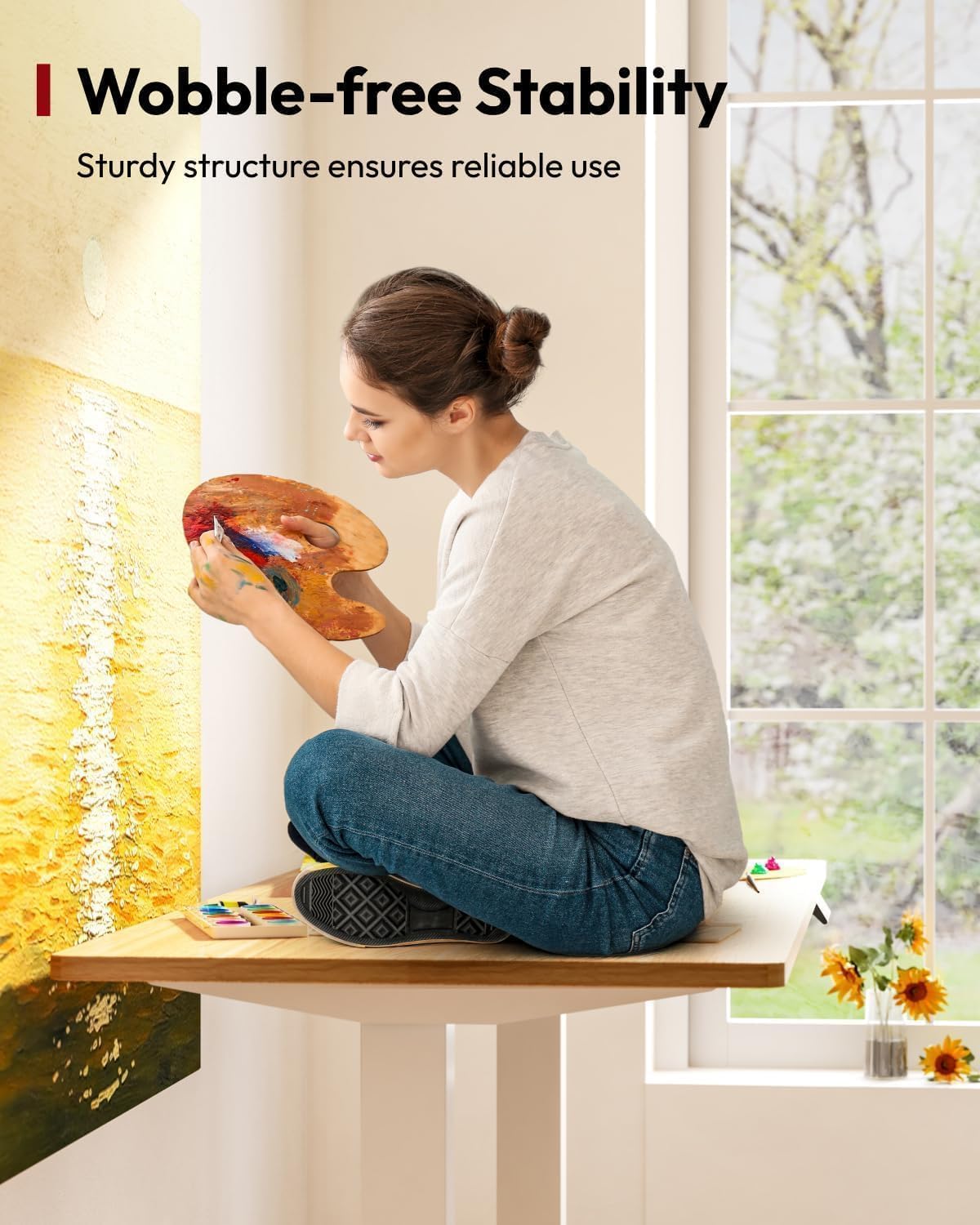
Image 6.3: A visual representation of the desk's wobble-free stability, showing a person comfortably seated on the desktop.

Image 6.4: This image highlights the smooth and quiet adjustment mechanism of the desk, with a noise level of approximately 50dB, ensuring minimal disturbance.

Image 6.5: A detailed view of the convenient cup holder, designed for easy access and to keep beverages secure and off the main work surface.
7. Maintenance
- Cleaning: Wipe the desktop and frame with a soft, damp cloth. Avoid abrasive cleaners or harsh chemicals that could damage the surface.
- Inspection: Periodically check all screws and connections to ensure they remain tight.
- Cable Management: Ensure cables are neatly organized and not pinched or tangled, which could affect desk operation.
8. Troubleshooting
| Problem | Possible Cause | Solution |
|---|---|---|
| Desk does not move. | Power cable disconnected, motor cable loose, overload. | Check power connection. Ensure all motor cables are securely plugged into the control box. Reduce weight on the desk. |
| Desk moves unevenly or makes unusual noise. | Obstruction, loose connections, uneven weight distribution. | Check for obstructions. Ensure all frame connections are tight. Redistribute weight evenly on the desktop. |
| Memory function not working. | Incorrect setting procedure. | Refer to Section 5.3 for correct memory preset instructions. |
| Error code displayed. | System fault. | Unplug the desk for 10 minutes, then plug it back in to reset. If the error persists, contact customer support. |
9. Specifications
| Feature | Detail |
|---|---|
| Brand | SANODESK |
| Model Number | EP1 |
| Desktop Dimensions (L x W) | 110 cm x 54 cm |
| Height Adjustment Range | 73.5 cm - 118 cm |
| Load Capacity | 70 kg |
| Material (Frame) | Alloy Steel |
| Material (Desktop) | Melamine Laminated Particleboard (Oak type look) |
| Operation Noise Level | Approx. 50dB |
| Features | Electric Height Adjustable, Memory Presets, Ergonomic, Cup Holder, Headphone Hooks |
| Product Weight | 23.5 Kilograms |
10. Warranty and Support
SANODESK products are manufactured to high-quality standards. For warranty information or technical support, please refer to the warranty card included with your purchase or visit the official SANODESK website. Please have your model number (EP1) and purchase date available when contacting support.


