
1. Product Overview
The BOYA BY-XM6 K1 is a compact 2.4GHz wireless microphone system designed for high-quality audio capture. It features advanced Adaptive Frequency Hopping (AFH) technology for stable signal transmission up to 100 meters (328 feet) without obstacles. This system is ideal for vlogging, YouTube videos, live streaming, interviews, and general recording, providing clear, low-noise audio.

Image: The BOYA BY-XM6 K1 Wireless Lavalier Microphone System, showcasing its compact design.
Key Features:
- Digital 2.4GHz wireless signal transmission with Adaptive Frequency Hopping (AFH).
- Operating range of up to 100m (328ft) in obstacle-free environments.
- High-quality capsule and signal processing circuit for clear audio with >84dB S/N ratio and <0.1% distortion.
- Includes one transmitter (TX) and one receiver (RX) with a portable charging case.
- 7 hours of battery life per unit on a full charge, with the charging case providing up to 14 total hours of operation.
- Wide compatibility with DSLR/mirrorless cameras, smartphones, and computers via included 3.5mm TRS-TRS and TRS-TRRS audio cables.
- MONO/STEREO switch and two audio input modes (built-in omnidirectional microphone or external lavalier microphone).
- OLED display on transmitter and receiver for precise signal adjustment and real-time monitoring via a 3.5mm TRS headphone jack on the receiver.
2. Package Contents
Before setup, please ensure all components are present in the package:
- 1x BY-XM6 TX Transmitter
- 1x BY-XM6 RX Receiver
- 1x BY-XM6-K1 BOX Charging Case
- 1x USB-C Charging Cable
- 1x Lavalier Microphone
- 1x Mic Clip for Lavalier Microphone
- 1x Foam Windscreen for Lavalier Microphone
- 1x Fur Windshield for Built-in Microphone
- 1x 3.5mm TRS to TRS Output Cable for Cameras
- 1x 3.5mm TRS to TRRS Output Cable for Smartphones

Image: All components of the BOYA BY-XM6 K1 system, including the transmitter, receiver, charging case, and various cables and accessories.
3. Setup Guide
3.1 Charging the System
The BY-XM6 K1 system includes a portable charging case. Before first use, fully charge the charging case and the transmitter/receiver units.
- Connect the supplied USB-C charging cable to the charging port on the case and to a USB power source.
- Place the transmitter (TX) and receiver (RX) units into their respective slots in the charging case. The power indicator on the charging case will show the battery capacity and charging status.
- Each unit provides up to 7 hours of operation on a full charge. The charging case can provide additional charges for a total of up to 14 hours of operating time for one transmitter and one receiver.

Image: The BOYA BY-XM6 K1 charging case with the transmitter and receiver units inside, indicating charging status.

Image: Graphic illustrating the 7-hour battery life of individual units and the extended operating time provided by the charging case.
3.2 Connecting to Your Device
The BY-XM6 K1 offers wide compatibility with various recording devices.
- For Cameras (DSLR/Mirrorless): Use the 3.5mm TRS to TRS output cable. Connect one end to the receiver's output jack and the other end to your camera's microphone input.
- For Smartphones/Tablets: Use the 3.5mm TRS to TRRS output cable. Connect one end to the receiver's output jack and the other end to your smartphone or tablet's 3.5mm audio jack.
- For Computers: Depending on your computer's audio input, you may use either the TRS-TRS or TRS-TRRS cable. Ensure your computer's audio settings are configured to use the external microphone.

Image: Diagram showing the universal compatibility of the BOYA BY-XM6 K1 with various devices like smartphones, laptops, cameras, and camcorders, highlighting the different cable types.
4. Operating Instructions
4.1 Power On/Off and Pairing
The system is designed for quick and easy use.
- Power On: Press and hold the power button on both the transmitter (TX) and receiver (RX) units until their OLED displays light up.
- Pairing: The units are typically pre-paired from the factory. If re-pairing is needed, long press the Pair button (often indicated by "+" and "-" buttons pressed simultaneously) for 3 seconds to enter pairing mode. The units should automatically connect.
- Connection Confirmation: Once paired, the OLED display on both units will show a stable connection indicator.

Image: Illustration of the plug-and-play operation, showing the receiver connected to a camera and the transmitter clipped to clothing, with instructions for powering on and pairing.
4.2 Audio Input Modes and Monitoring
The transmitter offers flexibility in audio input, and the receiver allows for real-time monitoring.
- Built-in Microphone: The transmitter features a built-in omnidirectional microphone. You can clip the transmitter directly onto your collar to capture sound.
- External Lavalier Microphone: For discreet placement or specific audio needs, plug the included lavalier microphone into the transmitter's MIC IN jack.
- MONO/STEREO Switch: The BY-XM6 K1 lavalier mic provides a mono/stereo switch. Please note that some smartphones may not output stereo audio. Adjust this setting on the receiver as needed.
- Real-Time Monitoring: The receiver has a 3.5mm TRS headphone jack. Connect headphones to this jack to monitor the recording effect in real-time during a shoot.
- OLED Display: The vivid OLED display on both the transmitter and receiver allows users to adjust signal transmission settings and monitor levels precisely.
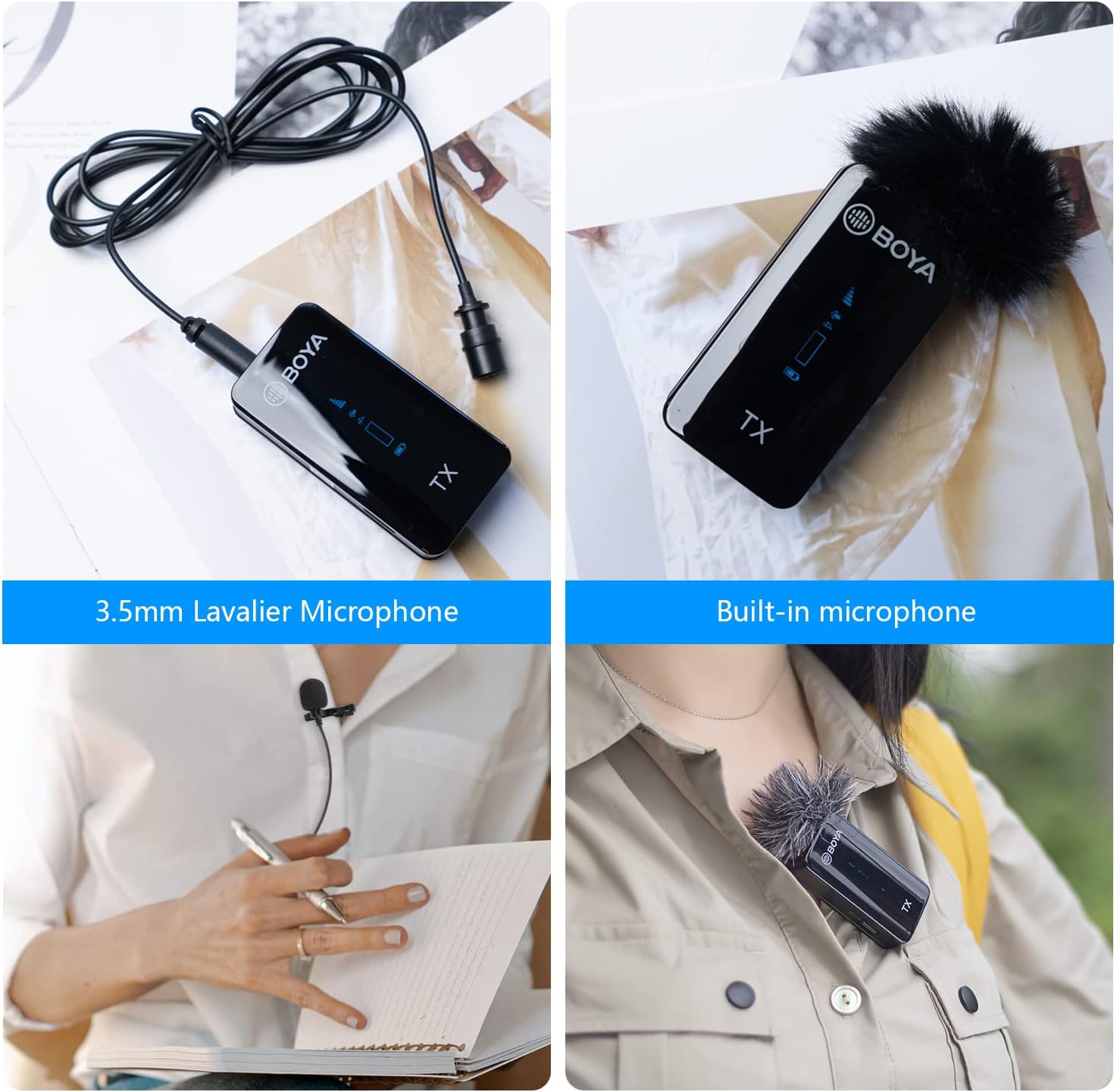
Image: Comparison of using the 3.5mm lavalier microphone and the built-in microphone on the BOYA BY-XM6 K1 transmitter.
5. Maintenance
To ensure the longevity and optimal performance of your BOYA BY-XM6 K1 system, follow these maintenance guidelines:
- Cleaning: Use a soft, dry cloth to clean the units and charging case. Avoid using harsh chemicals or abrasive materials.
- Storage: Store the system in its charging case when not in use to protect it from dust and physical damage. Store in a cool, dry place away from direct sunlight and extreme temperatures.
- Battery Care: For long-term storage, ensure the charging case and units are charged to approximately 50-70% to preserve battery health. Recharge periodically if stored for extended periods.
- Cable Care: Handle cables gently to prevent kinks or damage to connectors.
6. Troubleshooting
If you encounter issues with your BY-XM6 K1 system, refer to the following common troubleshooting steps:
- No Audio/Low Audio:
- Ensure both transmitter and receiver are powered on and paired.
- Check cable connections (TRS-TRS for cameras, TRS-TRRS for smartphones).
- Verify the volume levels on both the microphone system and your recording device.
- Confirm the correct audio input is selected on your recording device.
- Interference/Poor Signal:
- Ensure you are within the 100m (328ft) operating range and there are no significant obstacles between the transmitter and receiver.
- Avoid environments with high Wi-Fi or other 2.4GHz wireless device activity.
- The Adaptive Frequency Hopping (AFH) technology should automatically mitigate interference, but severe environments may still pose challenges.
- Units Not Charging:
- Check the USB-C cable and power adapter for damage.
- Ensure the units are correctly seated in the charging case.
- Verify the charging case itself has power (check its indicator lights).
- Lavalier Mic Not Working:
- Ensure the lavalier microphone is securely plugged into the transmitter's MIC IN jack.
- Check if the transmitter's input mode is correctly set to external microphone if applicable.
7. Specifications
| Feature | Specification |
|---|---|
| Recommended Uses For Product | Streaming |
| Brand | BOYA |
| Connectivity Technology | Auxiliary |
| Connector Type | 3.5 mm Jack |
| Special Feature | 1-Touch Recording, Battery Indicator Light, Clip, Mute Function, Volume Control |
| Compatible Devices | Camcorder, Camera, Laptop, Smartphone, Tablet |
| Color | K1 |
| Polar Pattern | Omnidirectional |
| Audio Sensitivity | 39 Decibels |
8. Warranty and Support
BOYA provides a Two-year warranty service for this product. For any support inquiries or warranty claims, please contact the post-service team at amazon-us@jiayz.com.
This product is sold by BOYA DIRECT and fulfilled by Amazon.
9. Usage Scenarios
The versatility of the BOYA BY-XM6 K1 makes it suitable for a variety of applications:
- Live Stream: Capture clear audio for your live broadcasts.
- Content Creation: Enhance the audio quality of your YouTube videos, podcasts, and other digital content.
- Mobile Journalism: Lightweight and portable for on-the-go interviews and reporting.
- Video Recording: Professional audio for all your video projects.

Image: Collage showing various usage scenarios for the BOYA BY-XM6 K1, including live streaming, content creation, mobile journalism, and video recording.


