
SANODESK 156E
SANODESK Electric Standing Desk 55x28" Instruction Manual
Model: 156E
1. Product Overview
The SANODESK Electric Standing Desk provides a versatile and ergonomic workspace. Featuring a spacious whole-piece desktop and an electric lifting system, it allows for seamless transitions between sitting and standing positions. The desk is equipped with a 6-button controller for easy height adjustment and memory presets.
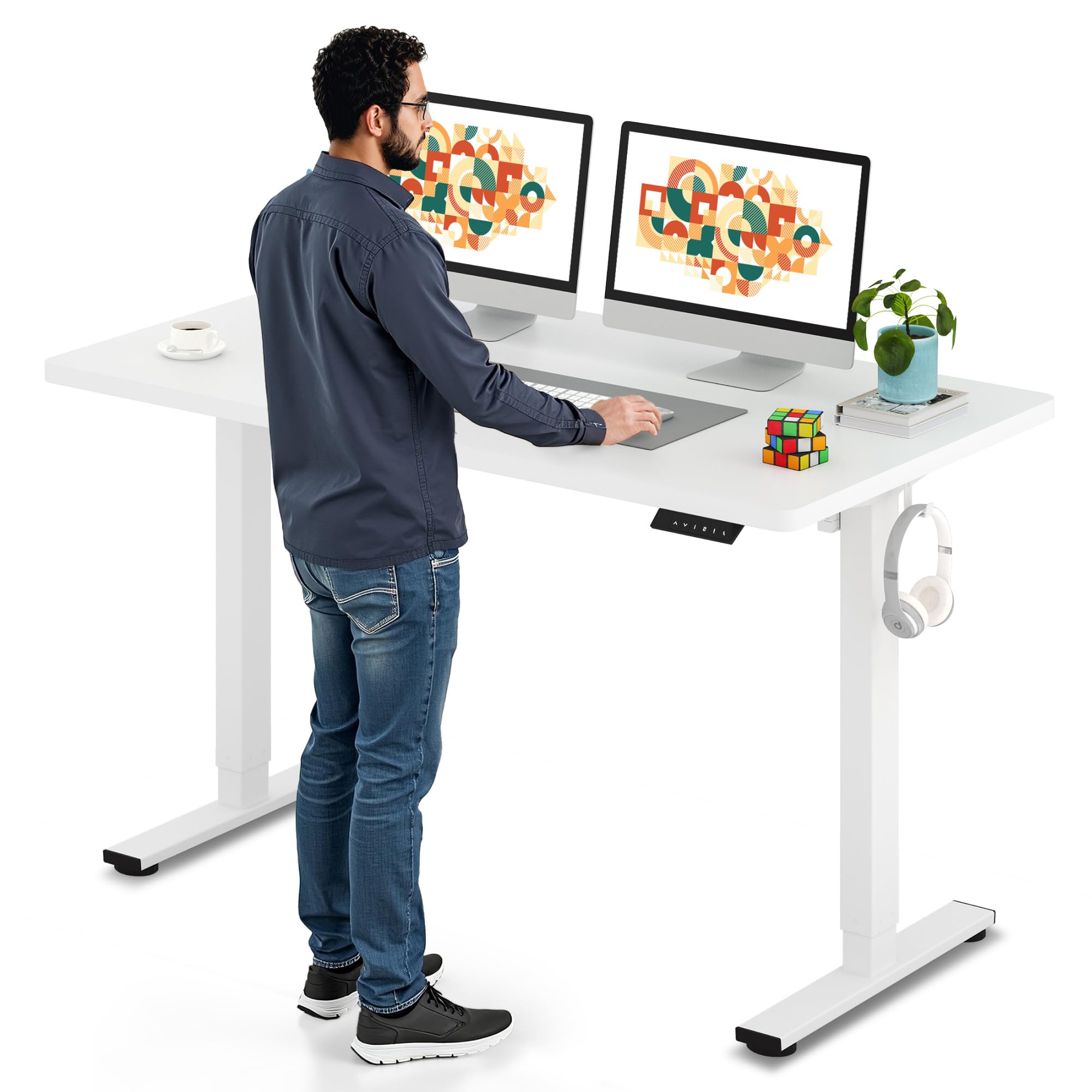
Image: The SANODESK Electric Standing Desk with a white frame and white tabletop, set up in a modern home office environment.
2. Safety Information
- Do not exceed the maximum weight capacity of 176 lbs (154 lbs recommended).
- Ensure the desk is properly assembled and all screws are tightened before use.
- Keep children and pets away from the desk during operation.
- Avoid placing liquids directly on the control panel or near electrical components.
- Do not attempt to disassemble or repair the motor or control system yourself. Contact customer support for assistance.
3. Setup and Assembly
Assembly of the SANODESK Electric Standing Desk typically requires two people. Follow the detailed steps provided in the included instruction manual. Ensure all components are accounted for before beginning assembly.
Assembly Steps Overview:
- Insert the coupling into the motor.
- Insert the motor and the right lifting column.
- Install the crossbeam.
- Install the support plates.
- Install the desk feet.
- Adjust the crossbeam to fit your desktop size.
- Install the tabletop.
- Install the transmission rod.
- Tighten the transmission rod nut.
- Install the keypad.
- Install the hook(s).
- Connect all cables and power supply.
Assembly Video Guide:
Video: Official SANODESK Standing Desk Installation Guide. This video provides a visual walkthrough of the assembly process, demonstrating each step for clear understanding.
Key Components:

Image: An exploded diagram illustrating the main components of the desk, including the desktop, legs, motor, and control panel.
4. Operating Instructions
Height Adjustment:
The desk features a 6-button LED memory control panel. Use the up and down arrow buttons to manually adjust the desk height. The electric lifting system allows for a height range of 28.1 inches to 45.7 inches.

Image: Close-up of the 6-button LED control panel, highlighting the up and down arrows for manual height adjustment.
Memory Presets:
The control panel includes 4 memory keys. To set a preset height:
- Adjust the desk to your desired height using the up/down arrows.
- Press the 'M' button (or equivalent memory set button).
- Press one of the number keys (1, 2, 3, or 4) to save the current height to that preset.
- To recall a preset height, simply press the corresponding number key. The desk will automatically move to the saved position.
USB Charging Ports:
The control panel may include integrated USB charging ports for convenient device charging.
5. Features and Design
Desktop:
The desk features a 55" x 28" whole-piece desktop, providing ample space for multiple monitors, laptops, and other office essentials. The 1-inch thick, high-quality wood desktop is designed for durability and stability.

Image: The spacious 55x28 inch desktop of the SANODESK Electric Standing Desk, accommodating a laptop, monitors, and other work items.
Electric Lifting System:
The industrial-grade steel frame and motor ensure smooth and quiet height adjustments, operating at less than 50dB. This allows for effortless transitions without disturbing your work environment.

Image: A visual representation of the desk's quiet operation, comparing its noise level to common sounds.
Aesthetic Design:
The desk features a sleek and timeless design with a white frame and white tabletop. The frame surface is coated with a fine, smooth paint that is waterproof, rustproof, and easy to clean, making it suitable for various decorative styles.
6. Maintenance
To maintain the desk's appearance and functionality:
- Wipe the desktop and frame with a soft, damp cloth.
- Avoid using harsh chemicals or abrasive cleaners.
- Regularly check and tighten any loose screws.
7. Troubleshooting
If you encounter issues with your SANODESK Electric Standing Desk, consider the following:
- Desk Not Adjusting / Uneven Adjustment: If one leg stops adjusting or the desk moves unevenly, try power cycling the control module. Remove all weight from the desk and perform a full lowering and raising cycle. Ensure all assembly screws are securely tightened.
- Wobbling: Ensure all assembly screws are securely tightened. A sturdy steel frame is designed to prevent wobbling, but loose connections can affect stability.
- Power Issues: Ensure the power cord is plugged directly into a wall outlet. Some extension cords or power strips may not provide sufficient power for the sit-stand function.
- Exceeding Weight Limit: Do not exceed the maximum weight capacity of 176 lbs. Overloading the desk can cause malfunction or damage.
For further assistance, please contact customer support.
8. Specifications
| Brand | SANODESK |
| Model Name | 156E |
| Product Dimensions | 28"D x 55"W x 28"H |
| Desktop Size | 55" x 28" |
| Desktop Material | Wood |
| Base Material | Metal (Alloy Steel) |
| Color | White Frame + White Tabletop |
| Minimum Height | 28.1 Inches |
| Maximum Height | 45.7 Inches |
| Weight Capacity | 176 lbs (154 lbs recommended) |
| Item Weight | 78 Pounds |
| Special Feature | Adjustable Height |
9. Warranty and Support
Your satisfaction is our priority. SANODESK offers a limited warranty on this product.
- Returns & Exchanges: We provide a 30-day return or exchange service if you encounter any problems when you receive or use the product.
- Customer Service: For any issues or assistance, please contact customer service through your order page. We are committed to offering support.
Related documents156E


Ask a question about this manual
Ask about setup, troubleshooting, compatibility, parts, safety, or missing instructions. Manuals+ will review the question and use this page’s manual context to help answer it.