
boAt Rockerz 450 Pro
boAt Rockerz 450 Pro Bluetooth On-Ear Headphones
User Manual
Introduction
Thank you for choosing the boAt Rockerz 450 Pro Bluetooth On-Ear Headphones. This manual provides essential information for setting up, operating, and maintaining your headphones to ensure optimal performance and longevity. Please read this manual carefully before using the product.
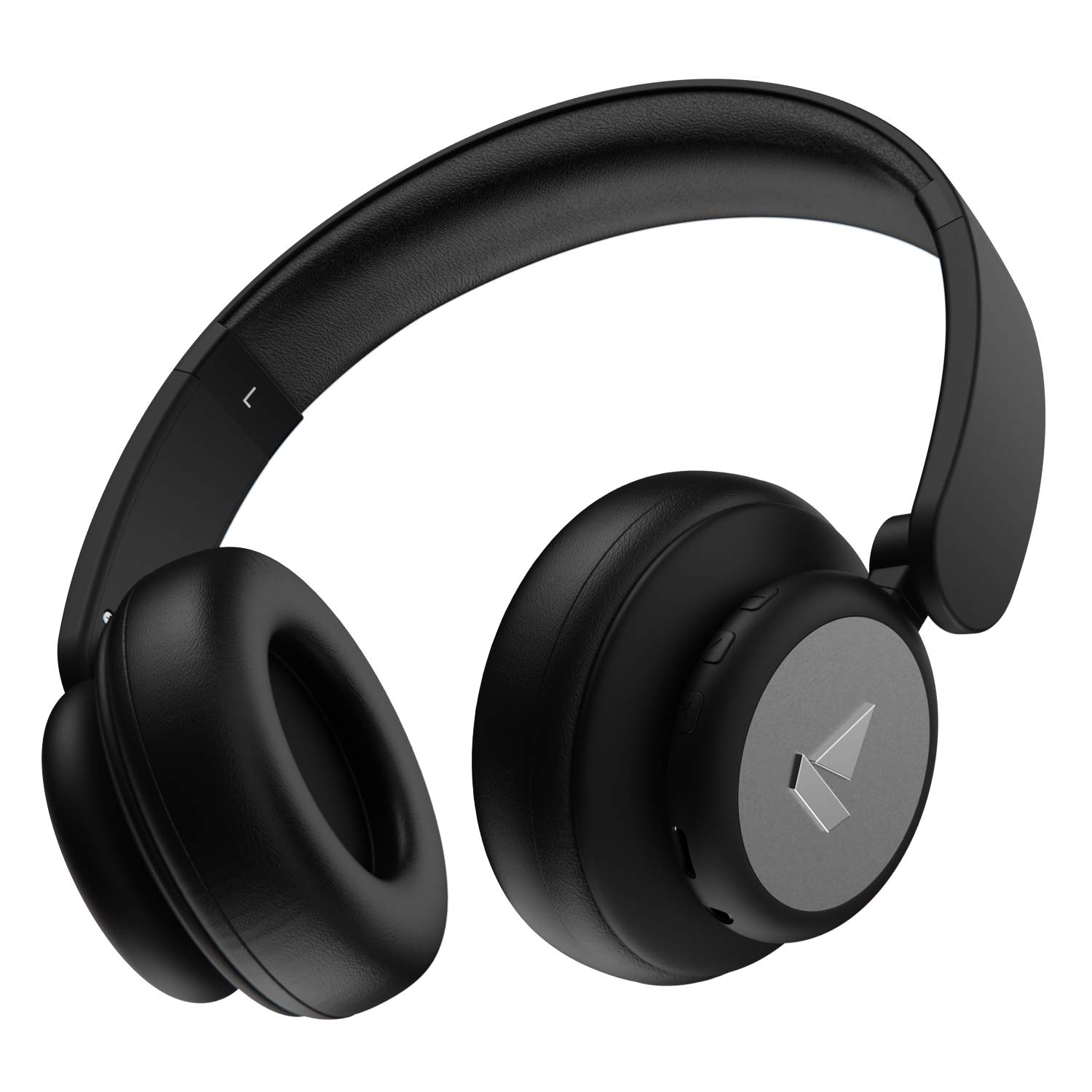
Image: The boAt Rockerz 450 Pro headphones in Luscious Black, showcasing their sleek design.
What's in the Box
- boAt Rockerz 450 Pro Headphones
- Charging Cable (USB Type-C)
- AUX Cable (3.5mm)
- User Manual
- Warranty Card
Product Overview
Familiarize yourself with the key features and components of your Rockerz 450 Pro headphones.

Image: An infographic highlighting key features such as up to 70 hours playtime, 40mm drivers, integrated controls, premium matte finish, and adjustable & foldable earcups.
Controls and Ports

Image: A detailed view of the integrated control buttons on the earcup, including volume up/next track, play/pause/call, and volume down/previous track buttons.
- Power/Multi-function Button: Power On/Off, Play/Pause, Answer/End Calls, Activate Voice Assistant.
- Volume Up/Next Track Button: Increase volume, Skip to next track.
- Volume Down/Previous Track Button: Decrease volume, Go to previous track.
- Type-C Charging Port: For charging the headphones.
- 3.5mm AUX Port: For wired connectivity.
- Microphone: For hands-free calling.
Setup
Charging Your Headphones
Before first use, fully charge your headphones. The Rockerz 450 Pro features a Type-C charging port for convenient charging.
- Connect the provided USB Type-C charging cable to the headphone's charging port.
- Connect the other end of the cable to a USB power adapter (not included) or a computer's USB port.
- The LED indicator will show charging status (e.g., red while charging, blue/off when fully charged).
- A full charge takes approximately 2-3 hours.
- ASAP Charge: Charge for 10 minutes to get up to 10 hours of playtime.

Image: The boAt Rockerz 450 Pro headphones with an illuminated earcup, emphasizing the "Up to 70 Hours Playtime" feature.
Bluetooth Pairing
To connect your headphones wirelessly to a device:
- Ensure the headphones are charged.
- Press and hold the Power/Multi-function button for a few seconds until the LED indicator flashes blue and red, indicating pairing mode.
- On your device (smartphone, laptop, etc.), enable Bluetooth and search for available devices.
- Select "boAt Rockerz 450 Pro" from the list.
- Once connected, the LED indicator will flash blue slowly or turn off, and you will hear an audio prompt.
- The headphones will automatically reconnect to the last paired device when powered on, if within range.
Wired Connectivity (AUX Mode)
You can also use your headphones with a 3.5mm AUX cable for wired listening, which is useful when the battery is low or for devices without Bluetooth.
- Connect one end of the 3.5mm AUX cable to the AUX port on the headphones.
- Connect the other end to the 3.5mm audio jack of your device.
- The headphones will automatically switch to AUX mode.
Operating Instructions
Power On/Off
- Power On: Press and hold the Power/Multi-function button for 3 seconds.
- Power Off: Press and hold the Power/Multi-function button for 5 seconds.
Music Playback
- Play/Pause: Short press the Power/Multi-function button.
- Next Track: Long press the Volume Up button.
- Previous Track: Long press the Volume Down button.
- Volume Up: Short press the Volume Up button.
- Volume Down: Short press the Volume Down button.
Call Management
- Answer/End Call: Short press the Power/Multi-function button.
- Reject Call: Long press the Power/Multi-function button.
Voice Assistant
- Activate Voice Assistant (Siri, Google Assistant): Double press the Power/Multi-function button.
Maintenance
Proper care ensures the longevity of your headphones.
- Keep the headphones dry. Do not expose them to water or excessive moisture.
- Clean the earcups and headband with a soft, dry cloth. Avoid using harsh chemicals or abrasive materials.
- Store the headphones in a cool, dry place when not in use.
- Avoid extreme temperatures.
- Do not attempt to disassemble or modify the headphones, as this will void the warranty.
- The earcups are designed to be adjustable and foldable for portability. Handle them gently when folding.

Image: The boAt Rockerz 450 Pro headphones shown in their folded configuration, demonstrating the adjustable and foldable earcups feature for compact storage.
Troubleshooting
| Problem | Possible Solution |
|---|---|
| Headphones not turning on | Ensure the headphones are fully charged. Connect to a power source and try again. |
| Cannot pair with device |
|
| No sound or low volume |
|
| Poor call quality |
|
Specifications
| Feature | Detail |
|---|---|
| Model Name | Rockerz 450 Pro |
| Connectivity Technology | Bluetooth 5.0, AUX |
| Drivers | 40mm Dynamic Drivers |
| Playback Time | Up to 70 Hours (at 60% volume) |
| ASAP Charge | 10 mins charge = 10 hours playtime |
| Charging Interface | USB Type-C |
| Headphones Jack | 3.5 mm Jack |
| Bluetooth Range | 10 Metres |
| Item Weight | 300 Grams |
| Material | Plastic |
| Control Type | Voice Control, Volume Control |
| Microphone | Built-in |
| Earpiece Shape | Circle (On-Ear) |
| Batteries | 1 Lithium Ion battery (included) |
| Country of Origin | China |

Image: An exploded view diagram illustrating the components of the 40mm dynamic drivers, which deliver boAt Signature Sound.
Warranty and Support
Your boAt Rockerz 450 Pro headphones come with a 1-year warranty from the date of purchase.
For warranty claims, technical support, or any other inquiries, please contact boAt customer service. Refer to the warranty card included in your package for specific contact details or visit the official boAt website.
Note: The warranty covers manufacturing defects. Damage caused by misuse, accidents, or unauthorized modifications is not covered.
Related documentsRockerz 450 Pro


Ask a question about this manual
Ask about setup, troubleshooting, compatibility, parts, safety, or missing instructions. Manuals+ will review the question and use this page’s manual context to help answer it.