
Introduction
This manual provides essential information for the setup, operation, and maintenance of your Fender Acoustic Junior Guitar Amplifier. Please read this manual thoroughly to ensure proper use and to maximize the performance and longevity of your amplifier.
The Fender Acoustic Junior amplifier is designed for acoustic-electric guitar and vocal performances. It features 100 watts of power, two channels, and integrated studio-quality effects. Additional functionalities include Bluetooth wireless audio streaming and an onboard 90-second looper.
Product Overview
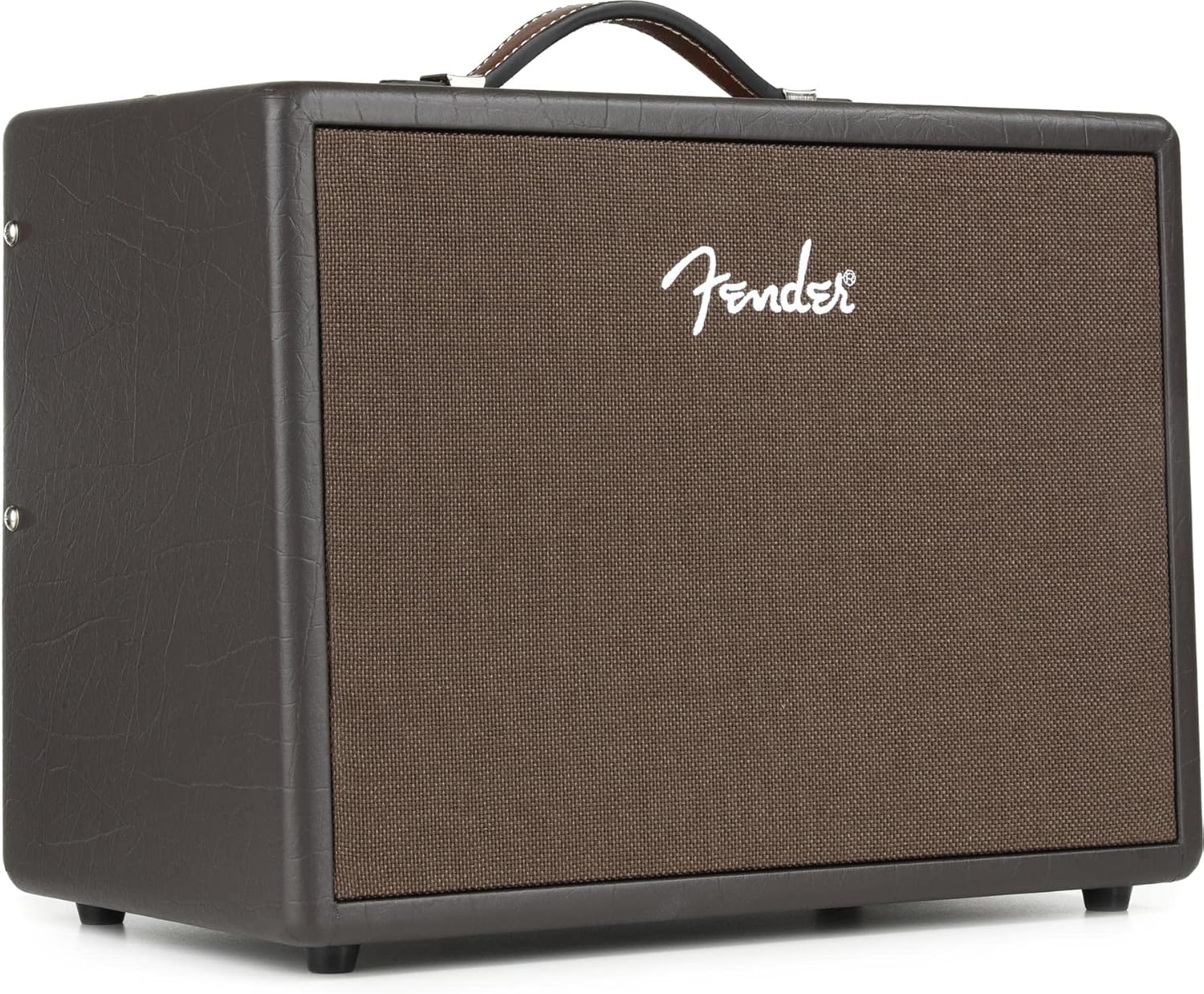

Setup
Unpacking
Carefully remove the amplifier from its packaging. Ensure all packing materials are removed. The box should contain the amplifier unit itself.
Power Connection
The Fender Acoustic Junior Amplifier operates on corded electric power. Connect the provided power cord to the amplifier's power input and then to a suitable electrical outlet. This amplifier features universal voltage for global use.
Initial Placement
Position the amplifier on a stable, flat surface. The integral tilt-back kickstand allows for angled placement, directing sound upwards for improved monitoring during performances.
Operating Instructions
Connecting Instruments and Microphones
The amplifier features two independent channels. Connect your acoustic-electric guitar to one channel and a microphone to the other, or use both channels for two instruments. Compatible devices include guitars, microphones, tablets, and iPhones.
Controls and Effects
Each channel typically includes controls for volume, EQ (bass, mid, treble), and effects. Experiment with these controls to achieve your desired sound. The amplifier includes a host of studio-quality effects to enhance your sound.
Bluetooth Audio Streaming
To stream audio wirelessly from your phone or tablet:
- Activate Bluetooth on your mobile device.
- Press the Bluetooth pairing button on the amplifier (refer to the amplifier's control panel for exact location).
- Select 'Fender Acoustic Junior' from the list of available devices on your mobile device.
- Once paired, you can stream music directly through the amplifier.
Using the Looper
The onboard 90-second looper allows for recording and layering audio. It typically features Record/Dub, Play/Stop, and Undo buttons. Consult the amplifier's control panel and specific button functions for detailed operation.
Maintenance
To ensure the longevity and optimal performance of your amplifier, follow these general maintenance guidelines:
- Cleaning: Use a soft, dry cloth to clean the exterior of the amplifier. Avoid abrasive cleaners or solvents.
- Storage: Store the amplifier in a dry environment, away from extreme temperatures and humidity.
- Ventilation: Ensure proper ventilation around the amplifier to prevent overheating. Do not block any vents.
- Power Cord: Regularly inspect the power cord for any signs of damage. Replace if necessary.
Troubleshooting
If you encounter issues with your Fender Acoustic Junior Amplifier, consider the following common troubleshooting steps:
- No Power: Ensure the power cord is securely connected to both the amplifier and a working electrical outlet. Check if the power switch is in the 'ON' position.
- No Sound: Verify that your instrument or microphone is properly connected and that their respective volume controls are turned up. Check the amplifier's master volume. Ensure any connected cables are not faulty.
- Distorted Sound: Reduce the input gain or volume levels of your instrument/microphone and the amplifier. Check for damaged cables or faulty connections.
- Bluetooth Pairing Issues: Ensure Bluetooth is enabled on your device and the amplifier is in pairing mode. Try restarting both devices.
If problems persist after attempting these steps, please contact Fender customer support for further assistance.
Specifications
| Feature | Detail |
|---|---|
| Model Number | 2314300000 |
| Item Weight | 15 pounds |
| Product Dimensions (D x W x H) | 9.4 x 15.7 x 12 inches |
| Output Wattage | 100 Watts |
| Color | Dark Brown |
| Compatible Devices | Guitar, Microphone, Tablet, iPhone |
| Connector Type | Wireless (Bluetooth) |
| Power Source | Corded Electric |
| Looper | 90-Second Looper with Record/Dub, Play/Stop, and Undo buttons |
| Additional Features | Universal voltage for global use, Integral tilt-back kickstand |
Warranty and Support
Warranty Information
The Fender Acoustic Junior Guitar Amplifier comes with a 2-Year Warranty. Please retain your proof of purchase for warranty claims. For detailed terms and conditions, refer to the warranty documentation included with your product or visit the official Fender website.
Optional protection plans may also be available for extended coverage.
Customer Support
For technical assistance, service, or further inquiries, please visit the official Fender website or contact their customer support department. You can find more information and products at the Fender Store on Amazon.


