
1. Product Overview
The Redmi Earbuds S are truly wireless in-ear earbuds designed for a seamless audio experience. They feature a compact charging case for portability and extended battery life.

The Redmi Earbuds S come with a compact charging case and two ultralight earbuds, designed for portability and comfort.

The earbuds and their charging case feature a sleek and stylish matte black design, making them easy to carry.
2. What's in the Box
- Bluetooth earphones (2 units)
- User Manual (1 unit)
- Charging case (1 unit)
- Eartips (6 units - 3 pairs: Small, Medium, Large)
3. Setup
3.1 Initial Charging
Before first use, ensure both the earbuds and the charging case are fully charged.
- Earbuds: Place the earbuds into the charging case. They will automatically begin charging. A full charge takes approximately 1.5 hours.
- Charging Case: Connect the charging case to a power source using a micro USB cable. The indicator light on the case will blink red while charging and turn off once fully charged. A full charge for the case takes approximately 2 hours.
3.2 Pairing Procedure
Follow these steps to pair your Redmi Earbuds S with a device:
- Remove both earbuds from the charging case simultaneously.
- Wait for 2-3 seconds for the earbuds to automatically connect with each other.
- Ensure Bluetooth is enabled on your device (e.g., smartphone, tablet, laptop).
- When the indicator of either the left or right earbud slowly blinks white, search for "Redmi Earbuds S" in your device's Bluetooth settings and select it to pair.
4. Operating Instructions
4.1 Power On/Off
The earbuds automatically power on when removed from the charging case and power off (enter sleep mode) when placed back into the charging case and the lid is closed.
4.2 Multi-functional Button Controls
The Redmi Earbuds S feature a physical multi-functional button on each earbud for various controls:

The Redmi Earbuds S feature a multi-functional physical button for easy control of various features.
- Answer/End Calls: Gently press the multi-functional button.
- Reject a Call: Press and hold the button for 1 second.
- Play/Pause Music: Press the multi-functional button while music is playing.
- Turn on Voice Assistant (Alexa/Google Assistant): Double press the multi-functional button.
- Answer a Second Call/Switch between Calls: Press the multi-functional button to answer a second incoming call during an ongoing call. Double press to switch between the two calls.
- Switch between Earbuds and Device (during a call): Press and hold the multi-functional button for 1 second.
- Mute/Unmute (during a call): Double press the multi-functional button.
- Enable/Disable Game Mode: Triple press the multi-functional button when connected to your phone.
4.3 Gaming Mode
The Redmi Earbuds S feature a low latency gaming mode, which reduces audio delay to 122ms for an improved gaming experience. Activate or deactivate this mode by triple-pressing the multi-functional button.
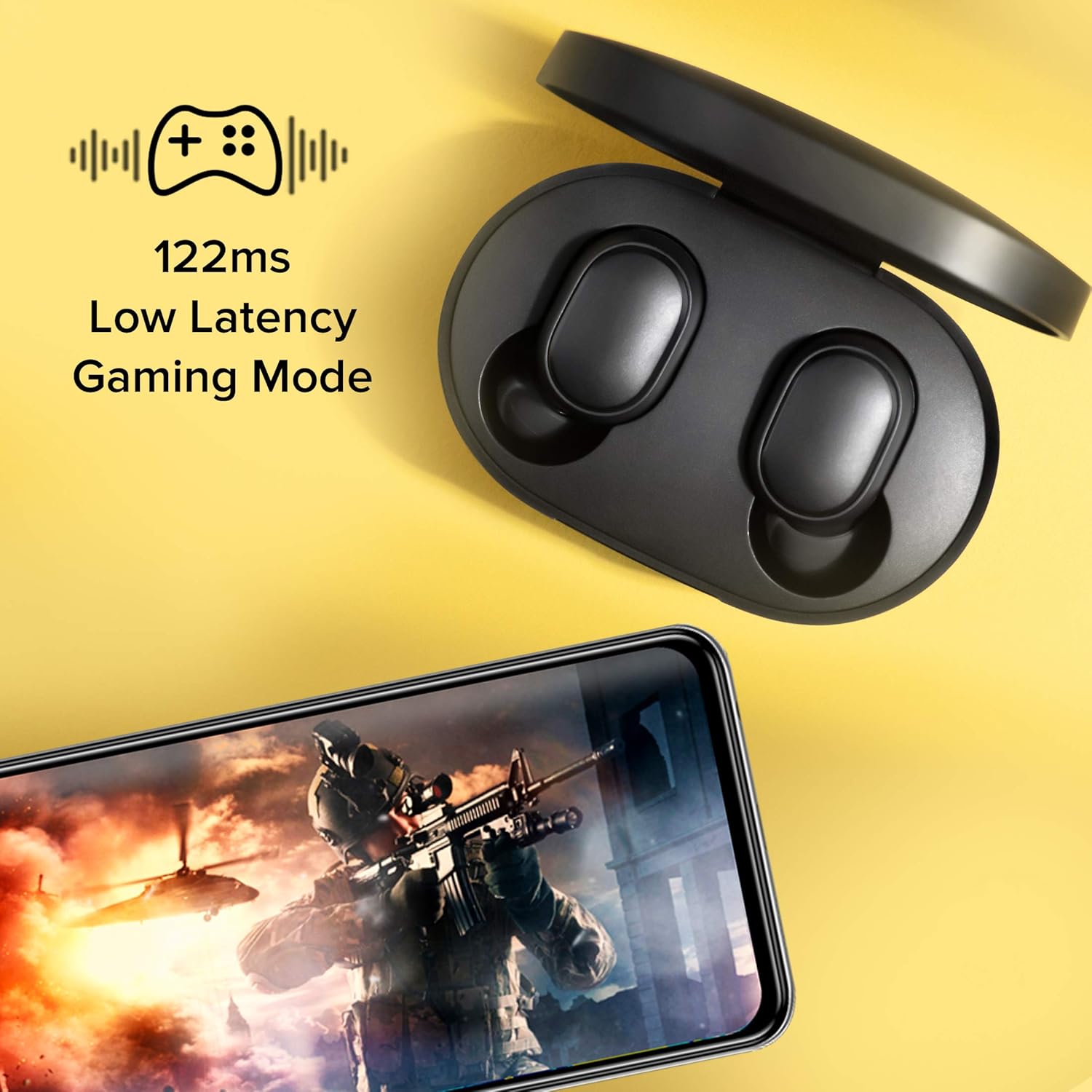
Activate the low latency gaming mode by triple-pressing the multi-functional button to reduce audio delay to 122ms for an improved gaming experience.
5. Maintenance and Care
5.1 Cleaning
Regularly clean your earbuds and charging case with a soft, dry, lint-free cloth. Avoid using harsh chemicals or abrasive materials.
5.2 Water Resistance (IPX4)
The Redmi Earbuds S are IPX4 sweat and splash proof. This means they are resistant to splashes of water from any direction and sweat, making them suitable for workouts and light rain. They are not designed for swimming or submersion in water.

The earbuds are IPX4 sweat and splash proof, suitable for workouts and light rain, but not for submersion.
5.3 Storage
Always store the earbuds in their charging case when not in use to protect them and ensure they remain charged.
6. Troubleshooting
6.1 Common Issues and Solutions
- No Sound: Ensure earbuds are paired correctly and the volume on your device is turned up. Check if the earbuds are charged.
- Earbuds Not Pairing: Try placing both earbuds back into the charging case, closing the lid, and then removing them again to re-initiate pairing mode. Ensure Bluetooth is enabled on your device.
- Charging Issues: Verify that the micro USB cable is securely connected to both the charging case and the power source. Try a different cable or power adapter.
6.2 Frequently Asked Questions (FAQ)
- What devices are supported by Redmi Earbuds S?
Redmi Earbuds S supports all Android, iOS, Mac OS, and Windows-based devices with Bluetooth compatibility. - How do I charge these earbuds?
When the earbuds are placed in the charging case, they will automatically start charging. It takes approximately 1.5 hours for a full charge. - How to charge the charging case?
To charge the case, connect it to a power source through a micro USB cable. The indicator on the case will blink red while charging and turn off when fully charged. It takes approximately 2 hours for a full charge. - How to pair the Redmi Earbuds S with a device?
Remove both earbuds from the charging case simultaneously, and wait for 2-3 seconds for them to automatically connect with each other. Make sure Bluetooth is enabled on your device. When the indicator of the left or right earbud slowly blinks white, search for "Redmi Earbuds S" on your device. - How do I switch on/switch off the earbuds?
Once you open the charging case, the earbuds will automatically turn on. To disconnect the earbuds, place them back into the charging case and close the lid; this will put the earbuds into sleep mode automatically.
7. Specifications
| Model Name | Redmi Earbuds S |
| Model Number | TWSEJ05LS |
| Connectivity Technology | Bluetooth 5.0 |
| Audio Driver Size | 7.2 mm |
| Audio Latency (Gaming Mode) | 122 Milliseconds |
| Battery Life (Earbuds) | Up to 4 Hours (single charge) |
| Battery Life (with Charging Case) | Up to 12 Hours |
| Charging Time (Earbuds) | Approx. 1.5 Hours |
| Charging Time (Case) | Approx. 2 Hours |
| Water Resistance Level | IPX4 (Sweat & Splash Proof) |
| Item Weight | 36 Grams |
| Bluetooth Range | Up to 10 meters |
| Control Type | Multi-functional Button, Voice Control |
| Special Features | Ultralight weight earbuds, Low latency mode, DSP Environmental noise cancellation |
8. Warranty and Support
8.1 Warranty Information
The Redmi Earbuds S come with a 1 Year Warranty from the date of purchase. Please retain your proof of purchase for warranty claims.
8.2 Customer Support
For further assistance, technical support, or warranty inquiries, please visit the official Redmi support website or contact customer service.
You can also find more information and support by visiting the Redmi Store on Amazon.


