
1. Introduction
Thank you for choosing the WAITIEE 3-in-1 Wireless Charging Station. This device is designed to efficiently charge your compatible iPhone, Apple Watch, and AirPods simultaneously. Please read this manual thoroughly before use to ensure proper operation and to maximize the lifespan of your product.
2. Product Overview
The WAITIEE 3-in-1 Wireless Charging Station offers a streamlined solution for charging multiple Apple devices. Its compact and foldable design makes it ideal for both home and travel use.
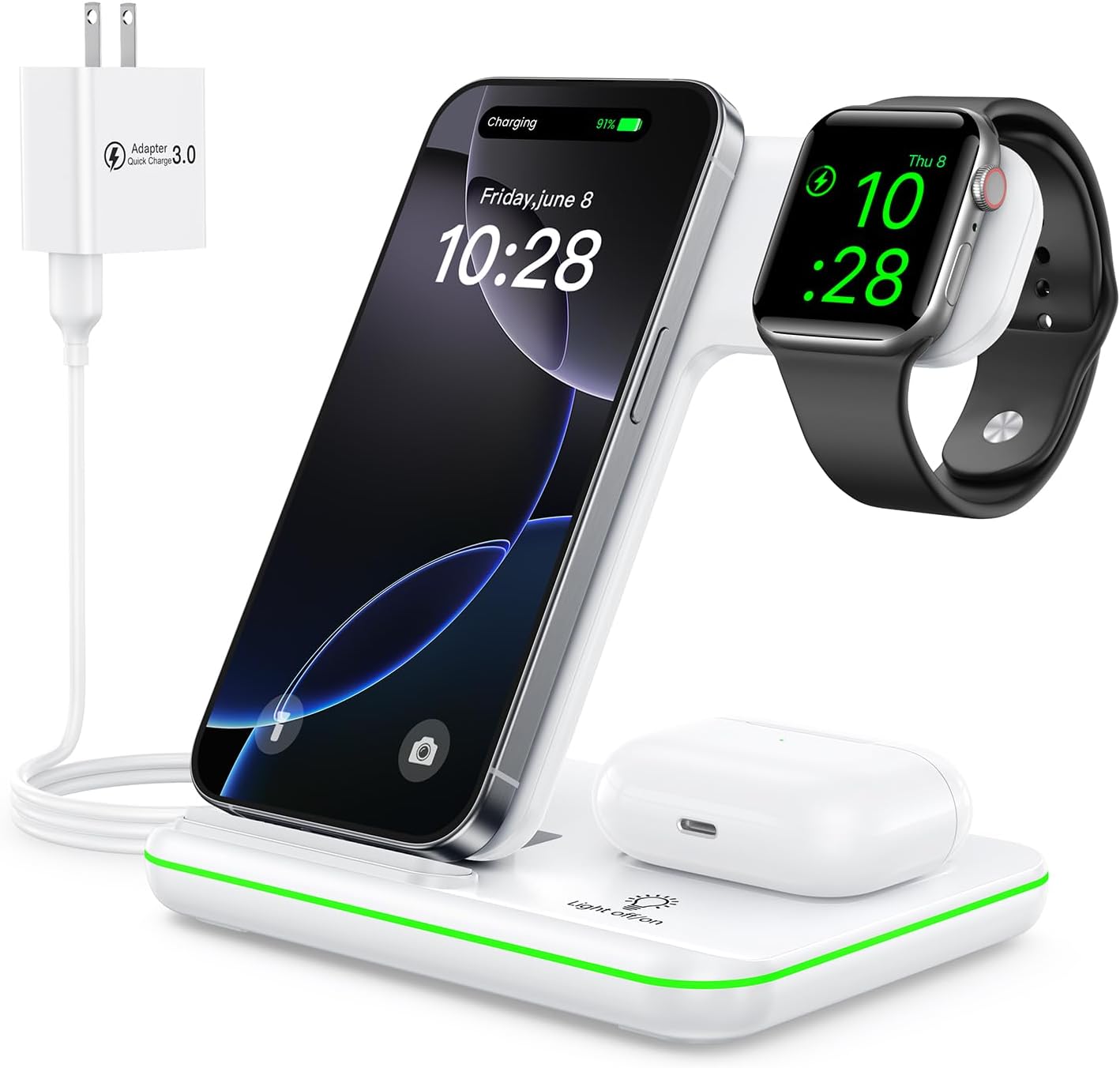
Figure 1: WAITIEE 3-in-1 Wireless Charging Station with devices.
Key Features:
- 3-in-1 Charging: Simultaneously charges compatible iPhone, Apple Watch, and AirPods.
- Foldable Design: Compact and portable, suitable for travel and space-saving.
- Safety Mechanisms: Equipped with over-current, over-voltage, over-temperature protection, and foreign object detection.
- Ventilation Holes: Three ventilation holes for enhanced heat dissipation during charging.
- Non-slip Design: Silicone base ensures stability and protects devices from slipping.
- Tilt Angle Support: Allows for vertical and horizontal device placement for optimal viewing.
- Breathing Light Indicator: Visual cues for charging status and foreign object detection.

Figure 2: Internal components of the charging station, highlighting charging coils and control chips for efficient power delivery.
3. Compatibility
This charging station is compatible with a wide range of Apple devices. Ensure your device supports wireless charging for optimal performance.
Compatible Devices:
- iPhones: iPhone 16/16 Plus/16 Pro/16 Pro Max, 15/15 Plus/15 Pro/15 Pro Max, 14/14 Plus/14 Pro/14 Pro Max, 13/13 Pro/13 Pro Max/13 mini, 12/12 Pro/12 Pro Max/12 mini, 11/11 Pro/11 Pro Max, XS/XR/XS MAX/X/8/8 Plus.
- Apple Watch: iWatch 10/9/8/7/6/5/4/3/2/SE/Ultra/Ultra 2.
- AirPods: AirPods 2/3/4/Pro/Pro 2 (Note: Only works with wireless charging cases. Does not support A3058, A2897, A1602 charging cases).
- Other Qi-enabled Phones: Also compatible with Samsung Galaxy S23/S21/S20/S10/S9/S8/Note 20/Note 10/Note 9/Note 8, LG G7/V30/V35/V40, Google Pixel 7/7 Pro/6 Pro/6/5, Sony Xperia Z3v/XZ2/XZ2 Premium/XZ3.
Important: For phone charging, cases should be ≤0.2 inches (4mm) thick. Metal cases, PopSockets, metal rings, and credit cards may interfere with charging and should be removed.

Figure 3: Device compatibility and charging specifications.
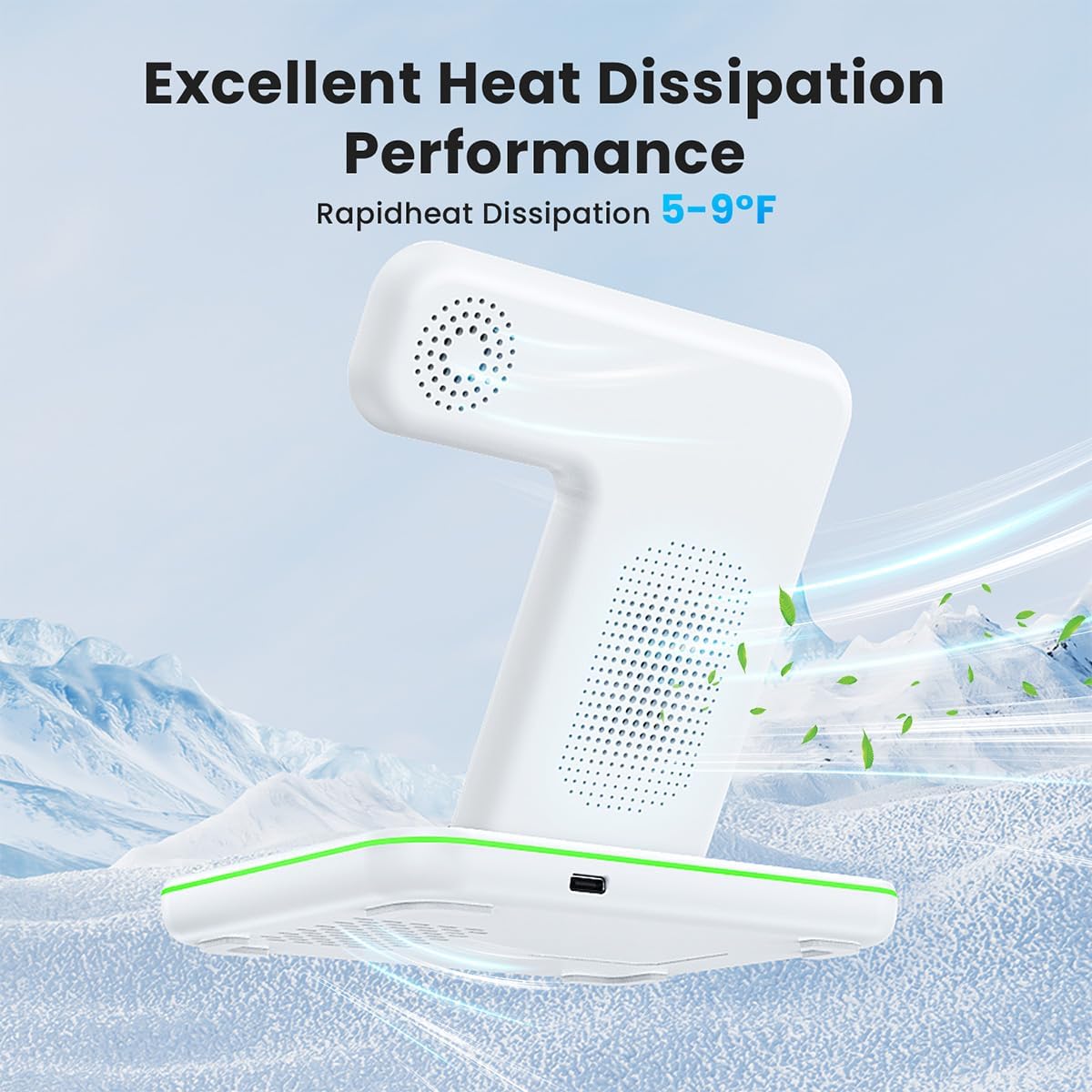
Figure 4: Items that may obstruct wireless charging.
4. Setup Instructions
Follow these steps to set up your WAITIEE 3-in-1 Wireless Charging Station:
- Unpack: Carefully remove all components from the packaging. The package includes:
- 1 x WAITIEE 3-in-1 Wireless Charging Station
- 1 x 18W Power Adapter
- 1 x USB Type-C Charging Cable
- 1 x User Manual
- Connect Power: Insert one end of the provided USB Type-C charging cable into the Type-C port on the back of the charging station. Plug the other end of the cable into the 18W power adapter, then plug the adapter into a wall outlet.
- Unfold (if necessary): If the station is in its folded, compact state, gently unfold it to the desired upright position. The stand can be adjusted to various tilt angles for optimal viewing.
- Indicator Lights: Upon successful power connection, the green indicator light will be continuously on in standby mode.
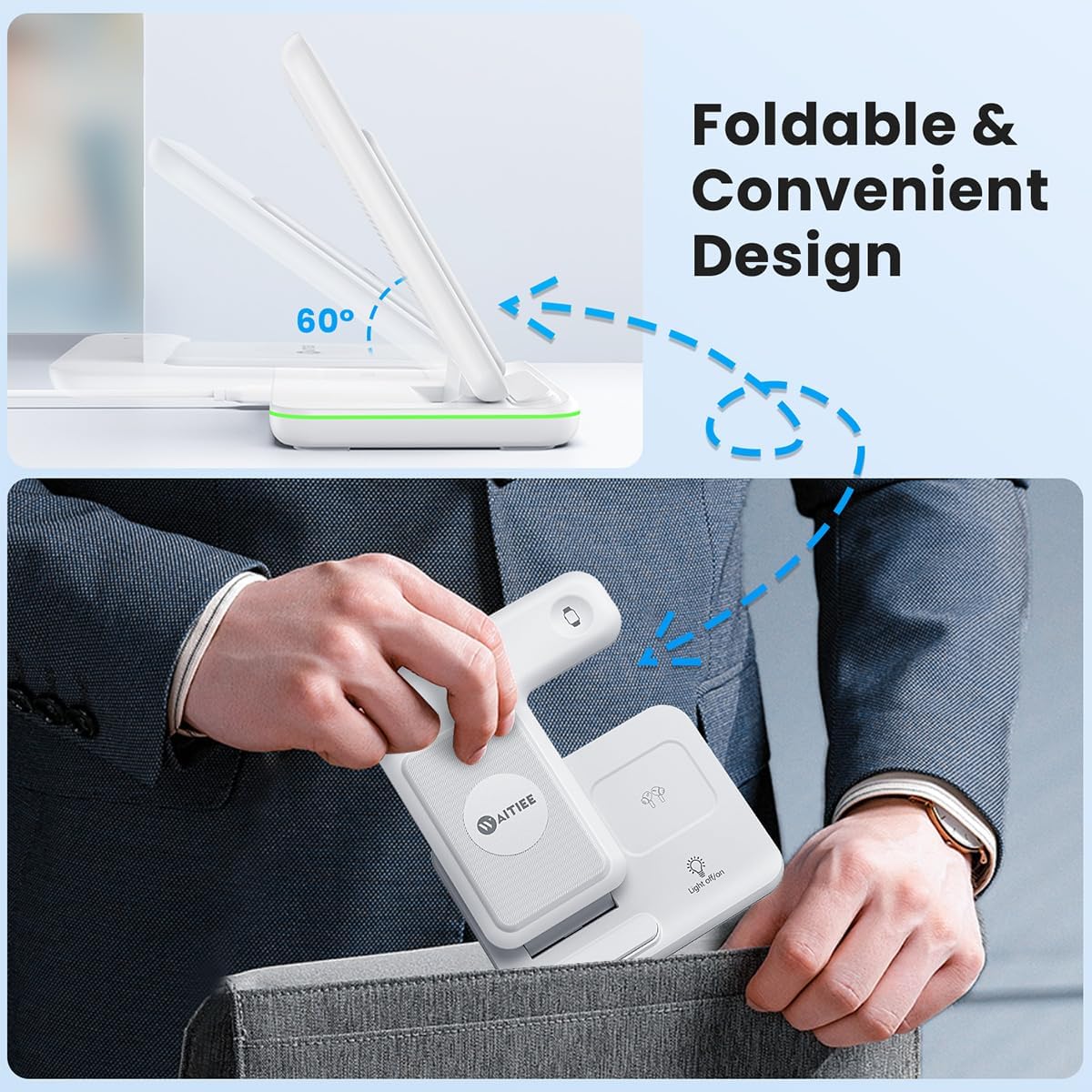
Figure 5: Foldable design for portability.
5. Operating Instructions
To charge your devices, simply place them on the designated charging areas:
- Charging iPhone: Place your compatible iPhone vertically or horizontally on the main charging pad. The blue breathing light will illuminate when charging is active.
- Charging Apple Watch: Hang your Apple Watch on the dedicated magnetic charging module.
- Charging AirPods: Place your AirPods (with wireless charging case) on the flat charging area at the base.
Indicator Light Status:
- Green Light (Solid): Standby mode.
- Blue Light (Breathing): Device is actively charging.
- Blue and Green Lights (Flashing): Foreign object detected or improper placement. Remove the object or reposition the device.
Note: The breathing light can be turned on/off using the touch button sensor on the station.

Figure 6: Vertical and horizontal placement for phone charging.
6. Safety Information
To ensure safe operation and prevent damage to your devices or the charging station, please observe the following:
- Use only the provided 18W adapter and USB Type-C cable. Using incompatible power sources may cause damage or malfunction.
- Avoid placing metal objects, magnetic cards, or thick cases (over 4mm) on the charging pads, as this can interfere with charging or trigger foreign object detection.
- Do not disassemble, modify, or repair the device yourself. Contact customer support for assistance.
- Keep the device away from water, moisture, and extreme temperatures.
- Ensure proper ventilation. The three ventilation holes are designed to dissipate heat; do not block them.
- Avoid dropping or subjecting the device to strong impacts.

Figure 7: Illustration of safe heat dissipation.
7. Maintenance
- Clean the charging station regularly with a soft, dry cloth.
- Do not use abrasive cleaners or solvents.
- Ensure the device is unplugged before cleaning.
8. Troubleshooting
| Issue | Possible Cause | Solution |
|---|---|---|
| Device not charging. | Improper device placement, foreign object, incompatible case, insufficient power supply. | Reposition device, remove foreign objects/thick cases, ensure 18W adapter is used. |
| Blue and Green lights flashing. | Foreign object detected. | Remove any metal objects or magnetic cards from the charging area. |
| Charging is slow. | Using a low-power adapter, thick phone case, or background apps consuming power. | Use the recommended 18W adapter, remove thick cases, close unnecessary background apps. |
| Device gets warm during charging. | Normal operation, or poor heat dissipation. | Slight warmth is normal. Ensure ventilation holes are not blocked. If excessively hot, discontinue use and contact support. |
9. Product Specifications
- Model: Z5F
- Dimensions: 5.3 x 3.9 x 5.35 inches
- Item Weight: 0.176 ounces
- Input Voltage: 9 Volts
- Amperage: 2 Amps
- Connector Type: USB Type C
- Included Components: 18W adapter
- Special Feature: Wireless Charging
- Color: White
- Manufacturer: WAITIEE
10. Warranty and Support
For warranty information and customer support, please refer to the documentation included with your product or visit the official WAITIEE website. Keep your purchase receipt as proof of purchase.
Manufacturer: WAITIEE


