Logitech Manuals & User Guides

User manuals, setup guides, troubleshooting help, and repair information for Logitech products.

Tip: include the full model number printed on your Logitech label for the best match.

Logitech manuals

Latest posts, featured manuals, and retailer-linked manuals for this brand tag.

Logitech M500s Advanced Corded Mouse User Manual

September 11, 2022
Logitech M500s Advanced Corded Mouse User Manual M500s takes your work to the next level with hyper-fast scrolling and seven configurable shortcut buttons. The full-sized, perfectly sculpted design combines comfort and precision for a smarter, faster work experience. Logitech® Corded…

Logitech MX Travel Case User Manual

September 11, 2022
Logitech MX Travel Case User Manual MX Travel Case lets you bring productivity anywhere. Featuring a compact, elegant design and Velcro closure, it makes for easy, safe transport for your MX mice. TAKE YOUR PRODUCTIVITY ANYWHERE Bring your MX Anywhere…

Logi USB C to A Adaptor User Manual

September 11, 2022
Logi USB C to A Adaptor User Manual Adapt any Logitech USB 2.0 Type-A wireless USB receiver or USB-A cable to be used in a USB-C port. For when you don’t have an available USB A-type port but still want…

Logitech Logi Bolt USB Receiver User Manual

September 11, 2022
Logitech Logi Bolt USB Receiver User Manual USB receiver to be used with your Logi Bolt wireless mouse and keyboard. Use this Logi Bolt USB receiver to make a secure, high performance wireless connection between your Logi Bolt wireless mouse,…

Logitech Mouse Pad – Studio Series User Manual

September 10, 2022
Logitech Mouse Pad - Studio Series User Manual KEY FEATURE GET THE GLIDE Meet the soft, smooth, anti-slip mouse pad that takes your workspace to new heights. Made from high-quality materials, Logitech Mouse Pad gives you the glide and comfort…

Logitech USB Unifying Receiver User Manual

September 10, 2022
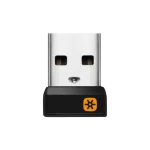
Logitech USB Unifying Receiver User Manual Connect up to 6 compatible keyboards and mice to one computer with a single Unifying receiver – and forget the hassle of multiple USB receivers. KEY FEATURES ONE RECEIVER – 6 DEVICES Connect up…