Data Terminal Manuals & User Guides

User manuals, setup guides, troubleshooting help, and repair information for Data Terminal products.

Tip: include the full model number printed on your Data Terminal label for the best match.

Data Terminal manuals

Latest posts, featured manuals, and retailer-linked manuals for this brand tag.

Honeywell CT37 Flexible Data Terminal User Guide

February 7, 2025
Honeywell CT37 Flexible Data Terminal CHARGERS For non-booted terminals CT37/CT30 XP non-booted charging base, standard Kit includes 4 bay charging base, power supply, must order power cord separately. For recharging up to 4 computers, compatible with CT37(w/ standard and extended…

TOZED ZLT P90 Wireless Data Terminal User Manual

December 18, 2024
TOZED ZLT P90 Wireless Data Terminal Specifications Dimensions: 140mm Product Information The product features advanced technology for optimal performance and functionality. It is designed to provide efficient and reliable operation for various applications. Product Usage Instructions Step 1: Initial Setup…

whoop WMT-JA1 Mobile Data Terminal User Manual

October 7, 2024
whoop WMT-JA1 Mobile Data Terminal Product Information Specifications: Brand: WHOOP Model: WMT-JA1 Interface: Type-C port Network: Mobile Data Terminal Warranty: 1 year limited warranty Product Usage Instructions Installation: To install the device, follow these steps: Remove the hotspot back cover…

Tera P400_US Mobile Data Terminal User Guide

September 27, 2024
Tera P400_US Mobile Data Terminal Specifications Operating System: Android™ 11 Processor: Mediatek Octa-Core Input Options: Numeric and Alphabetic Keypads Features: Barcode Scanning, NFC, Replaceable Battery Product Usage Instructions Restarting the Terminal Press and hold the Power button until the options…

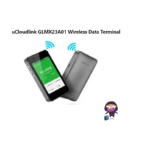
uCloudlink GLMX23A01 Wireless Data Terminal User Manual

July 1, 2024
uCloudlink GLMX23A01 Wireless Data Terminal Specifications: Brand: GlocalMe Model No.: GLMX23A01 WiFi: 802.11b/g/n HT20: 2412-2472MHz, HT40: 2422-2462MHz Max power: 20dBm Product Usage Instructions Power On/Off: To power on the device, plug in the power. To power off, simply unplug the…