📘 Autoslide manuals • Free online PDFs
Autoslide logo

Autoslide Manuals & User Guides

Autoslide makes automatic sliding and swing door systems, sensors, and smart controls to improve hands-free access, mobility, and pet entry in homes and offices.

Tip: include the full model number printed on your Autoslide label for the best match.

About Autoslide manuals on Manuals.plus

Autoslide develops automatic sliding and swing door systems for homes and light-commercial spaces, supporting accessibility, hands-free operation, and pet access.

Its range includes AutoSlide, MultiDrive, AutoSwing, iLock locking options, sensors, wireless buttons, and the AutoPlus Gateway. Browse the manuals below for model-specific installation, pairing, operation, and troubleshooting instructions.

Autoslide manuals

Selected manuals from manuals+ curated for this brand.

AUTOSLIDE AutoPlus Gateway User Guide

August 11, 2023
AUTOSLIDE AutoPlus Gateway Product Information The AutoPlus is a smart device that allows you to control your doors remotely using the Autoslide app. It requires an internet connection, a router…

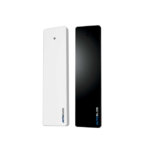
AUTOSLIDE Wireless Touch Button Switch User Manual

December 14, 2022
AUTOSLIDE Wireless Touch Button Switch Safety Instruction Thank you for purchasing Autoslide Wireless Push Button. Please refer to the following operation sheet before usage. Product Overview Features Wireless touch button,…

AUTOSLIDE ATM3 DIP Switches and Modes User Manual

July 26, 2022
AUTOSLIDE ATM3 DIP Switches and Modes Modes The AutoSlide has four different modes of operation to fit different applications: Green/Auto Mode: A mode for everyday human/disabled use, without pets. Blue/Stacker…

autoslide Automatic Sliding Doors Installation Guide

July 16, 2022
Automatic Sliding Doors Installation Guide  TECHNICAL INFORMATION Features The AutoSwing Automatic Door Operator offers a high standard of performance within a slimline design. The low height of only 2.25 inches…

AutoSlide ATM3 DIP Switches and Modes Guide

Guide
A comprehensive guide to the AutoSlide ATM3 automatic sliding door system, detailing its various modes of operation, sensor port configurations, and DIP switch functions for optimal performance and customization.

Autoslide support FAQ

Common questions about manuals, registration, and support for this brand.

  • Where can I find Autoslide manuals?

    Browse this category for user manuals and installation guides for Autoslide operators, sensors, buttons, and gateways. Choose the guide that matches your model.

  • How do I contact Autoslide for support?

    Use the official support page at https://autoslide.com/support/. The supplied North American contact details are +1 833-337-5433 and info@autoslide.com.

  • What do I need to set up the AutoPlus Gateway?

    You need internet service, a router with an available Ethernet port, and an active Autoslide owner account with a compatible AutoSlide, MultiDrive, or AutoSwing system already paired to your phone. Follow the gateway guide and the app's Pair a Device instructions.

  • How do I pair an AS05TB wireless touch button?

    According to the AS05TB guide, press the learn button on the Autoslide controller, then press the touch button. A flashing red indicator confirms connection. Check your model's manual before pairing.

  • What warranty information is available for Autoslide products?

    The official warranty page describes a two-year limited manufacturer's warranty for specified products. Warranty service requires valid proof of purchase and an RMA number. Check https://autoslide.com/warranty/ for eligibility, exclusions, and return requirements.