1. Overview
The SHANLING UA7 is a high-performance portable USB DAC (Digital-to-Analog Converter) and headphone amplifier designed to enhance your audio experience. It features dual JAN6418 vacuum tubes for a rich, smooth sound, an ESS ES9069 DAC for precise audio reproduction, and an advanced OP + BUF amplifier architecture for powerful output. The device supports Hi-Res audio formats up to PCM 768kHz/32bit and native DSD512, offering versatile connectivity with both 3.5mm single-ended and 4.4mm balanced outputs. Its compact design includes a 0.87-inch OLED display for easy control and information display.
Key Features:
- Dual JAN6418 Tubes: Provides a warm, rich sound signature with the option to switch between tube and transistor outputs.
- ESS ES9069 Hi-Fi DAC: Delivers ultra-precise and accurate sound reproduction, supporting Hi-Res PCM 768kHz/32bit and native DSD512.
- OP + BUF Amplifier Architecture: Utilizes OPA1662 and BUF634 for powerful and dynamic sound output, up to 577mW@32Ω balanced.
- Compact and Portable Design: Slim profile with a 0.87-inch OLED display and a multifunctional wheel for intuitive control.
- Dual Output Connectors: Includes 3.5mm single-ended and 4.4mm balanced outputs for broad headphone compatibility.
- Companion App: Offers additional control and customization options via the Eddict Player app for Android and Windows devices.
2. Package Contents
Please verify that all items listed below are included in your package:
- SHANLING UA7 Portable Headphone Amplifier
- USB-C to USB-C Cable
- USB-C to USB-A Adapter
- User Manual (this document)
3. Product Overview
Familiarize yourself with the physical components and connections of your SHANLING UA7.
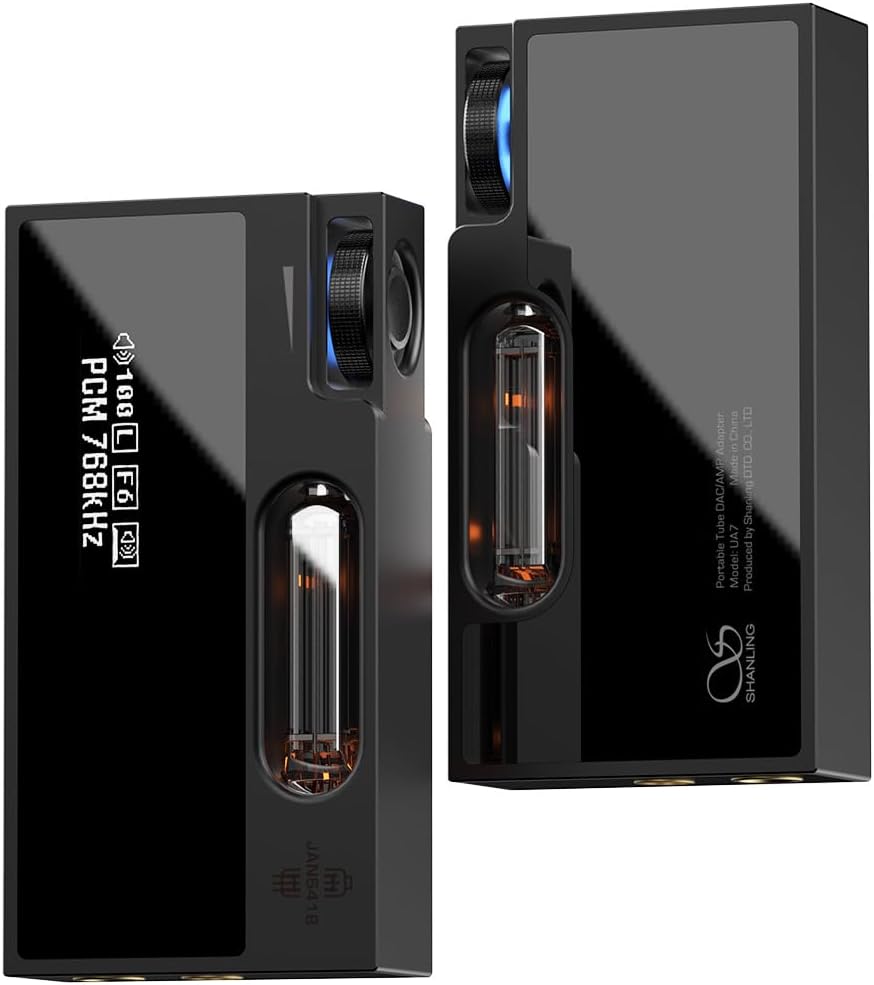
Figure 3.1: Front and side view of the SHANLING UA7, highlighting the OLED display and the visible vacuum tube.
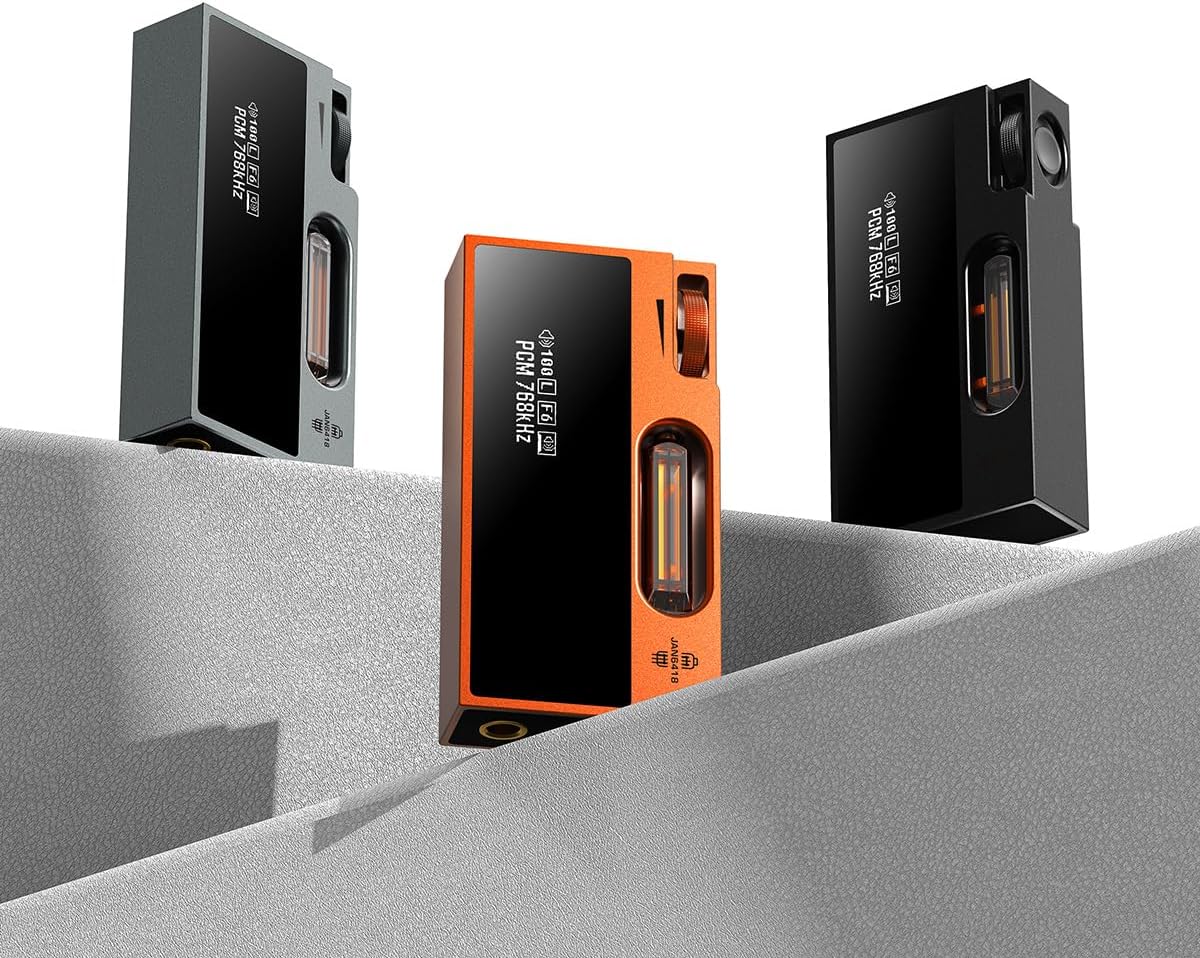
Figure 3.2: Multiple SHANLING UA7 units in different color variations (black, grey, orange).
Component Identification:
- Multifunctional Wheel: Controls volume, navigates menus, and confirms selections.
- 0.87-inch OLED Display: Shows current settings, playback information, and menu options.
- JAN6418 Vacuum Tubes: Visible through a window, providing tube-flavored audio.
- 3.5mm Single-Ended Output: Standard headphone jack.
- 4.4mm Balanced Output: High-performance headphone jack.
- USB-C Port: For data connection and power.
4. Setup
4.1 Connecting to a Source Device
The UA7 connects to your audio source (smartphone, tablet, computer, gaming console) via its USB-C port.
- Use the provided USB-C to USB-C cable to connect the UA7 to your device.
- If your device uses a USB-A port, use the included USB-C to USB-A adapter with the USB-C cable.
- For Windows computers, it may be necessary to install specific drivers. Refer to the SHANLING official website for the latest driver downloads.
- The UA7 will automatically power on once connected to a powered USB port.

Figure 4.1: SHANLING UA7 connected to various devices, demonstrating USB-C compatibility.
4.2 Connecting Headphones
Connect your headphones to the appropriate output jack on the UA7.
- For standard headphones, use the 3.5mm single-ended output.
- For high-performance headphones that support balanced audio, use the 4.4mm balanced output for superior sound quality and increased power.
5. Operating Instructions
The UA7 features a multifunctional wheel and an OLED display for easy operation.
5.1 Basic Controls
- Adjust Volume: Turn the multifunctional wheel clockwise to increase volume, counter-clockwise to decrease.
- Enter Settings Menu: Press and hold the multifunctional wheel.
- Navigate Menus: Turn the multifunctional wheel to scroll through options.
- Select Option: Press the multifunctional wheel to confirm a selection.
5.2 Settings Menu Options
From the settings menu, you can customize various aspects of the UA7's operation:
- Gain Setting: Switch between High and Low gain levels to match your headphones' impedance and sensitivity.
- Tube Mode: Toggle the JAN6418 vacuum tubes ON or OFF to switch between tube-enhanced and pure transistor sound profiles.
- Digital Filter: Select from 8 different digital filter options to fine-tune the sound to your preference.
- Wheel Function: Customize the wheel's behavior to control DAC Volume, System Volume, or Playback Control (Track Up/Down).
- Channel Balance: Adjust the left/right channel balance.
- Screen Brightness: Adjust the brightness level of the OLED display.
- Screensaver Timer: Set the duration before the screen enters screensaver mode.
- Rotate Screen: Rotate the display 180 degrees for inverted orientation.
- UAC Mode: Switch between UAC1.0 and UAC2.0 modes. UAC1.0 is useful for older devices or gaming consoles like the Nintendo Switch.
5.3 Companion App (Eddict Player)
For Android and Windows devices, the dedicated Eddict Player companion app offers extended control over the UA7's settings. Download the app from the official SHANLING website or your device's app store. Note that the iOS version of the app does not offer these features due to platform restrictions.
Video 5.1: This video demonstrates how to navigate and adjust settings on the SHANLING UA7 portable headphone amplifier, including volume control, gain settings, tube mode activation, digital filter selection, wheel function customization, channel balance, screen brightness, screensaver timer, and screen rotation.
6. Maintenance
To ensure the longevity and optimal performance of your SHANLING UA7, follow these maintenance guidelines:
- Cleaning: Use a soft, dry, lint-free cloth to clean the device. Avoid using harsh chemicals, solvents, or abrasive materials.
- Storage: Store the UA7 in a cool, dry place away from direct sunlight, extreme temperatures, and high humidity.
- Tube Care: The UA7 features a custom shock absorption structure to protect the JAN6418 tubes. While robust, avoid dropping or subjecting the device to strong impacts, especially when Tube Mode is active, as microphonics can occur.
- Connections: Periodically check USB and headphone connections for dust or debris and clean gently if necessary.
7. Troubleshooting
If you encounter issues with your UA7, refer to the following common troubleshooting steps:
- No Sound:
- Ensure the UA7 is properly connected to both the source device and headphones.
- Check the volume level on both the UA7 and your source device.
- Verify the correct UAC mode (UAC1.0 or UAC2.0) is selected for your source device.
- Confirm that the audio output is directed to the UA7 in your source device's sound settings.
- Distorted Sound:
- Reduce the volume on both the UA7 and the source device.
- Adjust the gain setting (try 'Low' for sensitive headphones).
- Experiment with different digital filter options.
- Ensure the headphone impedance is compatible with the UA7's output capabilities.
- Device Not Recognized by Computer:
- Try a different USB port or cable.
- Ensure the correct UAC mode is selected on the UA7.
- For Windows, confirm that the necessary drivers are installed.
- Restart your computer and reconnect the UA7.
- OLED Display Issues:
- Adjust the screen brightness in the settings menu.
- Check the screensaver timer setting.
- If the display is upside down, use the 'Rotate Screen' option.
8. Specifications
| Feature | Detail |
|---|---|
| Weight | 6.3 ounces (178.6g) |
| Dimensions | 3.94 x 3.94 x 1.57 inches (100 x 100 x 40 mm) |
| Display | 0.87-inch OLED |
| Hi-Res Support | PCM 768kHz/32bit, DSD512 Native |
| DAC | ESS ES9069 |
| Tubes | Dual JAN6418 |
| USB Modes | UAC 1.0 / UAC 2.0 |
| Outputs | 3.5mm Single-Ended, 4.4mm Balanced |
| USB Connector | USB-C |
| 3.5mm Single-Ended Output (Tube Mode) | Output Power: 2.5V @ 32Ω (195mW @ 32Ω) Frequency Response: 20Hz-40kHz (-0.5dB) THD+N: 0.15% @ 32Ω (2V) Dynamic Range: 119dB Channel Separation: 73dB (A-Weight High Gain) Signal-to-Noise Ratio: 119dB (A-Weight High Gain) Noise: 110dB (A-Weight High Gain) Output Impedance: 0.5Ω |
| 4.4mm Balanced Output (Tube Mode) | Output Power: 4.3V @ 32Ω (577mW @ 32Ω) Frequency Response: 20Hz-40kHz (-0.5dB) THD+N: 0.15% @ 32Ω (2V) Dynamic Range: 120dB Channel Separation: 106dB (A-Weight High Gain) Signal-to-Noise Ratio: 119dB (A-Weight High Gain) Noise: 105dB (A-Weight High Gain) Output Impedance: 1Ω |
| 3.5mm Single-Ended Output (Transistor Mode) | Output Power: 2.5V @ 32Ω (195mW @ 32Ω) Frequency Response: 20Hz-40kHz (-0.5dB) THD+N: 0.0006% @ 32Ω Dynamic Range: 119dB Channel Separation: 73dB (A-Weight High Gain) Signal-to-Noise Ratio: 119dB (A-Weight High Gain) Noise: 110dB (A-Weight High Gain) Output Impedance: 0.5Ω |
| 4.4mm Balanced Output (Transistor Mode) | Output Power: 4.3V @ 32Ω (577mW @ 32Ω) Frequency Response: 20Hz-40kHz (-0.5dB) THD+N: 0.00093% @ 32Ω Dynamic Range: 120dB Channel Separation: 109dB (A-Weight High Gain) Signal-to-Noise Ratio: 119dB (A-Weight High Gain) Noise: 105dB (A-Weight High Gain) Output Impedance: 1Ω |
9. Warranty and Support
The SHANLING UA7 comes with a manufacturer's warranty. Please refer to the warranty card included in your product packaging or the official SHANLING website for detailed warranty terms and conditions specific to your region of purchase.
For technical support, troubleshooting assistance beyond this manual, or inquiries regarding your device, please visit the official SHANLING support page or contact their customer service directly. Information for contacting support can typically be found on the manufacturer's website or in your product documentation.
Remember to keep your proof of purchase for any warranty claims.


