1. Introduction
This manual provides detailed instructions for the setup, operation, and maintenance of your Momcozy Smart WiFi Baby Monitor BM04. Please read this manual thoroughly before using the product to ensure proper function and safety.
1.1 Package Contents
Verify that all items listed below are included in your package:
- Camera Unit x 1
- Parent Unit x 1
- Power Adapters x 2
- 1.5m Power Cable x 1
- 2.5m Power Cable x 1
- Wall-Mounting Bracket x 1
- Wall-Mounting Screw Set x 1
- Quick Start Guide x 1
- User Manual x 1

Image: Contents of the Momcozy BM04 Baby Monitor package.
2. Product Overview
2.1 Components
The Momcozy BM04 system consists of a camera unit and a parent monitor unit, designed for comprehensive baby monitoring.
- Camera Unit: Captures 1080P video, features night vision, motion and cry detection, and pan/tilt capabilities.
- Parent Unit: A 5-inch 1080P screen for direct viewing, with a 5000mAh battery for portable use, and controls for camera functions and two-way talk.

Image: The Momcozy BM04 Baby Monitor system, including camera, parent unit, and app view.
3. Setup
3.1 Charging the Parent Unit
Before first use, fully charge the parent unit using the provided power adapter and cable. A full charge ensures optimal battery performance.
3.2 Camera Placement and Mounting
Proper camera placement is crucial for clear monitoring and accurate detection features.
- Crib Mounting: Position the camera at least 0.6 meters (24 inches) above the baby. Placing it too low may result in a blurry image due to focal length misalignment.
- Wall or Floor Stand Mounting: Keep the camera within 5 meters (16 feet) horizontally from the crib. Beyond this range, infrared night vision may not provide sufficient lighting for clear facial visibility in low light conditions.
The camera can be mounted on a wall using the included bracket and screws, or placed on a flat surface like a tabletop.
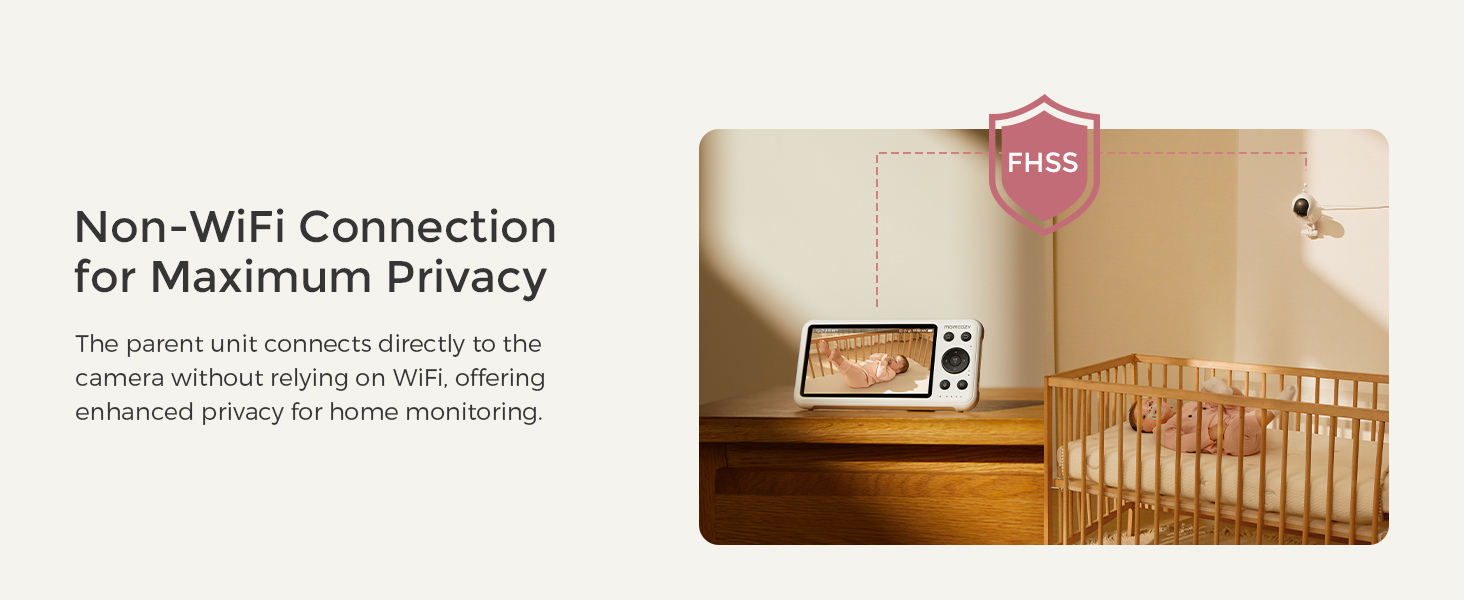
Image: Flexible installation options for the camera unit.
3.3 Connecting the Units
The camera and parent unit are typically pre-paired. If they do not connect automatically, refer to the troubleshooting section or the quick start guide for manual pairing instructions.
3.4 App Installation and WiFi Connection
For remote monitoring and smart features, download the Momcozy app from your device's app store. Follow the in-app instructions to connect your camera to your home 2.4GHz WiFi network. Advanced encryption ensures secure video transmission.
4. Operating Instructions
4.1 Power On/Off
Press and hold the power button on both the camera and parent unit to turn them on or off.
4.2 Dual-Mode Monitoring
The BM04 offers two monitoring modes:
- Non-WiFi Mode: Use the dedicated parent unit for local monitoring within your home. This mode provides a direct, secure connection between the camera and monitor.
- WiFi Mode: Connect the camera to your home WiFi and use the Momcozy app on your smartphone for remote monitoring from anywhere.

Image: Dual-mode monitoring with the parent unit and smartphone app.
4.3 Video and Audio Monitoring
View the live video feed on the parent unit or through the Momcozy app. Use the two-way talk feature to communicate with your baby through the camera's speaker.
4.4 Night Vision
The camera automatically activates infrared night vision in low-light conditions, providing a clear view of your baby in the dark.

Image: Clear night vision view of a baby in a crib.
4.5 Pan, Tilt, and Zoom
Control the camera's movement remotely from the parent unit or app. The camera offers 350° pan and 110° tilt capabilities. Digital zoom options (2x and 4x) allow for closer inspection.

Image: Camera pan, tilt, and zoom capabilities.
4.6 Smart Features
4.6.1 Motion Detection
Receive real-time motion alerts via the Momcozy app when your baby moves. This feature helps detect potential dangers like a covered face or face-down sleeping. (Motion alerts appear only in the app).

Image: Smartphone displaying a motion detection alert.
4.6.2 Cry Detection
The monitor can detect crying sounds and notify you, helping you respond quickly to your baby's needs.
4.6.3 Safe Fence (Danger Zone Alert)
Set up a designated safe area within the camera's view using the app. You will receive instant notifications if your baby leaves this defined zone. (Feature available only on the app).

Image: Smartphone displaying a safe fence alert.
4.6.4 Temperature Monitoring
Monitor the room temperature and receive alerts on your parent unit or app if it goes beyond your preset range, ensuring your baby's comfort.
4.6.5 Lullabies
The camera unit features built-in lullabies to help soothe your baby. You can select from 8 tunes and adjust across 10 volume levels.
4.7 Recording and Storage
The monitor offers continuous or motion-activated recording to capture important moments. You can also manually take photos or record videos using the parent unit or app. Storage options include local storage via a memory card (sold separately) or cloud storage (subscription sold separately).

Image: Capturing and saving baby's moments.
4.8 Sharing Access
The Momcozy app allows you to share live video access with up to 20 family members, enabling them to view your baby's activities remotely.

Image: Sharing live video access with family members.
4.9 VOX Mode
Activate VOX mode to have the parent unit screen light up only when your baby makes noise. This feature helps conserve battery and allows for undisturbed rest.
5. Maintenance
5.1 Cleaning
To clean the camera and parent unit, use a soft, dry cloth. Do not use liquid or aerosol cleaners, as they may damage the device. Ensure the devices are powered off and unplugged before cleaning.
5.2 Storage
When not in use for extended periods, store the monitor in a cool, dry place away from direct sunlight and extreme temperatures. Ensure both units are fully charged before storage to maintain battery health.
6. Troubleshooting
If you encounter issues with your Momcozy BM04 Baby Monitor, refer to the following common problems and solutions:
6.1 Blurry Image
- Cause: Camera positioned too close or too far from the subject, or lens is dirty.
- Solution: Adjust camera placement according to the guidelines in Section 3.2. Clean the camera lens gently with a soft, dry cloth.
6.2 Poor Night Vision
- Cause: Camera is too far from the baby in the dark.
- Solution: Ensure the camera is within 5 meters (16 feet) horizontally from the crib for optimal infrared night vision performance.
6.3 Monitor Screen Not Staying On / VOX Mode Issues
- Cause: VOX mode settings, or screen timeout settings.
- Solution: Check the VOX sensitivity settings on the parent unit. Adjust screen timeout settings in the monitor's menu. Ensure VOX mode is enabled if you want the screen to activate with sound.
6.4 Disconnection Issues
- Cause: Out of range, interference, or weak WiFi signal.
- Solution: Move the parent unit closer to the camera. Ensure the camera is within range of your WiFi router for app connectivity. Restart both the camera and parent unit.
6.5 No App Notifications
- Cause: App settings, phone notification settings, or no internet connection.
- Solution: Verify notification settings within the Momcozy app and on your smartphone. Ensure your phone has an active internet connection and the camera is connected to WiFi.
6.6 No Audio / Two-Way Talk Issues
- Cause: Volume settings, microphone/speaker obstruction.
- Solution: Check the volume levels on both the parent unit and the app. Ensure the microphone and speaker on both units are not obstructed.
7. Specifications
The following are the technical specifications for the Momcozy Smart WiFi Baby Monitor BM04:
| Feature | Specification |
|---|---|
| Model | BM04 |
| Parent Unit Screen Size | 5 inches |
| Video Resolution | 1080P |
| Parent Unit Battery Capacity | 5000mAh |
| Wireless Connectivity | 2.4GHz WiFi (for app), FHSS (for parent unit) |
| Camera Pan Angle | 350° |
| Camera Tilt Angle | 110° |
| Digital Zoom | 2x, 4x |
| Parent Unit Battery Life | Up to 20 hours (regular mode) |
| Signal Range | Up to 960 feet |
| Item Weight | 2.53 pounds |
| Package Dimensions | 8.27 x 6.73 x 4.25 inches |
| UPC | 810184059615 |
8. Warranty and Support
8.1 Certifications
The Momcozy BM04 Smart Baby Monitor is certified by the FCC. Reports can be publicly accessed on the FCC website (Monitor No: 2A6UA-BM04-A, Camera No: 2A6UA-BM04-B).
8.2 Customer Support
For warranty information, technical assistance, or any questions not covered in this manual, please contact Momcozy customer support. Refer to the product packaging or the official Momcozy website for contact details.


