
1. Important Safety Information
Please read this entire instruction manual before installation. If you have any questions, contact customer service. Improper installation may result in property damage, serious injury, or death.
- Weight Capacity: Do not exceed the maximum weight capacity of 132 lbs (60 kg). This mount is designed for TVs between 42 and 97 inches.
- Wall Type: This mount is designed for installation on wood studs (16"/18"/24" spacing), solid concrete, or brick walls. DO NOT install on drywall alone.
- Stud Finder: A high-quality stud finder is recommended for accurate wood stud location.
- Tools: Ensure you have all necessary tools before beginning installation.
- Assembly: Do not assemble this product if parts are missing or damaged.
- Supervision: Keep children away during installation.
2. Package Contents
Verify all components are present and undamaged before proceeding with installation.
- Preassembled TV Wall Mount Unit
- TV Brackets (2 pieces)
- Mounting Hardware Kit (various screws, washers, spacers)
- Bubble Level
- Drilling Template
- Cable Management Straps
- Instruction Manual
3. Product Features
- Preassembled Telescopic Design: Reduces installation steps for quicker setup.
- Wide Compatibility: Supports most 42-97 inch flat or curved TVs.
- VESA Patterns: Compatible with VESA mounting patterns from 200x100mm to 600x400mm.
- Robust Construction: Made from high-strength steel with a thicker wall plate for enhanced stability, supporting up to 132 lbs.
- Flexible Viewing Angles:
- Tilt: +5°/-15° to reduce glare.
- Swivel: +/-45° for optimal viewing from various positions.
- Extension: Smooth extension up to 16.87 inches from the wall.
- Retraction: Retracts to 2.86 inches from the wall to save space.
- Post-Installation Leveling: +/-4° adjustment for precise TV alignment.
- Wall Compatibility: Suitable for 16"/18"/24" wood studs, solid concrete, and brick walls.
4. Specifications
| Feature | Detail |
|---|---|
| Mounting Type | Wall Mount |
| Movement Type | Full Motion / Leveling |
| Brand | Perlegear |
| Material | Alloy Steel |
| Compatible Devices | Television |
| Minimum Supported Screen Size | 42 Inches |
| Maximum Supported Screen Size | 97 Inches |
| Maximum Load Capacity | 132 lbs (60 kg) |
| VESA Compatibility | 200x100mm to 600x400mm |
| Maximum Tilt Angle | +5°/-15° |
| Swivel Angle | +/-45° |
| Extension from Wall | 2.86" to 16.87" |
| Post-Installation Leveling | +/-4° |
| Wall Stud Spacing | 16"/18"/24" |
| UPC | 840478844184 |
5. Installation Requirements
5.1 Check TV Compatibility
- TV Size: Ensure your TV is between 42 and 97 inches.
- TV Weight: Confirm your TV weighs no more than 132 lbs (60 kg).
- VESA Pattern: Measure the horizontal and vertical distance between the mounting holes on the back of your TV. This mount supports VESA patterns from 200x100mm to 600x400mm.

Image: Universal compatibility for TV sizes and VESA patterns.
5.2 Check Wall Type
This mount is compatible with the following wall types:
- Wood Stud Walls: Compatible with 16", 18", or 24" wood stud spacing.
- Solid Concrete Walls: Requires concrete anchors (included).
- Brick Walls: Requires concrete anchors (included).
WARNING: DO NOT install on drywall alone. Drywall cannot support the weight of the TV and mount.

Image: Wall type compatibility for installation.
6. Setup Guide
The Perlegear Full Motion TV Wall Mount features a preassembled telescopic design to simplify installation.
6.1 Wall Plate Installation
- Locate Studs (for wood stud walls): Use a stud finder to locate the edges and center of your wood studs. Mark the drilling locations using the provided drilling template.
- Mark Drilling Holes: Position the drilling template at your desired height and level it. Mark the pilot hole locations.
- Drill Pilot Holes: Drill pilot holes at the marked locations. Use an appropriate drill bit size for your wall type (refer to the drilling template for specifics).
- Attach Wall Plate: Secure the wall plate to the wall using the appropriate lag bolts and washers. For concrete/brick, insert anchors into the pilot holes before securing. Ensure the wall plate is firmly attached and level.

Image: Wall plate installation process.
6.2 Attaching TV Brackets to TV
- Select Screws and Spacers: Choose the correct diameter and length of screws that fit your TV's VESA holes. Use spacers if the TV back is uneven or if cables need clearance.
- Attach Brackets: Align the TV brackets with the mounting holes on the back of your TV. Secure them using the selected screws and washers. Ensure the brackets are centered and tightened securely.

Image: Attaching TV brackets to the television.
6.3 Hanging the TV
- Extend Telescopic Support: Pull out the telescopic front support of the wall mount.
- Hook TV onto Mount: Carefully lift the TV with the attached brackets and hook them onto the wall mount's arms. Ensure the hooks are fully engaged.
- Secure TV: Use the two screws to secure the telescopic front support, locking the TV in place.
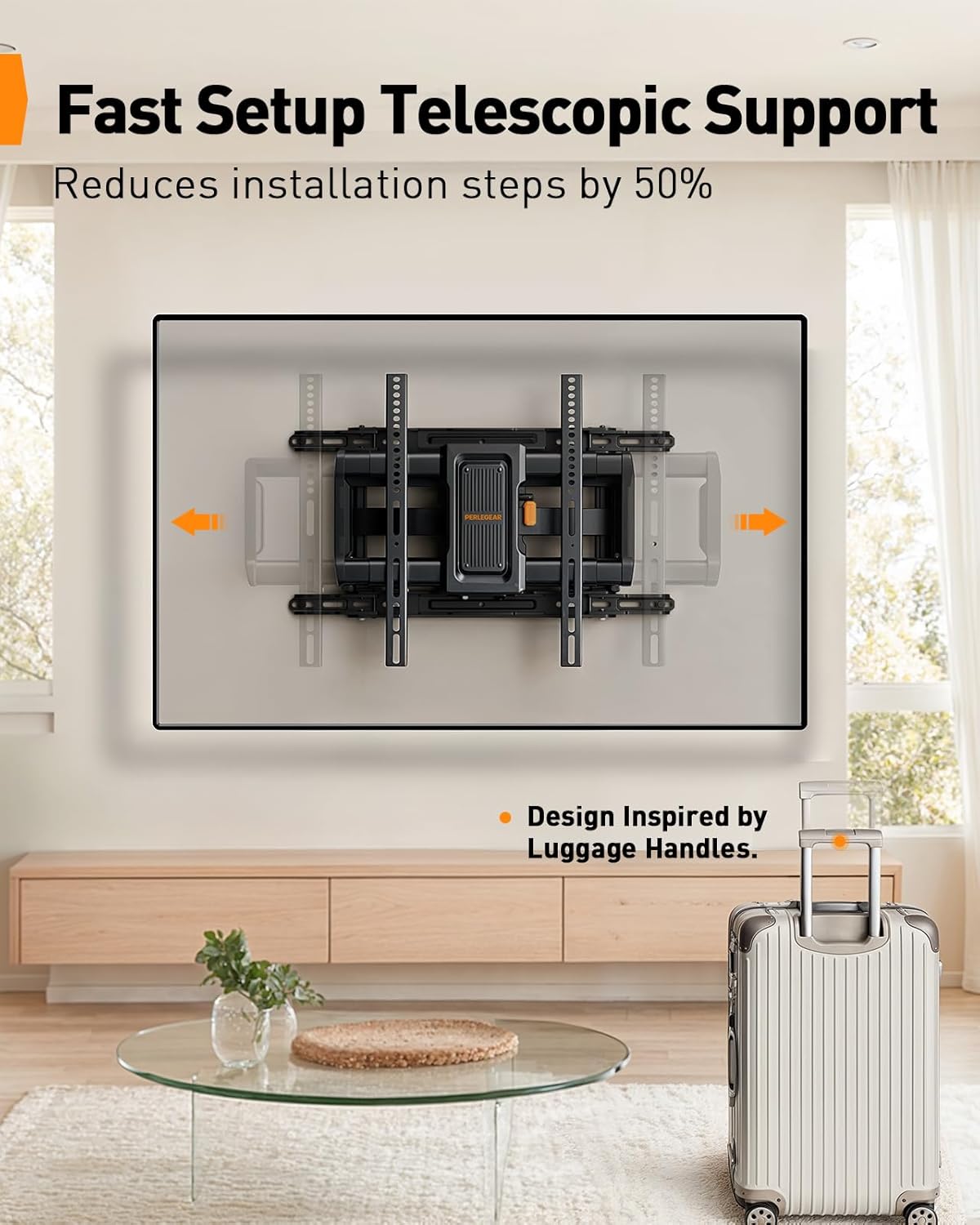
Image: Fast setup with telescopic support.
6.4 Installation Video
Video: Demonstrates the preassembled and telescopic design for easy setup of the PGLF27B TV wall mount.
7. Operating Instructions
This full motion TV wall mount offers various adjustments for optimal viewing.
7.1 Adjusting Tilt
The mount allows for a +5° (upward) to -15° (downward) tilt. This helps reduce glare and optimize viewing angles.
- To adjust the tilt, loosen the cushioned tilt knob on the mount.
- Manually adjust the TV to the desired tilt angle.
- Tighten the tilt knob to secure the TV in position.
7.2 Adjusting Swivel
The mount can swivel +/-45° left or right, providing flexibility for viewing from different areas of a room.
- Gently push or pull the TV to the desired swivel angle. The arms will articulate smoothly.
7.3 Extending and Retracting
The mount allows the TV to extend up to 16.87 inches from the wall and retract to 2.86 inches.
- To extend, gently pull the TV away from the wall.
- To retract, gently push the TV back towards the wall until it reaches the desired distance.
7.4 Post-Installation Leveling
After installation, you can make minor leveling adjustments of +/-4°.
- Consult the manual for specific instructions on how to access and adjust the leveling mechanism, typically involving loosening and re-tightening specific screws on the TV brackets.

Image: Demonstrates the ultimate flexibility of the TV mount.
8. Maintenance
Regular maintenance ensures the longevity and safe operation of your TV wall mount.
- Periodic Checks: Periodically check that all screws and connections are secure. Re-tighten if necessary.
- Cleaning: Clean the mount with a soft, dry cloth. Avoid abrasive cleaners or solvents that could damage the finish.
- Lubrication: The moving parts are designed for smooth operation and generally do not require lubrication. If movement becomes stiff, contact customer support.
9. Troubleshooting
If you encounter issues during or after installation, refer to the following common solutions.
- TV is not level: Use the post-installation leveling feature (+/-4°) to adjust the TV's horizontal alignment.
- Mount feels unstable: Ensure all lag bolts securing the wall plate to the wall are fully tightened. Verify that the TV brackets are securely hooked and locked onto the mount. Do not exceed the maximum weight capacity.
- Difficulty adjusting movement: Check for any obstructions. Ensure no cables are caught in the moving parts. If the movement is stiff, ensure all adjustment knobs are sufficiently loosened before attempting to move.
- Missing parts: If any parts are missing from the package, contact Perlegear customer service immediately.
10. Warranty and Support
Perlegear is committed to customer satisfaction. If you have any questions or require assistance with your product, please contact our customer service team.
Warranty Description: We serve every customer with the most sincere attitude. If you have any questions about the product, please feel free to contact us.
For further support, please visit the official Perlegear website or contact the retailer where the product was purchased.


