
1. Introduction
The SwanScout 713F is a versatile 3-in-1 wireless charging station designed to efficiently charge your Samsung Galaxy Z Flip series phone, Galaxy Watch, and compatible wireless earbuds simultaneously. Its foldable design enhances portability, making it an ideal companion for travel or daily use. This manual provides essential information for setup, operation, maintenance, and troubleshooting to ensure optimal performance and longevity of your device.
2. Package Contents
Please verify that all items are present in the package:
- 1 x SwanScout 713F 3-in-1 Wireless Charging Station
- 1 x USB Type-C to Type-C Charging Cable
- 1 x User Manual
3. Product Features
- Fast Charging for Galaxy Z Flip: Engineered for Samsung Galaxy Z Flip series, the SwanScout 713F delivers 10W wireless fast charging to your phone.
- Portable Foldable Design: With its compact foldable structure, the SwanScout 713F is designed for easy transport, fitting neatly into bags without occupying excessive space.
- Elegant Design: The charging station features a premium tech-gray finish with a refined CD-pattern texture, enhancing its aesthetic appeal.
- Case-Friendly: Charges efficiently through most protective cases under 5mm (0.2 inches) thick.
- Smart LED Indicator: The indicator light activates only when charging your earbuds' case, providing clear status without unnecessary illumination for other devices.

Image: The SwanScout 713F in its folded and unfolded states, highlighting its compact dimensions (2.91 x 4.45 x 0.99 inches) and lightweight design (4.73 oz).

Image: The SwanScout 713F being easily placed into a bag, demonstrating its portable and foldable design.
Video: This video demonstrates the SwanScout 713F's foldable design, ease of setup, and simultaneous charging capabilities for a Samsung Z Flip phone, Galaxy Watch, and earbuds in both folded and unfolded phone orientations.
4. Setup Instructions
- Unpack the Charger: Carefully remove the SwanScout 713F and its accessories from the packaging.
- Connect Power: Use the provided USB Type-C to Type-C cable to connect the charging station to a power adapter. For optimal performance and fast charging, a 20W or higher power adapter (not included) is recommended.
- Position the Charger: Place the charging station on a stable, flat surface.
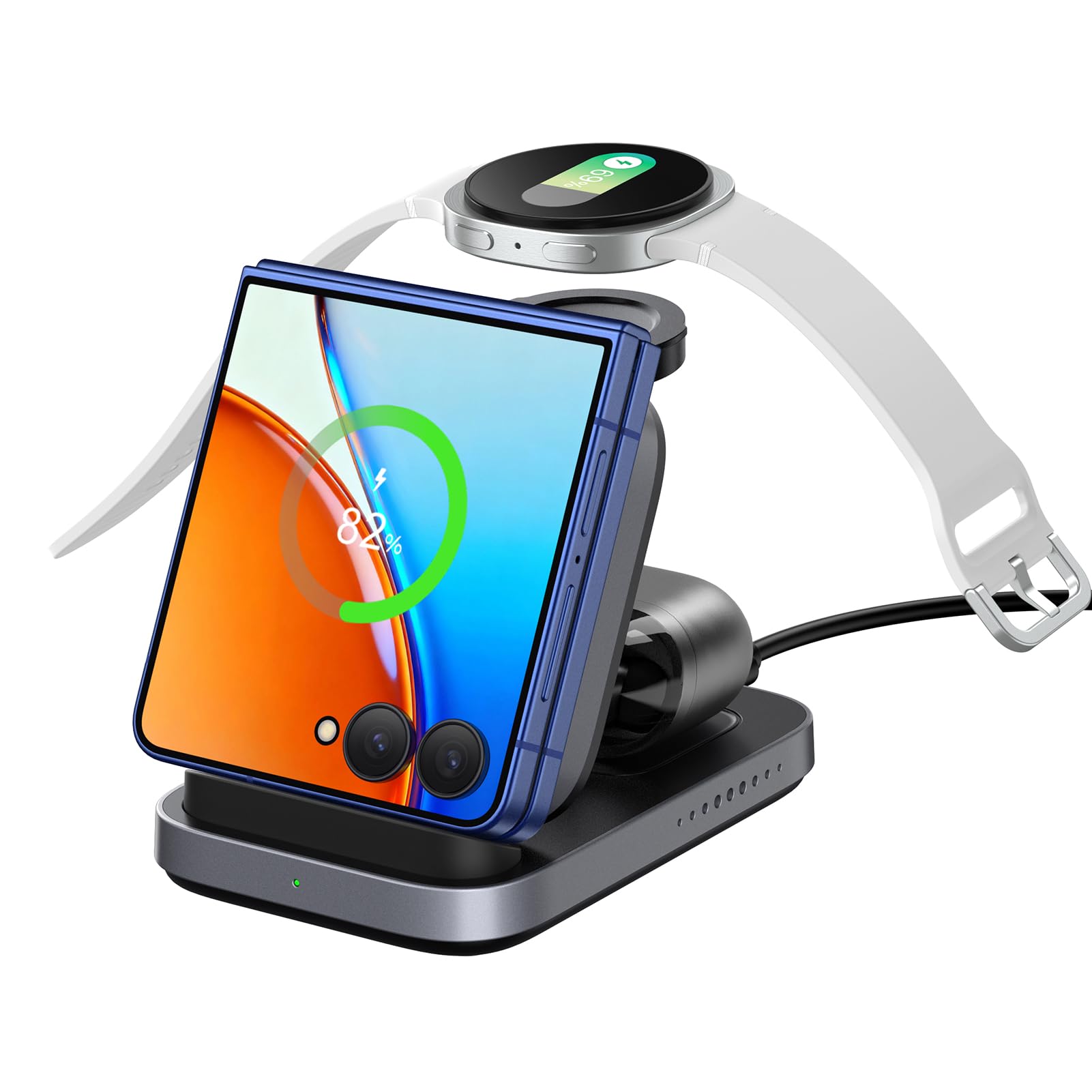
Image: The SwanScout 713F charging station connected to a wall adapter, illustrating the power connection setup. A note indicates that a >20W adapter is recommended and not included.
5. Operating Instructions
- Charging Your Phone: Place your Samsung Galaxy Z Flip series phone on the designated phone charging pad. The charger supports both folded and vertical charging modes. Ensure the phone is centered on the pad for efficient charging.
- Charging Your Galaxy Watch: Place your Galaxy Watch on the magnetic watch charging module. The watch will automatically align and begin charging.
- Charging Your Earbuds: Place your compatible wireless earbud case on the designated earbud charging area. The LED indicator will glow when earbuds are charging.

Image: The SwanScout 713F demonstrating dual-mode charging for a Samsung Galaxy Z Flip phone, showing both folded and vertically unfolded phone positions on the charging pad.

Image: A close-up of the SwanScout 713F showing the LED indicator light, which illuminates only when the earbuds' case is actively charging.
6. Compatibility
The SwanScout 713F is designed for broad compatibility with Samsung devices and other wireless charging enabled earbuds.
- For Phones (10W): Samsung Z Flip 7 FE/7/6/5/4/3/2/1, Moto Razr 60 Ultra/60/50 Ultra/50/40 Ultra/40.
- For Samsung Watch (3W): Galaxy Watch 8/8 Classic/Ultra 2025/Ultra/7/6 Classic/6/5 Pro/5/4 Classic/4/3/Active 2/Active. Not compatible with Galaxy Watch 1, Galaxy Gear series, or other-brand watches.
- For Wireless Earbuds (3W): Galaxy Buds 3 Pro/3/2 Pro/2/Buds/Buds+/Buds Pro/Buds Live, AirPods 4 (ANC)/Pro 3/Pro 2/Pro/3, Google Pixel Buds Pro/Pro 2, and other earbuds supporting wireless charging.
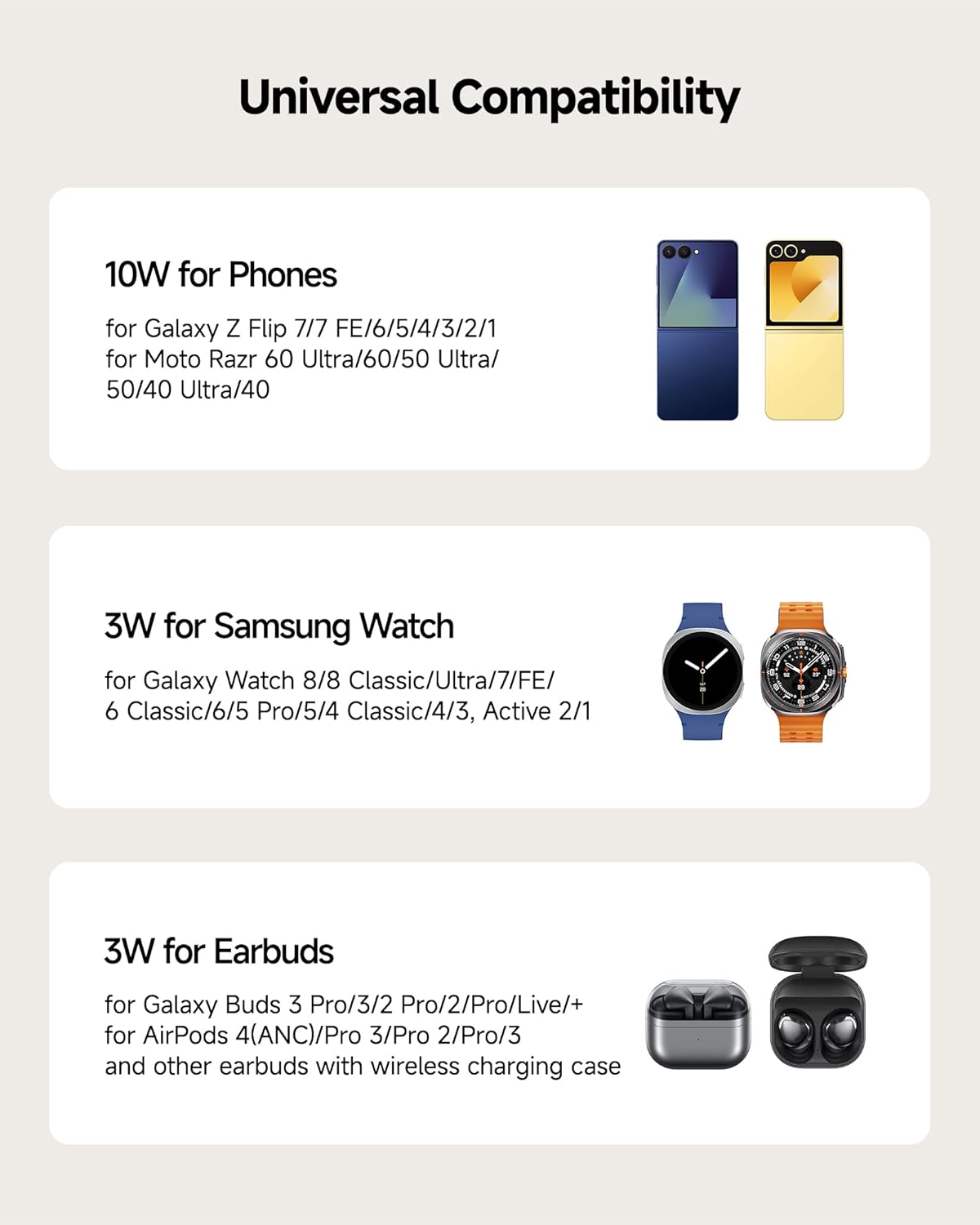
Image: A visual chart detailing the universal compatibility of the SwanScout 713F with various Samsung Z Flip phones, Galaxy Watches, and wireless earbuds, including specific models and charging wattages.
7. Safety Information
To ensure safe and efficient charging, please observe the following guidelines:
- Case-Friendly Use: The charger supports cases up to 5mm (0.2 inches) thick. However, ensure no metal plates, magnetic attachments, or credit cards are between your phone and the charger, as these can interfere with charging or cause overheating.
- Power Adapter: Always use a 20W or higher power adapter for optimal and safe charging. Using an underpowered adapter may result in slow charging or no charge.
- Multi-Protection Features: The SwanScout 713F incorporates multiple safety protections, including Overvoltage Protection, Undervoltage Protection, Over Temperature Protection, Static Protection, Overload Protection, Foreign Object Detection, Overcurrent Protection, and Heat Dissipation.

Image: An illustration showing compatible (protective case < 5mm) and incompatible items (magnetic pad, metal cases, credit card, metal ring) for wireless charging on the SwanScout 713F.
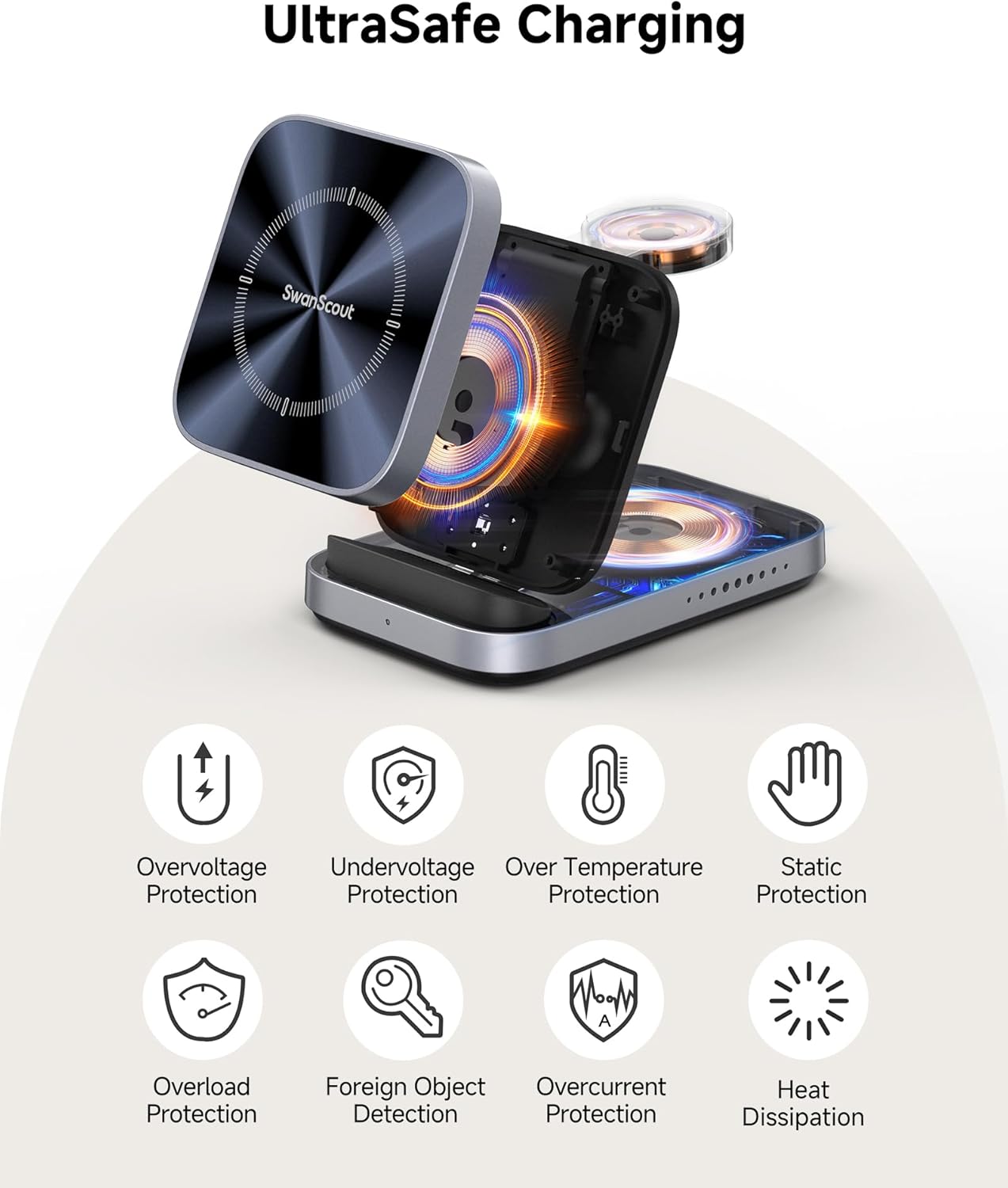
Image: A diagram highlighting the UltraSafe Charging features of the SwanScout 713F, including protections against overvoltage, undervoltage, over temperature, static, overload, foreign objects, overcurrent, and efficient heat dissipation.
8. Troubleshooting
If you encounter issues with your SwanScout 713F, please refer to the following common solutions:
- Device Not Charging:
- Ensure the charging cable is securely connected to both the charging station and the power adapter.
- Verify that the power adapter is 20W or higher.
- Remove any metal objects, magnetic attachments, or thick cases (over 5mm) from your device.
- Reposition your device on the charging pad to ensure proper alignment with the charging coils.
- Slow Charging:
- Confirm you are using a 20W or higher power adapter. Lower wattage adapters will result in slower charging speeds.
- Ensure your device is properly aligned on the charging pad.
- Avoid charging in excessively hot environments, as this can trigger temperature protection and slow down charging.
- LED Indicator Not Lighting Up for Earbuds:
- The LED indicator only lights up when charging earbuds. Ensure your earbud case is placed correctly on the designated area.
- Confirm your earbuds case supports wireless charging.
- Overheating:
- Remove any foreign objects or incompatible cases.
- Ensure adequate ventilation around the charging station.
- If overheating persists, discontinue use and contact support.
9. Specifications
| Feature | Specification |
|---|---|
| Brand | SwanScout |
| Model Number | S10039 (713F) |
| Connector Type | USB Type C |
| Input Voltage | 9 Volts |
| Output Voltage | 9 Volts |
| Output Current | 3 Amps |
| Wattage | 27 watts (Total) |
| Special Feature | Wireless Charging, Foldable Design |
| Color | Tech Grey |
| Material | Acrylonitrile Butadiene Styrene |
| Item Weight | 162 Grams |
| Power Source | Corded Electric |
| Power Plug | No Plug (Adapter not included) |
| Certification | FCC |
10. Warranty and Support
The SwanScout 713F Wireless Charging Station comes with a 1-Year Manufacturer Warranty.
For technical support, warranty claims, or any inquiries regarding your product, please contact SwanScout customer service through their official website or the retailer where the product was purchased. Please retain your proof of purchase for warranty service.
