
1. Introduction
Thank you for choosing the Monster S350 Portable Bluetooth Speaker. This compact and versatile speaker combines retro design with modern features, including a touchscreen display, Bluetooth 6.0 connectivity, and TF card support. This manual will guide you through the setup, operation, and maintenance of your new speaker.
Package Contents:
- Monster S350 Portable Bluetooth Speaker
- USB Charging Cable
- User Manual

Image 1.1: Monster S350 Portable Bluetooth Speaker and its packaging.
2. Safety Information
Please read all safety instructions before using this product. Failure to follow these instructions may result in electric shock, fire, or other hazards.
- Do not expose the speaker to extreme temperatures, direct sunlight, or high humidity.
- Avoid dropping or subjecting the speaker to strong impacts.
- Do not disassemble, repair, or modify the speaker yourself. Contact qualified service personnel for any repairs.
- Keep the speaker away from water and other liquids. While it has a 'Waterproof' feature listed in specifications, avoid submerging it.
- Use only the provided or a certified USB charging cable.
- Dispose of the product and its battery responsibly according to local regulations.
3. Setup
3.1 Charging the Speaker
Before first use, fully charge the speaker. Connect the provided USB charging cable to the speaker's charging port and to a USB power source (e.g., computer, wall adapter). The charging indicator on the screen will show the charging status.
3.2 Power On/Off
To power on or off the speaker, long press the top right knob. The screen will illuminate upon powering on.

Image 3.1: Power On/Off and Volume Control via the top right knob.
3.3 Bluetooth Pairing
The Monster S350 uses Bluetooth 6.0 for stable wireless connection.
- Ensure the speaker is powered on.
- On your mobile device, enable Bluetooth and search for available devices.
- Select "Monster S350" from the list to pair. A confirmation sound or message may appear on the speaker's screen.
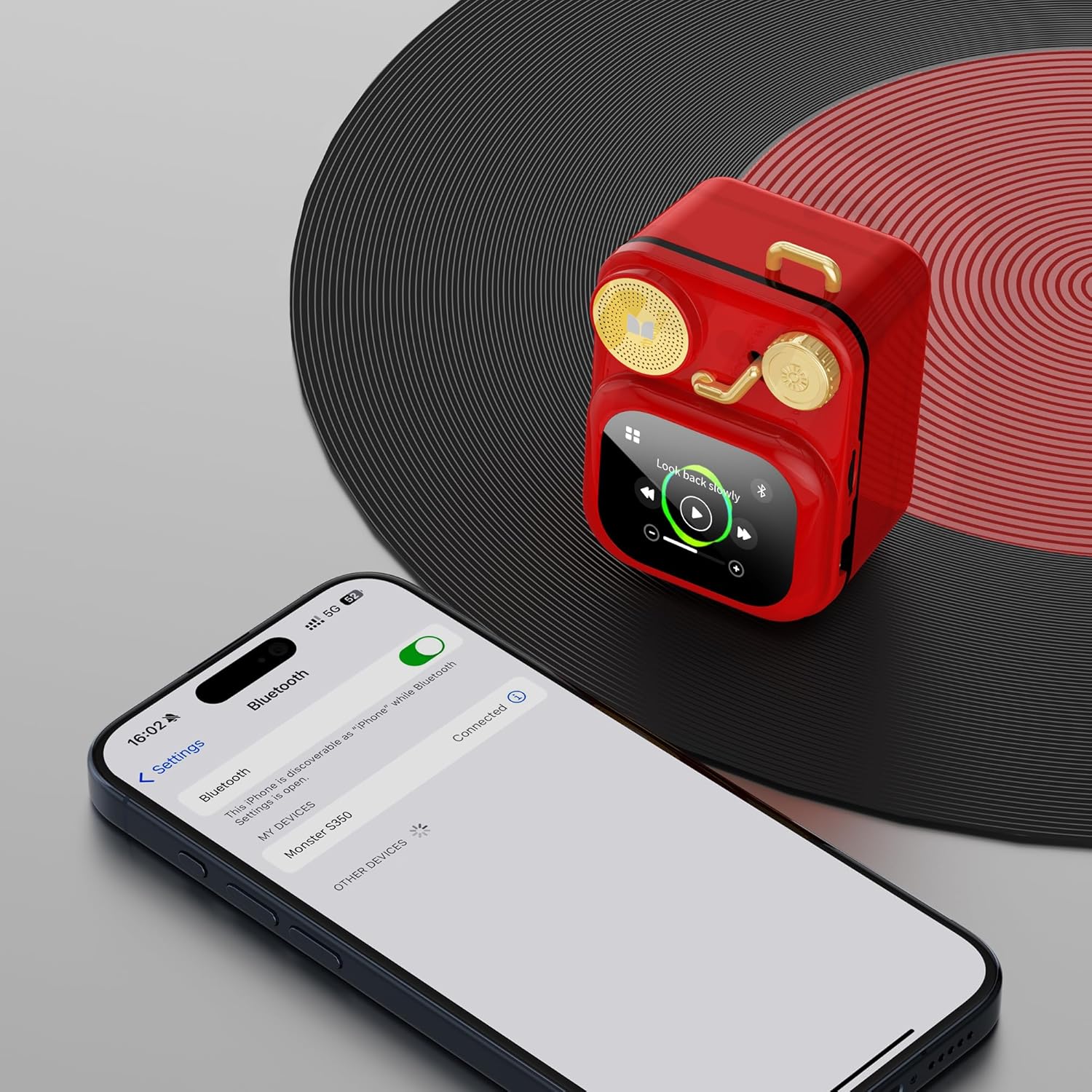
Image 3.2: Bluetooth pairing process with a smartphone.
4. Operating Instructions
The Monster S350 features an intuitive touchscreen display for easy navigation and control.
4.1 Touchscreen Navigation
Swipe left, right, up, or down on the screen to access different functions and settings. Tap icons to select options.
4.2 Volume Control
To adjust the volume, swipe up on the top right knob to increase and swipe down to decrease. You can also adjust volume via your connected device.
4.3 Music Playback
Once connected via Bluetooth, you can control music playback directly from the speaker's touchscreen. Play, pause, skip tracks, and view song information.
4.4 TF Card Playback
Insert a TF (microSD) card with your favorite music files into the designated slot. The speaker will automatically detect the card and allow for local music playback without needing a Bluetooth connection.

Image 4.1: Inserting a TF card for local music playback.
4.5 Speaker Calls
When connected to a smartphone, the Monster S350 can be used for speakerphone calls. Answer or reject calls directly from the speaker's screen.
4.6 Notification Reception
Receive mobile notifications directly on the speaker's screen. Customize notification settings via the dedicated companion app.
4.7 Dedicated App Features
Enhance your experience with the Monster S350 by using its dedicated companion app. The app allows you to:
- Set alarms.
- Receive real-time weather updates.
- Access soothing white noise sounds.
- Customize watch faces/covers.
- Manage intelligent notifications.
4.8 White Noise Function
Utilize the white noise feature through the dedicated app to create a calming environment for relaxation or sleep. Choose from various natural soundscapes.
4.9 Weather Display
The speaker can display real-time weather information on its screen when connected to the companion app and your mobile device's internet connection.
4.10 Product Overview Video
Watch this video for a visual guide on the Monster S350's features and operations.
Video 4.1: Monster S350 Bluetooth Speakers Product Introduction. This video demonstrates unboxing, Bluetooth pairing, music playback, speaker calls, notification reception, custom covers, built-in functions, calendar, dedicated app features, white noise, and weather display.
5. Maintenance
5.1 Cleaning
Wipe the speaker with a soft, dry, lint-free cloth. Do not use abrasive cleaners, alcohol, or chemical solvents, as these may damage the surface or internal components.
5.2 Storage
When not in use for extended periods, store the speaker in a cool, dry place away from direct sunlight and extreme temperatures. It is recommended to charge the battery periodically to maintain its lifespan.
6. Troubleshooting
If you encounter issues with your Monster S350 speaker, refer to the following common solutions:
| Problem | Solution |
|---|---|
| Speaker does not power on. | Ensure the battery is charged. Connect to a power source and try again. Long press the power button. |
| Cannot pair via Bluetooth. | Ensure Bluetooth is enabled on your device and the speaker is in pairing mode. Move the speaker closer to your device. Forget previous pairings on your device and try again. |
| No sound or low volume. | Check the volume levels on both the speaker and your connected device. Ensure the speaker is not muted. |
| TF card not recognized. | Ensure the TF card is inserted correctly. Check if the card is formatted correctly (FAT32 is generally recommended) and contains supported audio files. |
| App features not working. | Ensure the speaker is connected to your device via Bluetooth and the app is open. Check for app updates. Ensure your device has an active internet connection for features like weather updates. |
7. Specifications
Below are the technical specifications for the Monster S350 Portable Bluetooth Speaker:
| Feature | Detail |
|---|---|
| Brand | Monster |
| Model Name | MS62150 |
| Item Model Number | S350 |
| Connectivity Technology | Wireless (Bluetooth 6.0) |
| Speaker Type | Indoor |
| Special Feature | Waterproof |
| Recommended Uses | Indoor |
| Product Dimensions | 4.9"D x 4.15"W x 2.1"H |
| Item Weight | 9.9 ounces |
| Batteries | 1 Nonstandard Battery (included) |
| Speaker Maximum Output Power | 10 Watts |
| Frequency Response | 20 KHz |
| Audio Output Mode | Mono |
| Color | Red |
8. Warranty and Support
Monster provides a limited warranty for this product. For specific warranty terms and conditions, please refer to the warranty card included in your package or visit the official Monster website. For technical support, troubleshooting assistance, or service inquiries, please contact Monster customer support.


