Introduction
This manual provides detailed instructions for the installation, operation, and maintenance of your VSYSTO Q3LPRO Motorcycle Dash Camera. Please read this manual thoroughly before using the product to ensure proper function and safety.
The VSYSTO Q3LPRO is a dual 1080P camera system designed for motorcycles, featuring 5G WiFi connectivity for high-speed video download, parking monitoring, error vibration reminders, and a full-body waterproof design. It includes starlight night vision for clear recordings in low-light conditions and supports seamless loop recording and emergency recording via a G-sensor.
Package Contents
Verify that all items listed below are present in your package:
- Host with bracket
- Cameras (Front and Rear)
- Wired Controller
- Power Cable
- Cable Ties
- Test Cable
- Cable Clip
- TF Card Slot Screw
- Camera Brackets
- Host Bracket

Image showing the VSYSTO Q3LPRO dash camera components laid out, including the main unit, front and rear cameras, wired controller, power cable, and various mounting accessories.
Setup
1. Memory Card Installation
The memory card is essential for recording. Ensure you have a compatible microSD card (not included). The system supports MP4 video format, which helps prevent video damage even if the card is accidentally removed.
- Locate the TF card slot on the main unit.
- Insert the microSD card with its front facing forward into the card slot until it clicks into place.
- Secure the memory card by inserting the provided screw and tightening it with the wrench.

Image illustrating the insertion of a microSD card into the main unit of the VSYSTO Q3LPRO dash camera and securing it with a screw.
2. Host Bracket Installation
The host unit can be discreetly placed under the seat or in the trunk.
- Attach the bracket pad to the host bracket.
- Align the bracket with the bracket hole on the host unit.
- Insert the piece into the screw and tighten it with the wrench to secure the host to the bracket.
- Use adhesive tape to stick the host unit inside the motorcycle in a secure location.

Image demonstrating the steps to install the host unit onto its bracket, including attaching the pad, aligning, and securing with a screw and wrench.
3. Camera Bracket Installation
The cameras can be installed using two methods:
Method 1: Screw-on Installation
- Install the shock-absorbing rubber ring onto the camera.
- Install the circular bracket onto the camera.
- Place the gasket into the base.
- Insert the metal sheet into the screw for installation.
- After fixing the bracket with screws, install the nut, tighten and secure with a wrench.
- Attach the camera bracket to the appropriate position on the motorcycle with tape.
Method 2: Direct Screw-on Installation
- Tighten the screw directly onto the motorcycle.
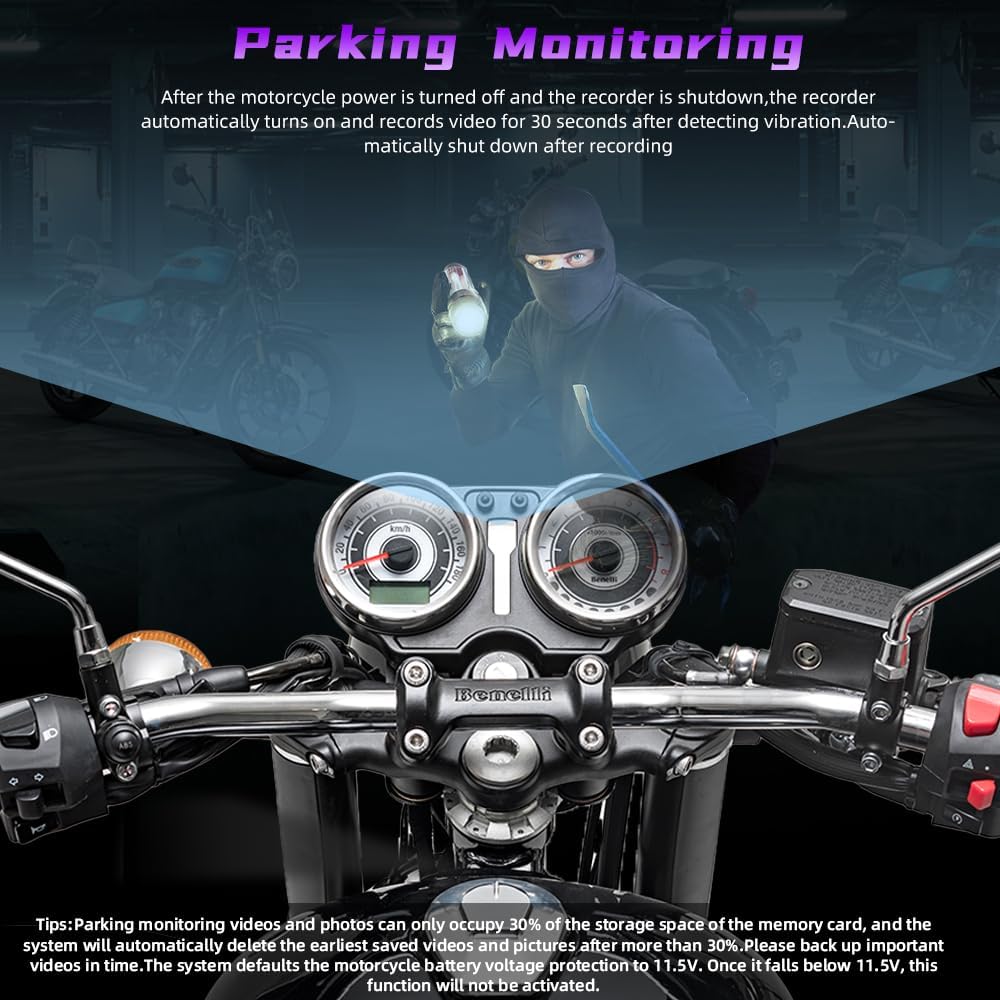
Image showing the front and rear cameras of the VSYSTO Q3LPRO dash camera, highlighting their compact size and waterproof design.
4. Wiring Connection
Connect the wired controller and cameras to the corresponding connection ports of the main unit. Ensure all connections are tight and secure. The main unit and cameras are full-body waterproof (main unit IP65, lenses and accessories IP67).
Power Cable Connection Method:
- The red wire connects to the positive pole of the motorcycle battery.
- The black wire connects to the negative pole.
- The yellow wire connects to the ACC power of the motorcycle.

Diagram illustrating the connection of the main unit, cameras, wired controller, and power cable to a motorcycle for the VSYSTO Q3LPRO dash camera system.
Note: Do not use a high-pressure water gun to flush the device, as this may cause damage.
Operation
1. Power On/Off
The dash camera features an auto power on/off function. It will automatically power on when the motorcycle starts and power off when the motorcycle is turned off.
2. Wired Controller Functions
The multifunctional wired controller provides quick access to key features:
- Short press the red button: Enters emergency recording mode.
- Long press the red button: Resets the WiFi password.
- Long press the blue button: Cancels motor vibration (if the motor is vibrating due to a fault).
The indicator light on the wired controller displays the working status:
- Slow flashing: Normal recording.
- Rapid flashing: Emergency video recording.
- Always on: Standby mode.
- Not flashing: Shutdown.
If the motor of the wired controller vibrates continuously, check if the camera or memory card is installed correctly or if there is an abnormality.

Image detailing the functions of the wired controller, including red and blue buttons for emergency recording, WiFi reset, and vibration cancellation, along with indicator light status.
3. 5G WiFi Connection and APP Usage
The built-in 5G WiFi module allows for high-speed video download and management via the mobile app.
- Turn on the recorder.
- On your mobile phone, open WLAN settings, find the WiFi network starting with "VSYSTO-Q3L-XXXX", and enter the password to connect. (Note: WiFi is an internal network; no internet connection is normal).
- Open the VSYSTO app and click "Enter Recorder".
- You can now view real-time video, download, edit, and share recorded videos.
The app allows you to:
- View real-time preview video.
- Edit and playback video.
- Share video.
- Access video folder classification (Normal, Event, Parking, Photo).
- Faster download videos (up to 13MB/s with 5G Hz, up to 2MB/s with 2.4G Hz).
Video demonstrating the operation of the VSYSTO Q3LPRO dash camera, including button functions, WiFi connection, and app usage for viewing and managing recordings.
4. Loop Recording
The dash camera supports seamless loop recording. You can select video recording durations of 1, 2, 3, or 5 minutes in the app settings. When the memory card is full, the system automatically overwrites the oldest normal video files. Normal videos occupy 90% of the memory card space.

Image illustrating the loop recording function, showing how the dash camera continuously records and overwrites older files when the memory card is full.
5. Emergency Recording
The built-in G-sensor detects collisions and automatically triggers emergency recording. Emergency videos are locked and stored in a separate "Event" folder, preventing them from being overwritten by loop recording. These files are named with "KEY" or "SOS" prefixes. Emergency videos default to one minute in length and must be manually deleted by the user.
You can also manually trigger emergency recording by short-pressing the red button on the wired controller.

Image depicting the emergency recording feature, showing a motorcycle accident scene and the wired controller button for manual activation.
6. Parking Monitoring
When the motorcycle power is off, the recorder can detect vibrations. If shaken, it will automatically turn on and record for 30 seconds before shutting down. This feature can be enabled or disabled via the app settings.
Note: This function is not active with USB power supply or electric vehicle installations. The motorcycle battery voltage must not be lower than 11.5V for this feature to work.
Image showing a motorcycle dashboard at night, illustrating the parking monitoring feature which activates recording upon detecting vibrations when the motorcycle is parked.
7. Rear Camera Mirror Function
The app settings interface supports a rear camera mirroring function. When enabled, the rear camera videos will display a mirror effect in the preview interface. Downloaded rear camera videos will be displayed as positive images.
Maintenance
- Cleaning: Use a soft, dry cloth to clean the main unit and camera lenses. Avoid abrasive cleaners or solvents.
- Memory Card Management: Regularly format the memory card (via app settings) to ensure optimal performance and prevent data corruption. Manually delete unwanted emergency videos to free up space.
- Firmware Updates: Check the VSYSTO official website or app for any available firmware updates to ensure your device has the latest features and bug fixes.
- Waterproof Care: While the device is waterproof, avoid prolonged submersion or direct high-pressure water jets. Ensure all cable connections are tight to maintain water resistance.
Troubleshooting
| Problem | Possible Cause | Solution |
|---|---|---|
| Device does not power on. | Loose power connection; insufficient battery voltage. | Check all power cable connections. Ensure motorcycle battery voltage is sufficient (above 11.5V). |
| Wired controller motor vibrates continuously. | Camera or memory card abnormality. | Check if cameras are properly connected and memory card is correctly installed. Long press the blue button to cancel vibration. |
| Cannot connect to WiFi. | Incorrect WiFi password; WiFi module issue. | Long press the red button on the wired controller to reset WiFi password. Re-enter password. |
| Parking monitoring not working. | Feature disabled; low battery voltage; USB power. | Enable parking monitoring in app settings. Ensure battery voltage is above 11.5V. Not supported with USB power. |
| Video quality is poor. | Dirty lens; low light conditions. | Clean camera lenses. Ensure starlight night vision is active in low light. |
Specifications
| Feature | Detail |
|---|---|
| Model Number | Q3LPRO |
| Product Dimensions | 0.79 x 2.17 x 2.17 inches (Host) |
| Item Weight | 1.76 pounds |
| Video Capture Resolution | 1080p (Dual Cameras) |
| Connectivity Technology | 5G Wi-Fi |
| Special Features | App Control, Full body Waterproof (Main unit IP65, Lenses IP67), Built-In 5G WiFi, G-Sensor, 130 degrees wide angle, Starlight Night Vision, Loop Recording, Emergency Recording, Motor Wired Controller, Fault vibration reminder, Parking Monitoring, MP4 Video Format |
| Mounting Type | Dashboard Mount (for cameras, host can be hidden) |
| Flash Memory Type | microSD |
| Power Input | 12V-24V Motorcycle System |
Warranty & Support
For warranty information and customer support, please refer to the official VSYSTO website or contact their customer service directly. Keep your purchase receipt as proof of purchase for warranty claims.
Manufacturer: Huizhou V-SYS Technology Co.,Ltd.
For further assistance, visit the VSYSTO Store on Amazon.


