
1. Introduction
This manual provides comprehensive instructions for the CallToU Caregiver Pager and Intercom System. This wireless system is designed to facilitate communication and alert caregivers, offering both a paging function and a two-way intercom feature. It is suitable for use in homes and care facilities to assist seniors, patients, and individuals requiring assistance.
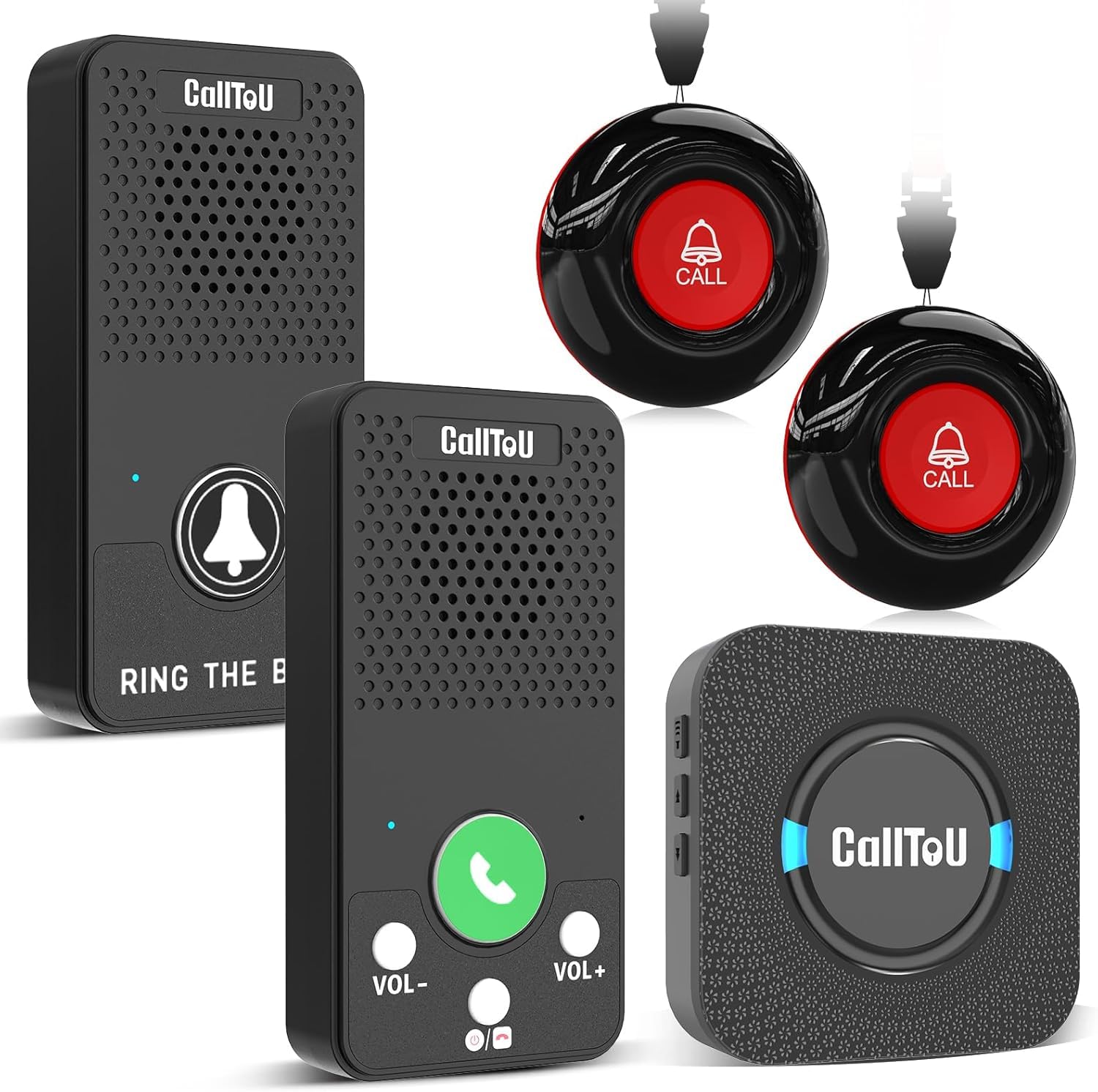
Image 1.1: CallToU Caregiver Pager and Intercom System, showing a receiver and a call button.
2. Product Components
The CallToU Caregiver Pager and Intercom System typically includes the following components:
- Receiver Unit(s): Plugs into a standard electrical outlet. Emits alerts and serves as an intercom unit.
- Call Button(s): Battery-powered, waterproof button used to send alert signals to the receiver. Can be worn or mounted.
- Intercom Unit(s): Portable, rechargeable unit for two-way voice communication.
- Accessories: Neck straps for call buttons, mounting brackets, double-sided adhesive stickers, charging cables.
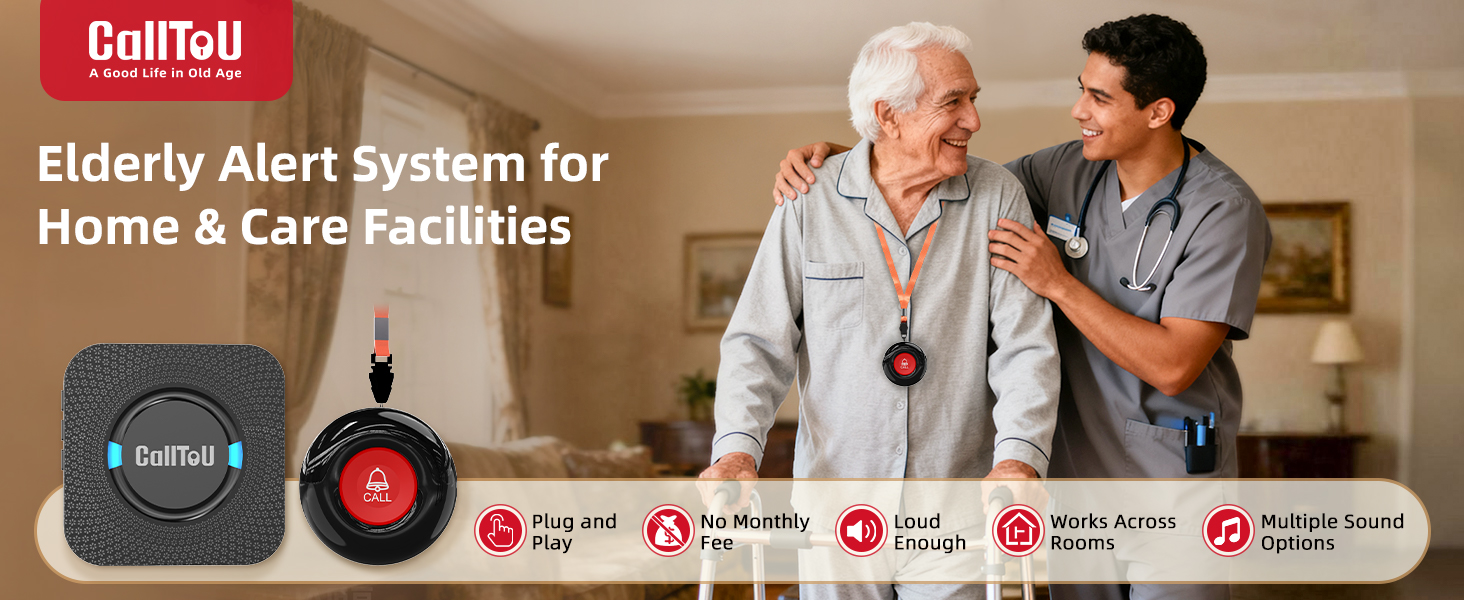
Image 2.1: Illustration of the pager and intercom functions in use.
3. Setup Guide
The CallToU system is designed for easy installation and is typically pre-paired at the factory. No complex Wi-Fi or cellular setup is required.
3.1 Initial Setup
- Receiver Placement: Plug the receiver unit into a standard electrical outlet in a central location or where the caregiver is most likely to hear it. The receiver requires continuous power.
- Call Button Placement:
- For personal use, attach a neck strap to the call button and provide it to the individual needing assistance.
- For fixed locations, use the provided mounting bracket or double-sided adhesive to secure the call button on a wall in areas like the bedroom, bathroom, or living area.
- Intercom Unit Charging: Ensure the portable intercom units are fully charged before first use. Connect them to a power source using the provided charging cables.

Image 3.1: A CallToU receiver plugged into a wall outlet.
3.2 Pairing (If Needed)
Units are pre-paired. If additional units are purchased or re-pairing is required, refer to the specific pairing instructions included in the product packaging. Generally, this involves pressing a pairing button on the receiver and then activating the call button or intercom unit within a short timeframe.
4. Operating Instructions
4.1 Pager System Operation
- Initiating a Call: The individual needing assistance presses the call button.
- Receiving an Alert: The receiver unit(s) will emit an audible alert (ringtone) and may have a visual indicator (LED).
- Responding: The caregiver responds to the alert as needed.
4.2 Intercom System Operation
- Initiating Communication: To start a conversation, tap the designated call button (often black) on one of the intercom units.
- Answering a Call: When an intercom unit receives a call, tap the designated answer button (often green) to establish two-way communication.
- Two-Way Talk: Speak clearly into the intercom unit. The system supports hands-free, two-way communication.
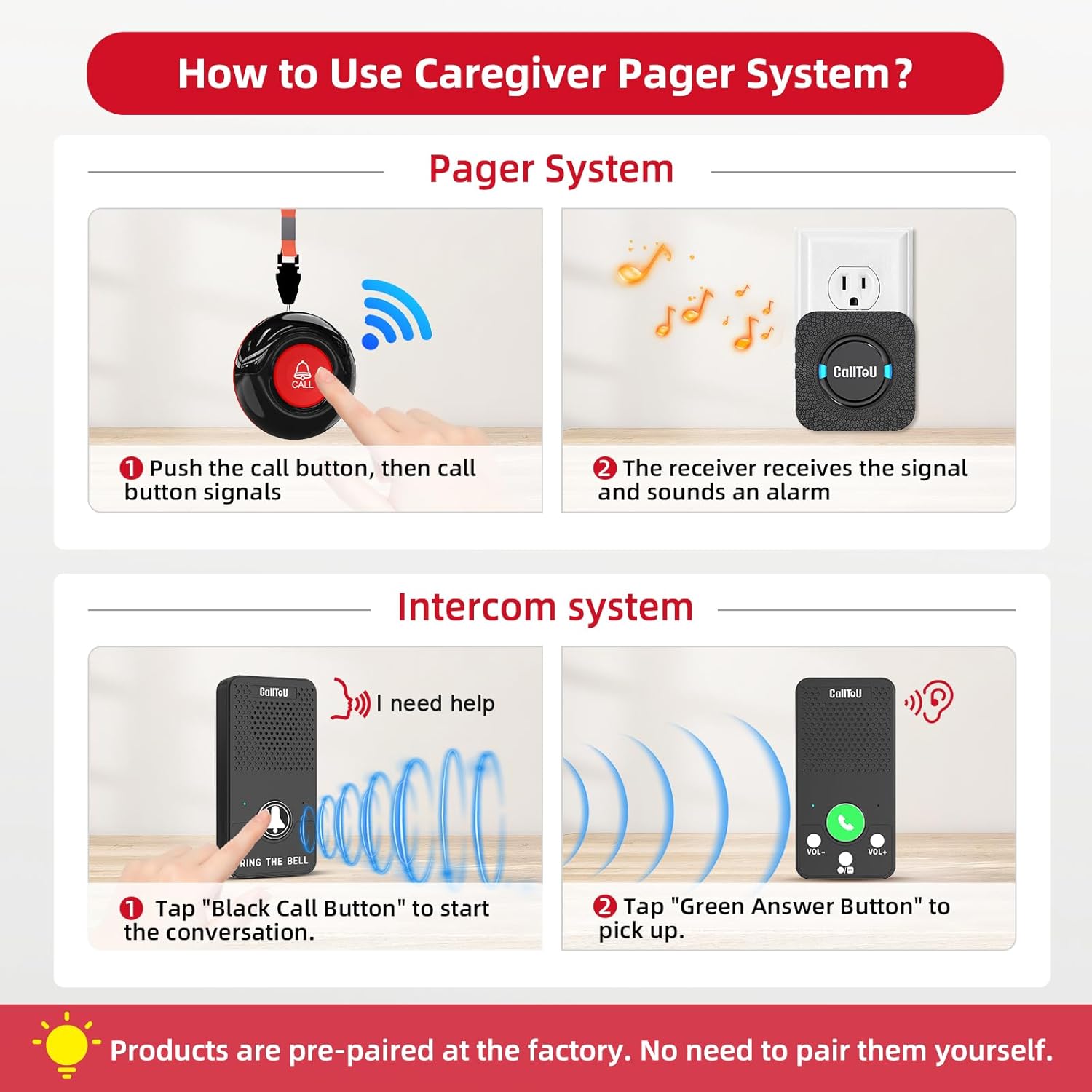
Image 4.1: Step-by-step guide for pager and intercom system usage.
4.3 Adjusting Volume and Ringtones
The receiver unit typically features buttons to adjust the volume level (0dB to 110dB) and select from multiple ringtones (e.g., 4-55 options). Refer to the specific buttons on your receiver for these adjustments.

Image 4.2: Multiple sound options for different call buttons.
5. Key Features
- Wireless Range: Up to 500 feet in open areas, typically 300 feet within a house, depending on environmental factors.
- Waterproof Call Buttons: Designed to withstand splashes and dust, suitable for use in bathrooms or outdoors.
- Adjustable Volume: Receiver volume levels from 0dB to 110dB.
- Multiple Ringtones: A selection of ringtones (e.g., 55 options) to differentiate between call buttons or preferences.
- Low Battery Alerts: Indicators for low battery on call buttons and intercom units.
- No Monthly Fees: Operates without subscription costs.

Image 5.1: Illustration of the long wireless range within a home environment.
6. Maintenance
6.1 Battery Management
- Call Buttons: These units use 12V batteries (typically 2 included). Replace batteries when the low-battery alert is indicated. Battery life is estimated at 1000+ presses or several months under normal use.
- Intercom Units: These units have rechargeable batteries with an estimated life of about 1 week per charge. Recharge when the low-battery alert is indicated.
- Receiver: The receiver unit is plug-in powered and does not require battery replacement.
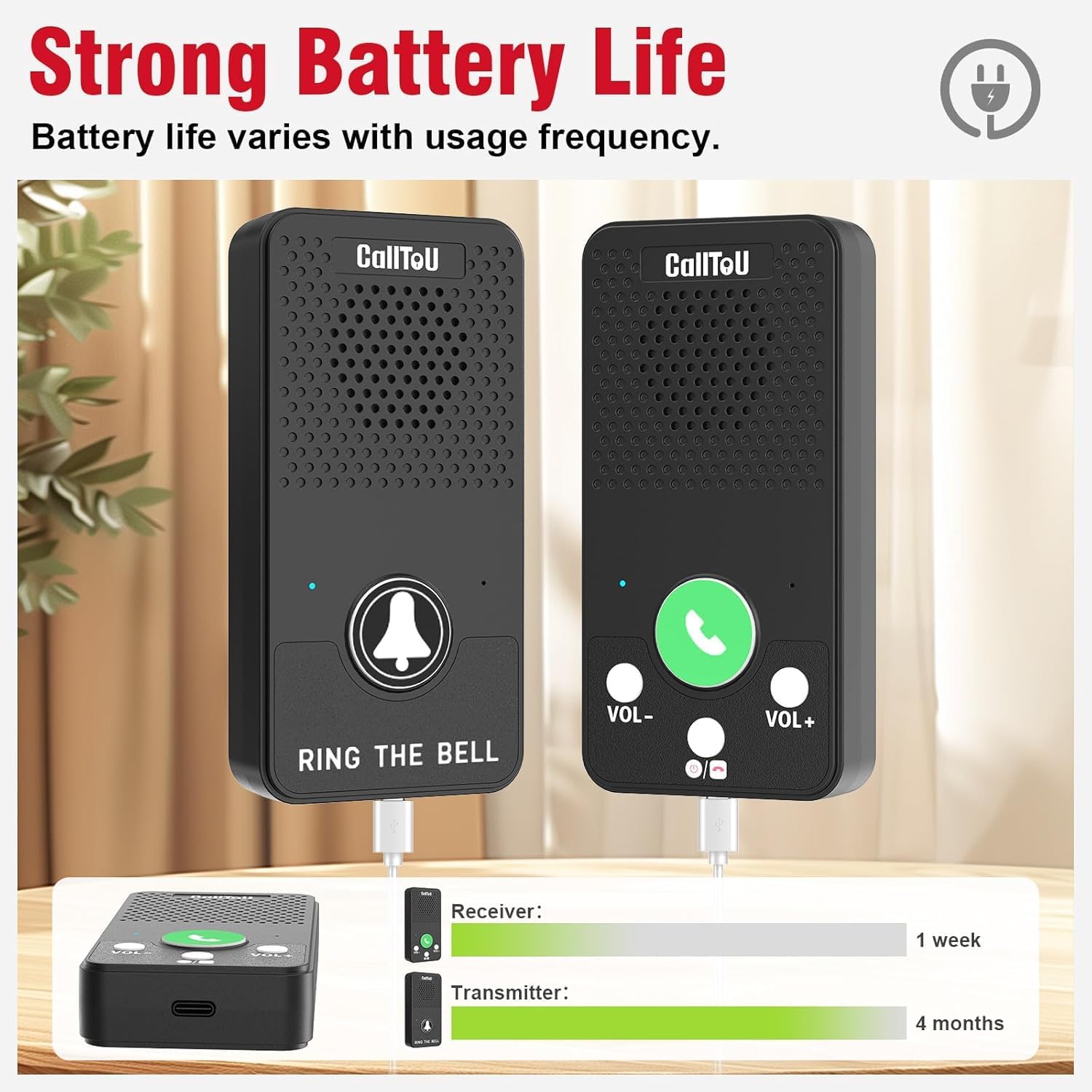
Image 6.1: Battery life indicators for receiver and transmitter units.
6.2 Cleaning
Wipe the units with a soft, dry cloth. Do not use abrasive cleaners or immerse units in water (except for the waterproof call buttons, which can withstand splashes but should not be submerged).
7. Troubleshooting
| Problem | Possible Cause | Solution |
|---|---|---|
| Receiver does not sound an alert. |
|
|
| Intercom communication is unclear or not working. |
|
|
| Call button LED does not light up. | Call button battery is depleted. | Replace call button battery. |
8. Specifications
| Feature | Detail |
|---|---|
| Model | B0FKMWR948 |
| Package Dimensions | 5.75 x 5.16 x 3.7 inches |
| Weight | 1.02 Pounds |
| Call Button Batteries | 2 x 12V batteries (included) |
| Maximum Range | 500 Feet (open area) |
| Brand | CallToU |
| Unit Count (for this model) | 5.0 Count (2 call buttons + 1 receiver + 2 intercom) |
| Color | Black |
| Manufacturer | CallToU |
9. Warranty and Support
For warranty information, please refer to the documentation included with your product packaging or contact CallToU customer support directly. Support contact details are typically available on the manufacturer's official website or through the retailer where the product was purchased.
For further assistance, please visit the CallToU Store on Amazon.


