
QCY MeloBuds N70 (HT18)
QCY MeloBuds N70 Wireless Earbuds User Manual
Brand: QCY | Model: MeloBuds N70 (HT18)
Introduction
The QCY MeloBuds N70 are advanced wireless earbuds designed to deliver a superior audio experience with adaptive hybrid active noise cancellation, high-resolution sound, and extended battery life. This manual provides essential information for setting up, operating, and maintaining your MeloBuds N70 earbuds.

Image: QCY MeloBuds N70 earbuds and their charging case, showcasing the sleek black design.
What's in the Box?
Upon opening your QCY MeloBuds N70 package, you should find the following components:
- QCY MeloBuds N70 Earbuds
- Wireless Charging Case
- 5 Sizes of Eartips (XS/S/M/L/XL)
- USB-C Charging Cable
- User Manual

Image: A visual representation of all items included in the QCY MeloBuds N70 product packaging.
Setup
1. Charging Your Earbuds
Before first use, ensure your MeloBuds N70 and their charging case are fully charged. The charging case supports both USB-C cable charging and wireless charging.
- Connect the provided USB-C cable to the charging case and a power source.
- Alternatively, place the charging case on a compatible wireless charging pad.
- A 10-minute charge provides approximately 2 hours of use.
- Fully charged, the earbuds offer up to 10 hours of playback (7 hours with ANC on), and the case extends total playtime to 50 hours (35 hours with ANC on).

Image: The QCY MeloBuds N70 charging case being wirelessly charged, illustrating its long battery life capabilities.
2. Pairing with Your Device
The MeloBuds N70 utilize Bluetooth 6.0 for stable and efficient connectivity. They also support Google Fast Pair for quick setup with Android devices and dual connection for simultaneous pairing with two devices.
- Open the charging case. The earbuds will automatically enter pairing mode.
- On your device (smartphone, tablet, computer), enable Bluetooth.
- Select "QCY MeloBuds N70" from the list of available Bluetooth devices.
- Once connected, a confirmation sound will play.

Image: Visual representation of Bluetooth 6.0 and Google Fast Pair features, highlighting seamless connectivity.
3. Achieving the Best Fit
Proper fit is crucial for optimal sound quality and noise cancellation. The MeloBuds N70 come with five sizes of ultra-soft silicone eartips (XS/S/M/L/XL) to ensure a comfortable and secure fit for various ear shapes.
- Try different eartip sizes to find the one that creates a snug seal in your ear canal.
- Gently insert the earbuds into your ears and twist slightly to secure them.
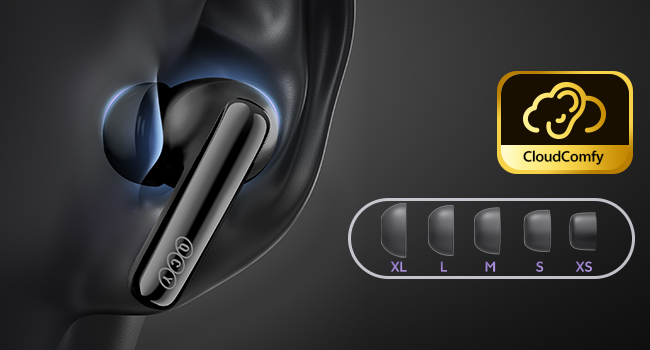
Image: An illustration demonstrating the five different sizes of ultra-soft silicone eartips provided for a customized and comfortable fit.
Operating Your Earbuds
Touch Controls
The QCY MeloBuds N70 feature intuitive touch controls on the stem of each earbud. Familiarize yourself with the following gestures:
| Action | Gesture |
|---|---|
| Play/Pause | Double tap (either earbud) |
| Next Track | Triple tap on the right earbud |
| Last Track | Triple tap on the left earbud |
| Answer/End Call | Double tap (either earbud) |
| Reject Call | Tap and hold for 1.5 seconds (either earbud) |
| Noise Canceling Mode (ANC ON - ANC OFF - Transparency Mode) | Tap and hold for 1.5 seconds on the right earbud |
| Voice Assistant | Tap and hold for 1.5 seconds on the left earbud |

Image: A detailed guide to the touch control gestures for various functions on the QCY MeloBuds N70.
Active Noise Cancellation (ANC)
Experience tranquility with up to 56dB of hybrid active noise cancellation, powered by QCY PureSlienz technology. The MeloBuds N70 use 6 sensors to precisely capture and reduce unwanted noise from your surroundings.

Image: An internal view of the earbud highlighting the sensors responsible for adaptive active noise cancellation.
High-Resolution Audio
The DualCore Acoustic System, combining a customized ring-shape dynamic driver and a MEMS tweeter, delivers Hi-Res Audio with LDAC technology. This ensures rich detail, clear highs, and impactful bass for an immersive listening experience.
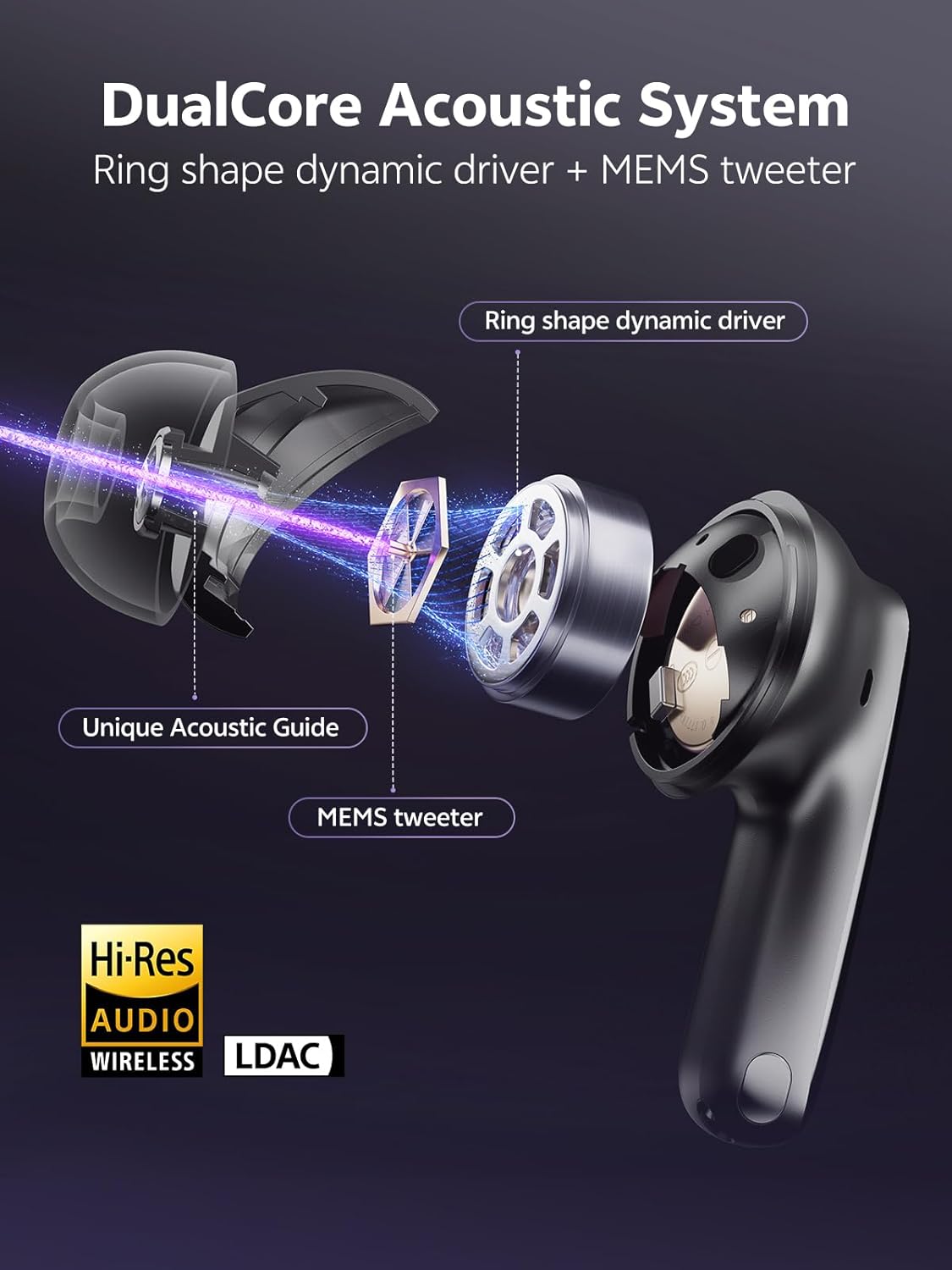
Image: An exploded view illustrating the DualCore Acoustic System, including the ring-shape dynamic driver and MEMS tweeter.
Clear Calls with 6 Mics
Equipped with 6 microphones, AI noise cancellation, and a wind-resistant algorithm, the MeloBuds N70 ensure your voice is captured clearly, even in noisy environments, for natural and crisp call quality.

Image: A person making a call with QCY MeloBuds N70, demonstrating the effectiveness of the 6-mic system for clear communication.
Smart Wearing Detection
The earbuds feature in-ear detection, automatically pausing music when you remove them and resuming playback when you put them back on.
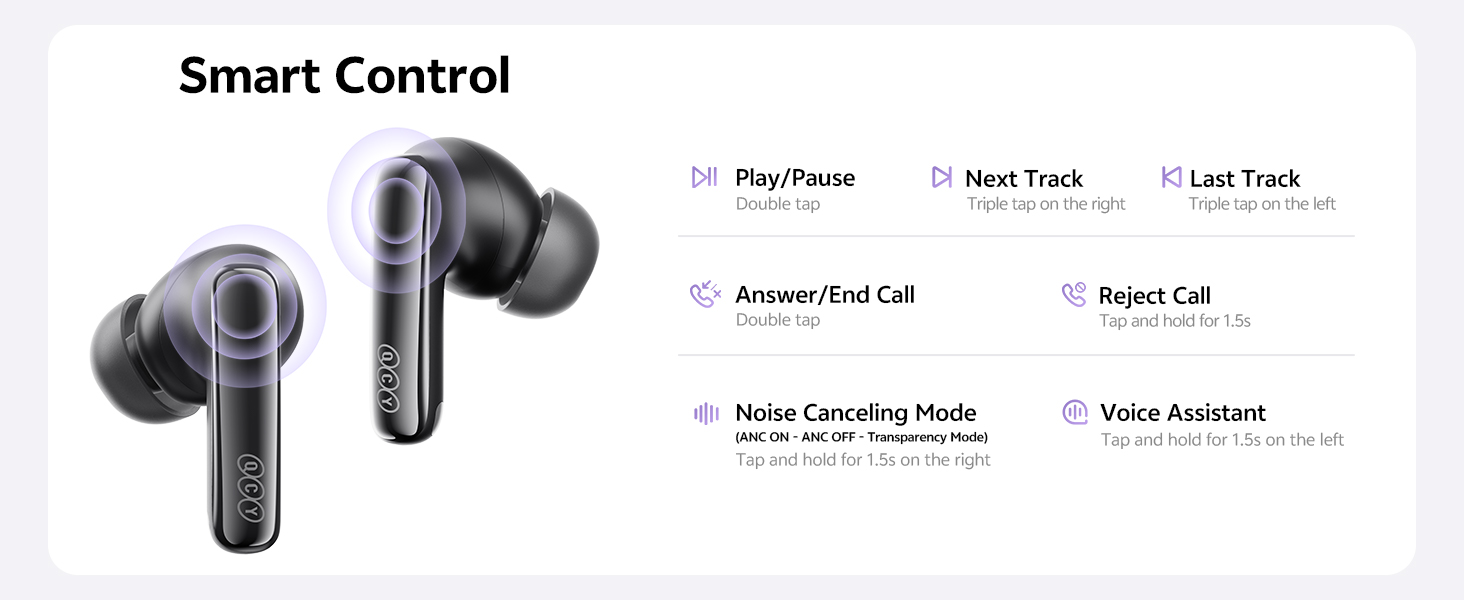
Image: A woman demonstrating the smart wearing detection feature, showing music pausing when earbuds are removed and resuming when reinserted.
QCY App Customization
Enhance your audio experience by downloading the QCY App. The app allows you to:
- Customize EQ settings for personalized sound.
- Upgrade firmware for improved performance and new features.
- Adjust noise canceling modes.
- Customize touch controls.
- Utilize the "Find My Earbuds" feature.
- Manage multi-point connections.

Image: A visual representation of the QCY App interface, showcasing various customization options for the earbuds.
Maintenance
Cleaning
To ensure longevity and optimal performance, regularly clean your MeloBuds N70:
- Wipe the earbuds and charging case with a soft, dry, lint-free cloth.
- Remove eartips and clean them with mild soap and water, then dry thoroughly before reattaching.
- Gently clean any debris from the charging contacts on both the earbuds and the case using a dry cotton swab.
Water Resistance
The MeloBuds N70 are IPX5 waterproof, meaning they can withstand sweat, light rain, and splashes. They are not designed for submersion in water.
- Do not expose the earbuds to high-pressure water streams.
- Ensure the earbuds are dry before placing them back into the charging case to prevent damage.
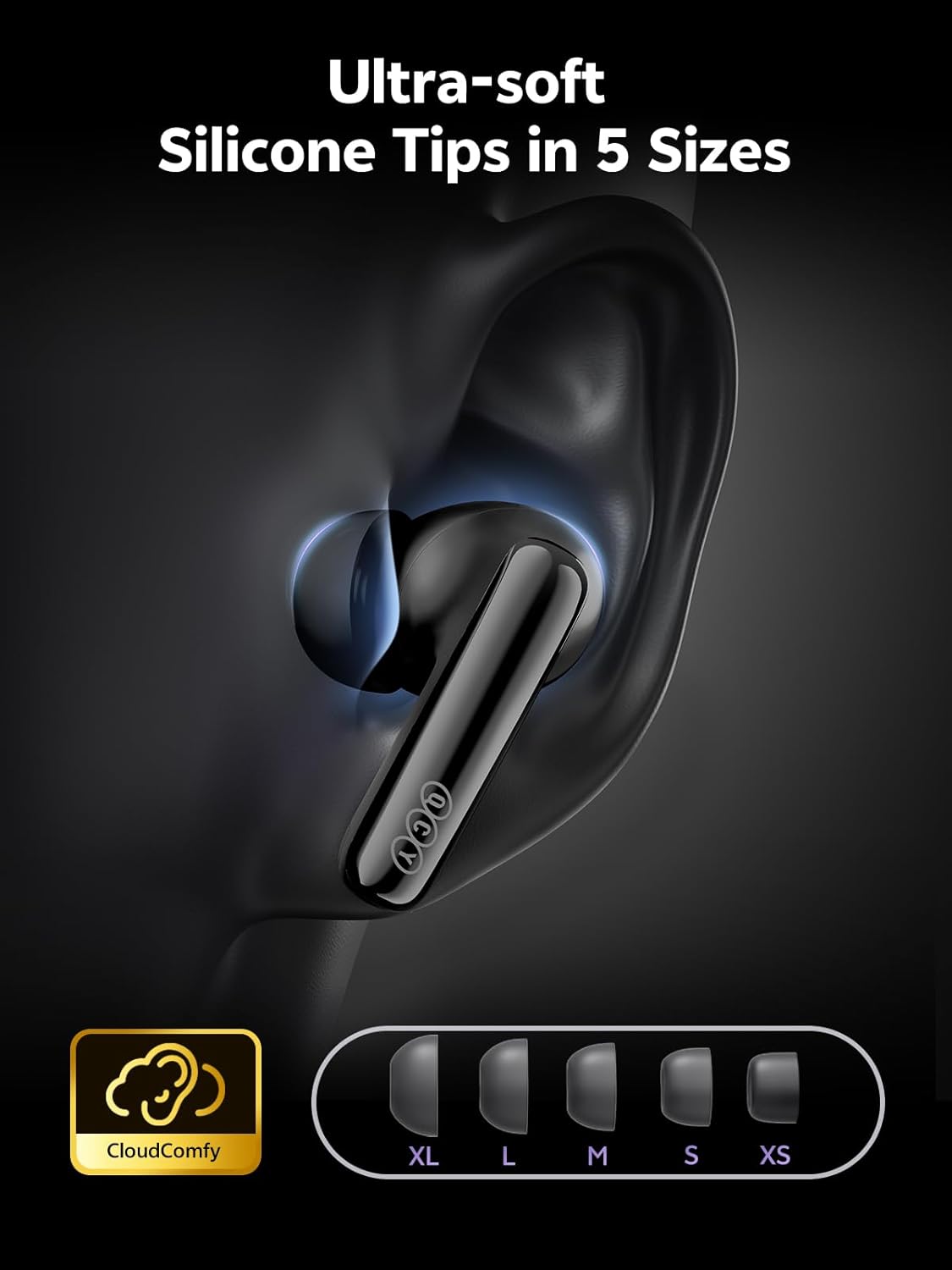
Image: The QCY MeloBuds N70 earbuds with water splashes, illustrating their IPX5 sweat and splash resistant design.
Troubleshooting
If you encounter issues with your QCY MeloBuds N70, refer to the following common solutions:
| Problem | Possible Solution |
|---|---|
| Earbuds not pairing | Ensure earbuds are charged. Place them back in the case, close, then reopen. Turn off and on Bluetooth on your device. Forget the device in your Bluetooth settings and re-pair. |
| Only one earbud working | Place both earbuds back in the case, close the lid for a few seconds, then open again. Check battery levels for both earbuds. Perform a factory reset if the issue persists (refer to QCY App or online resources for specific steps). |
| Poor sound quality or low volume | Adjust volume on your device. Ensure earbuds are clean and eartips provide a good seal. Try different eartip sizes. Check EQ settings in the QCY App. |
| Noise Cancellation not effective | Ensure earbuds are properly seated in your ears with a good seal. Check ANC mode settings via touch control or QCY App. |
| Earbuds not charging | Ensure the charging cable is securely connected or the wireless charger is properly aligned. Clean charging contacts on earbuds and case. Try a different charging cable or power source. |
For more detailed troubleshooting or specific issues, consult the QCY App or the official QCY support website.
Specifications
| Feature | Detail |
|---|---|
| Model Name | MeloBuds N70 |
| Item Model Number | HT18 |
| Connectivity Technology | Wireless (Bluetooth) |
| Bluetooth Version | 6.0 |
| Bluetooth Range | 10 Meters |
| Noise Control | Active Noise Cancellation, Adaptive Noise Cancellation, Hybrid Noise Cancellation (up to 56dB) |
| Audio Driver Type | MEMS Driver, Ring Shape Dynamic Driver |
| Microphones | 6-Mic AI Calls |
| Playtime (Single Charge) | Up to 10 hours (ANC off), 7 hours (ANC on) |
| Total Playtime with Case | Up to 50 hours (ANC off), 35 hours (ANC on) |
| Fast Charging | 10-minute charge for 2-hour use |
| Charging Case Battery Capacity | 490 Milliamp Hours |
| Water Resistance Level | IPX5 (Sweat & Splash Resistant) |
| Control Method | App, Touch |
| Compatible Devices | IOS/Android |
| Material | Plastic |
| Item Weight | 5.9 ounces |
| Package Dimensions | 5.55 x 3.43 x 1.54 inches |
Warranty and Support
Warranty Information
QCY products are covered by a limited warranty. Please refer to the warranty card included in your product packaging or visit the official QCY website for detailed warranty terms and conditions specific to your region. Keep your proof of purchase for warranty claims.
Customer Support
For technical assistance, product inquiries, or support, please contact QCY customer service through their official website or the QCY App. The QCY App also provides access to firmware updates and personalized settings to optimize your experience.
Official QCY Store: Visit the QCY Store on Amazon
Related documentsMeloBuds N70 (HT18)


Ask a question about this manual
Ask about setup, troubleshooting, compatibility, parts, safety, or missing instructions. Manuals+ will review the question and use this page’s manual context to help answer it.