
1. Product Overview
The VIMTAG 847 is a versatile 2.5K 4MP Wi-Fi security camera designed for both indoor and outdoor surveillance. It features 360-degree motion tracking, AI detection, color night vision with spotlights, two-way audio, and flexible storage options. This manual provides essential information for setting up, operating, and maintaining your camera.

Image: VIMTAG 2.5K 4MP Wi-Fi Security Camera
2. Package Contents
Verify that all items are present in your package:
- VIMTAG 2.5K 4MP Security Camera with Built-in 9.8ft Power Cable x 1
- Power Adapter x 1
- Mounting Bracket x 1
- Screw Pack x 2 (includes screws and wall anchors)
- Quick Guide x 1
3. Setup and Installation
3.1 Powering the Camera
The VIMTAG 847 camera uses a stable, plug-in power source for continuous 24/7 operation. Connect the provided power cable to the camera and then to the power adapter. Plug the adapter into a standard electrical outlet.

Image: Camera powered by continuous plug-in connection.
3.2 Mounting Options
The camera supports various installation methods including wall mount, ceiling mount, and tabletop placement. Choose a location that provides optimal viewing coverage and is within reach of a power source.

Image: Various installation options for the VIMTAG camera.
3.3 Installation Steps (Wall/Ceiling Mount)
- Prepare the Mounting Surface: Select a suitable location. Use the provided mounting sticker (if available) or the bracket itself to mark the drill holes.
- Drill Holes: Drill pilot holes at the marked positions. Insert the wall anchors if mounting on drywall or masonry.
- Attach the Bracket: Secure the mounting bracket to the surface using the provided screws.
- Attach the Camera: Align the camera with the bracket. Place the camera into the bracket, ensuring the unlock icon on the camera aligns with the unlock icon on the bracket. Rotate the camera clockwise until it clicks into place, aligning the arrow icon on the bracket with the VIMTAG logo on the camera body, indicating it is locked.
- Connect Power: Plug in the camera's power cable.
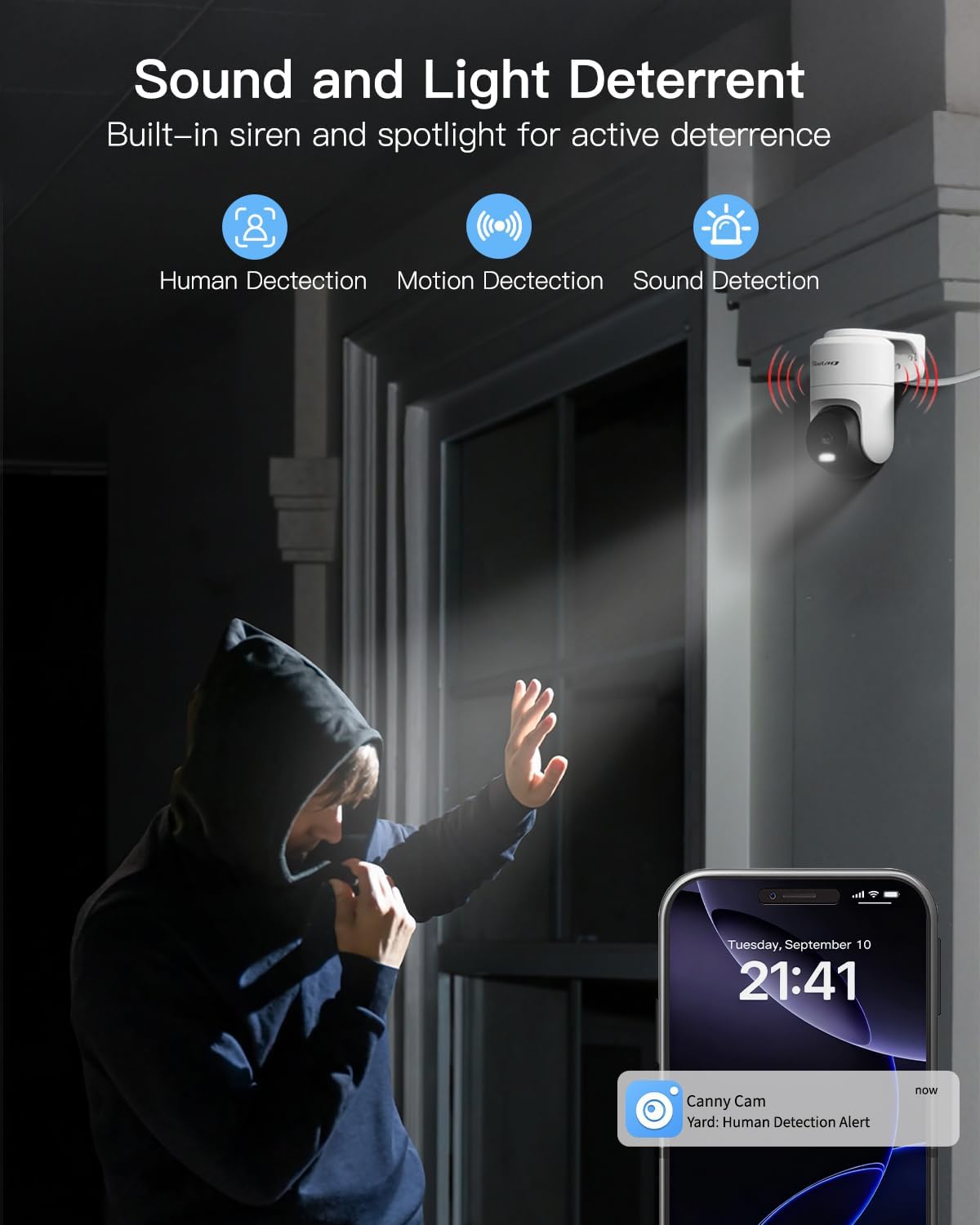
Image: Quick and easy camera installation onto the mounting bracket.
3.4 Wi-Fi Connection
The camera supports dual-band 2.4GHz and 5GHz Wi-Fi for stable and fast connectivity. Follow the instructions in the Quick Guide to connect your camera to your home Wi-Fi network using the VIMTAG app.

Image: Dual-band Wi-Fi connectivity for enhanced performance.
3.5 Video Installation Tips
For a visual guide on installation, please refer to the video below:
Video: Installation tips for the VIMTAG security camera, demonstrating how to mount the bracket and attach the camera securely.
4. Operating the Camera
4.1 VIMTAG App Features
The VIMTAG camera is controlled via a dedicated mobile application. Key features available through the app include:
- Live View and Playback
- 360° Pan and 90° Tilt Control
- Motion, Human, and Sound Detection
- Auto-Tracking of detected movement
- Two-Way Audio Communication
- Light and Sound Siren Activation
- App Notifications for alerts
- Sleep Mode
- Device Sharing
All core features of the app are available without a monthly subscription fee.

Image: Overview of free app features.
4.2 Pan, Tilt, and Motion Tracking
The camera offers 360° horizontal and 90° vertical rotation, providing comprehensive coverage. Its smart motion tracking feature automatically follows detected movement within its field of view.

Image: 360-degree pan and tilt with motion tracking.
4.3 Video Quality and Zoom
The camera records in 2.5K 4MP resolution, delivering clear video and detailed images. It also features 8x digital zoom to focus on specific areas.
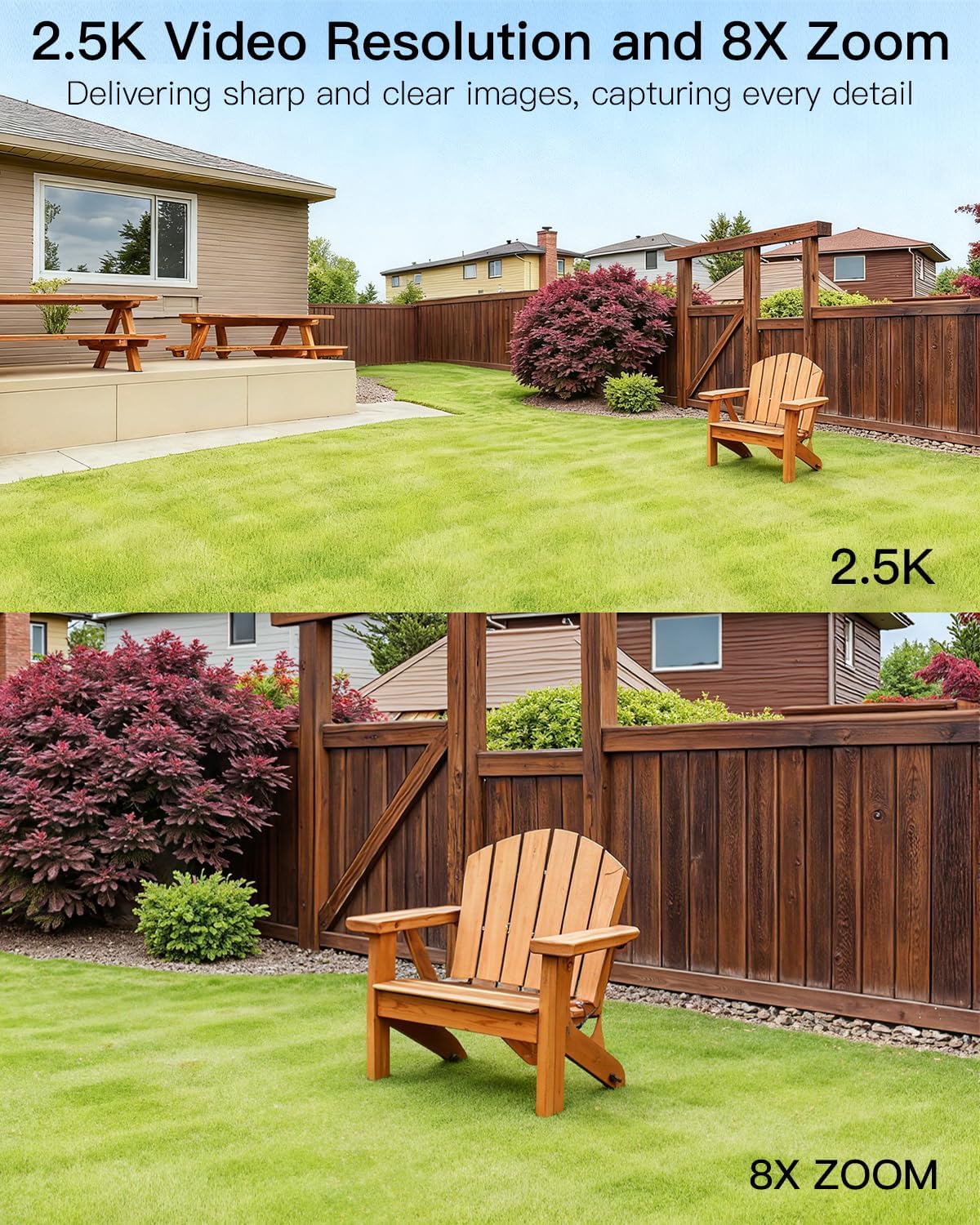
Image: 2.5K video resolution with 8x digital zoom capability.
4.4 Night Vision
The camera supports infrared night vision for standard low-light conditions and full-color night vision when its built-in LED spotlights are activated. This allows for clear identification of objects and individuals at night.

Image: Color night vision enabled by spotlights.
4.5 Detection and Alarms
The camera features smart detection capabilities for humans, general motion, and sound. Upon detecting suspicious activity, it sends app notifications and can automatically activate its 3 LED spotlights and sound siren to deter intruders.
Image: Sound and light deterrent in action.
4.6 Two-Way Audio
Utilize the built-in speaker and microphone for real-time two-way audio communication. This allows you to interact with visitors or delivery personnel directly through the app, whether you are home or away.

Image: Two-way audio communication with a delivery person.
4.7 Storage Options
The VIMTAG 847 offers two storage methods for recorded footage:
- MicroSD Card: Supports local storage on a microSD card up to 512GB (card not included).
- Cloud Storage: Optional secure cloud storage is available, including a 1-month free trial for new users.

Image: MicroSD card slot and cloud storage options.
4.8 Alexa Compatibility
The camera is compatible with Amazon Alexa devices, allowing for hands-free viewing of your camera feed. Simply use voice commands to access live video.
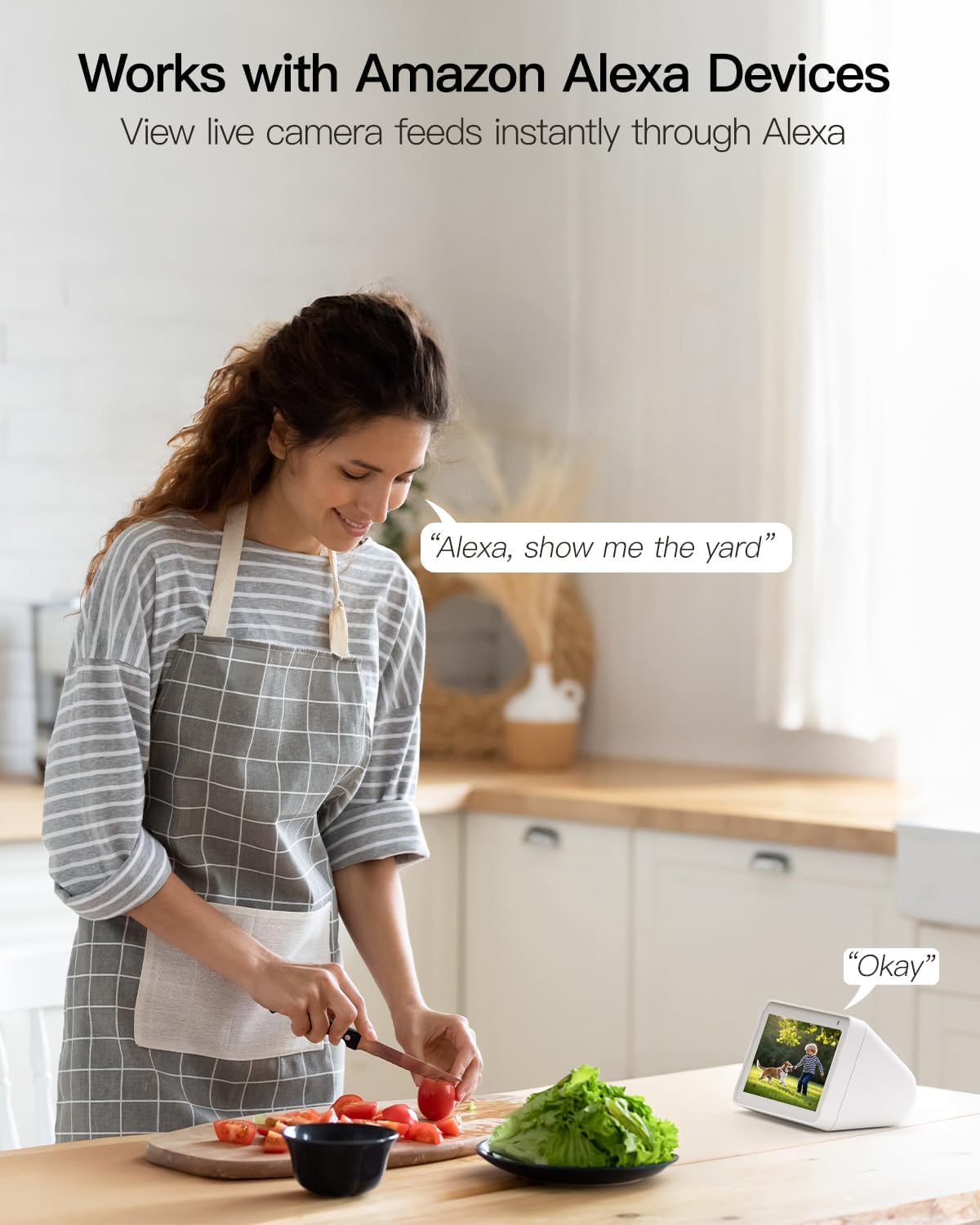
Image: Camera integration with Amazon Alexa.
5. Maintenance
5.1 Weather Resistance
The VIMTAG 847 camera has an IP66 waterproof rating, ensuring reliable operation in various weather conditions, including rain, snow, and dusty environments.

Image: IP66 waterproof design for all-weather performance.
5.2 Cleaning
To maintain optimal image quality, periodically clean the camera lens with a soft, dry cloth. Avoid using harsh chemicals or abrasive materials that could damage the lens or housing.
5.3 Firmware Updates
Ensure your camera's firmware is up to date for the best performance and security. Check for updates regularly through the VIMTAG mobile application.
6. Troubleshooting
6.1 Connectivity Issues
- No Wi-Fi Connection: Ensure the camera is within range of your Wi-Fi router. Verify that your Wi-Fi network (2.4GHz or 5GHz) is active and the password is correct. Try restarting your router and the camera.
- Frequent Disconnections: Check for Wi-Fi interference or weak signal strength. Consider repositioning the camera or router, or using a Wi-Fi extender.
6.2 Image/Video Quality Issues
- Blurry Image: Clean the camera lens. Ensure there are no obstructions in front of the lens.
- Poor Night Vision: Ensure the spotlights are clean and unobstructed. Check app settings to confirm night vision mode is correctly configured.
6.3 Motion Detection Not Working
- No Alerts: Verify that motion detection is enabled in the app settings. Check the detection sensitivity and adjust as needed. Ensure app notifications are enabled on your phone.
- False Alarms: Reduce the motion detection sensitivity in the app. Adjust the detection zones to exclude areas with frequent non-threatening movement (e.g., trees swaying).

Image: Customizing motion detection sensitivity.
6.4 SD Card Issues
- SD Card Not Detected: Ensure the microSD card is inserted correctly. Try reformatting the card through the app or using a different compatible microSD card.
7. Specifications
| Feature | Detail |
|---|---|
| Model Name | 847 |
| Item Model Number | 847-5 |
| Video Capture Resolution | 2.5K 4MP (1440p) |
| Effective Still Resolution | 4 MP |
| Connectivity Technology | Wi-Fi (2.4GHz & 5GHz Dual-Band) |
| Power Source | Corded Electric (5V, 5W) |
| Indoor/Outdoor Usage | Indoor, Outdoor |
| International Protection Rating | IP66 (Waterproof) |
| Viewing Angle | 360 Degrees (Pan/Tilt) |
| Night Vision Range | 65 Feet |
| Low Light Technology | IR Night Vision & Color Night Vision with Spotlights |
| Zoom Type | Digital Zoom (8x) |
| Alert Type | Audio and Motion (Human/Motion/Sound Detection) |
| Control Method | App, Amazon Alexa |
| Flash Memory Supported Size Maximum | 512 GB (Micro SD) |
| Product Dimensions | 3.94 x 3.94 x 3.94 inches |
| Item Weight | 9.8 ounces |
8. Warranty and Support
8.1 Warranty Information
Please refer to the Quick Guide included in your package or the VIMTAG official website for detailed warranty information.
8.2 Technical Support
VIMTAG offers lifetime technical support for its products. If you encounter any issues or have questions, please contact our support team:
- Email: customer@vimtag.com
8.3 Cloud Storage Trial
New users are eligible for a 1-month free trial of VIMTAG's cloud storage service. Details on how to activate and manage your cloud storage can be found within the VIMTAG mobile application.