
1. Important Safety Information
Please read this manual carefully before installation and use. Keep it for future reference.
- Do not expose the lock to extreme temperatures outside the specified operating range (-22°F to 158°F).
- Use only the specified battery type (Lithium Polymer) and charging methods.
- Ensure proper installation to prevent damage to the lock or door.
- Keep mechanical keys in a safe place outside the property.
- Avoid using abrasive cleaners or solvents on the lock's surface.
2. Package Contents
Verify that all components are present before beginning installation:
- Exterior Assembly
- Interior Assembly
- Lithium Polymer Battery (1)
- Mechanical Keys (2)
- Installation Hardware (screws, strike plate, etc.)
- User Manual
3. Product Overview and Key Features
The Lockin Veno Pro is an advanced smart lock system integrating multiple security and convenience features.
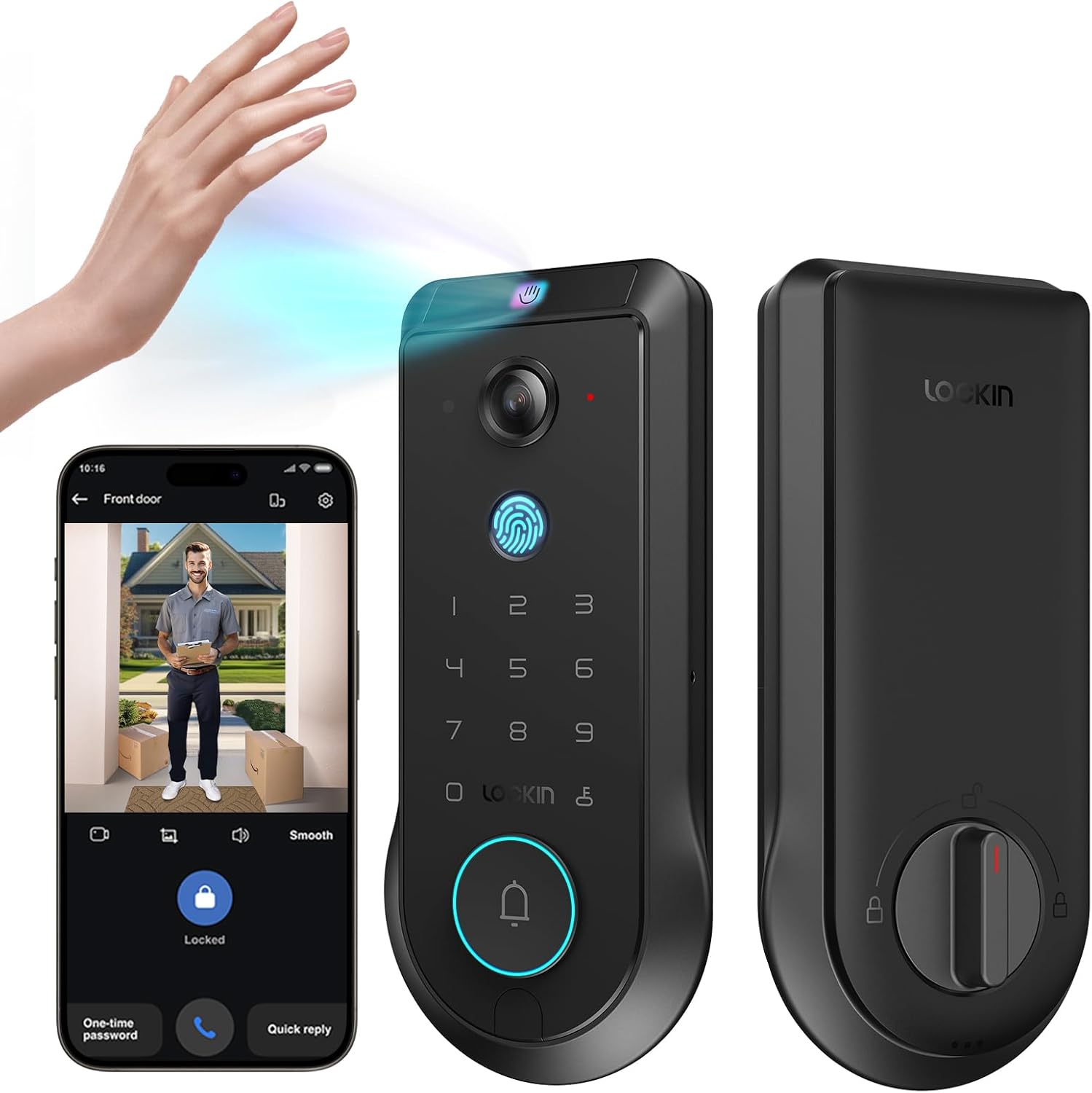
Figure 3.1: Lockin Veno Pro Smart Lock with integrated camera and keypad.
3.1. Integrated 4-in-1 System
The Veno Pro combines a palm vein & fingerprint smart lock, a 2K 180° true panoramic camera, a smart video doorbell with night vision, and a built-in AI hub with 32GB local storage. No additional hub or monthly fees are required.
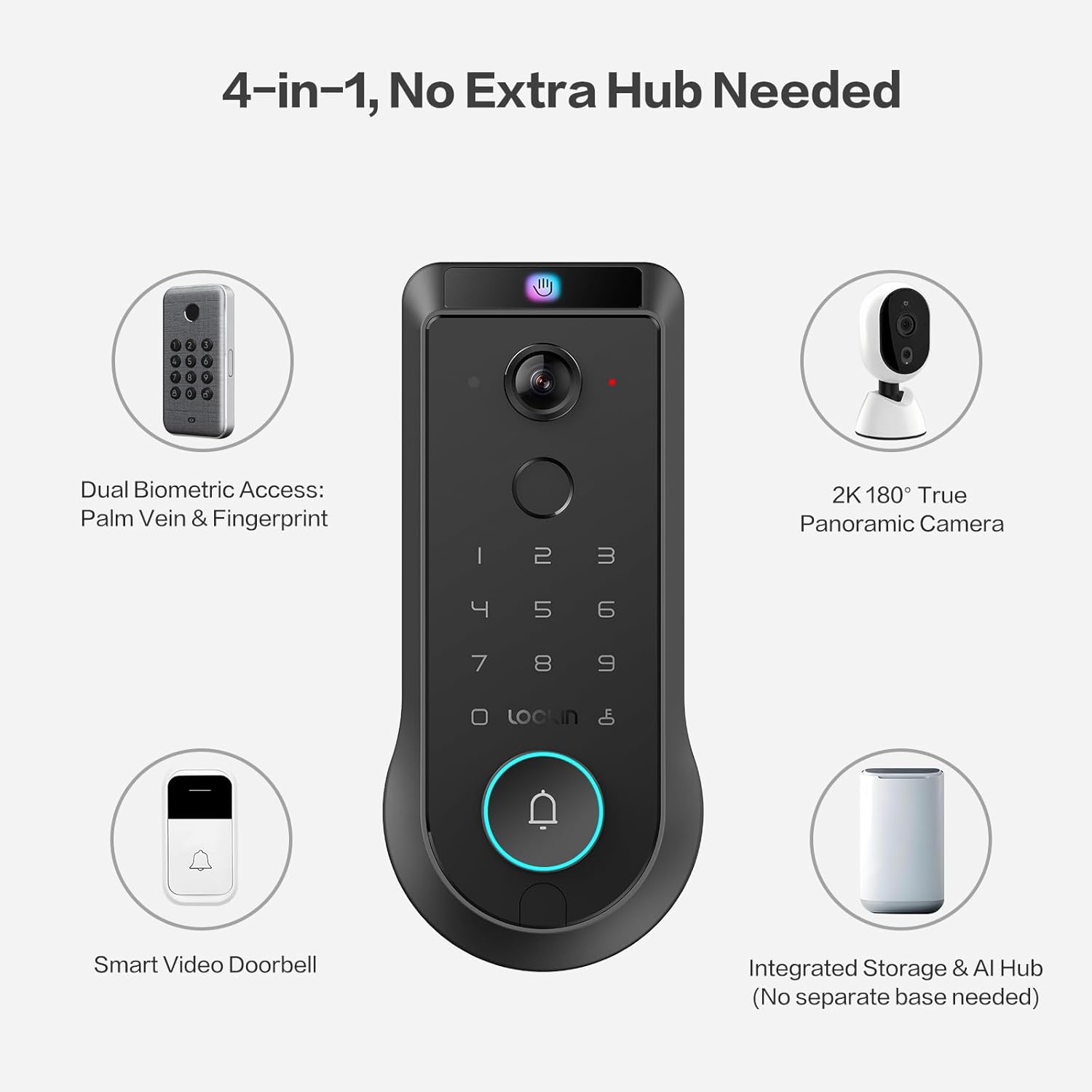
Figure 3.2: The 4-in-1 integrated system of the Veno Pro.
3.2. Venokey Palm Vein Recognition
Experience touchless unlocking with TÜV Rheinland certified 0.17s recognition speed and 99.9% accuracy. This technology works reliably even with soiled hands, peeling fingers, faint fingerprints, or long nails. The False Acceptance Rate (FAR) is less than 0.00001%, ensuring high security.
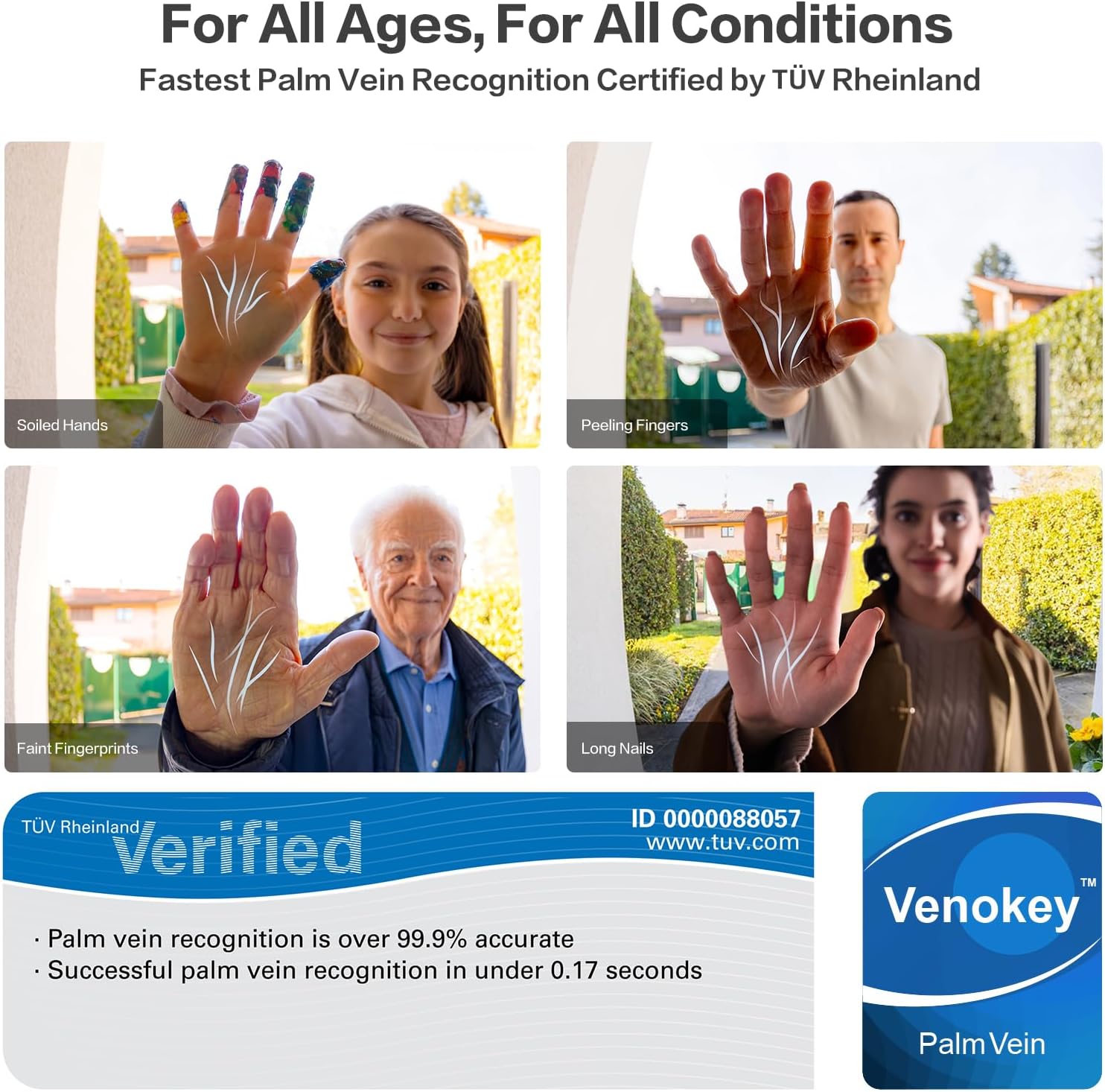
Figure 3.3: Palm vein recognition adapts to various hand conditions.
Video 3.1: An overview of the benefits and technology behind palm vein recognition.
3.3. LockinCam 2K 180° True Panoramic Camera
The revolutionary 180°x180°x180° camera significantly reduces blind spots, providing a head-to-toe, ultra-wide view at your doorstep. Features include local AI motion detection, IR night vision, two-way talk, and 32GB built-in storage, all without monthly fees.
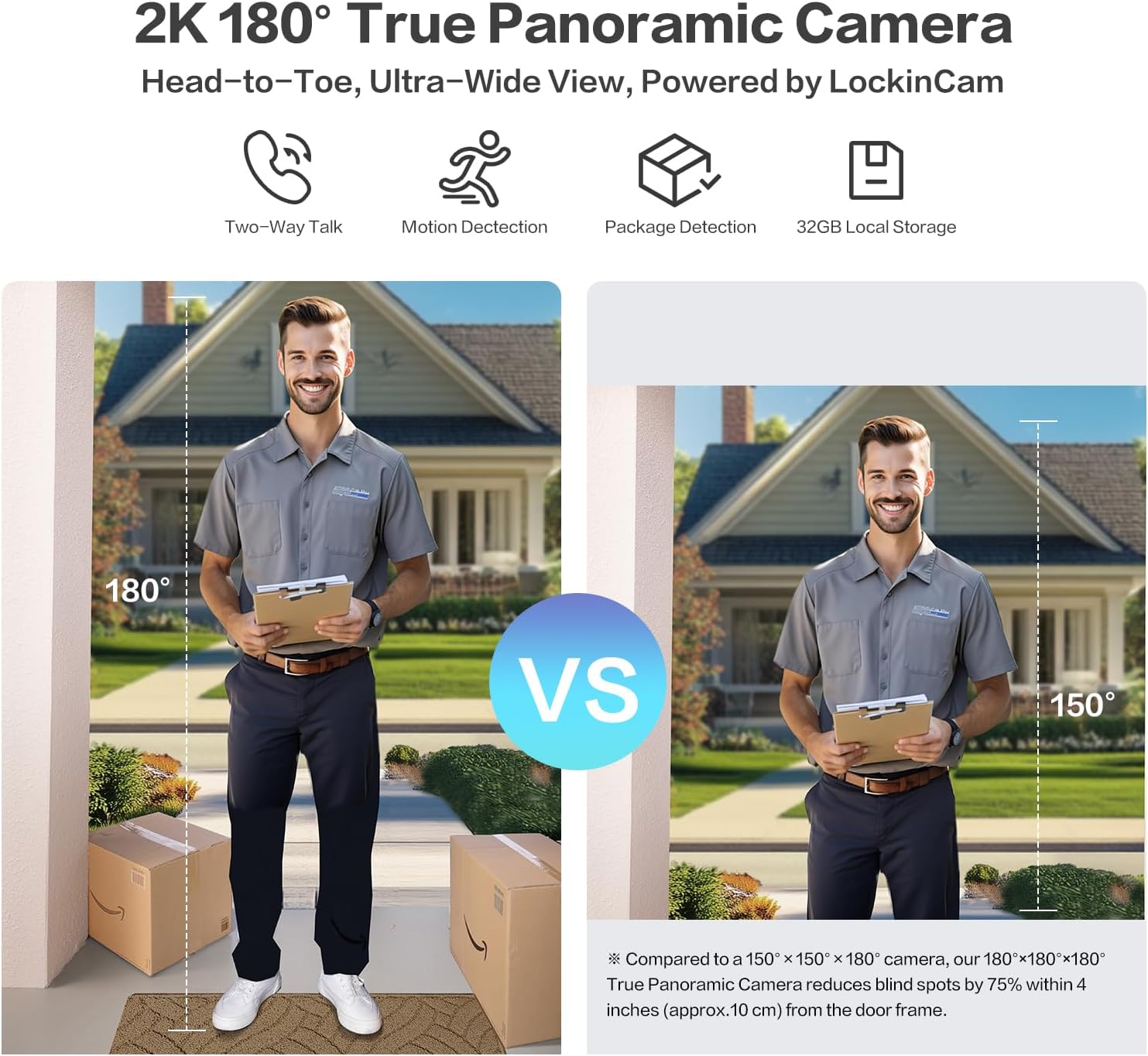
Figure 3.4: Enhanced field of view with the 180° panoramic camera.
3.4. Triple-Layer Security Protection
LockinAI's on-device computation architecture ensures all data processing occurs locally, eliminating cloud dependencies and safeguarding your privacy from unauthorized access and data transmission risks.
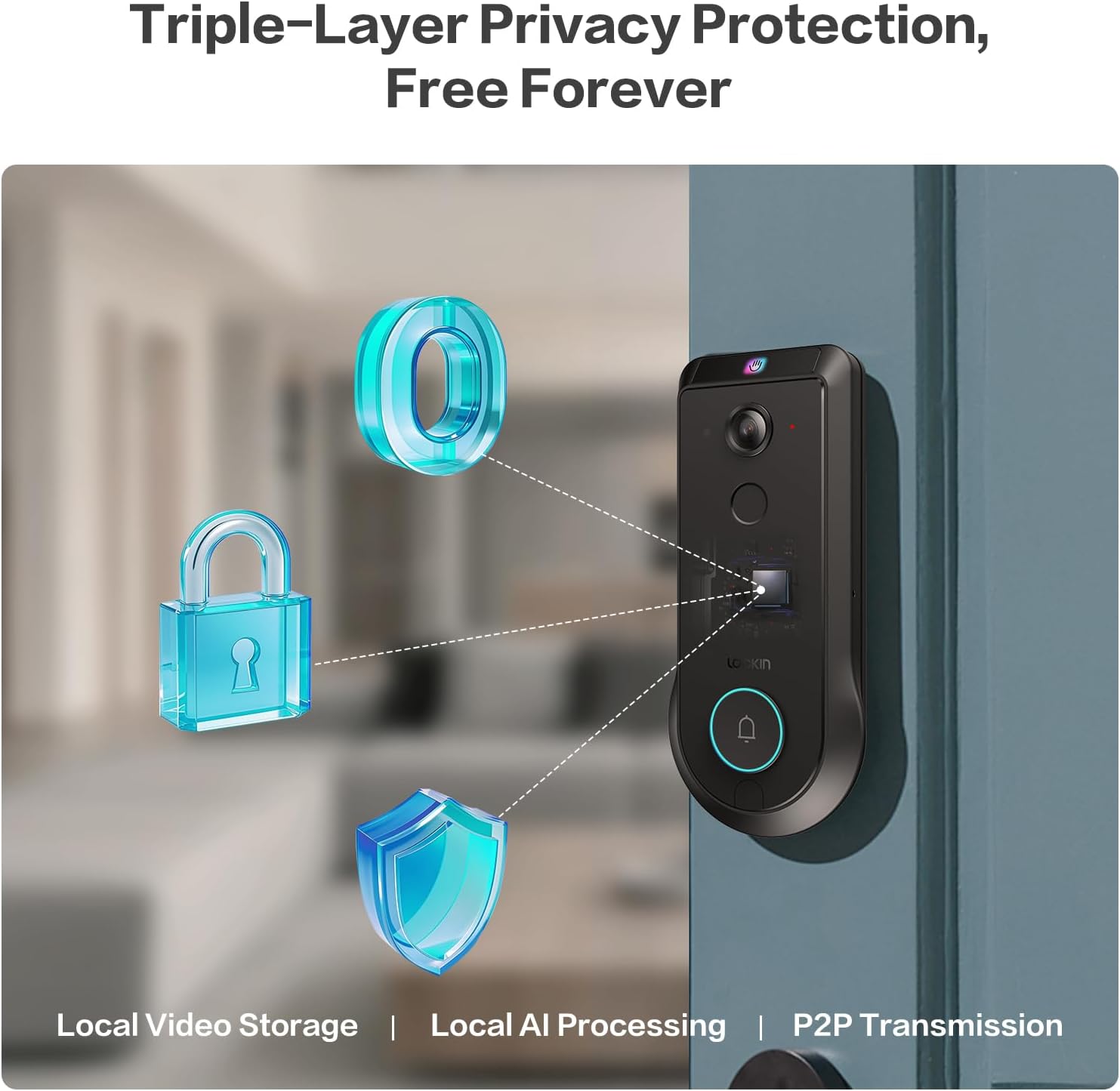
Figure 3.5: Triple-layer privacy protection architecture.
Video 3.2: Detailed information about the Veno Pro's features and capabilities.
4. Setup and Installation
Installation is designed to be straightforward, requiring only a screwdriver and approximately 15 minutes.
4.1. Pre-Installation Checklist
- Ensure your door meets the following specifications:
- Door Hole Diameter: 1 in / 25.4 mm
- Crossbore Diameter: 2⅛ in / 54 mm
- Door Thickness: 1⅜ in - 2¹¹⁄₆₄ in (35-55 mm)
- Backset: 2⅜ in / 60 mm or 2¾ in / 70 mm
- The lock is NOT compatible with round faceplate cutouts, Storm Doors, or Mortise Locks.
- Compatible with Single Cylinder and doors with a rectangular latch faceplate cutout.
- Fully charge the included Lithium Polymer battery before installation.

Figure 4.1: Door measurement requirements for installation.
4.2. Installation Steps
Refer to the detailed step-by-step instructions provided in the included Quick Start Guide for precise installation. A screwdriver is the only tool typically required.
- Prepare the door by ensuring it meets the specified dimensions.
- Install the latch and strike plate.
- Mount the exterior assembly.
- Install the interior assembly and connect the cables.
- Insert the charged battery.
- Test the lock's functionality.
5. Operating Instructions
5.1. Unlocking Methods
The Lockin Veno Pro offers six convenient ways to unlock your door:
- Palm Vein: Touchless recognition by simply presenting your palm to the sensor.
- Fingerprint: Fast and secure access using your registered fingerprint.
- PIN Code: Enter your personalized code on the keypad.
- App Control: Unlock remotely via the Lockin App on your smartphone.
- Voice Control: Integrate with smart home ecosystems for voice commands (e.g., Alexa, Google Home).
- Mechanical Keys: Traditional key access for backup.
5.2. Lockin App Features
The Lockin App provides comprehensive control and monitoring capabilities:
- Remote Access: Control your lock from anywhere.
- Instant Alerts: Receive notifications for activity at your door.
- One-Time Passcodes: Generate temporary access codes for guests.
- User Management: Easily add or remove user permissions.
- Smart Modes: Choose from Home, Away, Geofencing, and Party modes to tailor alerts and access.
- Two-Way Talk: Communicate with visitors via the app.
5.3. Camera and AI Features
The integrated camera and AI enhance your home security:
- 2K HD Video: Clear video feed with a 180° panoramic view.
- AI Motion Detection: Local AI processing accurately identifies humans, packages, and vehicles.
- IR Night Vision: Ensures clear monitoring in low-light conditions.
- 32GB Local Storage: Securely stores video recordings without cloud fees.
Video 5.1: A short demonstration of the Veno Pro's features.
Video 5.2: A brief video showcasing the Veno Pro's capabilities.
6. Maintenance
6.1. Battery Management
The Veno Pro includes a removable, rechargeable Lithium Polymer battery that lasts up to 3 months per charge. For continuous power, consider adding the optional Lockin Solar Panel (sold separately).

Figure 6.1: Battery charging options and backup methods.
- Monitor battery levels via the Lockin App.
- Recharge the battery using the provided USB-C cable.
- In case of a dead battery, use the external USB-C port for emergency power or the mechanical keys.
6.2. Cleaning and Care
The tempered glass finish is designed to resist scratches, fingerprints, and fading. To maintain its appearance:
- Wipe the surface with a soft, damp cloth.
- Avoid harsh chemicals or abrasive materials.
- Ensure the lock is dry after cleaning, especially around the keypad and sensors.
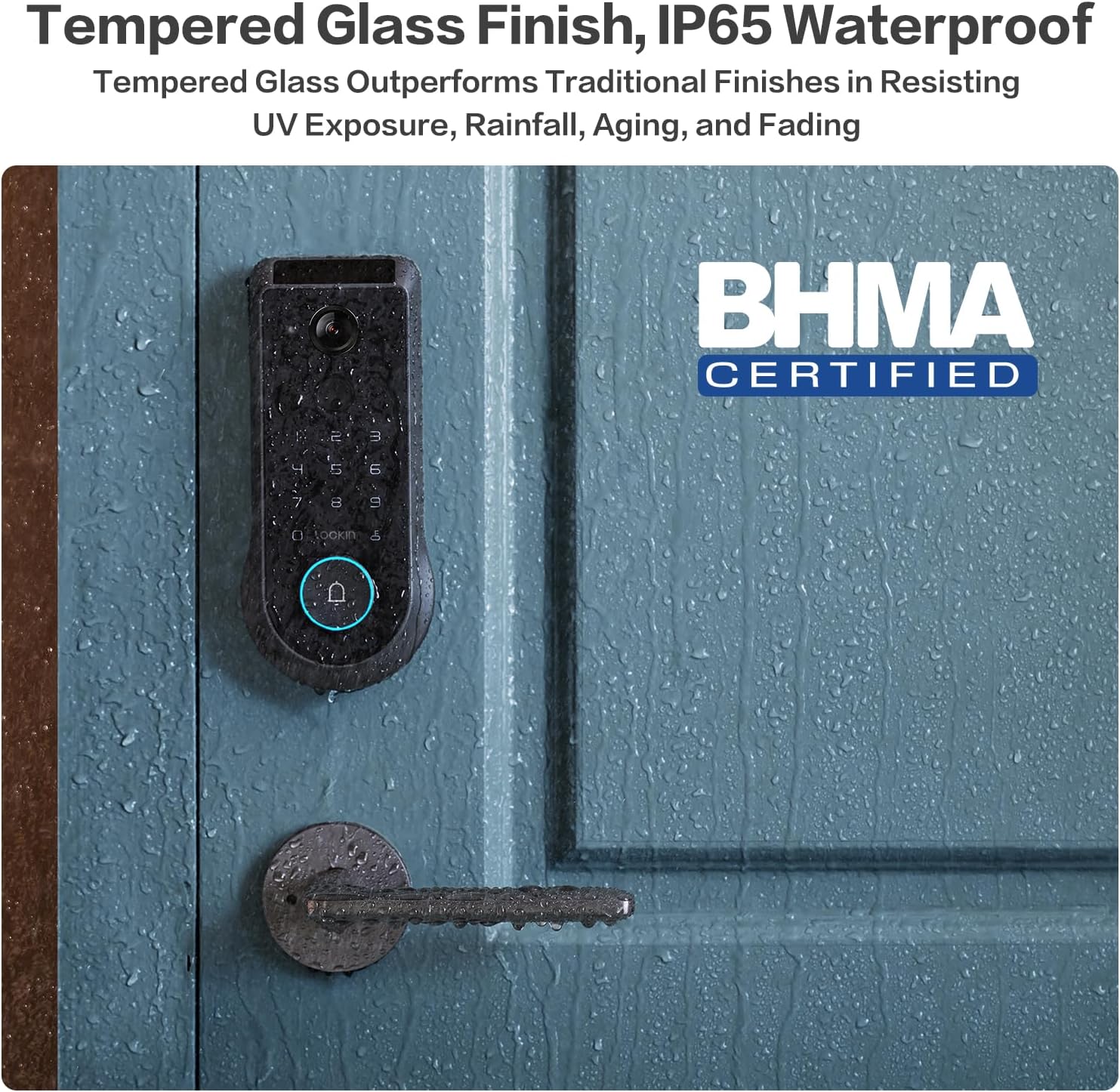
Figure 6.2: Tempered glass finish and IP65 waterproof rating.
7. Troubleshooting
This section addresses common issues you might encounter with your Lockin Veno Pro Smart Lock.
| Problem | Possible Cause | Solution |
|---|---|---|
| "Door Locked" voice prompt is too loud/cannot be disabled. | Firmware setting for auto-lock voice volume/disabling. | Check the Lockin App's audio settings. Ensure all volume controls are set to minimum or muted if possible. Lockin is actively working on firmware updates to provide more control over this feature. |
| Palm Vein recognition requires multiple attempts. | Incorrect hand positioning or environmental factors. | Ensure your palm is approximately 6-8 inches from the camera. Try approaching from about a foot away and slowly moving closer. Re-enroll your palm vein if issues persist. |
| Fingerprint recognition fails. | Dirty sensor, dry/peeling skin, or unregistered fingerprint. | Clean the fingerprint sensor with a soft, dry cloth. Ensure your finger is clean and dry. Re-register your fingerprint if necessary. |
| Lock does not respond (no power). | Battery is depleted. | Recharge the battery. Use the external USB-C port with a power bank for emergency power, or use the mechanical keys. |
| App connectivity issues. | Wi-Fi signal, app version, or lock firmware. | Ensure your Wi-Fi is stable. Update the Lockin App to the latest version. Check for firmware updates for the lock via the app. Restart the lock and your phone. |
| False triggers from camera (rain/sunlight). | Environmental interference. | The lock features advanced anti-false trigger technology. If issues persist, ensure the camera lens is clean and free from obstructions. Adjust motion detection sensitivity in the app if available. |
8. Specifications
| Feature | Detail |
|---|---|
| Brand | Lockin |
| Model Name | Veno |
| Item Model Number | LKMSD411 |
| Lock Type | Biometric, Deadbolt, KeypadBiometric |
| Special Features | Motion Sensor, Night Vision, HD Definition, Palm Vein, Auto-Lock, One-Touch Lock |
| Material | Zinc |
| Color | Black |
| Item Dimensions (L x W x H) | 7.24 x 3.29 x 1.48 inches |
| Item Weight | 3.66 pounds |
| Recommended Uses | Front door |
| Included Components | Interior Assembly, Exterior Assembly |
| Control Method | App |
| Connectivity Protocol | Bluetooth, Matter, Wi-Fi |
| Battery Type | Lithium Polymer (included) |
| Waterproof Rating | IP65 |
| Operating Temperature | -22°F to 158°F |
| BHMA Certification | Grade 2 (10-year mechanical durability) |
9. Warranty and Customer Support
Lockin stands behind the quality of its products.
- Warranty: The Lockin Veno Pro comes with a 1-year warranty.
- Customer Support: Lockin provides round-the-clock customer care. For assistance, please contact:
- Email: support@lockin.com
- Phone: Refer to Lockin's official website for regional phone support numbers.
The customer support team is available via phone or email to assist with installation, troubleshooting, and any product-related inquiries.


