

Introduction
This manual provides comprehensive instructions for the installation, operation, and maintenance of your HAFELE Argos Door Handle Lock, model 499.10.166. Please read these instructions carefully before beginning installation or use to ensure proper function and longevity of the product. This lock is designed for entry doors and is suitable for both right-handed and left-handed door applications.
Safety Information
- Always wear appropriate safety gear, such as gloves and eye protection, during installation.
- Ensure all components are present and undamaged before installation.
- Do not modify the lock or its components, as this may void the warranty and compromise security.
- Keep keys in a secure location and away from unauthorized access.
Package Contents
Verify that all the following components are included in your package:
- 1 Cylinder
- 1 Lock mechanism / 1 Strike plate
- 2 Key escutcheons
- 2 Handles
- 2 Rosettes
- 3 Standard keys

Image: Exploded view of the HAFELE Argos door handle lock showing all included components for assembly.
Specifications
| Model Number | 499.10.166 |
| Material | Alloy Steel |
| Finish | Graphite Black |
| Door Thickness Compatibility | 35 mm to 45 mm (1-3/8" to 1-1/4") |
| Backset | 60 mm (2-3/4") |
| Front Diameter | 70 mm |
| Durability | 200,000 opening cycles |
| Function | Key / Key (Double Cylinder) |
| Weight | 1.8 kg (approximately) |
| Dimensions (L x W x H) | 25.4 x 16 x 12.7 cm (10 x 6.3 x 5 inches) |
Setup and Installation
This section outlines the steps for installing your HAFELE Argos door handle lock. It is recommended to have basic tools such as a drill, screwdriver, and measuring tape available.
1. Prepare the Door
- Ensure the door thickness is between 35 mm and 45 mm.
- Mark the center point for the lock mechanism and the handle spindle. Refer to the provided template for precise measurements.
- Drill the necessary holes for the lock body and the handle spindle according to the template. The backset should be 60mm.
2. Install the Lock Mechanism
- Insert the lock mechanism into the prepared mortise in the door edge.
- Secure the mechanism with screws.
- Install the strike plate on the door frame, aligning it with the latch bolt.
3. Install Handles and Cylinder
- Insert the spindle through the lock mechanism.
- Attach the handles to the spindle on both sides of the door.
- Secure the handles with the rosettes and screws.
- Insert the cylinder into the lock mechanism and secure it with the cylinder screw through the door edge.
- Attach the key escutcheons to cover the cylinder openings.

Image: Installation diagram illustrating drilling measurements and component placement for the HAFELE Argos door handle lock.
Operating Instructions
The HAFELE Argos door handle lock is designed for straightforward operation.
Locking and Unlocking
- To lock the door from either side, insert one of the provided keys into the cylinder and turn it until the deadbolt extends fully.
- To unlock the door from either side, insert the key and turn it in the opposite direction until the deadbolt retracts.
Opening the Door
- Once unlocked, simply press down on either handle to retract the latch bolt and open the door.
- The latch bolt can be retracted by turning either handle.
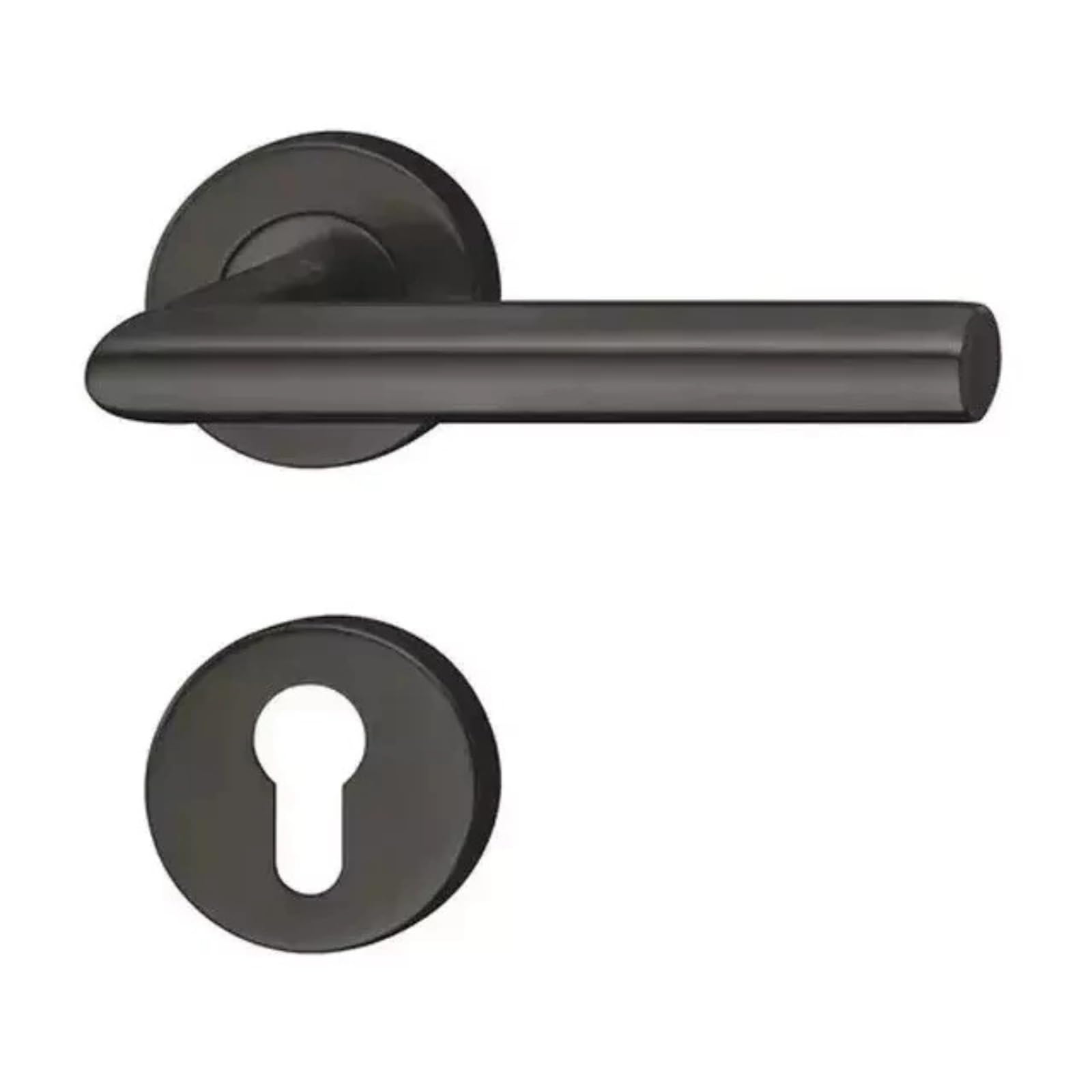
Image: The HAFELE Argos door handle lock in graphite black, shown installed on a light wooden door, demonstrating its appearance and function.
Maintenance
Regular maintenance ensures the smooth operation and extends the lifespan of your HAFELE Argos door handle lock.
- Cleaning: Clean the exterior surfaces with a soft, damp cloth. Avoid abrasive cleaners or solvents, as these can damage the finish.
- Lubrication: Periodically apply a small amount of graphite lubricant or a silicone-based spray to the keyway and the latch mechanism. Do not use oil-based lubricants, as they can attract dust and grime.
- Inspection: Regularly check all screws and fasteners to ensure they are tight. If any components appear loose or damaged, tighten or replace them as necessary.
Troubleshooting
If you encounter issues with your HAFELE Argos door handle lock, refer to the following common problems and solutions:
| Problem | Possible Cause | Solution |
|---|---|---|
| Key is difficult to turn or sticks. | Lack of lubrication, dirt in cylinder, bent key. | Apply graphite lubricant to the keyway. Clean the key. Try a different key. |
| Handle is loose. | Mounting screws are loose. | Tighten the screws securing the handles and rosettes. |
| Latch bolt does not retract fully. | Misalignment, debris in mechanism. | Check door and frame alignment. Clean the latch mechanism. Lubricate the mechanism. |
| Deadbolt does not extend/retract smoothly. | Misalignment of strike plate, internal mechanism issue. | Adjust the strike plate on the door frame. Lubricate the deadbolt mechanism. |
Warranty Information
Specific warranty details for HAFELE products may vary by region and retailer. Please retain your proof of purchase for any warranty claims. Generally, HAFELE products are manufactured to high standards and are covered against defects in materials and workmanship under normal use. For detailed warranty terms and conditions, please refer to the official HAFELE website or contact your point of purchase.
Customer Support
If you require further assistance or have questions not covered in this manual, please contact HAFELE customer support or your authorized dealer.
- Online Support: Visit the official HAFELE website for FAQs, product information, and contact forms.
- Dealer Support: Contact the retailer or distributor from whom you purchased the product.


