
1. Introduction
This manual provides essential information for the setup, operation, and maintenance of your VIMTAG 8310 5G/2.4G 4MP Camera. Please read thoroughly before use to ensure proper functionality and safety.

Figure 1: VIMTAG 8310 5G/2.4G 4MP Camera
2. What's in the Box
Verify that all items are present in the package:
- Camera Body with power cable
- Instruction Manual
- Mounting Screw
- Power Adapter
3. Product Overview
The VIMTAG 8310 camera features a compact design suitable for both indoor and outdoor use. Key components include:
- Lens: Captures 2.5K (4MP) video.
- Infrared & White Light: For night vision capabilities.
- Microphone: For two-way audio communication.
- Speaker: For two-way audio communication and alerts.
- SD Card Slot: Supports Micro SD cards up to 512GB for local storage.
- Reset Button: For factory reset.
- Power Port: Micro USB for continuous power supply.

Figure 2: Camera features overview
4. Setup and Installation
4.1 App Download and Account Registration
- Download the 'Canny Cam' app from your device's app store (iOS/Android).
- Register a new account using your email address and follow the on-screen instructions.
- Log in to your newly created account.

Figure 3: App download and registration process
4.2 Powering On and Device Connection
- Connect the camera to the power adapter using the provided USB cable and plug it into a power outlet.
- Open the 'Canny Cam' app and tap the '+' icon to add a new device.
- Follow the in-app instructions to connect the camera to your 5G/2.4G Wi-Fi network. This typically involves scanning a QR code displayed on your phone with the camera lens.
- Once connected, you can name your camera and assign it to a specific room.
Video 1: Why choose Vimtag Mini G3 Outdoor Security Camera? (Seller)
4.3 Mounting the Camera
The camera comes with a versatile stand that allows for various mounting options:
- Tabletop/Free Standing: Place the camera on any flat surface. The stand has padded feet for stability.
- Wall/Ceiling Mount: The base of the stand can be detached and screwed into a wall or ceiling using the provided mounting screws. The camera then easily attaches to the mounted base.

Figure 4: Easy setup and mounting options

Figure 5: Mounting the camera to a wall
5. Operating the Camera
5.1 Live View and Two-Way Audio
Access the live video feed anytime, anywhere through the Canny Cam app. Use the built-in microphone and speaker for two-way communication.

Figure 6: Two-Way Audio in action
5.2 Night Vision Modes
The camera offers full-color night vision, enhanced by a built-in LED light, and traditional infrared night vision. Switch between modes via the app settings.

Figure 7: Comparison of Color and Infrared Night Vision
Video 2: How to set full-color night vision of Vimtag Mini G3 (Seller)
5.3 Smart Detection and Alerts
Configure motion, human, and sound detection settings within the app. Receive instant alerts on your mobile device when activity is detected.
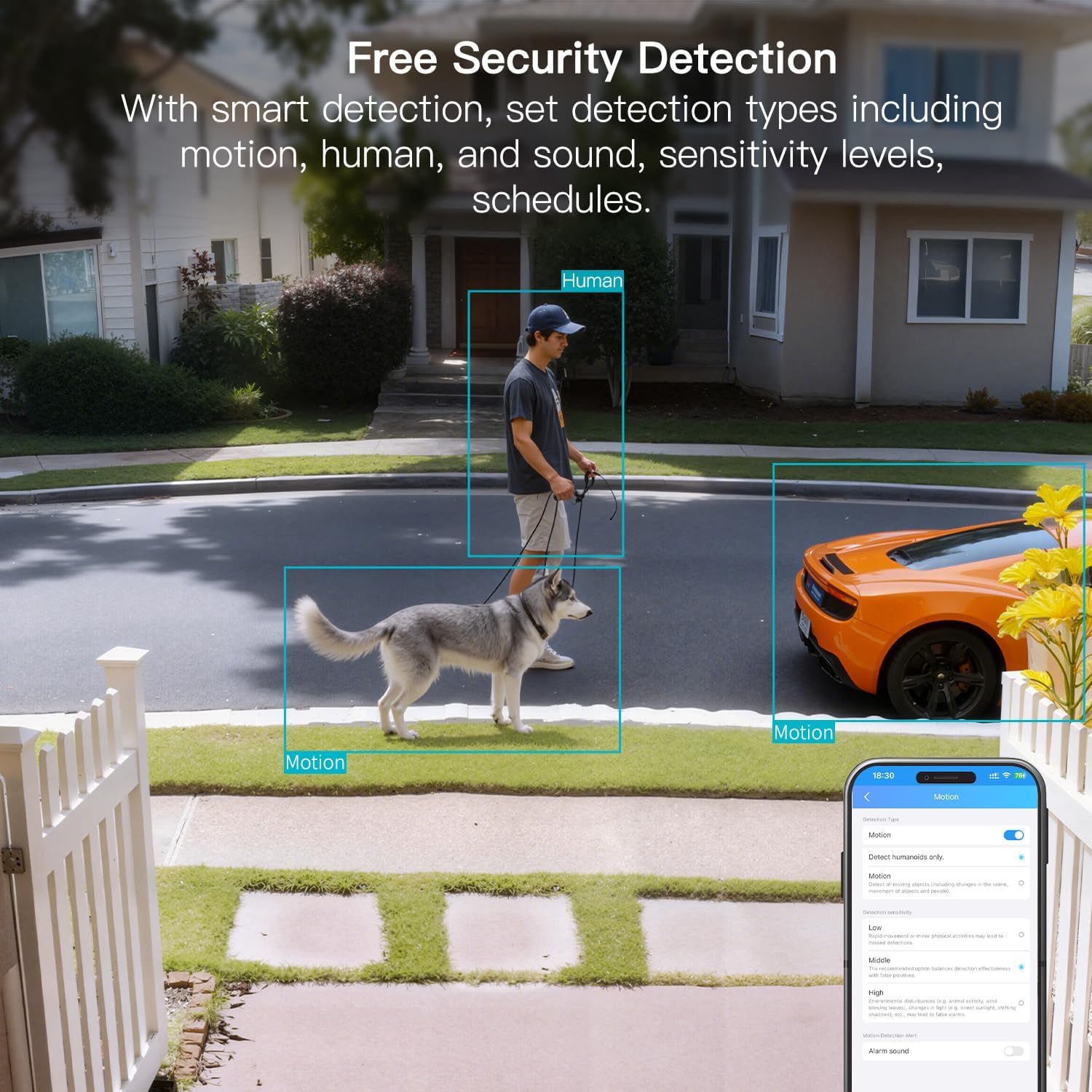
Figure 8: AI Detection capabilities

Figure 9: Smart alarm modes with sound and light
5.4 Storage Options
The camera supports continuous 24/7 recording to a Micro SD card (up to 512GB, sold separately) or secure Cloud storage (subscription required).

Figure 10: Local and Cloud storage options
6. Specifications
| Feature | Detail |
|---|---|
| Model Name | 8310 |
| Indoor/Outdoor Usage | Outdoor (IP65 Weatherproof) |
| Video Capture Resolution | 2.5K (1440p) |
| Effective Still Resolution | 4 MP |
| Connectivity Technology | Wi-Fi (2.4 & 5G Hz, Dual Band, Wi-Fi 6) |
| Special Features | 2-Way Audio, HD Resolution, Motion Sensor, Color Night Vision, AI Detection, Alexa Support |
| Viewing Angle | 130 Degrees |
| Night Vision Range | 33 Feet |
| Power Source | Corded Electric (5 Volts, 5 Watts) |
| Max Flash Memory Supported | 512 GB (Micro SD) |
| Product Dimensions | 1.57 x 2.28 x 2.76 inches |
7. Maintenance
- Cleaning: Use a soft, dry cloth to clean the camera lens and body. Avoid harsh chemicals.
- Firmware Updates: Regularly check the Canny Cam app for firmware updates to ensure optimal performance and security.
- SD Card Management: If using a Micro SD card, periodically check its status and format it via the app to maintain recording quality.
8. Troubleshooting
- Connectivity Issues: Ensure the camera is within range of your Wi-Fi router. Verify Wi-Fi password and network stability. The camera supports both 2.4GHz and 5GHz bands.
- Recording Problems: Check if the Micro SD card is inserted correctly and has sufficient space. If using Cloud storage, verify your subscription status.
- No Alerts: Confirm motion/human/sound detection is enabled in the app settings and notification permissions are granted for the Canny Cam app on your phone.
- Poor Image Quality: Ensure the lens is clean. Check network stability for optimal streaming resolution.
- Reset Device: If issues persist, use the reset button on the camera to restore factory settings. You will need to reconfigure the device after a reset.
9. Warranty and Support
VIMTAG offers a 2-year warranty and lifetime technical support for this product. For assistance, please contact VIMTAG customer support:
- Email: Customer@vimtag.com
- In-App Support: Access the 'Message Center' within the Canny Cam app for direct support.
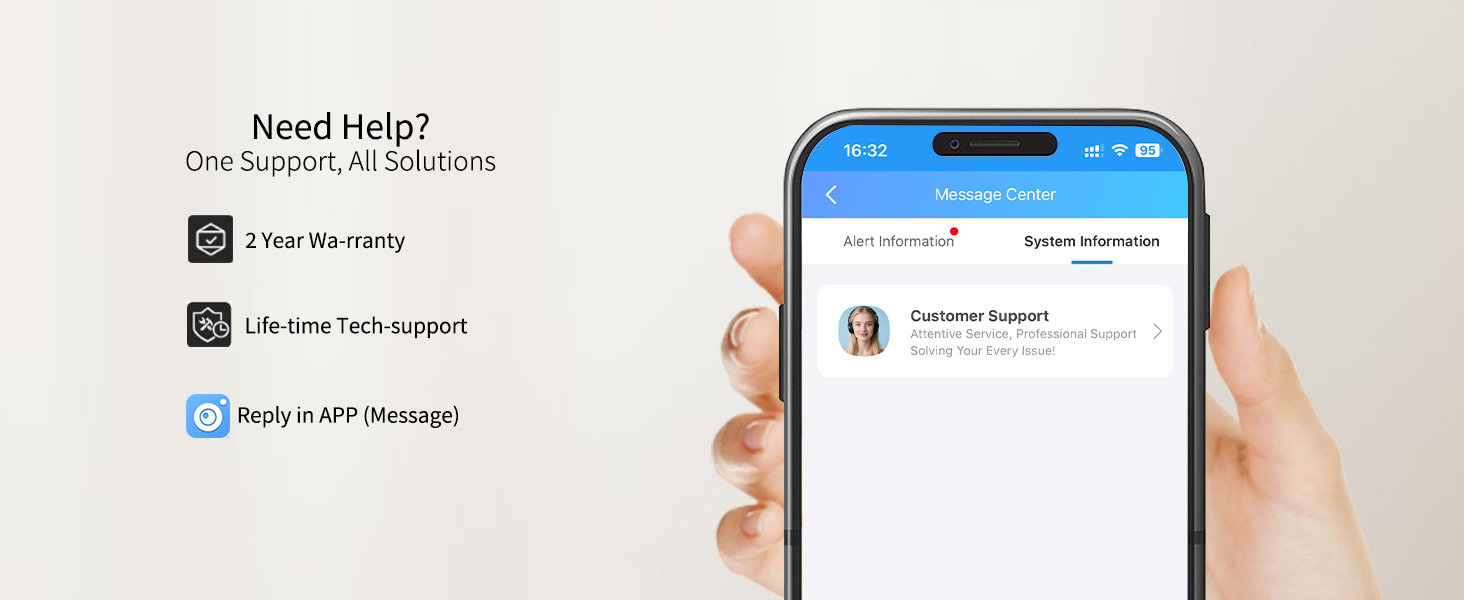
Figure 11: VIMTAG Customer Support


