
FanttikRide C10 Pro & C10 Apex
Fanttikride C10 Pro & C10 Apex Electric Scooter User Manual
Model: C10 Pro & C10 Apex | Brand: FanttikRide
1. Introduction
Welcome to the Fanttikride C10 Pro and C10 Apex Electric Scooter user manual. This guide provides essential information for the safe assembly, operation, and maintenance of your new electric scooter. Please read this manual thoroughly before first use to ensure optimal performance and safety for the rider.

Image: Fanttikride C10 Pro and C10 Apex Electric Scooters.
2. Safety Guidelines
Riding an electric scooter can be a fun and exciting activity, but it requires caution. Always prioritize safety by following these guidelines:
- Always wear a helmet and appropriate protective gear (knee pads, elbow pads, wrist guards) when riding.
- Ensure the scooter is fully charged before each ride.
- Check all bolts, nuts, and quick-release mechanisms are securely fastened before riding.
- Do not ride in wet conditions, on uneven surfaces, or in heavy traffic.
- Maintain a safe distance from other riders, pedestrians, and obstacles.
- Children should always be supervised by an adult while riding.
- Adhere to local laws and regulations regarding electric scooter use.
- The scooter is designed for riders aged 8 years and older, weighing less than 132 pounds (60 kg).
3. Package Contents
Verify that all items are present in the package:
- Pre-Assembled Electric Scooter x1
- USB Cable x1 (Input: Type A + Type C, Output: Type C)
- 5mm Allen Wrench x1
- Owner's Manual x1

Image: Contents included in the Fanttikride C10 Pro/Apex package.
4. Assembly and Setup
Your Fanttikride C10 Pro/Apex scooter comes largely pre-assembled. Follow these steps to prepare it for use:
4.1 Unfolding the Scooter
- Place the scooter on a flat surface.
- Locate the folding mechanism near the base of the handlebar stem.
- Release the latch or lever to unlock the stem.
- Carefully lift the handlebar stem until it clicks into its upright, locked position. Ensure the locking mechanism is fully engaged.
4.2 Adjusting Handlebar Height
The scooter features 3 adjustable height settings to accommodate riders between 3.9 to 5.2 feet tall.
- Loosen the quick-release clamp on the handlebar stem.
- Adjust the handlebar to one of the three height settings: 30.9", 33.7", or 36.5".
- Ensure the handlebar is securely seated in the desired height slot.
- Tighten the quick-release clamp firmly to secure the handlebar in place.
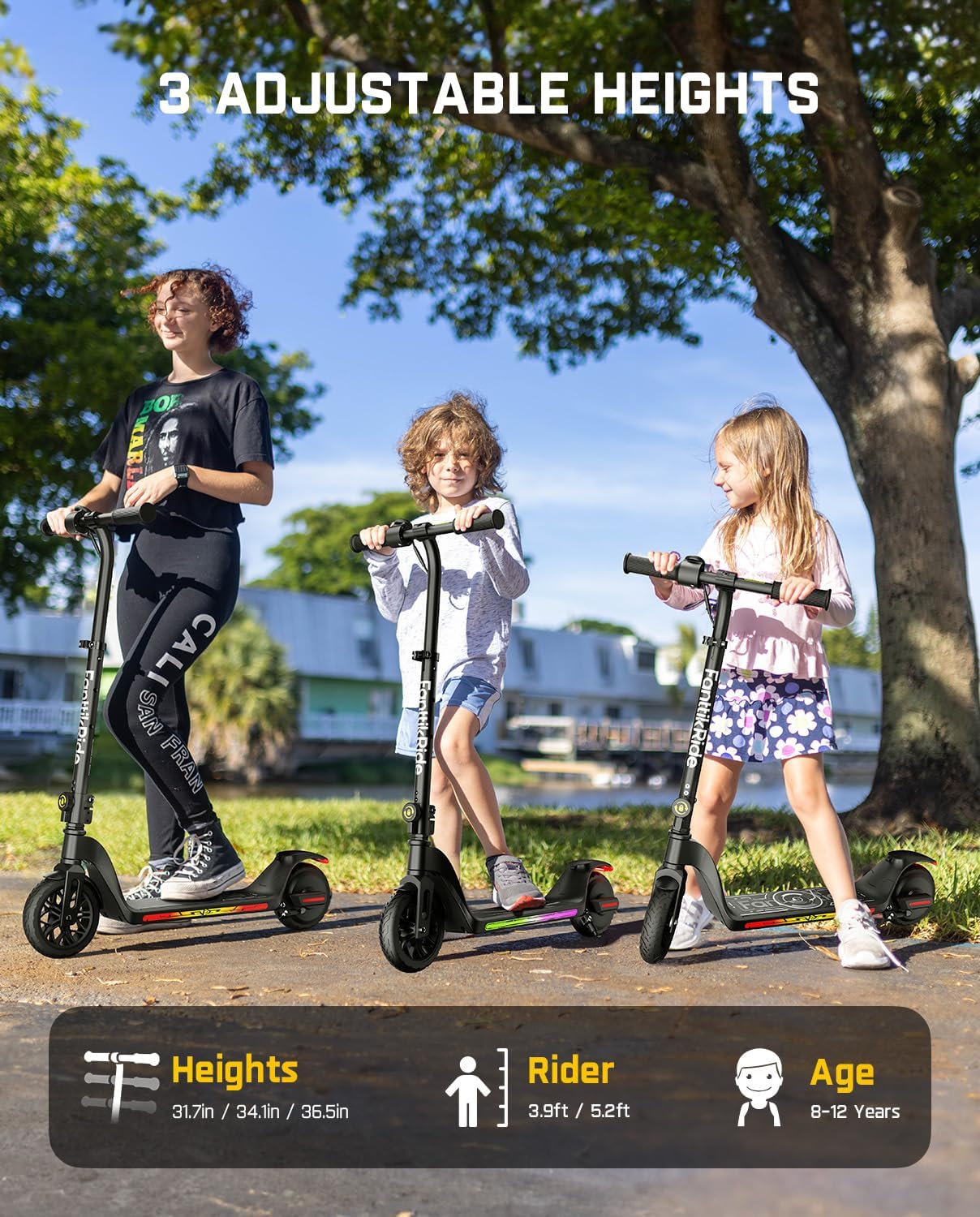
Image: Demonstrating the 3 adjustable height settings for the Fanttikride C10 scooter.
5. Operation
5.1 Powering On/Off
Locate the power button on the handlebar. Press and hold to turn the scooter on or off.
5.2 Riding Modes
The Fanttikride C10 Pro/Apex offers three distinct riding modes, allowing riders to choose a speed appropriate for their skill level and environment. Press the mode button (usually near the power button) to cycle through the speeds:
- Gear 1: 5 mph (Max Speed) - Ideal for beginners or crowded areas.
- Gear 2: 8 mph (Max Speed) - A balanced speed for general riding.
- Gear 3: 10 mph (Max Speed) - For experienced riders in open spaces.

Image: Illustration of the three riding modes available on the Fanttikride C10 scooter.
5.3 LED Display and Features
The integrated LED display provides real-time information about your ride:
- Battery Percentage: Shows the remaining battery life.
- Current Speed: Displays your speed in mph.
- Odometer: Tracks the total distance traveled.
- Riding Mode Indicator: Shows which gear (1, 2, or 3) is currently selected.
The scooter also features vivid LED ambient lights on the deck, which can display rainbow-colored patterns, enhancing visibility and adding a fun element to the ride. Some models include a Bluetooth speaker for audio playback.

Image: Accurate LED Battery Display and Speedometer.
5.4 Charging
To charge your scooter, connect the provided Type-C USB cable to the charging port on the scooter and a compatible USB power adapter (not included). A full charge typically takes 2.5 hours with a 60W PD charger.
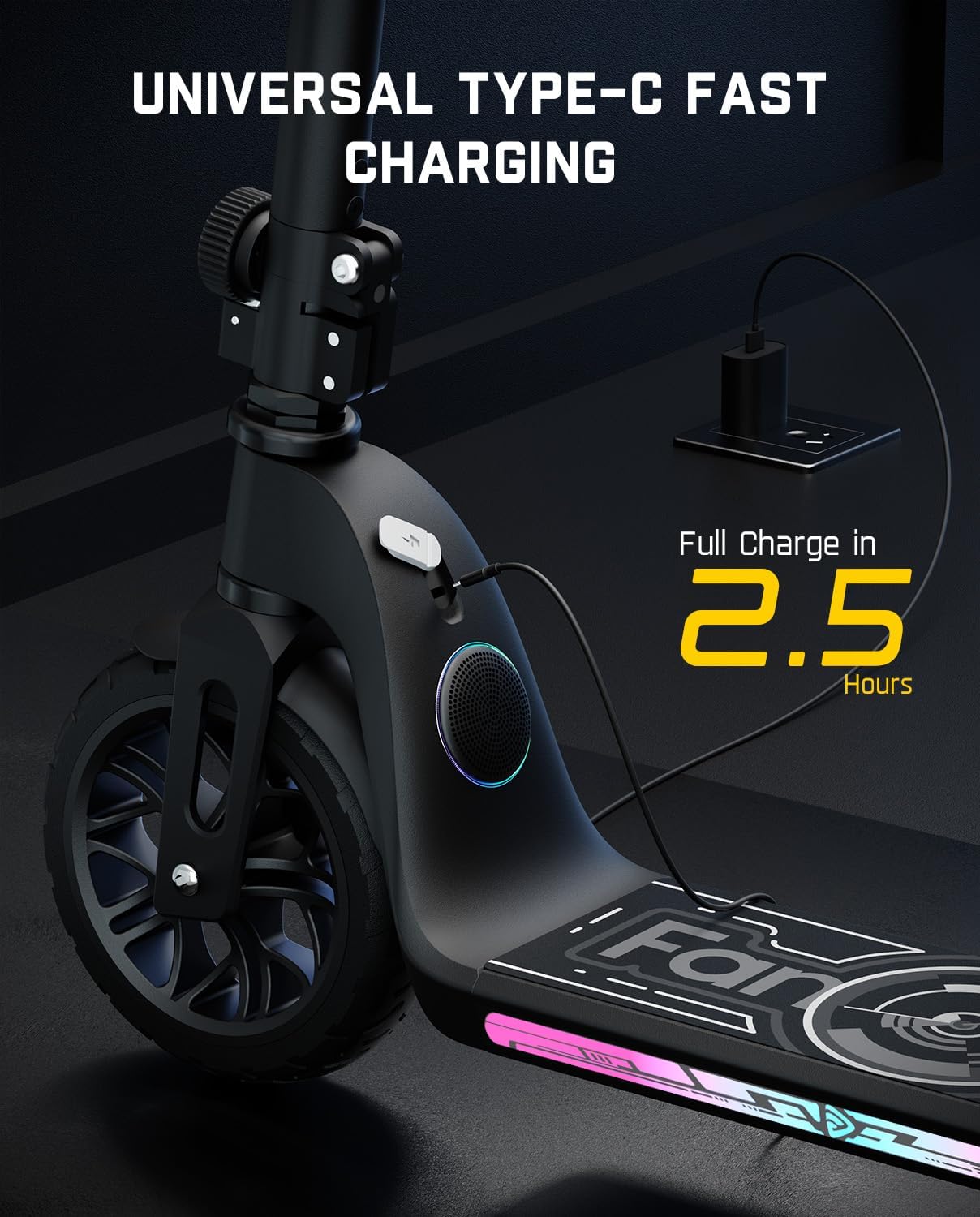
Image: Universal Type-C Fast Charging Port.
6. Maintenance
Regular maintenance ensures the longevity and safe operation of your scooter:
- Cleaning: Wipe down the scooter with a damp cloth. Do not use harsh chemicals or spray water directly onto electrical components.
- Tires: Check tire pressure regularly (if applicable) and inspect for wear or damage. The C10 models feature solid wheels, reducing maintenance needs.
- Brakes: Ensure the regenerative braking system is functioning correctly. Test brakes before each ride.
- Fasteners: Periodically check and tighten all screws, bolts, and nuts, especially those on the handlebar, wheels, and folding mechanism.
- Storage: Store the scooter in a cool, dry place away from direct sunlight and extreme temperatures. If storing for extended periods, charge the battery to about 50-70% and recharge every 3 months.

Image: Foldable design for easy storage and transport.
7. Troubleshooting
If you encounter issues with your Fanttikride C10 Pro/Apex scooter, refer to the common problems and solutions below:
| Problem | Possible Cause | Solution |
|---|---|---|
| Scooter does not power on. | Low battery; loose connections; power button malfunction. | Charge the battery; check all cable connections; contact support if issue persists. |
| Scooter not moving or accelerating. | Low battery; incorrect riding mode; motor issue. | Charge the battery; switch to a higher riding mode; ensure kick-start is performed (if applicable); contact support. |
| LED lights not working. | Loose connection; electrical fault. | Check connections; ensure scooter is powered on; contact support. |
| Handlebar is wobbly. | Quick-release clamp not tightened; stem not fully locked. | Ensure the quick-release clamp is fully tightened and the stem is locked into place. |
If the problem persists after attempting these solutions, please contact FanttikRide customer support for further assistance.
8. Specifications
| Feature | Detail |
|---|---|
| Brand | FanttikRide |
| Model Name | C10 |
| Style | C10 Pro Black & C10 Apex Black |
| Frame Material | Aluminum |
| Wheel Material | Polyurethane |
| Wheel Type | Solid |
| Handlebar Type | Adjustable (30.9", 33.7", 36.5") |
| Suspension Type | Rigid |
| Brake Style | Regenerative Braking |
| Riding Modes | 3 (5 mph, 8 mph, 10 mph max speeds) |
| Recommended Age | Over 8 years old |
| Max Rider Weight | 132 pounds (60 kg) |
| Charging Port | Universal Type-C |
| First Available Date | November 22, 2024 |
9. Warranty and Support
FanttikRide products come with a limited warranty. Please refer to the warranty card included in your package for specific terms and conditions. For technical support, parts, or warranty claims, please contact FanttikRide customer service through their official website or the retailer where the product was purchased.
For more information, visit the official FanttikRide store: FanttikRide Amazon Store
Related documentsC10 Pro & C10 Apex


Ask a question about this manual
Ask about setup, troubleshooting, compatibility, parts, safety, or missing instructions. Manuals+ will review the question and use this page’s manual context to help answer it.