1. Introduction
Thank you for choosing the ACEZUK M07 Portable Battery Booster Jump Starter. This device is a versatile tool designed to provide emergency jump-starting for vehicles, inflate tires, and serve as a portable power bank and LED light source. Please read this manual thoroughly before operating the device to ensure safe and efficient use.
2. Safety Information
Always adhere to the following safety precautions to prevent injury or damage to the device:
- Do not expose the device to high temperatures, open flames, or extremely cold environments.
- Keep out of reach of children.
- Do not disassemble, modify, or attempt to repair the device yourself. Contact qualified service personnel.
- Ensure proper polarity when connecting jumper cables to a vehicle battery. Reverse polarity can cause damage.
- Do not operate the air compressor continuously for extended periods to prevent overheating. Allow it to cool down between uses.
- Store the device in a cool, dry place when not in use.
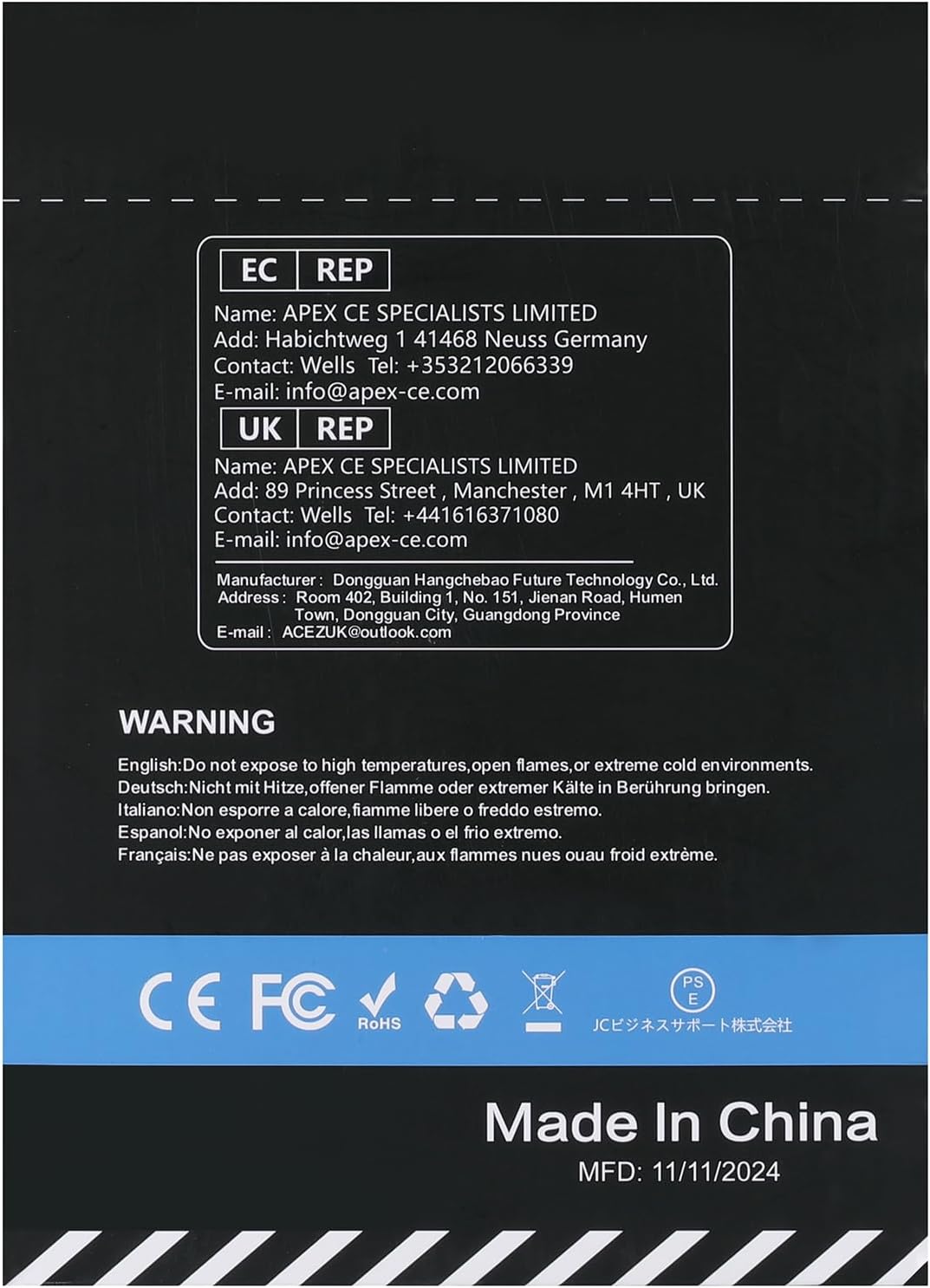
Back of the product packaging, showing manufacturer details, EU and UK representative information, and a multi-language warning about not exposing the device to high temperatures, open flames, or extreme cold environments.
3. Package Contents
Please check the package for the following items:
- ACEZUK M07 Jump Starter Unit
- Smart Jumper Cables
- USB-C Charging Cable
- Air Hose with various Nozzles (e.g., Presta, Schrader, needle valve)
- User Manual

The ACEZUK M07 Jump Starter and Portable Air Compressor, showcasing the main unit, smart jumper cables, USB-C charging cable, and various air nozzles.
4. Product Overview
Familiarize yourself with the components and controls of your ACEZUK M07 unit:

Detailed diagram of the ACEZUK M07 unit, labeling its functional zones including the power button, air pump power button, '+' and '-' buttons, mode button, LED display, USB-C input/output ports, USB output port, EC5 port, fan air inlet, radiator, LED switch button, and LED flashlight.
- Power Button: Turns the unit on/off.
- Air Pump Power Button: Activates/deactivates the air compressor.
- '+' / '-' Buttons: Adjusts pressure settings for the air compressor.
- Mode Button: Cycles through inflation modes (car, bike, motorcycle, ball).
- LED Display: Shows battery level, pressure readings, and operational status.
- USB-C IN/OUT Ports: For charging the unit and charging external devices.
- USB OUT Port: For charging external devices.
- EC5 Port: Connection point for smart jumper cables.
- LED Light: Multi-functional light source (flashlight, strobe, SOS).
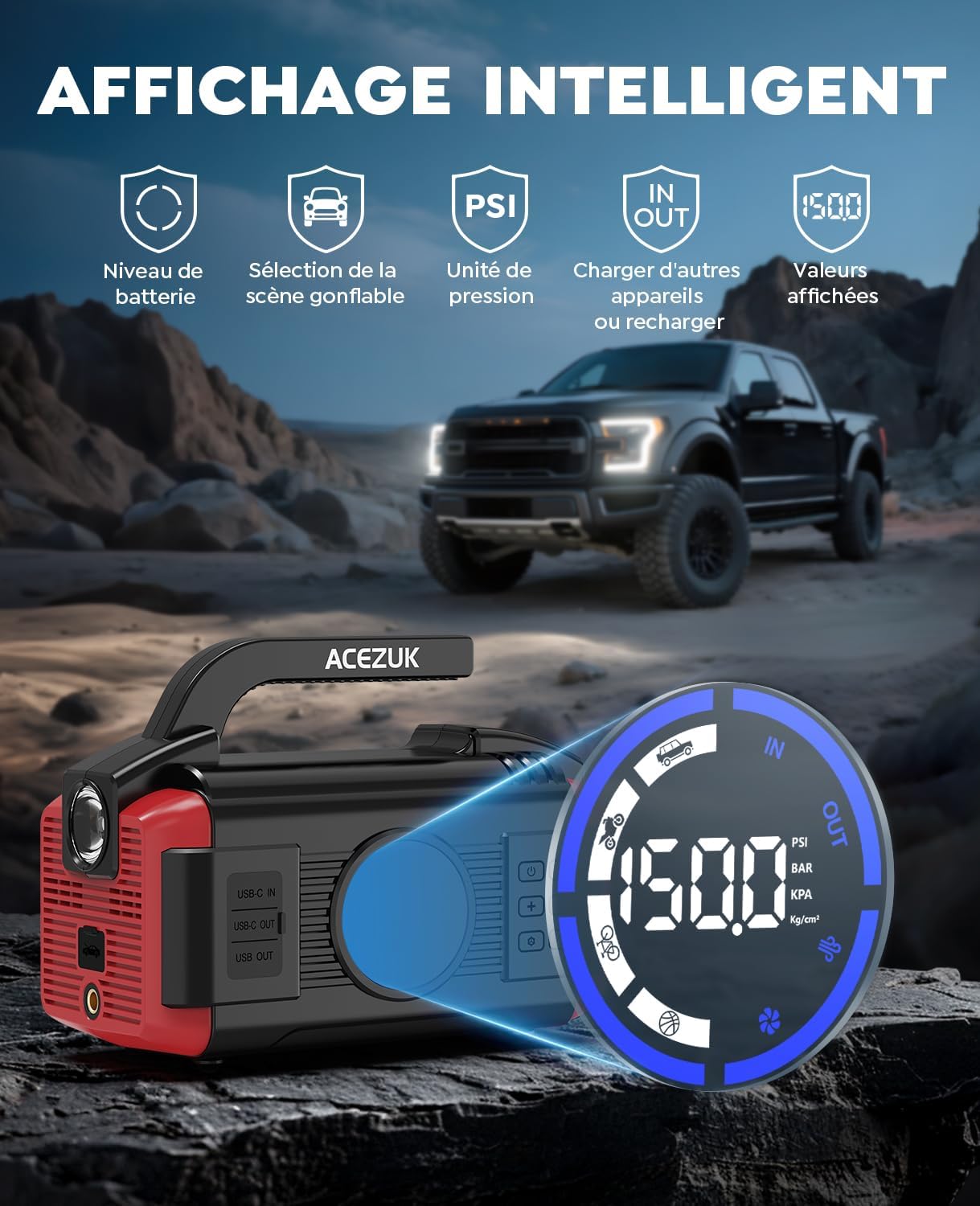
Close-up of the ACEZUK M07's intelligent display, showing battery level, inflatable scene selection, pressure unit (PSI, BAR, KPA), and input/output indicators. A vehicle is visible in the background.
5. Setup
Before first use, fully charge your ACEZUK M07 unit.
5.1 Initial Charging
- Connect the provided USB-C charging cable to the USB-C IN port on the ACEZUK M07.
- Connect the other end of the USB-C cable to a suitable USB wall adapter (not included).
- The LED display will indicate charging status. Charge until the battery indicator shows full.
6. Operating Instructions
6.1 Jump Starting a Vehicle
- Ensure the ACEZUK M07 unit is sufficiently charged (at least 50%).
- Connect the smart jumper cables to the EC5 port on the jump starter.
- Attach the red clamp (+) to the positive terminal of the vehicle's battery.
- Attach the black clamp (-) to the negative terminal of the vehicle's battery.
- Ensure the smart cable indicator light is green. If it's red, check connections.
- Start the vehicle's engine.
- Once the engine starts, immediately remove the clamps from the battery, first the black (-) then the red (+), and then disconnect the cables from the jump starter.

The ACEZUK M07 unit connected to a car battery for jump starting, highlighting its powerful 6000A peak current, 12V output, 150 PSI air compressor, and 400 lumens LED light.
6.2 Using the Air Compressor
- Connect the air hose to the air outlet port on the ACEZUK M07.
- Select the appropriate nozzle for your item and attach it to the air hose.
- Connect the nozzle to the tire valve or inflatable item.
- Press the Air Pump Power Button to turn on the compressor.
- Use the Mode button to select the desired inflation mode (car, bike, motorcycle, ball) or manually set the target pressure using the '+' and '-' buttons.
- The compressor will automatically stop once the target pressure is reached.
- Disconnect the nozzle and air hose.

Illustration demonstrating the 150 PSI air compressor's versatility for inflating various items: car tires (58 PSI/4 Bar), bicycle tires (150 PSI/10.3 Bar), motorcycle tires (51 PSI/3.5 Bar), and basketballs (14 PSI/1 Bar).
6.3 Using as a Power Bank
- Connect your device's charging cable to either the USB-C OUT or USB OUT port on the ACEZUK M07.
- The ACEZUK M07 will automatically begin charging your device.
6.4 Using the LED Light
- Press the LED Switch Button to turn on the flashlight.
- Press again to cycle through modes: constant illumination, strobe, SOS.
- Press a final time to turn off the light.

The ACEZUK M07's powerful LED light in action, demonstrating its multi-functional emergency lighting modes: constant illumination, strobe light, and SOS signal.

Visual representation of the ACEZUK M07's multi-functional uses: jump starting a car, inflating tires, serving as an LED flashlight, and functioning as a portable power bank for charging mobile devices.
7. Maintenance
- Charging: Recharge the unit every 3-6 months, even if not used, to maintain battery health.
- Storage: Store in a cool, dry place away from direct sunlight and extreme temperatures.
- Cleaning: Wipe the unit with a soft, damp cloth. Do not use harsh chemicals or abrasive cleaners.
8. Troubleshooting
- Unit not turning on: Ensure the unit is charged. If not, charge it fully.
- Vehicle not starting after jump: Check jumper cable connections for proper polarity and secure contact. Ensure the vehicle battery terminals are clean. The vehicle battery might be severely discharged or faulty.
- Air compressor not inflating: Check that the air hose is securely connected and the nozzle is properly attached to the item. Ensure the target pressure is set correctly.
- Device not charging from power bank function: Ensure the ACEZUK M07 has sufficient charge. Try a different USB cable or port.
9. Specifications
| Feature | Specification |
|---|---|
| Model | M07 |
| Battery Capacity | 26800mAh / 99.16Wh |
| Jump Starter Output | 12V |
| USB-C Input | 5V=2A, 9V=2A |
| USB-C Output | 5V=3A |
| USB-A Output | 5V=3A |
| Air Compressor Max Pressure | 150 PSI |
| Item Weight | 2.22 kg |
| Package Dimensions | 32.2 x 24 x 15.1 cm |
| Battery Cell Composition | Lithium Ion |

A label from the product packaging displaying key specifications: Model M07, Capacity 26800mAh 99.16Wh, Jump Starter Output 12V, USB C+USB A Output 5V=3A, Type-C Input 5V=2A 9V=2A, Air Compressor 150PSI (MAX), and contact email ACEZUK@outlook.com.

A person holding the ACEZUK M07 unit, illustrating its compact and portable design with dimensions of approximately 8.7 inches (length), 5.9 inches (height), and 4.5 inches (width).
10. Warranty and Support
ACEZUK products are designed for reliability and performance. For warranty information or technical support, please contact us directly.
Email: ACEZUK@outlook.com
Please have your model number (M07) and purchase details ready when contacting support.


