
SIFENE JS8301
SiFENE Cold Press Juicer JS8301 Instruction Manual
Brand: SIFENE | Model: JS8301
1. Introduction
Thank you for choosing the SiFENE Cold Press Juicer JS8301. This innovative slow masticating juicer is designed to provide a high juice yield while preserving nutrients, making healthy juicing effortless. Its unique all-in-one design integrates the juice cup and pulp container, saving counter space and simplifying use.
Key features include a 5.2-inch extra-large feed chute for whole fruits and vegetables, a high-torque seven-segment spiral system for efficient extraction, and a user-friendly design for quick assembly and cleaning. Safety is prioritized with a built-in safety lock and non-BPA materials. This manual provides essential information for the proper setup, operation, maintenance, and troubleshooting of your new juicer.

Figure 1: SiFENE Cold Press Juicer JS8301 Overview
2. Setup
2.1 Unpacking
- Carefully remove all components from the packaging.
- Verify that all parts listed in the packing list are present.
- Remove any protective films or packaging materials from the juicer and its components.
2.2 Assembly
Assemble the juicer components before first use. Ensure all parts click securely into place.
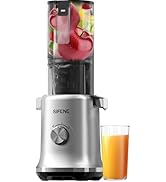
Figure 2: Assembly Steps
- Place the main body on a stable, flat surface.
- Insert the auger and filter basket into the main unit.
- Attach the feeding chute assembly to the top of the main unit, ensuring it locks into position.
- Place the juice collection cup under the juice outlet.
Before first use, wash all detachable parts that will come into contact with food using warm soapy water, then rinse thoroughly and dry.
3. Operating Instructions
3.1 Preparation
- Ensure the juicer is correctly assembled and placed on a stable surface.
- Plug the power cord into a grounded electrical outlet.
- Wash fruits and vegetables thoroughly. For most items, pre-cutting is not necessary due to the 5.2-inch extra-large feed chute. Remove hard pits from fruits like peaches or avocados.

Figure 3: Extra Large Feed Chute for Whole Fruits
3.2 Juicing Process
- Turn the control knob to the "ON" position to start the juicer.
- Slowly feed fruits and vegetables into the feed chute. The juicer's hands-free feeding design allows you to load ingredients and let the machine process them efficiently.
- The juicer will extract juice into the integrated juice cup and separate pulp into the 1.2L pulp bin.
- Once juicing is complete, turn the control knob to the "OFF" position.
- Open the juice outlet tap to dispense the fresh juice.

Figure 4: Simple Control Knob
3.3 Anti-Clog Reverse Function
If ingredients become jammed or the juicer stops operating, turn the control knob to the "REV" (Reverse) position. This will reverse the auger's rotation to clear the blockage. After clearing, return the knob to "OFF" and then "ON" to resume juicing.
3.4 Official Product Video
Video 1: Demonstrating Whole Fruit Juicing for Fast, Efficient Results with the SiFENE Cold Press Juicer.
4. Maintenance and Cleaning
4.1 Disassembly for Cleaning
The juicer is designed for quick disassembly to facilitate easy cleaning. Ensure the juicer is unplugged before disassembling.
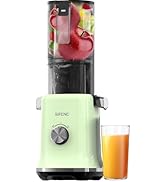
Figure 5: Disassembly for Cleaning
- Turn the control knob to "OFF" and unplug the juicer.
- Remove the feeding chute assembly by twisting and lifting.
- Remove the auger and filter basket from the main unit.
4.2 Cleaning
- Rinse all detachable parts under running water immediately after use to prevent pulp from drying.
- Use the included cleaning brush to remove any stubborn pulp from the filter and other small corners.
- All detachable parts are dishwasher safe for convenience.
- Wipe the main motor unit with a damp cloth. Do not immerse the main unit in water.
- Ensure all parts are completely dry before reassembling or storing.

Figure 6: Quick and Easy Cleaning
4.3 Storage
Store the assembled juicer in a dry, clean place away from direct sunlight and extreme temperatures. Its compact size makes storage convenient.
5. Troubleshooting
| Problem | Possible Cause | Solution |
|---|---|---|
| Juicer does not turn on. | Not plugged in; Safety lock not engaged; Power outage. | Ensure power cord is securely plugged in. Check if all parts are correctly assembled and the safety lock is engaged. Check power supply. |
| Juicer stops during operation or gets clogged. | Too much produce fed at once; Hard ingredients causing blockage. | Turn the control knob to "REV" (Reverse) to clear the blockage. If the issue persists, turn off, unplug, disassemble, clean, and reassemble. Feed ingredients slowly. |
| Low juice yield or wet pulp. | Ingredients too soft or overripe; Filter clogged. | Ensure ingredients are fresh and firm. Clean the filter thoroughly. |
| Excessive noise or vibration. | Improper assembly; Hard foreign object. | Check that all parts are correctly assembled and secured. Turn off and inspect for any foreign objects. |
6. Specifications
| Feature | Detail |
|---|---|
| Brand | SIFENE |
| Model Name | JS8301 |
| Color | Gray |
| Product Dimensions | 10.83"D x 5.51"W x 15.07"H |
| Capacity | 1.2 Liters (Pulp Bin) |
| Power Source | AC |
| Voltage | 120 Volts |
| Blade Material | Acrylonitrile Butadiene Styrene (ABS) |
| Number of Speeds | 2 (ON/REV) |
| Dishwasher Safe Parts | Yes |
| Item Weight | 7.67 pounds |
| Special Features | 5.2" Extra Large Feed Chute, All-in-One Design, Safety Lock, Non-BPA Materials, Anti-Clog Reverse Function |
7. Warranty and Support
For warranty information, technical support, or any inquiries regarding your SiFENE Cold Press Juicer JS8301, please refer to the official SiFENE website or contact customer service directly. Keep your purchase receipt for warranty claims.
You can also find additional resources and support by visiting the SiFENE Store on Amazon.
For a downloadable PDF version of the user manual, please visit: User Manual (PDF)
Related documentsJS8301


Ask a question about this manual
Ask about setup, troubleshooting, compatibility, parts, safety, or missing instructions. Manuals+ will review the question and use this page’s manual context to help answer it.