
SANODESK Q1
SANODESK Q1 Electric Standing Desk
Instruction Manual
1. Product Overview
The SANODESK Q1 Electric Standing Desk offers a versatile and ergonomic workspace solution. Featuring electric height adjustment, memory presets, and a stable design, it is suitable for various environments. This manual provides essential information for safe assembly, operation, and maintenance.
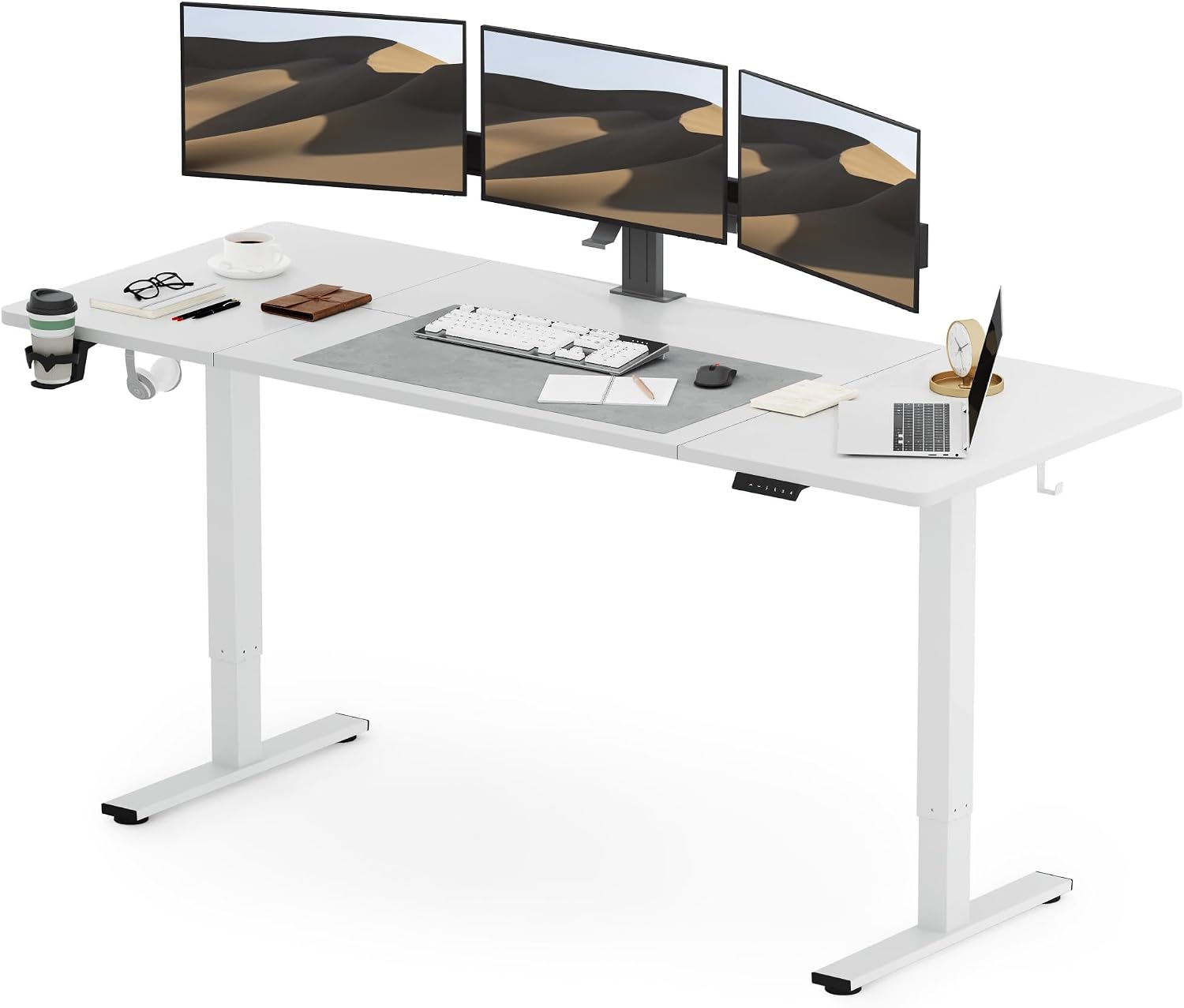
Figure 1: SANODESK Q1 Electric Standing Desk (200x80cm, White)
2. Safety Information
Please read all safety warnings and instructions carefully before assembly and use. Keep this manual for future reference.
- This product is height-adjustable and may pose risks to children. Always supervise children around the desk.
- Ensure all connections are secure and cables are properly managed to prevent tripping hazards.
- Do not overload the desk. Refer to specifications for maximum weight capacity.
- Keep hands and objects clear of moving parts during height adjustment.
- Use only the provided power adapter.
- Avoid contact with water or excessive moisture.
- Do not attempt to disassemble or repair the motor or control unit yourself. Contact qualified personnel for service.
- The child lock function should be activated to prevent accidental adjustments.
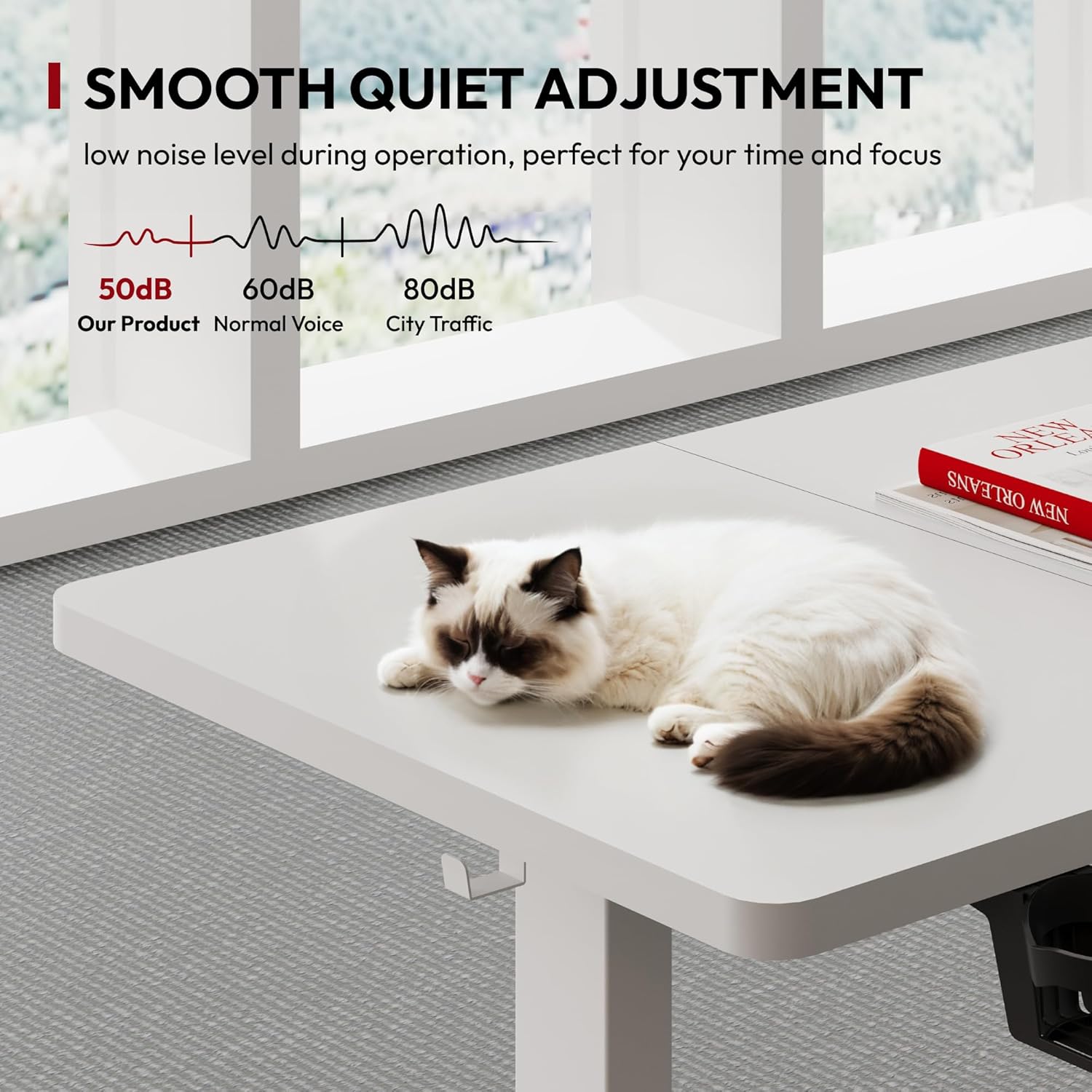
Figure 2: Important Safety Warnings
3. Key Features
- Elegant Design & Stable Structure: Focus on functionality and aesthetic appeal with a simple, elegant design.
- Adjustable Height: Height range from 73cm to 118cm (28.7 inches to 46.5 inches) to accommodate various user needs.
- Memory Functions: Two memory presets for quick transitions between preferred sitting and standing heights. Includes a child lock function.
- Quiet Operation: Operates silently with noise levels not exceeding 50 decibels.
- Integrated Accessories: Features a convenient cup holder and metal hooks for headphones or other items.
- Cable Management: Under-desk storage for organized cable routing.
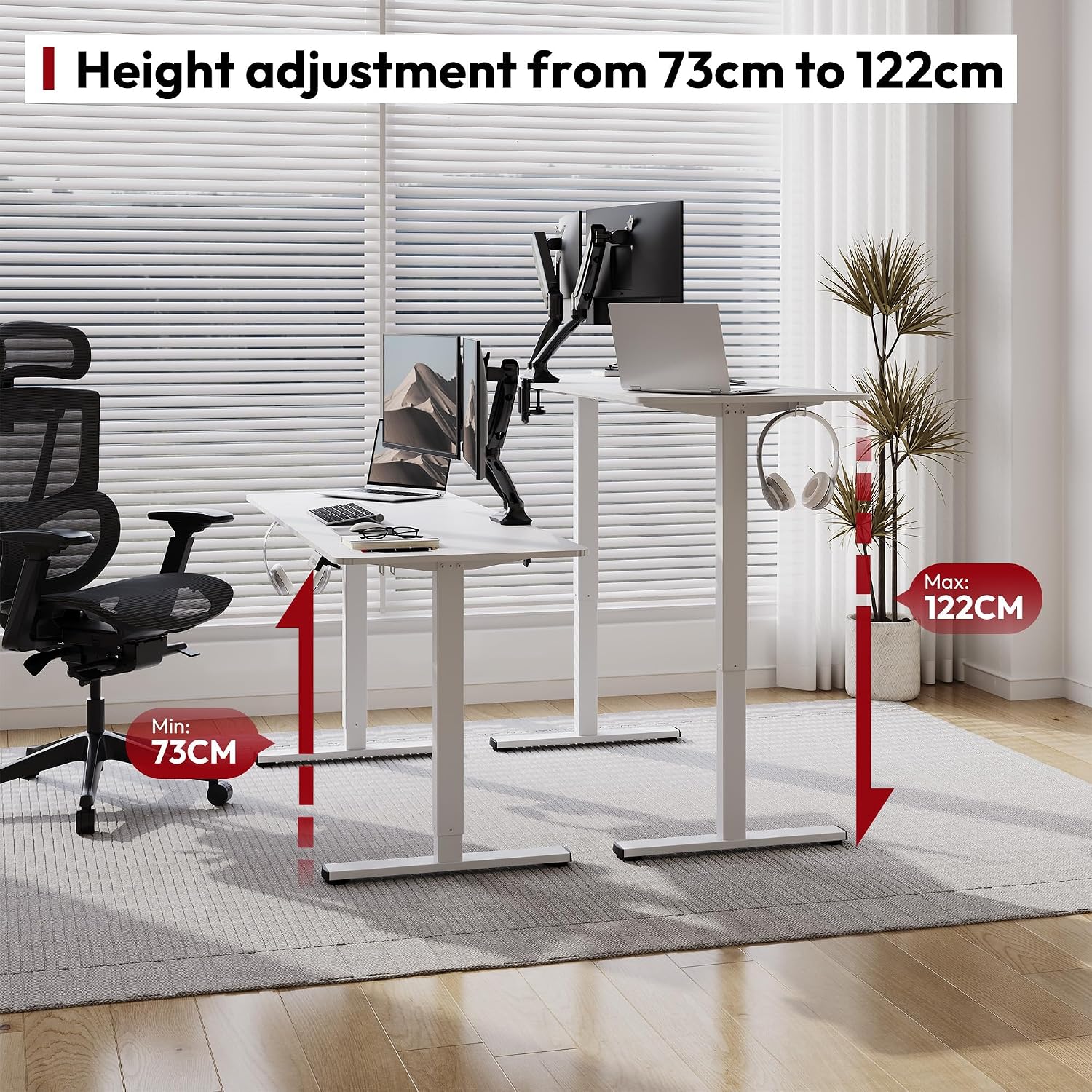
Figure 3: Height Adjustment Range (73cm - 122cm)

Figure 4: Control Panel with Memory Presets
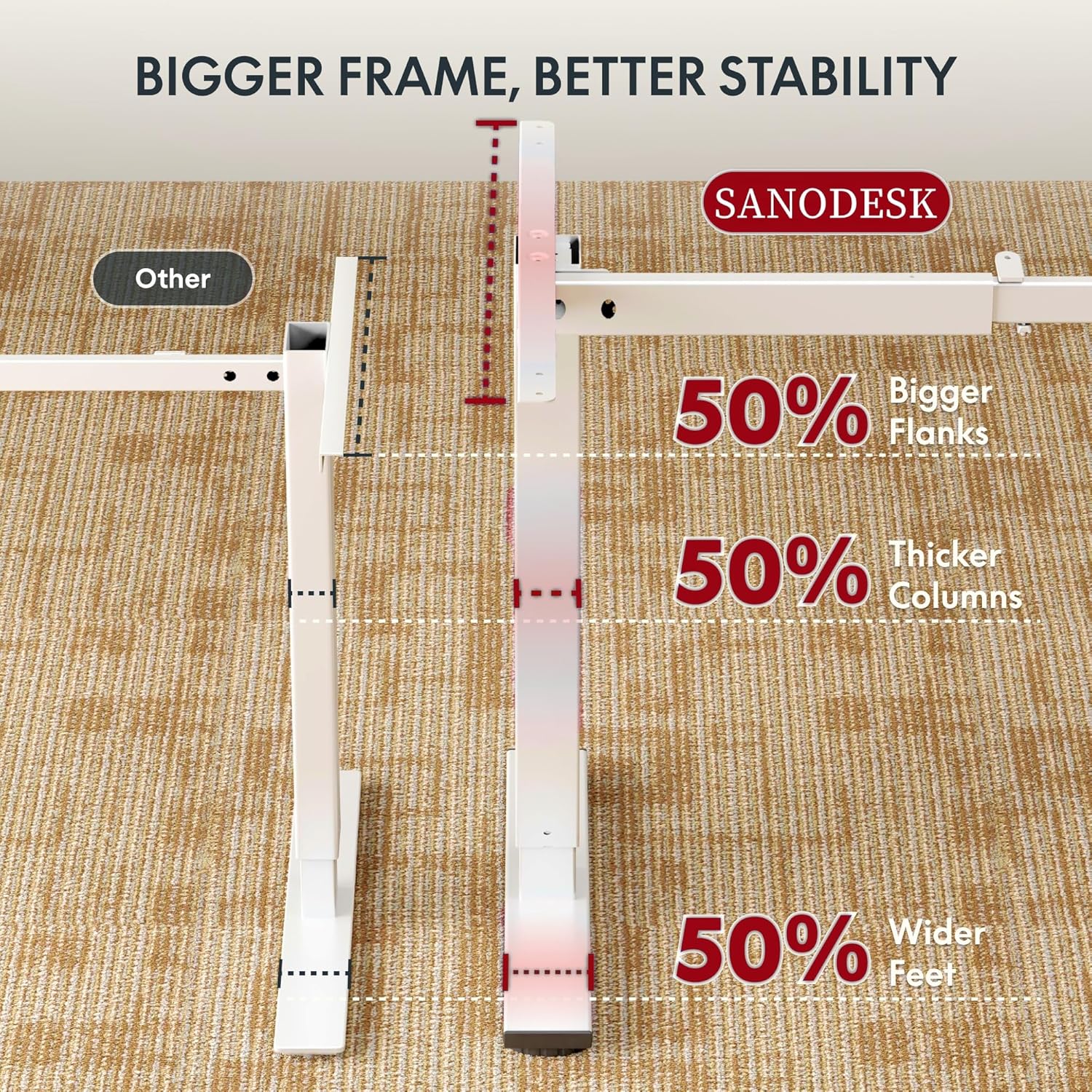
Figure 5: Quiet Operation (under 50dB)
4. Setup and Assembly
The SANODESK Q1 is designed for quick assembly. While specific step-by-step instructions are not provided here, general guidelines are as follows:
- Unpack Components: Carefully remove all parts from the packaging. Verify all components are present against the packing list.
- Assemble Frame: Attach the desk legs to the crossbar and feet according to the included assembly diagram. Ensure all screws are tightened securely.
- Attach Desktop: Secure the desktop panels to the assembled frame. Note that the 200x80cm desktop consists of four parts.
- Connect Electronics: Connect the motor cables to the control box and the control box to the power adapter. Plug the power adapter into a wall outlet.
- Cable Management: Utilize the under-desk cable management system to organize power cords and other cables for a tidy workspace.

Figure 6: Cable Management Solution
5. Operating Instructions
5.1. Height Adjustment
- Raise Desk: Press and hold the Up arrow button on the control panel. The desk will move upwards. Release the button at your desired height.
- Lower Desk: Press and hold the Down arrow button on the control panel. The desk will move downwards. Release the button at your desired height.
5.2. Memory Presets
The desk features two memory presets (buttons 1 and 2) to save and recall your preferred heights.
- Set a Memory Position: Adjust the desk to your desired height using the Up/Down buttons. Press the "M" button (or similar memory set button, if present, otherwise assume direct save) followed by the desired preset button (1 or 2). The LED display may flash to confirm the setting.
- Recall a Memory Position: Press the desired preset button (1 or 2). The desk will automatically move to the saved height.
5.3. Child Lock Function
To prevent accidental adjustments, activate the child lock:
- Activate Lock: Press and hold the "Lock" button (often represented by a key icon or similar) for a few seconds until the display indicates it's locked.
- Deactivate Lock: Press and hold the "Lock" button again for a few seconds until the display indicates it's unlocked.

Figure 7: Detailed View of Control Panel
6. Maintenance
- Cleaning: Wipe the desk surface and frame with a soft, damp cloth. Avoid abrasive cleaners or harsh chemicals.
- Cable Inspection: Periodically check all cables and connections for wear or damage. Replace any damaged cables immediately.
- Tighten Screws: Occasionally check and tighten any loose screws to ensure stability.
- Environmental Conditions: Keep the desk in a dry environment. Avoid extreme temperatures.
7. Troubleshooting
| Problem | Possible Cause | Solution |
|---|---|---|
| Desk does not move. | Power cable disconnected; Child lock activated; Overload protection triggered. | Check power connection; Deactivate child lock; Remove excess weight. |
| Desk moves unevenly. | Loose connections; Uneven weight distribution. | Check and tighten all assembly screws; Redistribute weight evenly on the desktop. |
| Error code on display. | Specific error (refer to manufacturer's full manual for codes). | Unplug the desk for 10 minutes, then plug it back in. If the error persists, contact customer support. |
| Noise during operation. | Normal operation sound (under 50dB); Loose components. | Ensure all components are securely fastened. If noise is excessive, contact support. |
| Memory presets not working. | Incorrect saving procedure. | Re-save the memory positions following the operating instructions. |
| Desk stops mid-movement. | Overheat protection; Obstruction detected. | Allow the motor to cool down for 20 minutes. Check for any obstructions under or around the desk. |
| Cup holder or hooks are loose. | Improper installation or loose screws. | Ensure accessories are correctly attached and screws are tightened. |
| Desktop panels are not flush. | Improper alignment during assembly. | Re-align and re-secure the desktop panels. |
| Desk wobbles. | Uneven floor; Loose frame connections. | Adjust leveling feet if present; Ensure all frame screws are tightened. |
8. Specifications
| Feature | Detail |
|---|---|
| Brand | SANODESK |
| Model | Q1 |
| Color | White |
| Product Dimensions (L x W x H) | 200 x 80 x 122 cm (78.7 x 31.5 x 48 inches) |
| Adjustable Height Range | 73 cm - 118 cm (28.7 inches - 46.5 inches) |
| Material | Wood (Desktop), Metal (Base) |
| Noise Level | < 50 dB |
| Memory Presets | 2 positions |
| Special Features | Child Lock, Cup Holder, Metal Hooks, Cable Management |
| Max Load Capacity | 70 kg (154 lbs) |

Figure 8: Desk Dimensions and Load Capacity
9. Warranty and Support
SANODESK provides a standard warranty for its products. For specific warranty terms and conditions, please refer to the warranty card included with your purchase or visit the official SANODESK website.
For technical support, troubleshooting assistance, or replacement parts, please contact SANODESK customer service:
- Website: SANODESK Official Store
- Email: Refer to product packaging or official website for contact email.
- Phone: Refer to product packaging or official website for contact number.
When contacting support, please have your product model (Q1) and purchase date ready.
Related documentsQ1


Ask a question about this manual
Ask about setup, troubleshooting, compatibility, parts, safety, or missing instructions. Manuals+ will review the question and use this page’s manual context to help answer it.