
SANODESK FQ2 (810072882011)
SANODESK FQ2 Electric Standing Desk User Manual
Model: FQ2 (810072882011)
Brand: SANODESK
Introduction
This manual provides detailed instructions for the assembly, operation, and maintenance of your SANODESK FQ2 Electric Standing Desk. Designed for versatility and comfort, this desk features a seamless one-piece panel, adjustable height, and an intuitive memory control panel. Please read this manual thoroughly before use to ensure proper functionality and safety.

Image: The SANODESK FQ2 Electric Standing Desk, showcasing its clean white design and ample workspace for multiple devices.
Safety Information
Please observe the following safety precautions to prevent injury or damage to the product:
- Ensure all components are securely fastened before use.
- Keep children and pets away from the desk during operation.
- Do not overload the desk beyond its maximum weight capacity of 60 kg.
- Avoid placing liquids directly on the control panel or motor components.
- Disconnect power before cleaning or performing any maintenance.
- Use the child lock function to prevent accidental height adjustments.
Package Contents
Upon unboxing, please verify that all the following components are present:
- Desk Top (120cm x 60cm, White)
- Desk Legs/Frame (2 pieces)
- Control Panel with LED Display
- Power Adapter and Cable
- Assembly Hardware (screws, tools)
- Metal Hooks (2 pieces)
- User Manual
Setup and Assembly
Assembly of the SANODESK FQ2 is designed to be straightforward, typically taking about 30 minutes. Follow these general steps:
- Unpack Components: Carefully remove all parts from the packaging and lay them out on a clean, soft surface to prevent scratches.
- Attach Desk Legs: Secure the desk legs to the tabletop using the provided screws and tools. Ensure they are aligned correctly and tightened firmly.
- Install Control Panel: Mount the control panel to the underside of the desk, typically on the front edge, using the designated screws.
- Connect Cables: Connect the motor cables from the legs to the control box, and then connect the control panel cable to the control box. Finally, connect the power adapter to the control box and plug it into a power outlet.
- Attach Accessories: If desired, attach the two metal hooks to the underside of the desk for hanging headphones or other items.
- Initial Calibration: After assembly, perform an initial calibration as per the operating instructions to ensure smooth height adjustment.

Image: An exploded view illustrating the main components of the SANODESK FQ2 desk, including the tabletop, adjustable legs, and sturdy feet, indicating a quick assembly process.

Image: A visual representation of the quick assembly process for the SANODESK FQ2, highlighting its ease of setup.
Operating Instructions
Your SANODESK FQ2 features an intuitive control panel for easy height adjustment and memory functions.
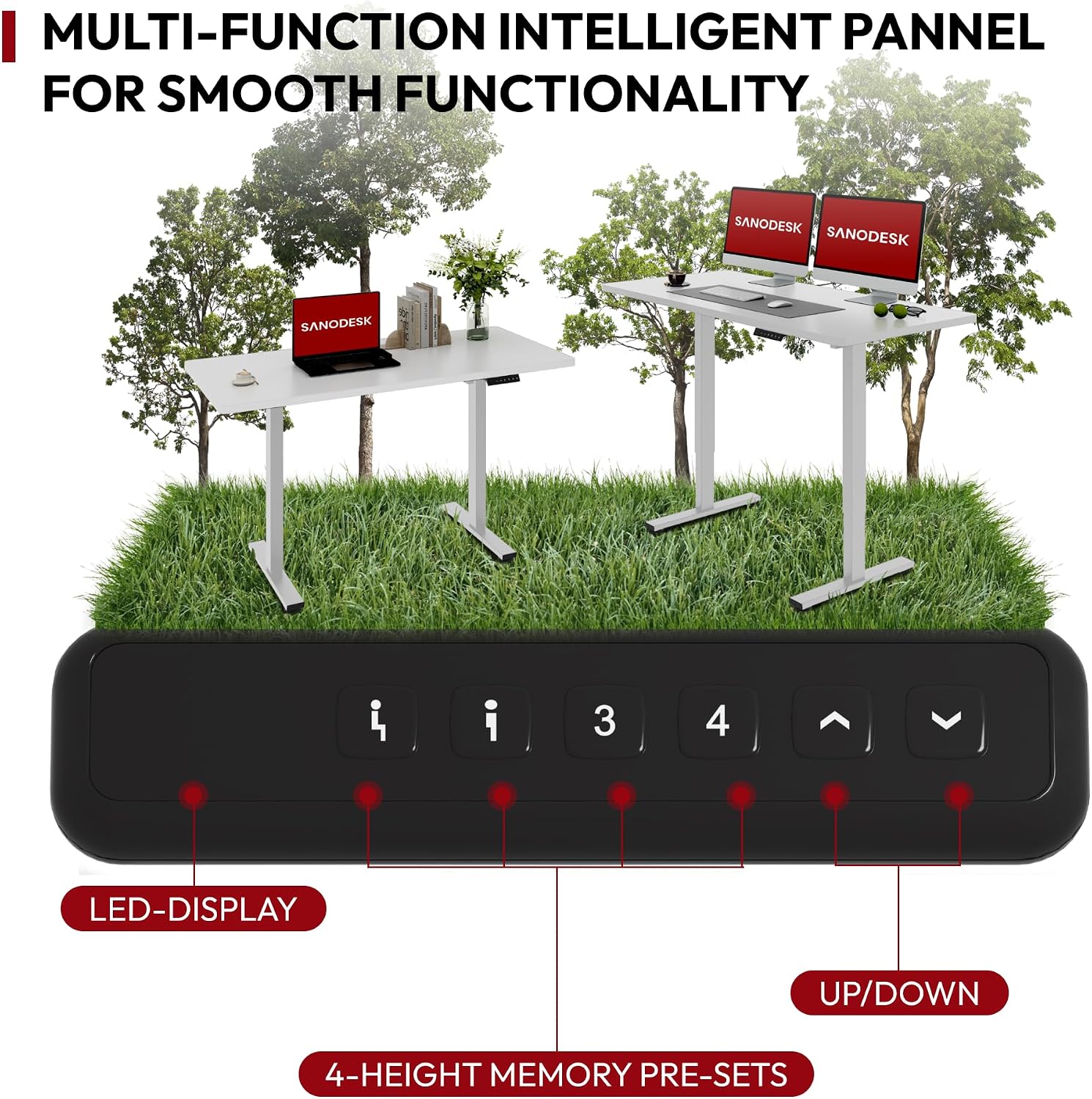
Image: The multi-function intelligent control panel of the SANODESK FQ2, featuring an LED display, memory presets, and up/down buttons for smooth functionality.
Height Adjustment
- Up/Down Buttons: Use the ^ (Up) and v (Down) arrows on the control panel to manually adjust the desk height. The desk can be adjusted from 75 cm to 110 cm.
- Silent Operation: The desk operates with a motor that produces less than 50 dB of noise, ensuring quiet adjustments.

Image: The SANODESK FQ2 demonstrating its flexible height adjustment range, allowing users to set the desk from 75cm for sitting to 110cm for standing comfort.
Memory Presets
The control panel allows you to save up to four preferred height settings for quick transitions.
- Setting a Memory Position:
- Adjust the desk to your desired height using the Up/Down buttons.
- Press the "M" or "SET" button (if available, otherwise follow specific model instructions for memory setting, typically press 'M' then a number).
- Press one of the numbered memory buttons (1, 2, 3, or 4) within a few seconds. The LED display will confirm the setting.
- Recalling a Memory Position:
- Simply press the desired numbered memory button (1, 2, 3, or 4). The desk will automatically move to the saved height.
Child Lock Function
To prevent accidental adjustments, especially in households with children, the control panel includes a child lock feature. Consult your specific control panel's instructions for activation and deactivation, as this typically involves a long press on a specific button (e.g., 'M' or a lock icon) until the display indicates activation/deactivation.
Maintenance
Regular maintenance ensures the longevity and optimal performance of your SANODESK FQ2 Electric Standing Desk.
- Cleaning: Wipe the desk surface and frame with a soft, damp cloth. Avoid abrasive cleaners or solvents that could damage the finish.
- Cable Management: Periodically check that all cables are securely connected and not pinched or tangled.
- Fastener Check: Every few months, check all screws and bolts to ensure they remain tight. Retighten if necessary.
- Motor Care: The motor is designed for maintenance-free operation. Do not attempt to open or lubricate the motor housing.
Troubleshooting
If you encounter any issues with your SANODESK FQ2, refer to the following common problems and solutions:
| Problem | Possible Cause | Solution |
|---|---|---|
| Desk does not move. | Power cable disconnected, motor cable loose, overload, or control panel error. | Check all cable connections. Reduce weight on the desk. Perform a reset (unplug for 30 seconds, then plug back in). |
| Desk moves unevenly. | Uneven load, loose fasteners, or calibration issue. | Distribute weight evenly. Check and tighten all assembly screws. Perform a calibration reset. |
| Error code on display. | Specific system malfunction. | Note the error code and refer to the full troubleshooting guide (if provided separately) or contact customer support. Often, a power cycle (unplug, wait, plug in) can resolve temporary errors. |
| Desk makes unusual noise. | Obstruction, loose parts, or motor issue. | Check for any obstructions under or around the desk. Ensure all parts are securely fastened. If noise persists, contact support. |
If the problem persists after attempting these solutions, please contact SANODESK customer support for further assistance.
Specifications
| Feature | Detail |
|---|---|
| Brand | SANODESK |
| Model Number | 810072882011 (FQ2) |
| Desk Dimensions (L x W) | 120 cm x 60 cm |
| Adjustable Height Range | 75 cm to 110 cm |
| Maximum Load Capacity | 60 kg (132 lbs) |
| Material (Desk Top) | Lacquered/Coated Material (20mm thickness) |
| Material (Frame) | Metal |
| Color | White |
| Noise Level | < 50 dB |
| Special Features | Ergonomic, Height Adjustable, Electric, Memory Presets, Child Lock |
| Product Weight | 21.1 kg |

Image: The SANODESK FQ2 highlighting its dimensions (120cm length, 60cm width) and impressive 60kg load capacity, suitable for various office setups.
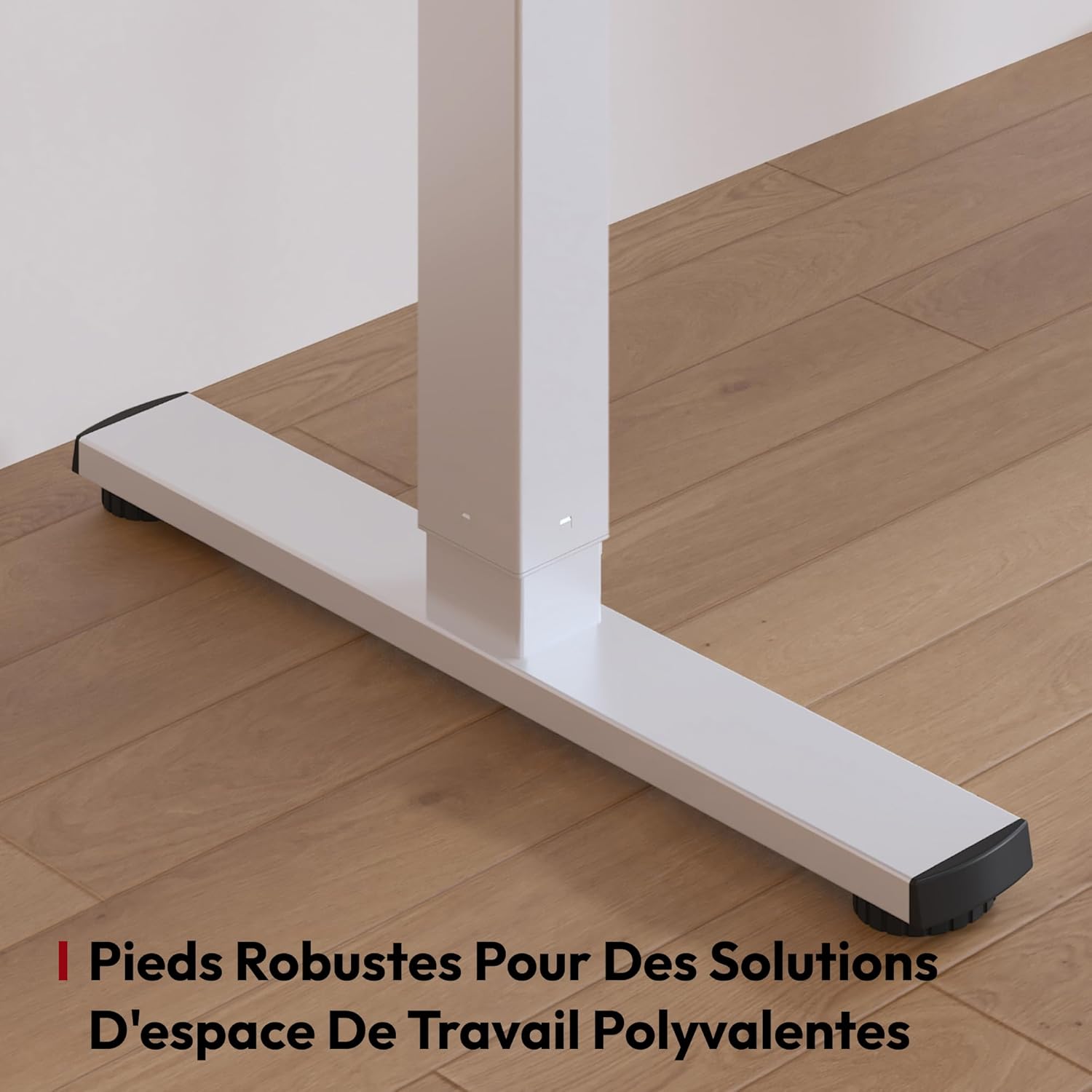
Image: A close-up view of the two metal hooks included with the SANODESK FQ2, designed for conveniently hanging frequently used items like headphones.
Image: Detail of the robust feet of the SANODESK FQ2, providing stable support for versatile workspace solutions.
Warranty and Support
SANODESK is committed to providing high-quality products. For any warranty claims, technical support, or inquiries regarding your SANODESK FQ2 Electric Standing Desk, please contact the seller directly or visit the official SANODESK website for contact information.
Please retain your purchase receipt as proof of purchase for warranty purposes.
Related documentsFQ2 (810072882011)


Ask a question about this manual
Ask about setup, troubleshooting, compatibility, parts, safety, or missing instructions. Manuals+ will review the question and use this page’s manual context to help answer it.