
1. Introduction
Thank you for choosing the BOYA BY-V20 One-Trigger-Two 2.4G Wireless Microphone System. This omnidirectional mini lapel microphone system is designed for seamless audio recording with automatic pairing and smart noise reduction, offering a transmission range of up to 50 meters. It is an ideal solution for content creators, journalists, and anyone needing high-quality audio for phone vlogs, live streaming, interviews, and online chatting.
This manual provides detailed instructions on how to set up, operate, and maintain your BY-V20 wireless microphone system to ensure optimal performance.
2. Package Contents
Please check the package carefully to ensure all items are present:
- 2 x BY-V20 Transmitters (TX)
- 1 x BY-V20 Receiver (RX) with Type-C Connector
- 1 x USB-C Charging Cable
- 1 x User Manual (English & Chinese)
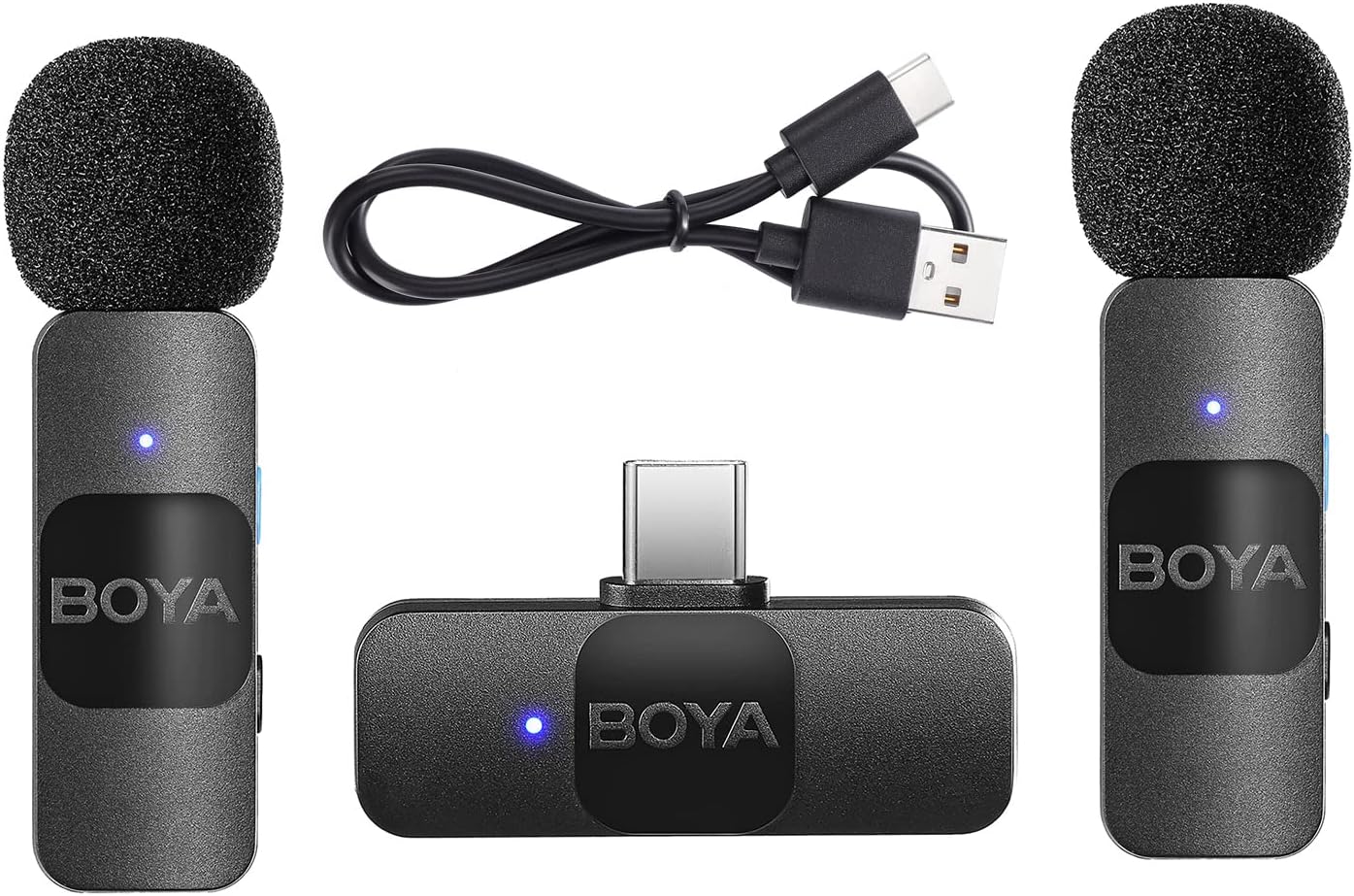
Image: The BOYA BY-V20 system, showing two transmitters, one receiver, and the charging cable.
3. Product Overview
The BOYA BY-V20 is designed for portability and ease of use. Its compact and lightweight form factor makes it convenient for on-the-go recording.

Image: A person wearing the mini clip-on transmitter, highlighting its small size and omnidirectional built-in microphone.
Each transmitter features a 360° rotatable backside clip, allowing for convenient attachment to clothing, such as a collar. The omnidirectional polar pattern ensures comprehensive sound pickup from all directions.

Image: Detailed dimensions of the BY-V20 receiver (RX) and transmitter (TX), showing their compact size and light weight (RX: 6G, TX: 9.5G).
4. Setup
4.1 Automatic Pairing
The BOYA BY-V20 system supports automatic pairing, making setup quick and effortless. No additional applications or complex configurations are required.
- Ensure both transmitters (TX) are charged.
- Plug the receiver (RX) into the USB Type-C port of your compatible device (e.g., smartphone, tablet, laptop).
- Turn on the transmitters. The transmitters and receiver will automatically pair within 10 seconds. A solid blue indicator light on both units confirms successful pairing.

Image: Visual representation of the automatic connection process between the transmitter and receiver.
5. Operating Instructions
5.1 Noise Reduction Function
The BY-V20 system features a built-in smart noise reduction module. To activate or deactivate the noise reduction (NR) function, refer to the specific button on the transmitter. When activated, the microphone will effectively filter out ambient noise, improving sound clarity, especially in noisy environments.
5.2 Charging
The transmitters have a built-in rechargeable lithium battery. Use the provided USB-C charging cable to charge the transmitters. The receiver is powered directly by the external device it's connected to and also features a Type-C charging port, allowing you to charge your mobile phone simultaneously while using the microphone system.

Image: Illustration showing the approximate charging time (2 hours) and battery life (9 hours) for the transmitter.
5.3 Compatibility
The BY-V20 receiver is compatible with a wide range of devices featuring a USB-C port. This includes, but is not limited to:
- USB-C Mobile Phones (e.g., Google, Samsung, Huawei, OnePlus, Xiaomi)
- USB-C Tablets
- USB-C Laptops
- Mac PCs

Image: A visual chart demonstrating the wide compatibility of the BY-V20 with various USB-C enabled mobile phones, tablets, and computers.
6. Maintenance
To ensure the longevity and optimal performance of your BOYA BY-V20 wireless microphone system, please follow these maintenance guidelines:
- Keep the devices clean and free from dust and moisture. Use a soft, dry cloth for cleaning.
- Avoid exposing the microphone system to extreme temperatures, direct sunlight, or corrosive substances.
- Store the system in a cool, dry place when not in use, preferably in its original packaging or a protective case.
- Do not attempt to disassemble or repair the devices yourself, as this will void the warranty and may cause damage.
- Regularly charge the transmitters to maintain battery health, even if not used frequently.
7. Troubleshooting
If you encounter issues with your BOYA BY-V20 system, please refer to the following common troubleshooting steps:
| Problem | Possible Cause | Solution |
|---|---|---|
| No sound or low volume |
|
|
| Interference or poor sound quality |
|
|
| Transmitter not turning on |
|
|
8. Specifications
| Feature | Detail |
|---|---|
| Brand | BOYA |
| Model | BY-V20 |
| Transmission Type | 2.4G Wireless |
| Polar Pattern | Omnidirectional |
| Frequency Response | 20Hz-16kHz |
| Signal-to-noise Ratio | 80dB |
| Sensitivity | -42dB |
| Operating Range | 50m (without obstacles) |
| RF Output Power | 6dBm |
| Transmitter Battery Capacity | 95mAh |
| Transmitter Charging Time | Approx. 2 hours |
| Transmitter Battery Life | Approx. 9 hours |
| Receiver Power Requirement | Supplied by External devices |
| Item Weight | 2.29 ounces |
| Package Dimensions | 4.84 x 3.35 x 1.1 inches |
| Compatible Devices | USB Type-C Smartphones, Tablets, Laptops, Mac PCs |
9. Warranty and Support
BOYA provides a limited warranty for this product. For detailed warranty information, technical support, or service inquiries, please visit the official BOYA website or contact their customer service. Please retain your proof of purchase for warranty claims.


