1. Introduction
This manual provides detailed instructions for the installation, operation, and maintenance of your Naifay Android Car Stereo. Please read this manual thoroughly before using the product to ensure proper function and safety. Keep this manual for future reference.
2. Product Compatibility
This Naifay Android Car Stereo is specifically designed for Honda CRV models manufactured between 2007 and 2011.
- Compatible Models: Honda CRV 2007, 2008, 2009, 2010, 2011.
- Important Note: This unit is not compatible with Honda EX Series models. It also does not support vehicles equipped with premium sound systems (e.g., J.B.L or B.O.S.E) or existing large navigation screens.
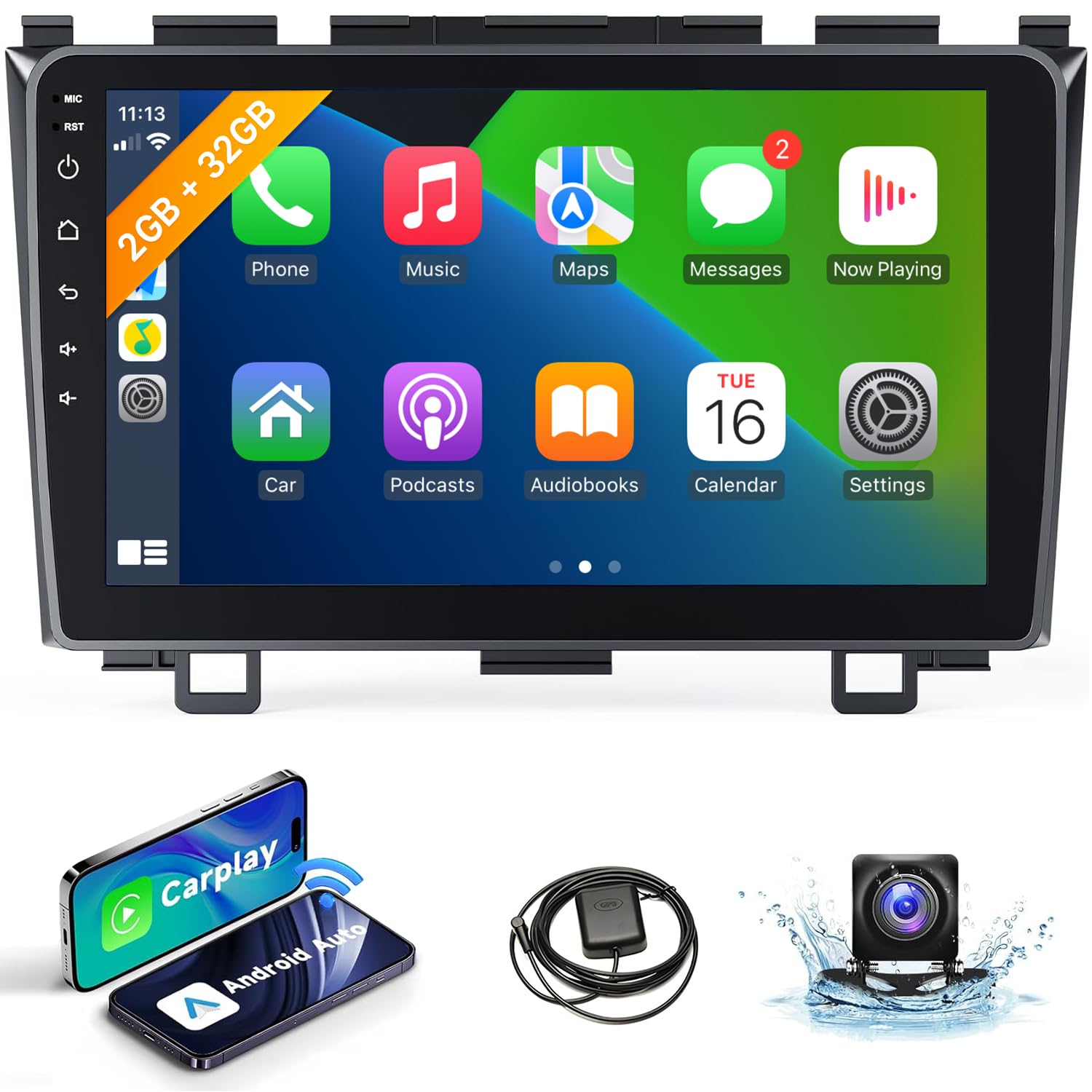
Image: The Naifay Android Car Stereo seamlessly integrated into a Honda CRV dashboard. The image also illustrates different original Honda CRV radio configurations, indicating which are compatible and which are not.
3. Package Contents
Verify that all items are present in the package before proceeding with installation:
- Naifay Android Car Stereo Unit (9-inch touchscreen)
- Power Cord
- RCA Cable
- USB Cables (2)
- GPS Antenna
- Rear Camera Input Cable
- Backup Camera
- User Manual (this document)

Image: A visual representation of the car stereo unit, its dimensions, rear ports, and all accessories included in the package.
4. Setup and Installation
Installation of the car stereo involves electrical wiring and dashboard disassembly. Professional installation is recommended. Ensure the vehicle's battery is disconnected before starting installation.
4.1 Wiring Connections
- Power Connection: Connect the red and yellow wires to the positive side of the 12V power supply. Connect the black wire to the negative power supply.
- Important: Use only the provided power cables. Do not attempt to directly insert the original car plug into the new unit.
- Reverse Input: Connect the reverse input cable to the vehicle's reverse light signal for automatic camera display.
- GPS Antenna: Mount the GPS antenna in a location with a clear view of the sky, typically on the dashboard or under the windshield.
- USB Cables: Connect the provided USB cables for external device connectivity.
- RCA Cables: Connect RCA cables for audio/video input/output as needed (e.g., external amplifier, subwoofer).
4.2 Dashboard Integration
The stereo unit is designed to fit the Honda CRV 2007-2011 dashboard without requiring additional dash kits. Carefully remove the original stereo and install the new unit, ensuring all connections are secure and routing cables properly to avoid interference.

Image: The Naifay Android Car Stereo successfully installed in a Honda CRV dashboard, demonstrating a clean and integrated appearance.
5. Operating Instructions
The Naifay Android Car Stereo offers a range of features for an enhanced driving experience.
5.1 Wireless CarPlay & Android Auto
Connect your smartphone wirelessly to access navigation, music, calls, and messages directly on the stereo screen.
- Connection: Pair your phone via Bluetooth and enable Wi-Fi. The system will prompt you to connect to CarPlay or Android Auto.
- Voice Control: Use Siri (for CarPlay) or Google Assistant (for Android Auto) for hands-free operation.

Image: The user interface for Wireless CarPlay and Android Auto, demonstrating access to phone functions and voice commands.
5.2 GPS Navigation & WiFi Connectivity
Utilize built-in GPS for navigation and connect to Wi-Fi for online features.
- GPS: The unit supports both online and offline navigation maps. Download offline maps for use without an internet connection.
- WiFi: Connect to a mobile hotspot or Wi-Fi network to access online maps, stream media, and download apps from the Play Store.

Image: The car stereo displaying GPS navigation with route information and a separate screen showing online video streaming via Wi-Fi.
5.3 Bluetooth & FM Radio
Enjoy hands-free communication and your favorite radio stations.
- Bluetooth 5.1: Pair your phone for hands-free calling and audio streaming. The unit includes a built-in microphone and supports an external microphone via the RCA cable.
- FM Radio: Tune into FM radio stations. The unit supports unlimited preset stations.

Image: The car stereo displaying the FM radio tuner and a Bluetooth dial-up screen for making calls.
5.4 MirrorLink & Split Screen
Extend your phone's display and multitask efficiently.
- MirrorLink: Wirelessly mirror your iOS device screen. Android devices support both wireless and wired MirrorLink.
- Split Screen: The Android 12 system allows you to run two applications simultaneously, such as navigation and music playback.

Image: Demonstrations of MirrorLink displaying a phone screen, the backup camera view, steering wheel control configuration, and two apps running side-by-side in split-screen mode.
5.5 Steering Wheel Control (SWC)
Integrate with your vehicle's existing steering wheel controls for convenience.
- Configuration: After correct wiring, access the 'Steering Learn' function in the system settings to map your steering wheel buttons to the stereo's functions.
5.6 Backup Camera
Enhance safety with the included AHD rear view camera.
- Automatic Display: The screen automatically switches to the rear view image when the vehicle is in reverse gear.
- Features: The camera offers a 170-degree ultra-wide angle and a waterproof design.
6. Maintenance
To ensure the longevity and optimal performance of your Naifay Android Car Stereo, follow these maintenance guidelines:
- Cleaning: Use a soft, dry cloth to clean the touchscreen and unit exterior. Avoid abrasive cleaners or solvents.
- Software Updates: Periodically check for available software updates to improve performance and add new features. Connect to Wi-Fi and navigate to system settings for updates.
- Temperature: Avoid exposing the unit to extreme temperatures.
- Power: Ensure the vehicle's electrical system is stable. Voltage over 12V may damage the unit.
7. Troubleshooting
Refer to the following common issues and solutions before contacting support.
| Problem | Possible Cause | Solution |
|---|---|---|
| No Power | Incorrect wiring; Blown fuse; Loose connection. | Check power cable connections (red/yellow to positive, black to negative). Inspect vehicle's fuse box and the unit's fuse. Ensure all connections are secure. |
| No Sound | Speaker wires disconnected; Volume too low; Mute enabled; Incorrect audio settings. | Verify speaker wire connections. Increase volume. Check if mute is active. Adjust audio output settings in the system menu. |
| CarPlay/Android Auto Not Connecting | Bluetooth/Wi-Fi off on phone; Incorrect pairing; Phone software issue. | Ensure Bluetooth and Wi-Fi are enabled on your phone. Forget and re-pair the device. Restart both phone and stereo unit. |
| GPS Signal Lost/Inaccurate | GPS antenna obstructed or improperly installed; Poor satellite reception. | Ensure GPS antenna has a clear view of the sky. Check antenna connection. Move to an open area for better signal. |
| Backup Camera Not Displaying | Reverse input wire disconnected; Camera power issue; Faulty camera. | Check the reverse input cable connection to the vehicle's reverse light. Verify camera power supply. Test camera if possible. |
| Unit Freezes or Responds Slowly | Too many apps running; Software glitch; Insufficient memory. | Close unnecessary applications. Restart the unit. Perform a factory reset if the issue persists (note: this will erase all data). |
8. Specifications
- Operating System: Android 12
- CPU: 4-Core
- Memory: 2GB RAM + 32GB ROM
- Screen Size: 9 Inches
- Display Resolution: 1024 x 600
- Connectivity: Wireless CarPlay, Wireless Android Auto, Bluetooth 5.1, Wi-Fi, USB
- Navigation: Built-in GPS (supports online/offline maps)
- Special Features: MirrorLink (Wireless for iOS, Wireless/Wired for Android), Split Screen, FM Radio, Steering Wheel Control (SWC), AHD Backup Camera Input
- Power Voltage: 12V (DC)
- Product Dimensions: 9.64 x 1.57 x 5.98 inches (approx. 24.5 x 4 x 15.2 cm)
- Item Weight: 2.72 pounds (approx. 1.23 kg)
9. Warranty and Support
Naifay provides comprehensive support for your product.
- Warranty: The product includes a 12-month warranty for quality issues, effective from the date of purchase.
- Returns: A 60-day no-worry return policy is available.
- Technical Support: Lifetime technical support is provided. For assistance with installation, troubleshooting, or any other inquiries, please contact Naifay customer service.
- Contact: Refer to your purchase documentation or the seller's platform for specific contact information.


