1. Introduction
This manual provides detailed instructions for the installation, operation, maintenance, and troubleshooting of your Hiseeu C90B Wireless Outdoor Security Camera. Please read this manual thoroughly before using the product to ensure proper functionality and safety.
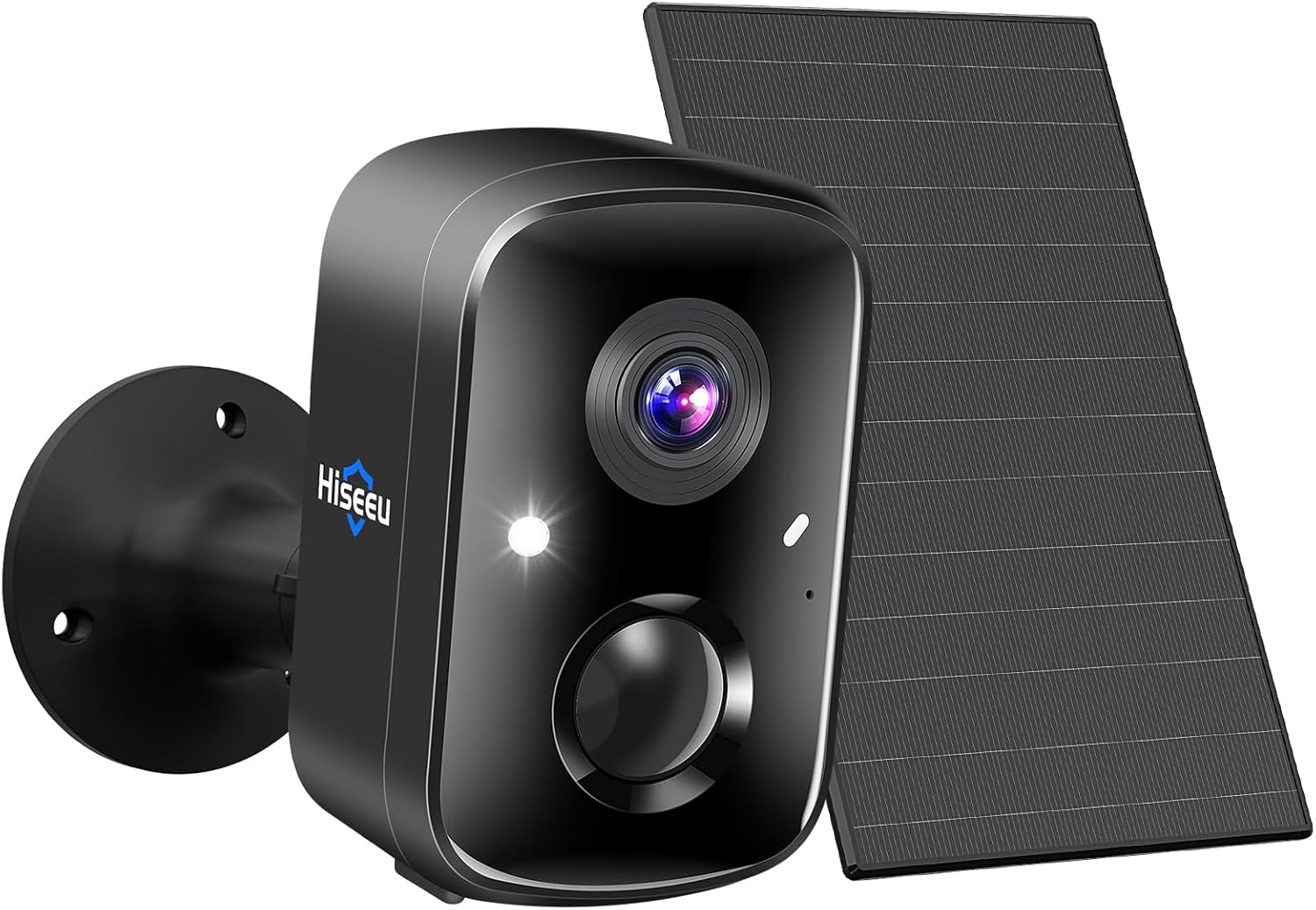
Figure 1: Hiseeu C90B Wireless Outdoor Security Camera with Solar Panel.
2. Product Overview
2.1 Key Features
- 100% Wireless & Waterproof: Designed for outdoor use with IP66 waterproof rating, allowing flexible placement without power outlets.
- Rechargeable & Solar Powered: Features a built-in 5200mAh battery and solar panel for continuous power, requiring only 2 hours of direct sunlight per day for year-round operation.
- 3K 4MP HD Video & Full Color Night Vision: Provides clear 2560*1440 resolution video and offers both full-color and infrared night vision modes.
- PIR/AI Motion Detection & 2-Way Audio: Equipped with a PIR motion sensor and AI human detection to reduce false alarms. Includes a microphone and speaker for real-time two-way communication.
- Siren Alarm & Spotlight: Features smart alerts, sound, and dual LED modes (white and red light) to deter intruders.
- Easy Setup & Smart Integration: Quick 3-step setup process. Compatible with Alexa for voice control and remote monitoring.
- Flexible Storage Options: Supports Cloud storage (3-day cycle free, 15-day trial, subscription available) and local storage via SD card (not included, up to 256GB).
2.2 Components

Figure 2: Overview of Hiseeu C90B camera features including solar panel, wireless connectivity, 4MP HD video, Alexa compatibility, 24/7 recording, PIR human detection, full color night vision, multi-user sharing, two-way talk, and SD/Cloud storage.

Figure 3: Hiseeu C90B camera and solar panel installed on a residential building, illustrating its outdoor placement and solar charging capability.
3. Setup Guide
Follow these steps to set up your Hiseeu C90B camera and connect it to your smartphone via the EseeCloud app.
3.1 Initial Camera Preparation
- Power On: Press the power button on the camera for 5-8 seconds to turn it on. You will hear an audible confirmation.
- Reset (if necessary): If the camera has been previously used or is not responding, reset it by holding down the reset button for 7-30 seconds. The camera will announce "Restore factory settings" and restart automatically.
Video 1: Demonstrates how to power on and reset the Hiseeu C90B camera.
3.2 App Connection
- Download App: Download and install the "EseeCloud" app from your smartphone's app store.
- Open App & Enable Bluetooth: Open the EseeCloud app. Click the "+" icon to add a device and enable Bluetooth on your phone when prompted.
- Add Device: The app will automatically search for the camera. Once found, click "Add".
- Configure WiFi: Input your home 2.4GHz WiFi network name and password. The device does not support 5G WiFi.
- Complete Setup: Wait for the configuration process to complete. Once successful, you can name your device and begin viewing the live video feed.
Video 2: Demonstrates the process of connecting the Hiseeu C90B camera to the EseeCloud app via Bluetooth and WiFi configuration.
4. Operating Instructions
4.1 Live View and Recording
After successful setup, access the live video feed through the EseeCloud app. You can view real-time footage and manage recordings.
4.2 Motion Detection and Alerts
The camera features PIR (Passive Infrared) and AI-powered human detection. You can customize sensitivity levels to minimize false alarms. When motion is detected, the camera can trigger a siren, activate a spotlight, and send notifications to your smartphone.

Figure 4: Illustration of AI motion detection triggering alerts, spotlight, and siren on the Hiseeu C90B camera.
4.3 Night Vision Modes
The Hiseeu C90B offers two night vision modes:
- Full Color Night Vision: Utilizes the built-in LED spotlight to provide clear, colorful images even in low-light conditions.
- Infrared Night Vision: Provides black and white images using infrared LEDs for discreet monitoring in complete darkness.

Figure 5: Comparison showing the clarity of 4MP full-color night vision versus standard infrared night vision.
4.4 Two-Way Audio
Communicate with visitors or deter intruders using the integrated microphone and speaker for real-time two-way audio calls through the app.
4.5 Storage Options
The camera supports both cloud and local storage:
- Cloud Storage: Offers a 3-day cycle cloud storage for free, with a 15-day trial for extended storage. Subscription plans are available for longer retention.
- SD Card Storage: Supports up to 256GB SD card (not included) for local recording.
4.6 Smart Home Integration
The Hiseeu C90B camera is compatible with Alexa, allowing you to view live feeds on compatible Echo devices using voice commands.

Figure 6: The Hiseeu C90B camera integrated with Alexa for live viewing and the app interface for defining motion detection areas.
5. Maintenance
To ensure optimal performance and longevity of your Hiseeu C90B camera, consider the following maintenance tips:
- Solar Panel Placement: Ensure the solar panel receives at least 2 hours of direct sunlight daily to maintain battery charge. Keep it free from obstructions like leaves or dirt.
- Cleaning: Periodically clean the camera lens and solar panel with a soft, damp cloth to remove dust and debris. Avoid abrasive cleaners.
- Firmware Updates: Check the EseeCloud app regularly for firmware updates to ensure your camera has the latest features and security enhancements.
- Battery Health: While solar-powered, monitor battery levels in the app, especially during prolonged periods of low sunlight.
6. Troubleshooting
If you encounter issues with your Hiseeu C90B camera, refer to the following common troubleshooting steps:
| Problem | Possible Cause | Solution |
|---|---|---|
| Camera not powering on. | Low battery or power button not pressed long enough. | Charge the camera using the USB cable. Press and hold the power button for 5-8 seconds. |
| Cannot connect to WiFi. | Incorrect WiFi password, 5GHz network, or weak signal. | Ensure you are connecting to a 2.4GHz WiFi network. Double-check the password. Move the camera closer to the router. |
| SD card not detected. | Improper insertion, incompatible card, or card corruption. | Ensure the SD card is inserted correctly. Try formatting the SD card via the app (this will erase data). Use a compatible SD card (up to 256GB). |
| Frequent false motion alerts. | High sensitivity setting, environmental factors (e.g., swaying branches, insects). | Adjust the motion detection sensitivity in the EseeCloud app. Define specific detection zones to exclude irrelevant areas. |
| Alexa integration issues. | Incorrect skill setup, network issues, or device not linked. | Ensure the correct Hiseeu skill is enabled in the Alexa app. Verify both devices are on the same network. Relink the camera in the Alexa app if necessary. |
7. Specifications
| Feature | Detail |
|---|---|
| Model Number | C90B |
| Effective Still Resolution | 4 MP (2560*1440) |
| International Protection Rating | IP66 |
| Power Source | Built-in 5200mAh Battery, Solar Powered |
| Connectivity | 2.4GHz WiFi |
| Motion Detection | PIR/AI Human Detection |
| Night Vision | Full Color & Infrared |
| Audio | 2-Way Audio |
| Storage Options | Cloud Storage, SD Card (up to 256GB) |
| Control Method | Remote (via EseeCloud App) |
| Product Dimensions | 0.8 x 0.8 x 0.6 inches |
| Item Weight | 1.17 pounds |
8. Warranty and Support
Hiseeu offers a 1-year after-sales service for this product. For technical assistance or support, please refer to the contact information provided in your product packaging or within the EseeCloud app.
Cloud storage services are available with a 3-day free cycle and a 15-day trial for extended storage. Subscription plans are available for continued service.


